 Today Team Awesome member Jen is sharing her tips for using the Summer Love Mini Album templates with your Silhouette Cameo or Portrait. I admit my Silhouette still kind of scares me but her tutorial makes it seem super easy. Take it away, Jen!
Hi everyone, it’s Jen! Earlier this summer when Lynnette introduced Team Awesome to the Summer Love Mini Album, I decided I wanted to be really crazy and do a hybrid album, rather than a digital album. Lynnette’s templates are very easy to use for hybrid and I love being able to combine my love of digital products with the messiness of paper scrapbooking. One of the best ways to do that is to use a Silhouette Cameo or Portrait to enhance your pages, and today I am here to show you how I am using the Silhouette with my album.
I am using a text page from this week’s sharing examples to show you the process.
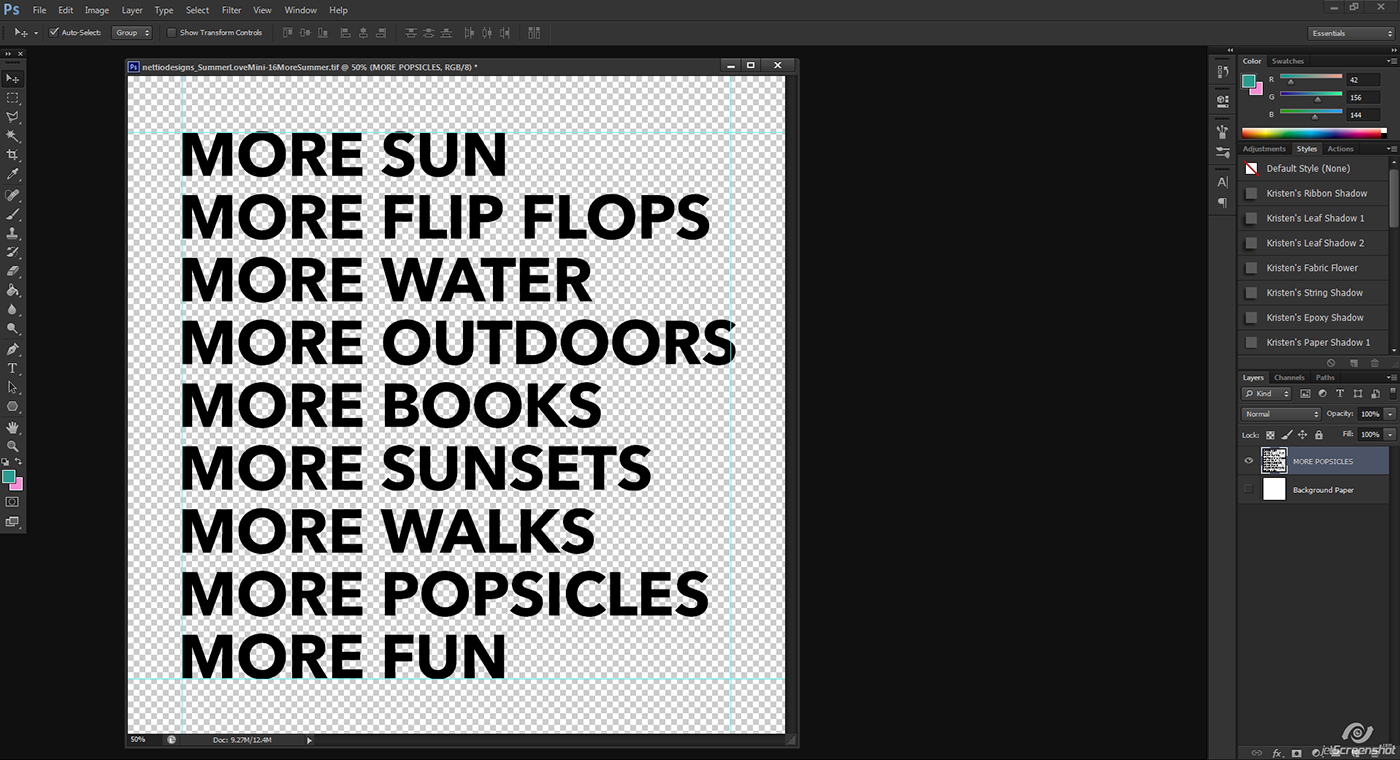
Step 1: Open the template in Photoshop or your editing program of choice. Turn OFF the white background layer so that the transparent background shows. Flatten all layers that you want to be able to cut out. Save as a PNG file and note the location where you saved it.
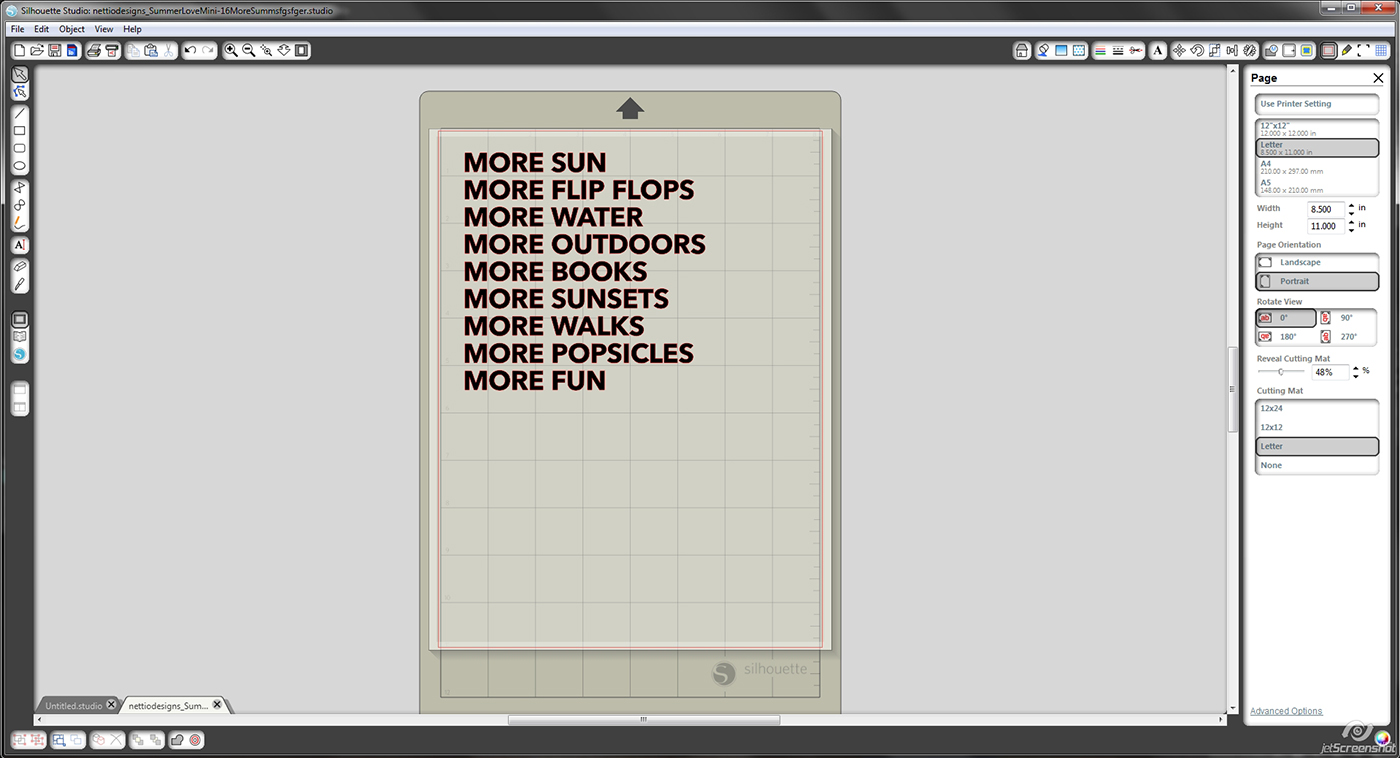
Step 2: Open the PNG file in your Silhouette Studio Software. Under Page tools, go down to the slider and reveal cutting mat until you can easily see the grid lines. This will allow you to ensure that your design is lined up properly for your paper on your cutting mat.
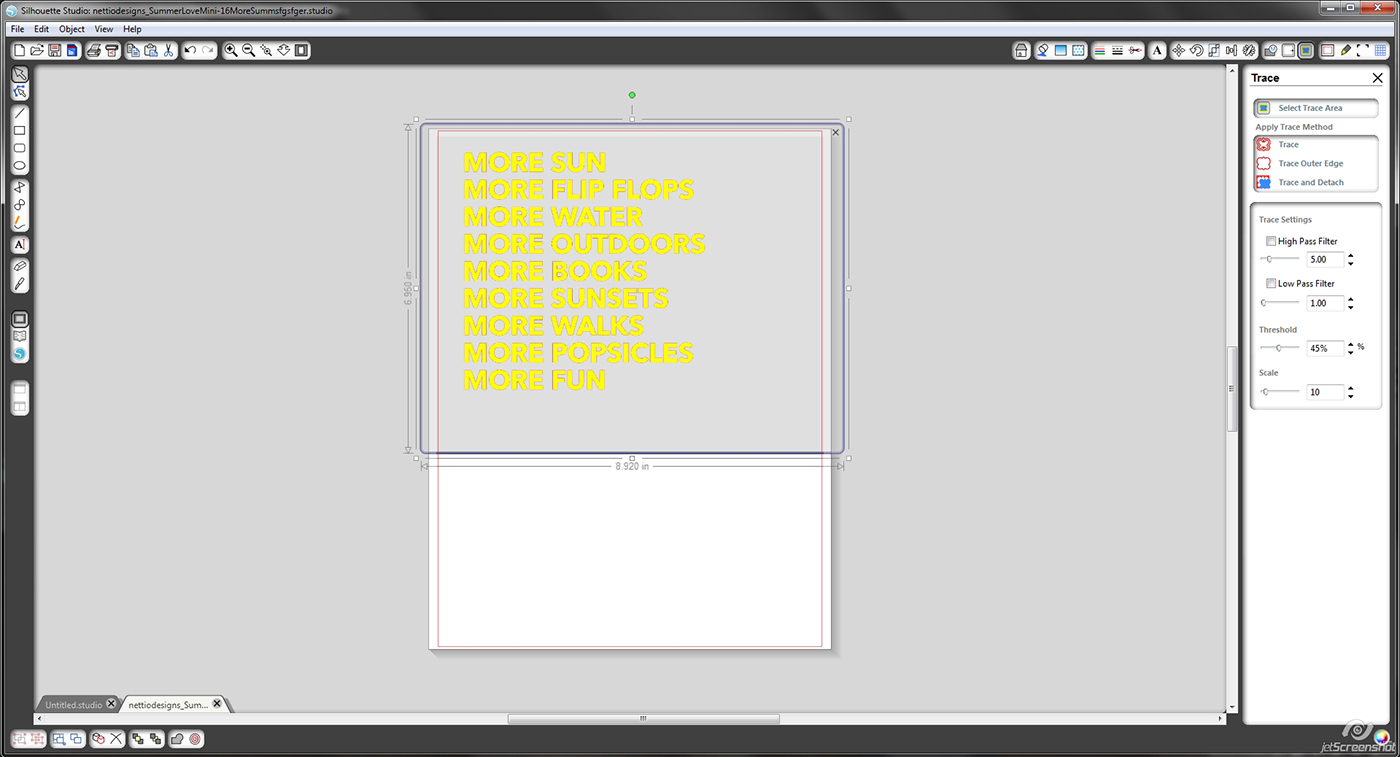
Step 3: Go to the trace menu and select trace area. Deselect the box that says High Pass Filter and choose Trace to complete the tracing. If this step is done correctly, you will see a faint red outline showing the cut lines.
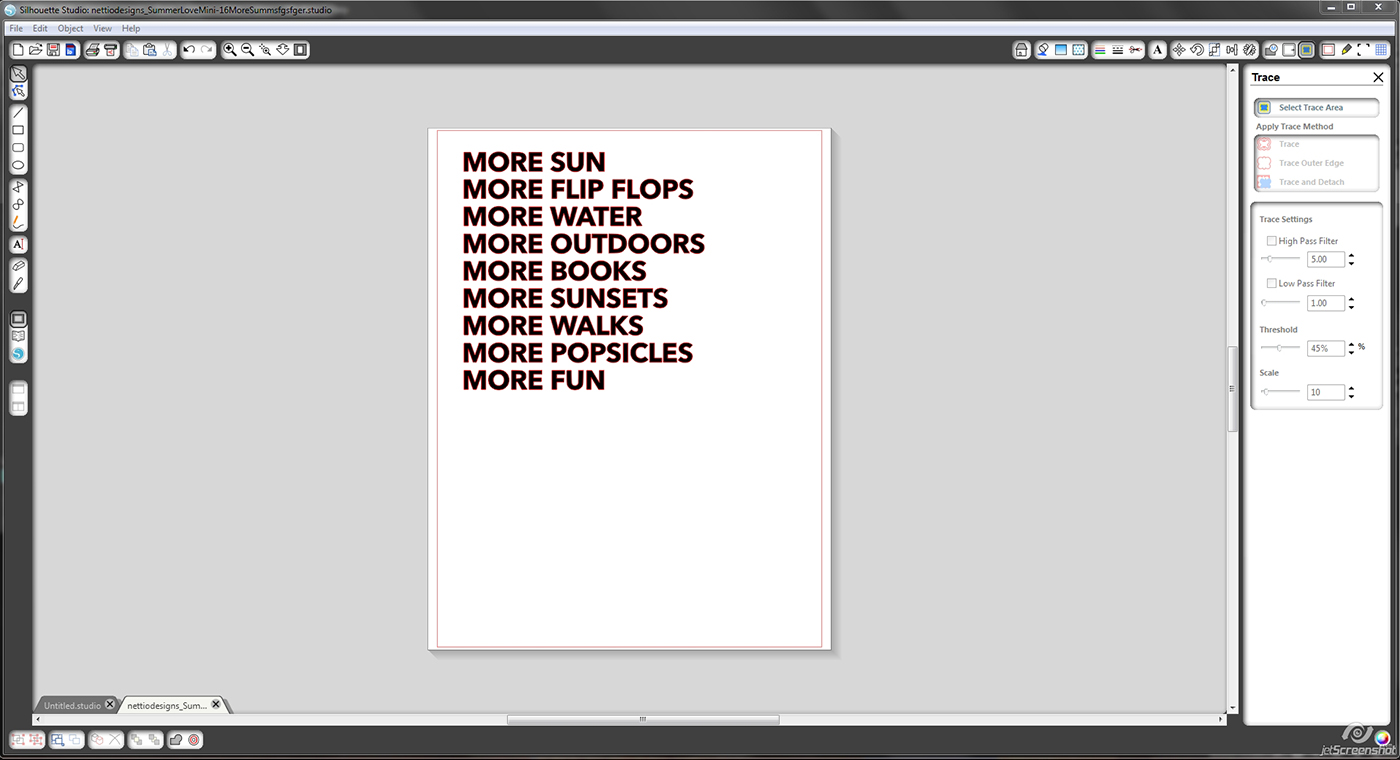
Step 4: Make sure your paper is adhered to your mat in the right place and load it into the Silhouette. In the Silhouette cut menu, select your paper type and make sure you set your blade accordingly. Select cut, sit back, and let it do the hard work. It should only take a few minutes before it is done, then you can unload your cutting mat and it should look something like this.
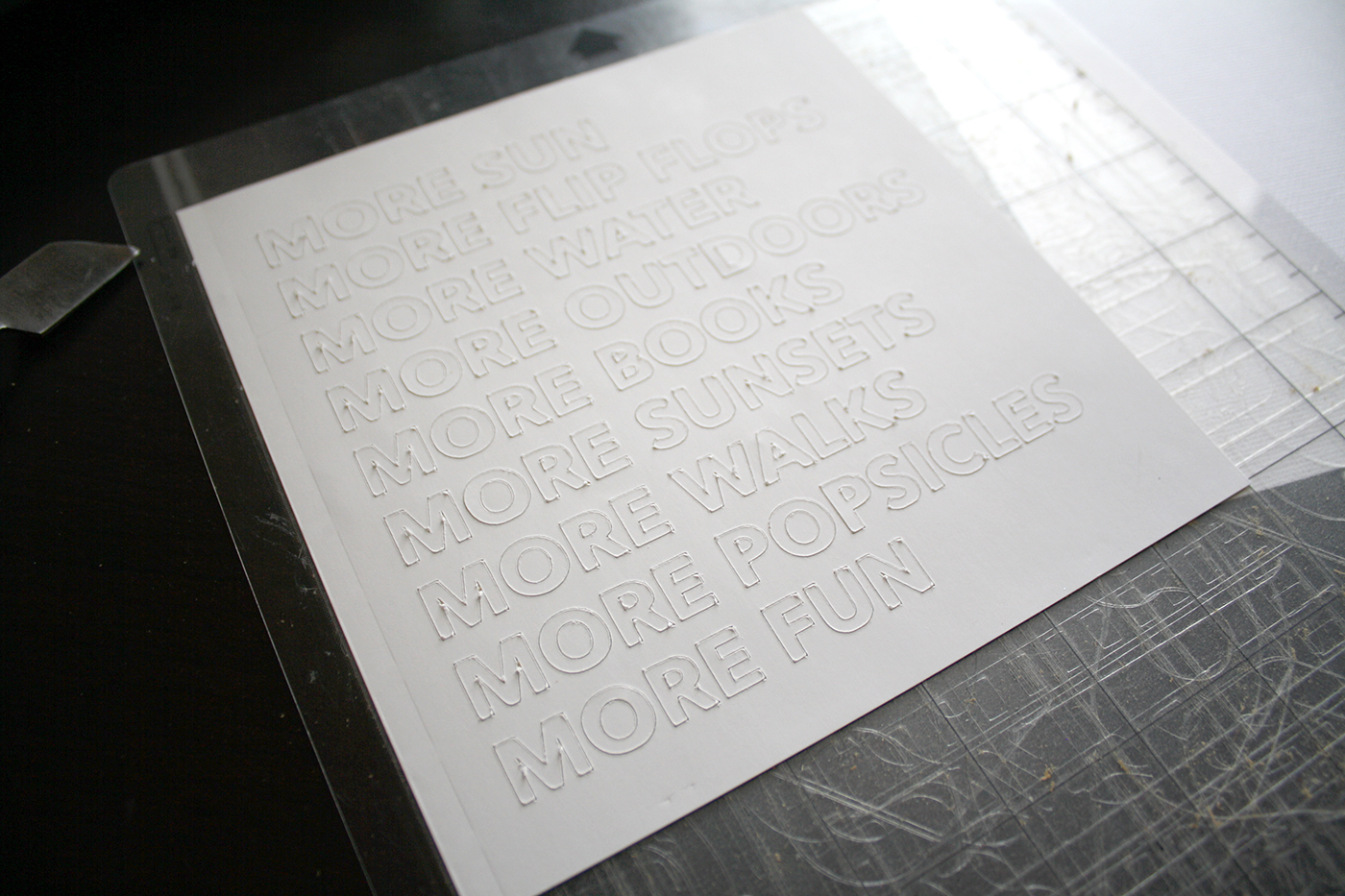
Step 5: Remove cut design from the mat. You can back it with washi tape, paper, glitter, and so much more, or use the cut out letters and adhere them onto the background of your choice.
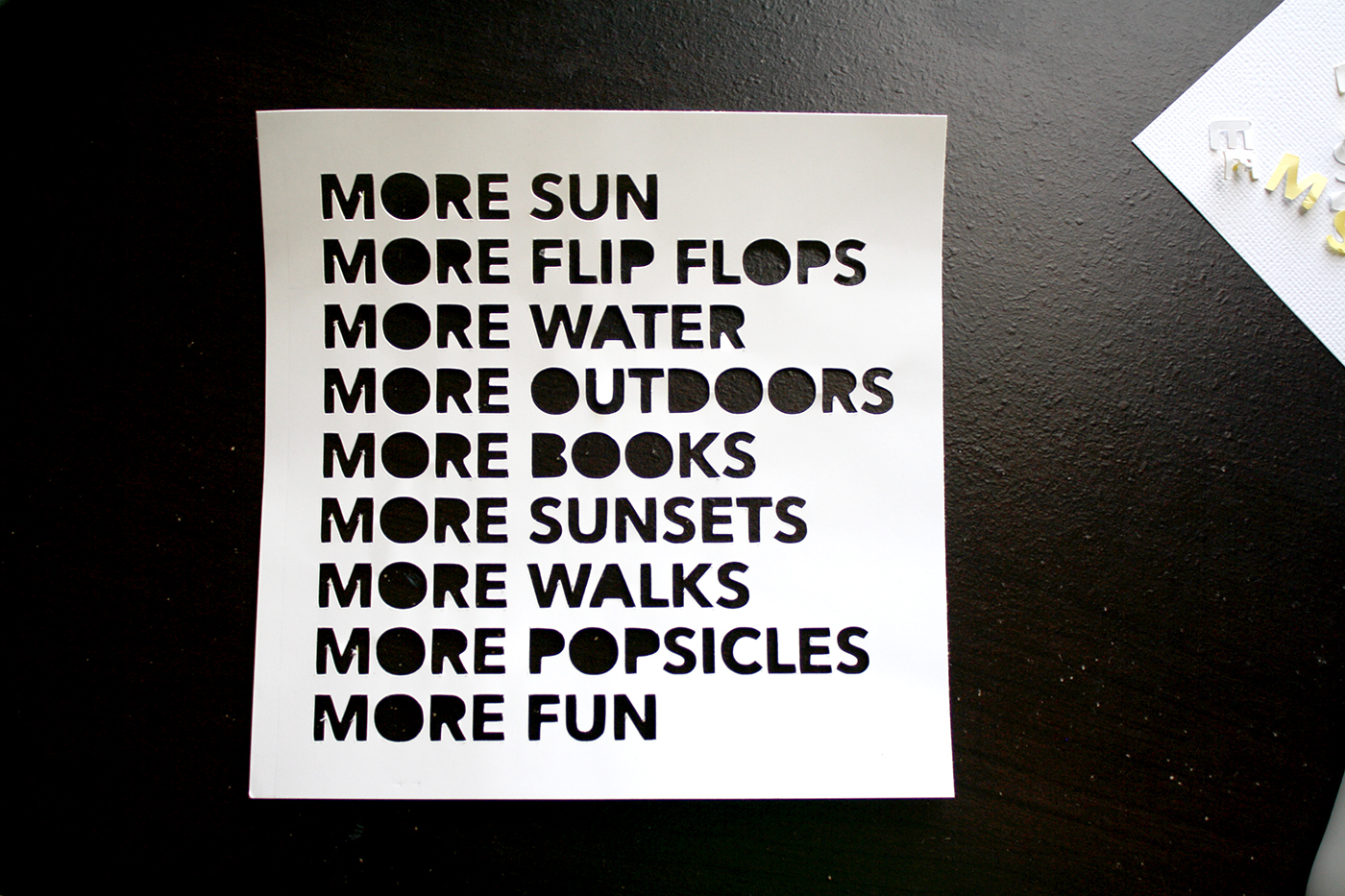
I decided to have a little fun with mine, so you’ll have to come back Thursday for the next Team Awesome page reveal day to see what I chose!
Don’t be afraid of your Silhouette. It’s very easy to use and makes doing hybrid scrapbooking so much easier. If you have any questions, ask away in the comments section and I will do my best to answer them!
Awesome, thanks Jen! Looks like I need to pull out my Silhouette and play!
Coming up next…On Thursday, July 25th, Team Awesome and I will be sharing our Summer Loves #5 & 6. See you then!
[catalyst_hook_box name=”summerlovesignup”]
__________________________________________________________________
Previous Summer Love Mini Course posts:
View all Summer Love Mini Course posts here.
