Nettio Designs

Design + Creativity + Adventure = LOVE

  • HOME
  • JOIN THE 2023 MONTHLY FAVES
  • THE SHOP
  • ABOUT
  • CONTACT
You are here: Home / Archives for Memory Keeping / Scrapbook Saturday

Scrapbook Saturday 03 | How I Use the History Snapshot Tool In My Creative Process

POSTED ON January 31, 2015 IN Memory Keeping, Scrapbook Saturday

Digital Scrapbook Layout by Lynnette Penacho for Scrapbook Saturday - How I Use the History Snapshot Tool | NettioDesigns

As part of my word OPEN this year, I’m focusing on being more of an open book about why I do what I do when it comes to my creative adventures and design process. So to kick things off, I’ve started a new semi-regular feature called Scrapbook Saturday where each week I’ll share my most recent scrapbooking layouts as well as a little bit of my thought process behind those pages.

This week’s layout is a layout I created for the Sweet Shoppe Designs Bingo challenge. If you haven’t checked out the new Bingo challenge format yet, you totally should! It’s so fun and easy and to be honest, it’s my favorite format we’ve done…ever.

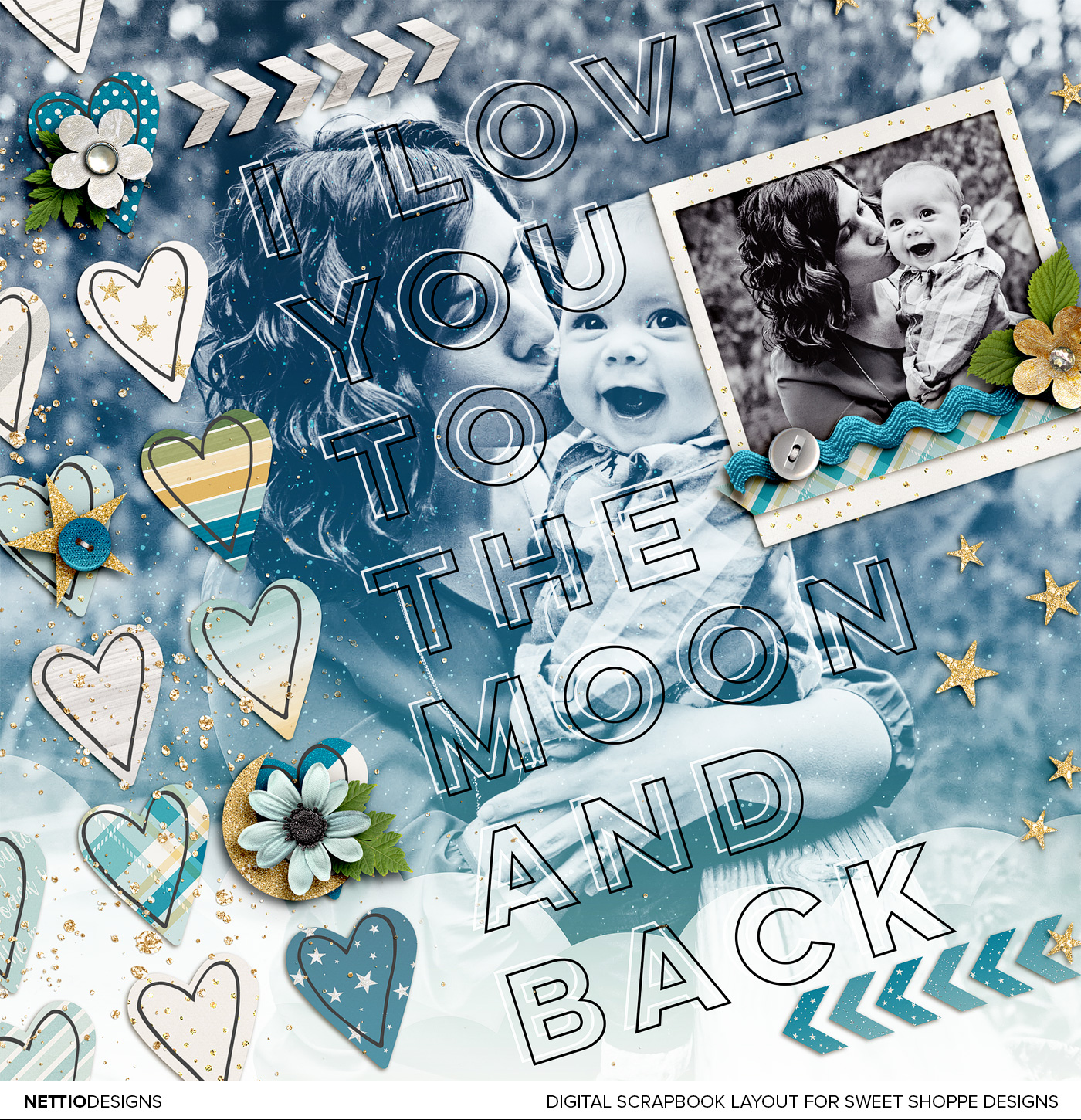
For my layout, I chose the challenge “Make 1/3 of your page a really big title.” I love bold type and typography but it’s not something I often do on my layouts so I thought it would be fun to give it a shot. Not gonna lie, I feel like my design style has been a bit all over the place so far this year but I’m so in love with how this layout turned out that I don’t even care!
Digital Scrapbook Layout by Lynnette Penacho for Scrapbook Saturday - How I Use the History Snapshot Tool | NettioDesigns

Credits: To the Moon and Back by Kristin Cronin-Barrow; Every day: Cherish Hearts by Lauren Grier. Font is Lulo Outline. Photo by Captured Simplicity.

The idea for this layout was heavily inspired by Kristin’s new To the Moon & Back kit. As soon as I saw this kit I just had to use it. I mean, blues, greens and golds? Oh yeah, sign me up.

The design for this layout all started with the title which I took literally from the title of the kit. The large background photo was actually a happy accident. I dragged my black & white photo onto my canvas with the intention of scaling it down to fit within the smaller frame but as soon as I saw it behind the type, I knew I wanted to figure out a way to make it work.

Since I feel like the design process for a layout can sometimes feel a bit magical, like “Poof! Blank page to amazing layout!”, I thought it’d be fun to break down for you how this layout came together courtesy of one of my most used Photoshop tools, the History Snapshot.

If you’ve never used the History Snapshot tool, you can find it in the History panel (Window>History) – it’s the little icon at the bottom of the panel that looks like a camera. When you click on it, it saves a snapshot of your document at that point in time, layers and all.

As I am the type of scrapbooker who likes to tweak and make changes until things are just right, I use the snapshot tool a lot to change things up and then toggle back and forth between snapshots to decide what option I like best.
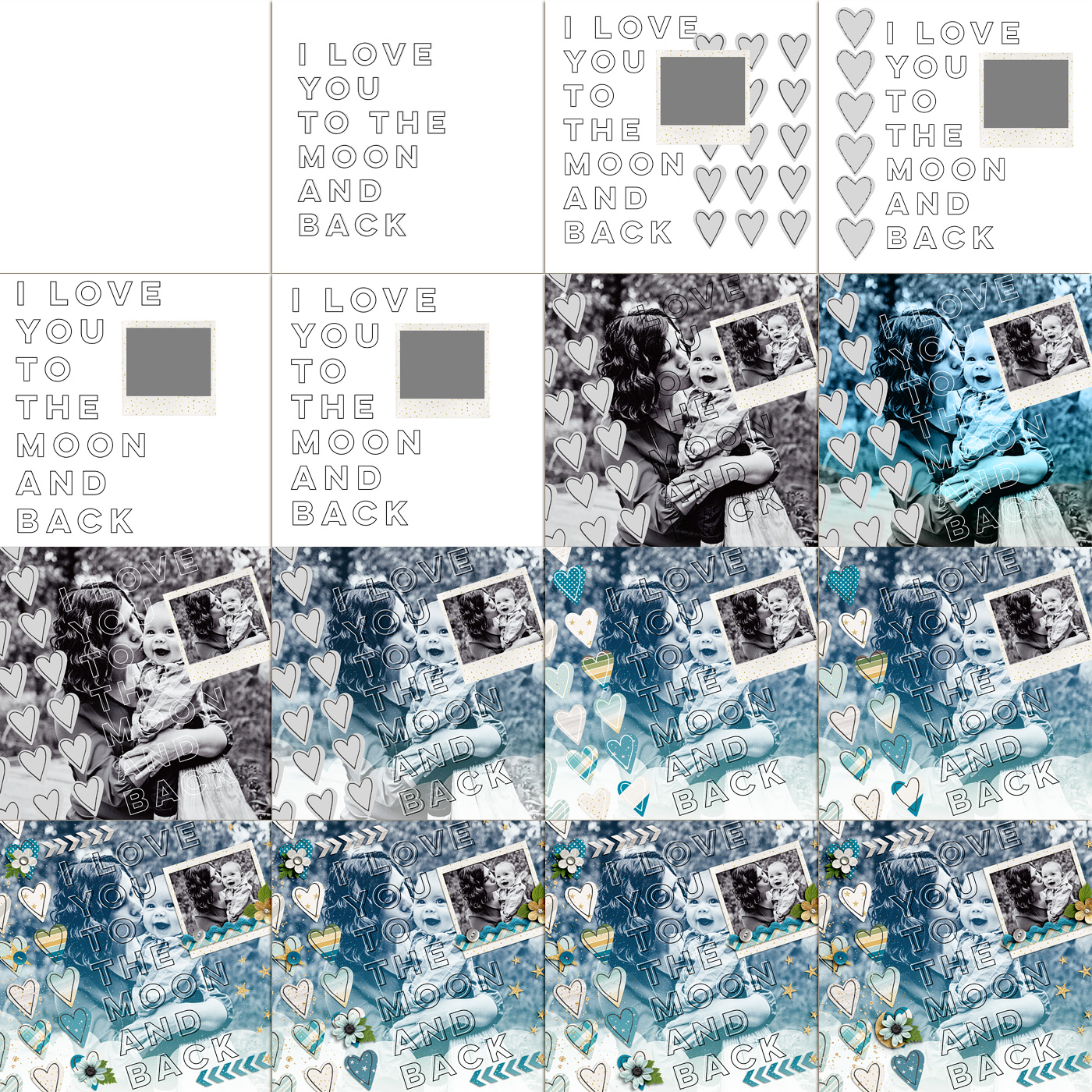
Digital Scrapbook Layout by Lynnette Penacho for Scrapbook Saturday - How I Use the History Snapshot Tool | NettioDesigns

For this layout I took 19 snapshots, 16 of which are shown here because in the others, the changes were too subtle to show up in the scaled down format.

As you can see I started by playing around with the type and the hearts, adding them on, off and then back on again. There’s a big jump in the second row because I don’t tend to take snapshots when things are flowing and I’m happy with where the layout is headed. I started taking snapshots again when I started playing around with what I wanted to do with the large photo – trying out different blend modes and papers until I had a look I was happy with. Then I added papers and embellishments until I had a design I liked.

If it looks like the bottom row is mostly the same, that’s because the only thing I was changing at that point was the placement of the blue flower and leaf. That’s not unusual for me – often the changes I debate over the most are the small details. On more than one occasion I’ve switched between two snapshots and asked Adam which one he likes better and he’ll ask “What changed?” haha.

After nine years, I’ve accepted this as part of my creative process but if you pride yourself on speed, it’d probably drive you nuts! I think it helps that I’m more focused on the creative side of scrapbooking than I am on scrapbooking all my photos or creating 30+ layouts every month. For me the design process is my favorite part so I’m happy to take the time to get it right.

What about you: are you a fan of the History Snapshot? Do you have any of your own scrapbooking quirks?

Disclaimer: All Sweet Shoppe Designs products were given to me free of charge as part of my Sweet Shoppe Creative Team responsibilities. All thoughts and opinions are my own.

Want more scrapbooking inspiration? Check out all my Scrapbook Saturday posts here. 
Fraudulent Drugs Are A Huge Global Problem

POSTED IN Memory Keeping, Scrapbook Saturday

Scrapbook Saturday 02 | How To Use a Template as an Embellishment

POSTED ON January 24, 2015 IN Memory Keeping, Scrapbook Saturday

Scrapbook Saturday 02 Scaling Down a Template | NettioDesigns

As part of my word OPEN this year, I’m focusing on being more of an open book about why I do what I do when it comes to my creative adventures and design process. So to kick things off, I’ve started a new semi-regular feature called Scrapbook Saturday where each week I’ll share my most recent scrapbooking layouts as well as a little bit of my thought process behind those pages.

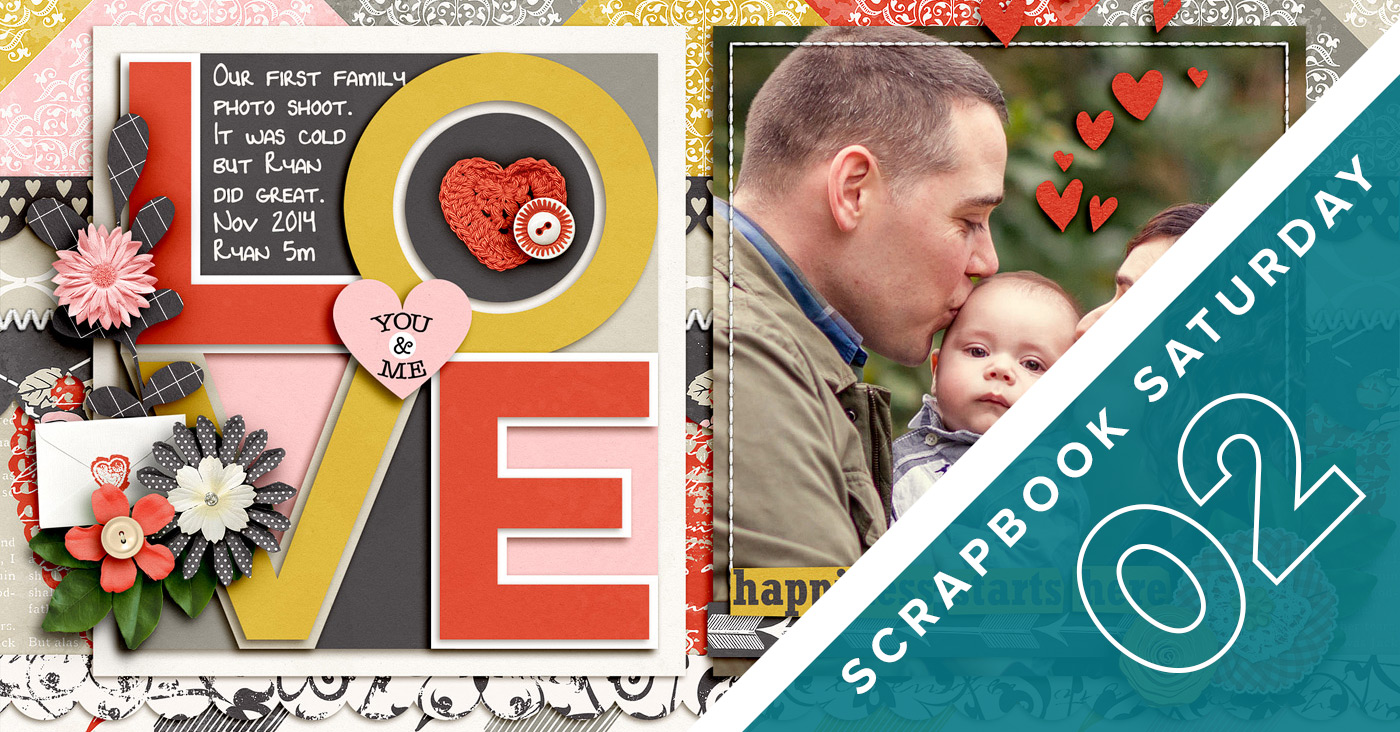
This week was an interesting week as Adam traveled for work which always means two things: I lose my pre-baby morning work hours and I stay up way too late in the evenings. Thursday night I decided to put my late night adventures to good use by scrapbooking this layout using Ru (Studio Basic Designs) & Krystal’s new kit, Be Mine 4 Ever.

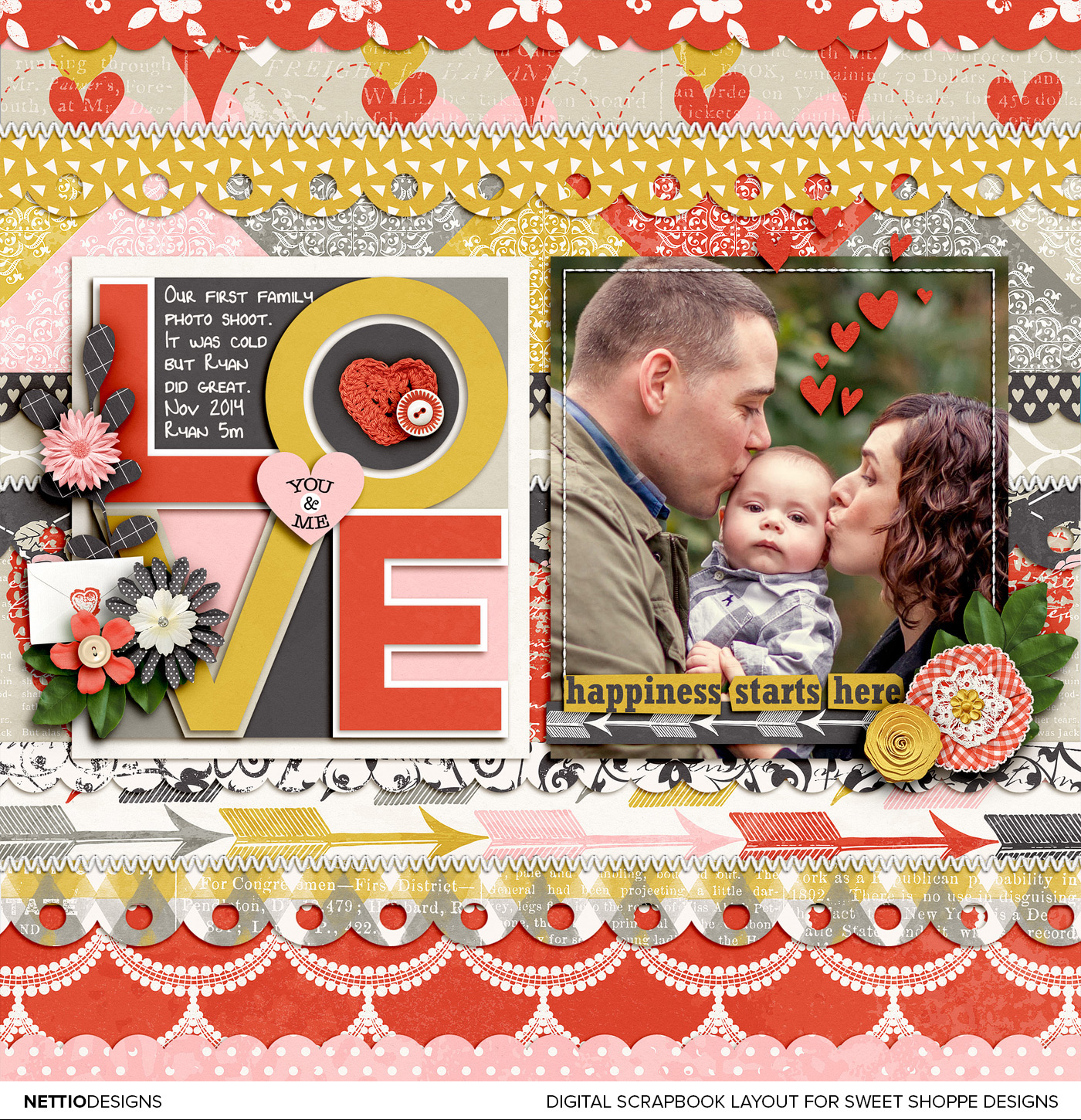
Digital Scrapbooking Layout by NettioDesigns | Scrapbook Saturday 02 Scaling Down a Template

Credits: Be Mine 4 Ever by Studio Basic & Krystal Hartley; Single 81 – I Heart U 7 by Cindy Schneider; Green leaves from Free Spirit by Shawna Clingerman; Straight Line Stitched White No. 2 by Anna Apnes. Photo by Captured Simplicity.

A couple of fun facts about this layout…

1) I used a template again…sort of.

As I’ve mentioned before, I’m generally not a big template user outside of my own templates, because my brain follows a certain pattern when I scrapbook and using another designer’s template makes me feel like I’m trying to read someone else’s mind as I scrap.

But as soon as I saw this new template from Cindy, I instantly knew I wanted to scale it down and use it as an accent on my layout rather than the foundation of my layout – and I love how it turned out!

I built the entire design of this layout off the scaled down template. For the photo, I duplicated the paper mat from the template so my photo would be the same size and then centered both on the page. Then because I’m always looking for more ways to add patterned papers to my layout, I used the shape tool and two of my own scallops shapes to create my own super patterned paper background.

I didn’t realize it at the time but the LOVE template was actually made up of a bunch of paper layers (each triangle section is it’s own paper shape) so I could have easily filled it with patterned paper and used a solid background instead. But I’m happy with how this turned out.

2) Where are the ribbons?

One surprise I had as I was creating this layout was when I discovered the Be Mine 4 Ever kit didn’t include any ribbons. No ribbons in a girly Valentine’s day kit? That kind of threw me for a loop. I made it work with a paper strip and some additional stitching but I’m still missing the extra subtle texture that ribbons add to the design. It helps balance all the patterned paper and I feel like I’m missing that here.

Since this is a creative team layout, I did my best to stick with what’s in the kit (which is why I didn’t pull any ribbons from another kit) but I did end up grabbing a green leaf from Shawna’s Free Spirit kit (which I used last week) because the greenery in my photo was standing out like a sore thumb. Once I added the two leaves, the whole layout finally came together – sometimes it’s the details that make the biggest difference.

3) The photo/word strip combo cracks me up.

Do you ever have moments where you don’t notice something about your layout until you’ve uploaded it to a gallery? And then you have that internal debate with yourself whether to fix it and reupload or just go with it?

That’s what happened to me when I noticed the irony between the “happiness starts here” word strip and the look on Ryan’s face. If that’s the look of happiness, I’d hate to see what his unhappy face would look like, haha. To be fair he was cold and a bit unsure about the whole photo taking thing rather than unhappy but the combo of the two together on this layout totally cracks me up.

Well that’s it from me for this second installment of Scrapbook Saturday. What have you been up to this week? Did anything that happened this week surprise you?


Disclaimer: All Sweet Shoppe Designs products were given to me free of charge as part of my Sweet Shoppe Creative Team responsibilities. All thoughts and opinions are my own.

In need of more scrapbooking inspiration? Find all my Scrapbook Saturday posts here. 
How Can Customers Lower Their Remedy Costs

POSTED IN Memory Keeping, Scrapbook Saturday

Scrapbook Saturday 01 | Welcoming In the New Year

POSTED ON January 17, 2015 IN Memory Keeping, Scrapbook Saturday

nettiodesigns_Scrapbook-Saturday-01-header-small

As part of my word OPEN this year, I’m focusing on being more of an open book about why I do what I do when it comes to my creative adventures. So to kick that off, I’ve decided to start a new semi-regular feature called Scrapbook Saturday where each week I’ll share my most recent scrapbooking layouts as well as a little bit of my thought process behind those pages.

Since I’m not the most prolific scrapbooker in the world (slow would be a better description, haha), I can’t promise there will be a post every Saturday but I am hoping that sharing more layouts like this will encourage me to scrapbook more. And since a large chunk of the layouts I do are for Sweet Shoppe Designs New Releases, if you check out the post on Saturday, there’s a good chance at least some of the products I use will still be on sale in case there’s something you just have to have.

Ok, let’s get to this first installment of Scrapbook Saturday!

This week I have two layouts for you, both themed around the start of the new year. I admit, I’ve been feeling a little rusty with my scrapbooking so far this year, partly I think because I’m still shaking off the holiday scrapbooking dust and partly because, since having my son Ryan last year, I still haven’t figured out exactly the direction I want to go with my scrapbooking.

What I do find interesting about these two layouts is that they ended up being much more similar than I’d intended. Both feature stock photos (from Death to Stock Photo) and both feature white backgrounds that give them a brighter/fresher more modern look then my usual style. That’s a style I’ve been drawn to a lot lately (thanks to Pinterest) so I’m excited to play around with it more this year.

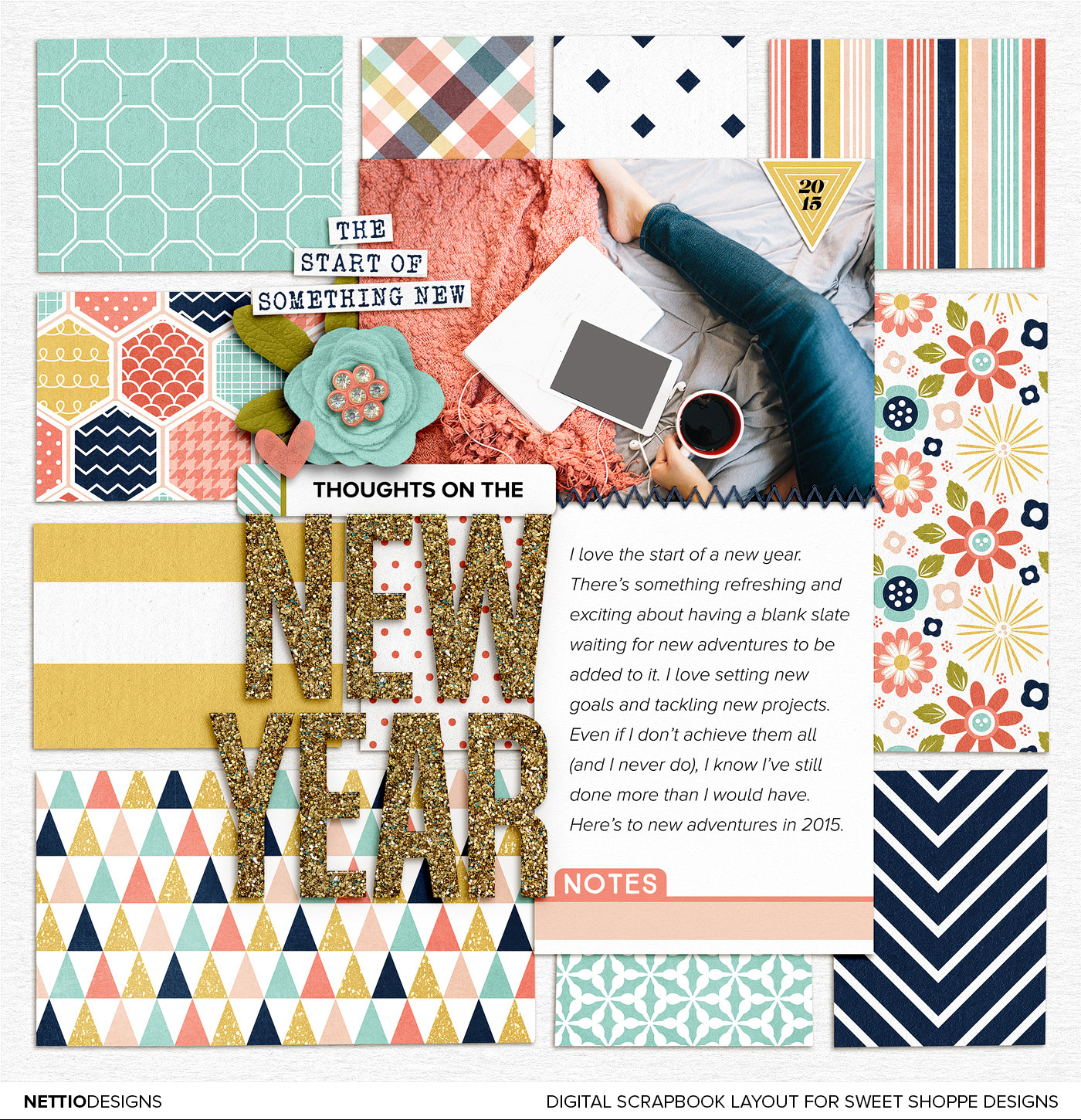
Layout No. 1 | Thoughts On the New Year

nettio_201501-NewYear-nd-1400

For my first layout of 2015, I decided to scrapbook about my love for the start of the new year. Even though it’s true it’s technically just another day, I love that feeling of starting fresh each year.

When I pictured this layout in my head, I knew I wanted to use the sparkly gold alpha from Lauren Grier but I was feeling a little stuck when it came to the rest of the design until I saw Brook’s ABC’s of Me template and realized I could use the paper blocks from the template as my background.

In general, I’m not a huge template user (outside of my own) but pulling out individual pieces of templates is one of my favorite ways to use digital scrapbooking templates because it saves me time and gives me a jumping off point for the rest of the layout without tying me down to a specific design.

Credits: Happiness Is: New Beginnings by Tickled Pink Studio and Meghan Mullens; All A Glitter Alpha by Lauren Grier; Doubles 01 – ABCs of Me by Brook Magee (paper squares only). Photo from Death to Stock Photo. Font is Proxima Nova.

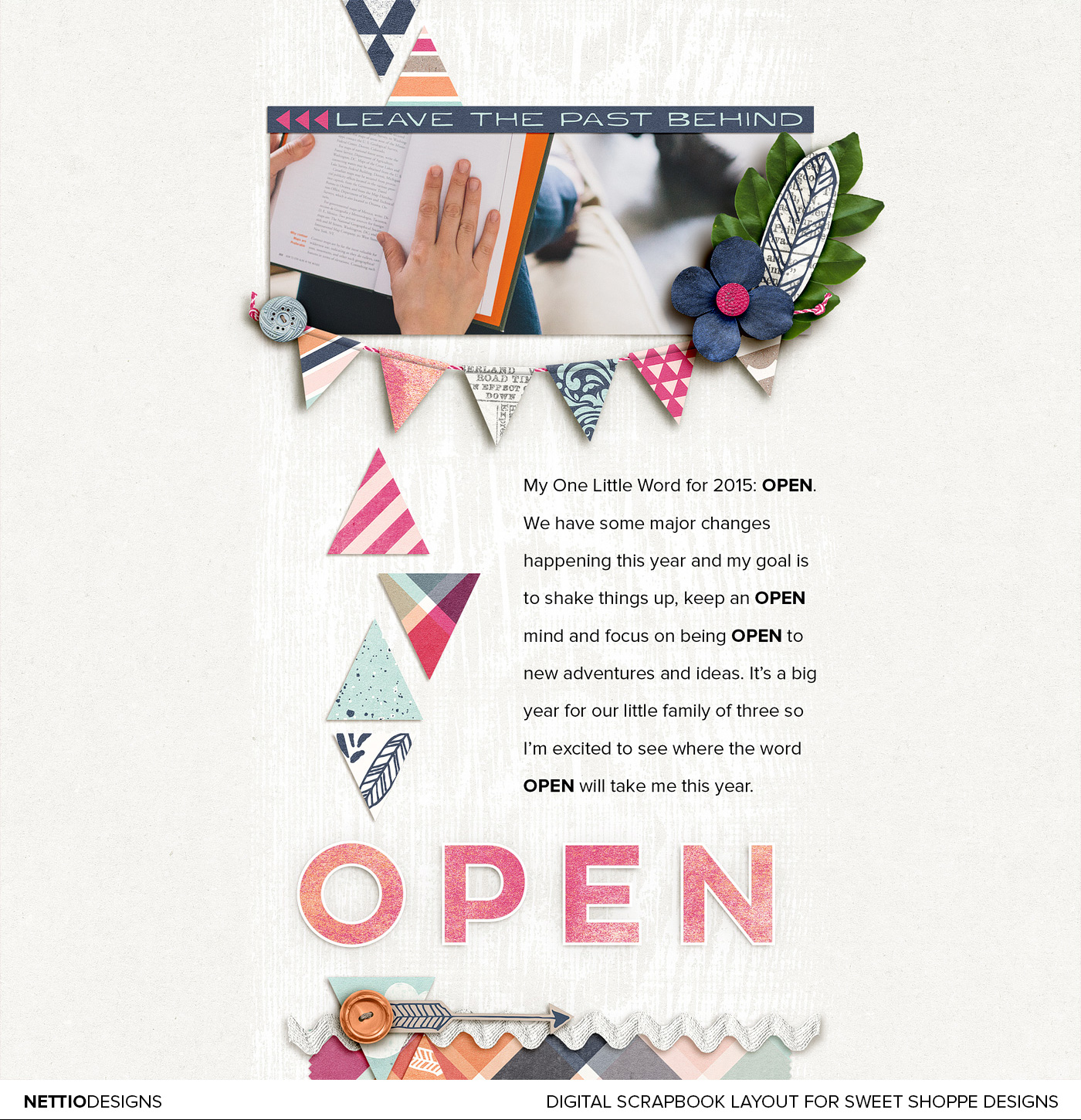
Layout No. 2 | One Little Word: OPEN

nettio_201502-Open-nd-1400-new

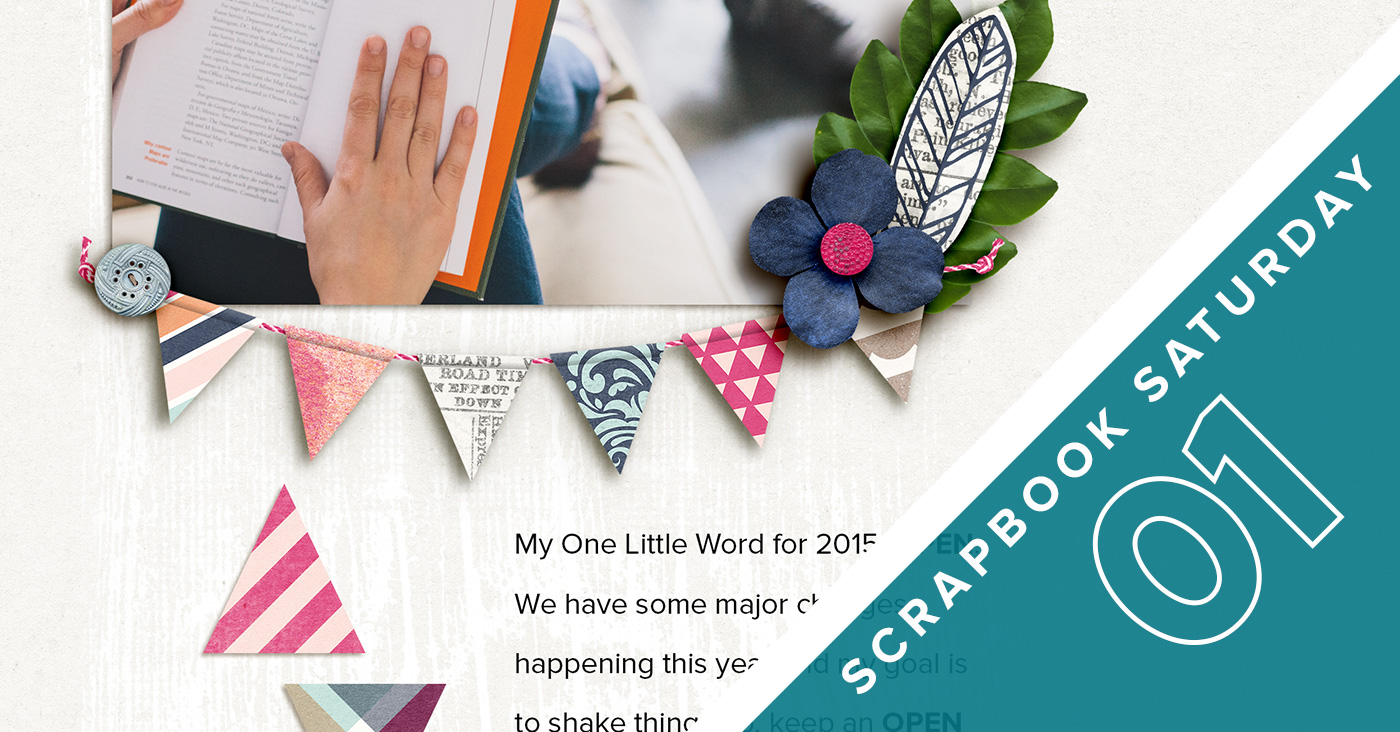
For my second layout I chose to tell the story behind my One Little Word for the year, OPEN.

I initially thought about pulling the text directly from this post, but since it was long and I scrapbook 8×8 it felt like to much to include on one layout. So instead I decided to give a brief overview of why I chose my word and then used the design to reinforce the feeling of “open” by using white space, a white background and a more open font (Lulo Clean Outline) as my title.

The layout itself was feeling a little sparse to me at first so I added some paper triangles (my current geometric love) down one side of the design, because you know, my paper lovin’ self must have patterned papers on the layout.  I also added some really subtle white paint underneath the design to add some dimension.

The paint was something I toyed with for quite awhile, trying it on a darker blue background first, then with a gradient to make it less in your face, before finally settling on plain white paint on the white background. This for me is when the History panel in Photoshop always comes into play because I’ll take snapshots of different ideas then cycle through them until I have one that feels right. It’s one of the benefits of digital scrapbooking for sure!

Credits: Free Spirit by Shawna Clingerman. Photo from Death to Stock Photo. Fonts are Lulo Clean Outline and Proxima Nova.

And that’s it from me this week! What about you: what have you been working on lately? Have a question? Ask it in the comments below.

Disclaimer: All Sweet Shoppe Designs products were given to me free of charge as part of my Sweet Shoppe Creative Team responsibilities. All thoughts and opinions are my own.

In need of more scrapbooking inspiration? Find all my Scrapbook Saturday posts here.
Benefits Of Using Canadian Pharmacy

POSTED IN Memory Keeping, Scrapbook Saturday

HI I'M LYNNETTE. Graphic designer, tech-lovin’ memory keeper and lover of bold colors & patterns, good food and the great outdoors. Here at Nettio Designs, I share a behind the scenes peek at my own creative & life adventures. Read more...

KICKSTART YOUR CREATIVITY


By popular demand, photo book templates are back! Grab all three sets in the shop.
ADVENTURES IN ORGANIZING
GOAL-SETTING
MEMORY KEEPING
PROJECT LOVE
LIFE ADVENTURES
TIPS & TRICKS
BEHIND THE SCENES

POPULAR PROJECTS

TO SEE ALL MY PROJECTS, CLICK HERE

MUST READ POSTS

  • WHY EVERY SCRAPPER SHOULD SCRAP A FAVES PAGE
  • HOW TO CREATE A SCRAP-WORTHY MAP WITH PHOTOSHOP
  • REMEMBERING THE IMPORTANCE OF TELLING YOUR STORY
  • WHAT DOES IT MEAN TO CREATIVELY CAPTURE YOUR LIFE ADVENTURES?
  • BROWSE BY CATEGORY

    BROWSE THE ARCHIVES

    GET IT FOR FREE

    Copyright © 2025 ·Dynamik Website Builder · Genesis Framework by StudioPress · WordPress · Log in