Nettio Designs

Design + Creativity + Adventure = LOVE

  • HOME
  • JOIN THE 2023 MONTHLY FAVES
  • THE SHOP
  • ABOUT
  • CONTACT

The Importance of Creative Downtime

POSTED ON April 10, 2013 IN From the Desk of Nettio Designs, Memory Keeping

Hello hello and welcome to From the Desk of Nettio Designs Issue No. 12. After taking a short break last week, I’m excited to be back chatting with you again today about something I believe is key to the creative process: the importance of downtime.

As memory keepers, and especially tech-lovin’ memory keepers, it can be easy to feel a huge amount of pressure to “keep up.” Not only are we constantly bombarded with a huge amount of visual and mental stimulation on a daily basis, but we’ve chosen a hobby which at it’s core is about capturing the passing of time. And let’s face it, time doesn’t simply stop because your scrap mojo goes missing, am I right?

One of the things I’ve learned in seven years as a scrapbooker is that, much like capturing new memories or seeking out new sources of inspiration, downtime is a key component of my creative process. It is in these moments of downtime – when I take a step back and do something completely unrelated to scrapbooking – that I not only find my most creative solutions, but my brain clears up and the ideas start flowing.

If you’ve ever heard someone say they “get all their best ideas in the shower,” you know exactly what I’m talking about. It’s often referred to as a “creative pause” – a period of time where you disengage from a creative activity and let your brain just be.

The shower is an ideal place for this because not only is it usually a distraction-free zone but the sound of the falling water acts as white noise and the task at hand – washing your hair or shaving your legs – is mindless enough that you could probably do it in your sleep. All of these things combine to give your brain space to do what it does best – solve problems and make new connections.

Ideas For Taking A Creative Pause

Now of course, it’s probably not practical to take a shower every time you need a creative boost. So what are some other ways you can take a creative pause?

Well here are few of my favorites:

  • Take a walk around your neighborhood
  • Go for a hike
  • Exercise
  • Clean your house
  • Blow dry your hair (or do your makeup)
  • Go for a drive
  • Stand in line without checking your phone

Will it be weird at first? Most likely, yes. In our technology-driven world of  24/7 information and stimulation, we’ve largely forgotten what it’s like to be bored, what it’s like to be unstimulated. Our first instinct when we have any moment of downtime is to reach for our iPhone or iPad or Kindle to fill the void. I know I’m certainly guilty of this as well!

But just like our stomachs needs time to digest food after a big Thanksgiving meal, ours brain needs time to digest and make sense of all of the inspiration and information we take in on a daily basis too. Which is why as creatives, if we want to keep our brains in tip-top creative shape and avoid un-fun things like burnout or missing mojo, we need to not only embrace these moments of downtime but actively seek them out as part of our creative process.

Which brings me to this week’s Creative Adventure:

It’s Creative Adventure Time!

Your challenge this week is to take a “creative pause.” Choose a mindless task from the list above (or one of your own) and spend at least 15 minutes really disconnecting – step away from your computer/TV/phone/Kindle screens and give your mind space to wonder.

Then pay attention to how your brain feels both as you’re doing your task and after. Did the ideas start flowing? Did your brain feel lighter after? Or were you just itching to get back to your electronic device of choice, haha? Of course, if you’re feeling chatty, you’re welcome to leave a comment below and let me know how it went.

This post is Issue No. 12 of my From The Desk of Nettio Designs weekly email series. Want to get in on the action? Sign up for Nettio Designs emails here.

Can diabetes cause erectile dysfunction

POSTED IN From the Desk of Nettio Designs, Memory Keeping

OLW 2013: April Goal-Setting

POSTED ON April 9, 2013 IN Goal Setting, One Little Word

Woohoo, we are one quarter of the way done with 2013! How are you liking setting monthly goals so far?

Me? I’m totally loving it. A month is turning out to be exactly the right amount of time for me to stay excited and complete my goals while still giving me time to make adjustments or scrap a goal completely if I’m just not feeling it that month.

As I mentioned in January when I introduced my One Little Word for 2013, DETERMINATION, every month I’m pairing my one little word with four goals every month, themed around the phrase “This Month I’m Determined To…”, complete with a 6×6-inch inspiration card to keep my goals front & center throughout the month.

You can find templates for making your own monthly inspiration cards here.

This is what my March card looked like:

March 2013: Monthly Goal Update

So how did I do with my March goals?

Well, after the bust that was February, I’m happy to say that I kicked some goal-setting boo-tay in March. The tweaks I mentioned in my March post, like simplifying and making sure I choose goals that are want-to-dos rather than should-dos, totally paid off. Not only did I achieve all of my goals for the month but Adam and I were on such a roll that we managed to check off 6 items from our San Antonio bucket list instead of the two I’d set as a goal.

April 2013 Goal-Setting

So after my goal-setting success in March, what do I have planned for April?

Well, here’s a look at the digital version of my goals inspiration card for April. As always, I printed this card out and have it hanging near my desk in my office so I can be reminded of my goals every day.

This month is a little bit different as Adam will be traveling a bit this month for training. While we’re certainly no strangers to being apart, this will be the first time since we moved to San Antonio. But one of my “rules of military life survival” is that I choose to look at any time we spend apart as an opportunity for my own growth, so while I’m sure I’ll miss him, I’m also excited for the chance to have some new adventures on my own as well.

My One Little Word intention I set back at the start of the year for April was “grow” which is kind of hilarious since I had no idea at the time what April & May would have in store for us. That’s some serendipity, no? So I definitely aimed to pick goals for this month that fit with this idea of growth and I’ve also got an additional “to-do while Adam is away” list of mini goals as well. Should be fun! Once he gets home for good we’ll be in full-on moving mode so I figure I should enjoy this time before things get crazy.

Well that’s it for this April edition of 2013 Goal-Setting! How are you doing with your monthly goal-setting so far this year? Do you have anything excited planned for April? I’d love to hear what you’re up to so feel free to share in the comments below!

Psst…what to get in on the monthly goal-setting action? Pick up your own copy of the 2013 Monthly Goal-Tracker Templates or OLW Goal-tastic 2013 Goal-Setting Bundle at Sweet Shoppe Designs.

Can I take Levitra if I am taking other remedies at the same time

POSTED IN Goal Setting, One Little Word

New Release | FAVE-O-RITES 2013: March Faves

POSTED ON March 30, 2013 IN Memory Keeping, Monthly Faves 2013, Shop News & Releases

Happy Sweet Shoppe Saturday everyone! This week’s release heralds month number three of one of my absolute FAVE (pun-intended) scrapbooking projects: the Monthly Faves!

For those new to Nettio Designs & the Faves, my Monthly Faves project is a year-long scrapbooking project where each month you scrapbook one layout documenting your top-ten favorite things from that month. Your faves can be anything: events, food, tv shows, technology, clothing – the sky’s the limit!

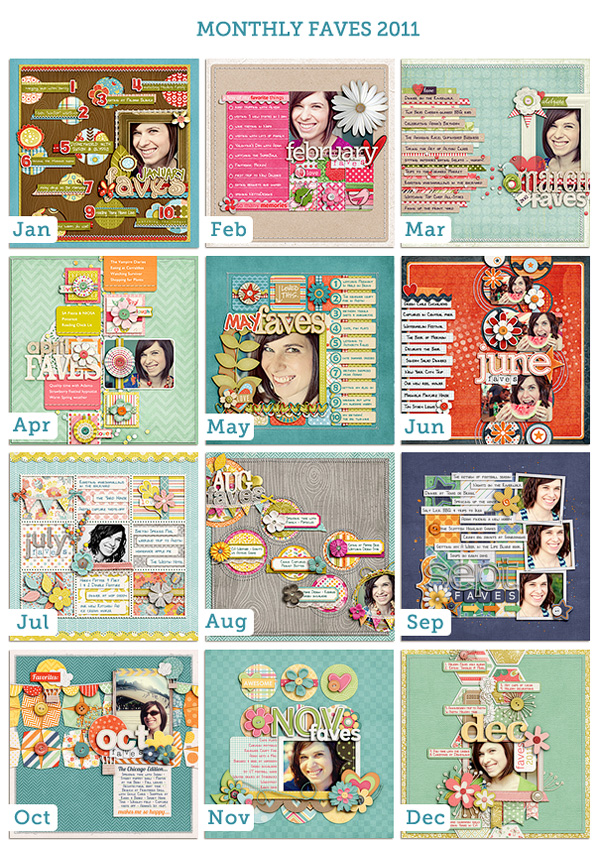
I’ve done my Monthly Faves project twice before, once in 2009 & again in 2011 and I can’t even tell you how much fun it is to look back on those layouts and see what’s changed and what’s stayed the same. It’s like a mini time-capsule of your favorite things from way-back-when.

Nettio monthly faves 2011

I’ve written before about why I believe everyone should scrap a Faves layout but here’s the cliff-notes version:

Because scrapbooking lists is fun
Because you don’t remember nearly as much as you swear you do
Because it captures an easy snapshot of your life at the moment
Because it’s the easiest All About Me layout you’ll ever do. Seriously.

And this year I want to make it even easier for you to creatively capture your faves. So I’ve changed the way I release my Monthly Faves digital scrapbooking templates.

Rather than saving them up and releasing them in a multi-month pack at once, this year on the last(ish) Saturday of every month, I’ll be releasing that month’s Faves layout as a new Sweet Single template. Which should give you plenty of time to capture your Faves for that month before the new month arrives.

Which brings me to this week’s release…

FAVE-O-RITES 2013: March Faves

This week’s release is the second FAVE-O-RITES Sweet Single digital scrapbooking template of the year, FAVE-O-RITES 2013: March Faves. It features room for one photo of your lovely smiling face, your top 10 faves for this month and a bold patterned paper-lovin’ sunburst design.

Here’s a bigger look at my 2013 Mar Faves layout that inspired this template. As you can see, my faves list is super random, which is exactly what I love! It’s not something you have to stress out over: make a list of 10 things, scrap it and boom, you’ve captured an easy snapshot of YOU in your scrapbooks. Just think how much fun it’ll be for you or your kids & grandkids to look back on one day!

Team Awesome Inspiration

Of course my team had a ton of fun this month scrapbooking their own take on the Mar Faves:

New Release Discount: SAVE 20% thru Saturday

As with every Sweet Shoppe Saturday, you can save 20% off all new releases thru Saturday.

Want to save 20% off this weekend?

Pick up FAVE-O-RITES 2013: March Faves here today!

Well that’s it from me today! Have a great weekend everyone!

Can diabetes cause erectile dysfunction

POSTED IN Memory Keeping, Monthly Faves 2013, Shop News & Releases

Link Love

POSTED ON March 27, 2013 IN From the Desk of Nettio Designs

From The Desk of Nettio Designs Issue No. 11

Hello hello and welcome to From The Desk of Nettio Designs Issue No. 11!

Behind the scenes here at Nettio Designs I am up to my eyeballs in design work for a certain upcoming book which may or may not rhyme with Smeveryday Smoryteller. So I decided to keep things simple this week and share a few links to articles and thoughts that have been inspiring me lately. Enjoy!

Loved this reminder from ifb…Daily Inspiration: The Time You Enjoy Wasting Is Not Waste Time. I need to remember this more often!

Since I’m moving in a month and a half (eek, so soon!), I greatly appreciated these How To Move quick tips from Elise. Especially loved the reminders to make your new house yours and believe it’s worth the effort no matter how long you’ll be there. So true, especially for us military peeps.

If you’re looking for another fun way to capture your Faves, Christine shared a fun favorite things inspired mini album on her blog this week. Yay for list lovin’!

If you have a tendency to start creative projects with gusto and then get stalled as you get towards the end, I highly recommend checking out these 5 Ways to Get Through the Creative Red Zone tips from Productive Flourishing. They’re written with a bit of a creative business bent to them but I’d say the core principles apply to creative memory keeping & scrapbooking projects as well.

Love this series of Lists of Thirty from Kelly Purkey in honor of her 30th birthday year. These would make great content for a series of scrapbook layouts. Hmm…maybe in honor of the end of my 30th birthday year?

If you’re in need of every day photo inspiration, this post from A Beautiful Mess on Thoughts On Lifestyle Photography nails it. These types of photos & stories are so what I want to capture in my scrapbooking. Be sure to check out their 5 Tips for Lifestyle Photography post too.

Well I think that’s probably enough inspiration to help you procrastinate on whatever it is you really should be doing right now. Just a heads up, things will likely be slow on the Nettio Designs blog for the next week or so while I finish up my big project but I will have a March Faves template sneak peek and new release for you this weekend so stay tuned for that.

And with that From the Desk of Nettio Designs Issue No. 11 is in the bag! As always if you’d like to share your own links to what’s have been inspiring you lately, feel free to reply to this email or leave a comment on the Nettio Designs blog. I’d love to hear from ya!

This post is Issue No. 11 of my From The Desk of Nettio Designs weekly email series. Want to get in on the action? Sign up for Nettio Designs emails here.

Can diabetes cause erectile dysfunction

POSTED IN From the Desk of Nettio Designs

Project Life 2013 | Weeks 9 & 10

POSTED ON March 22, 2013 IN Project Life

Welcome to Project Life, Weeks 9 & 10.

My apologies for the delay in getting this posted this week. I decided to try something different this time and sent all of my photos and cards out for printing through Persnickety Prints and well, waiting 5 days for shipping kind of through me off my game. I’ll share more of my thoughts on sending my Project Life prints out at the end of the post, but for now let’s get on to the pages!

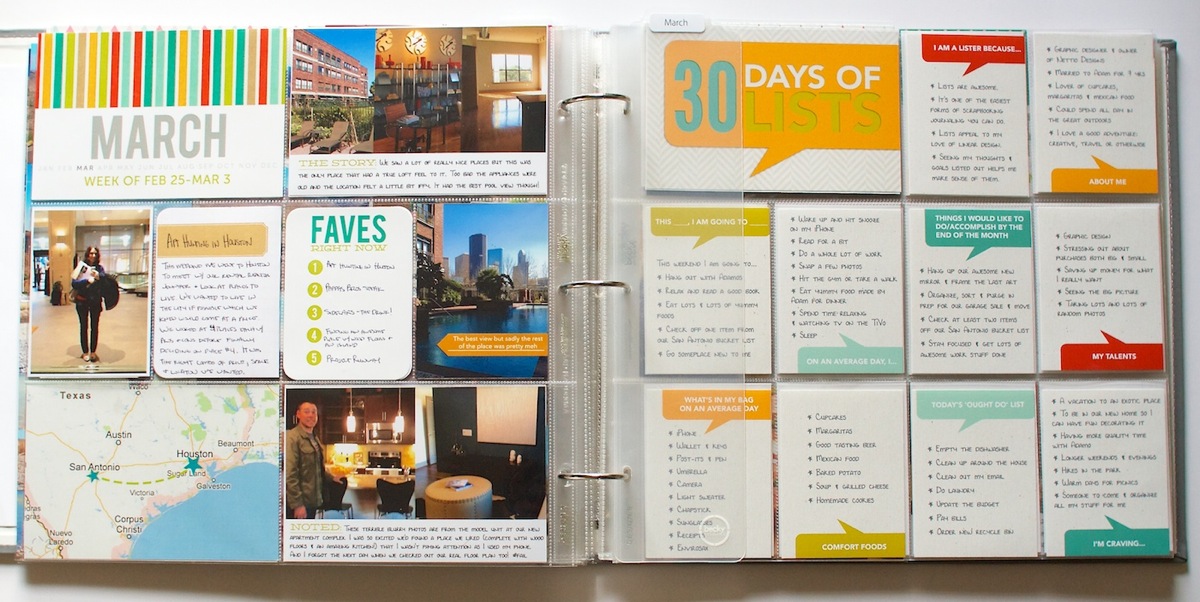
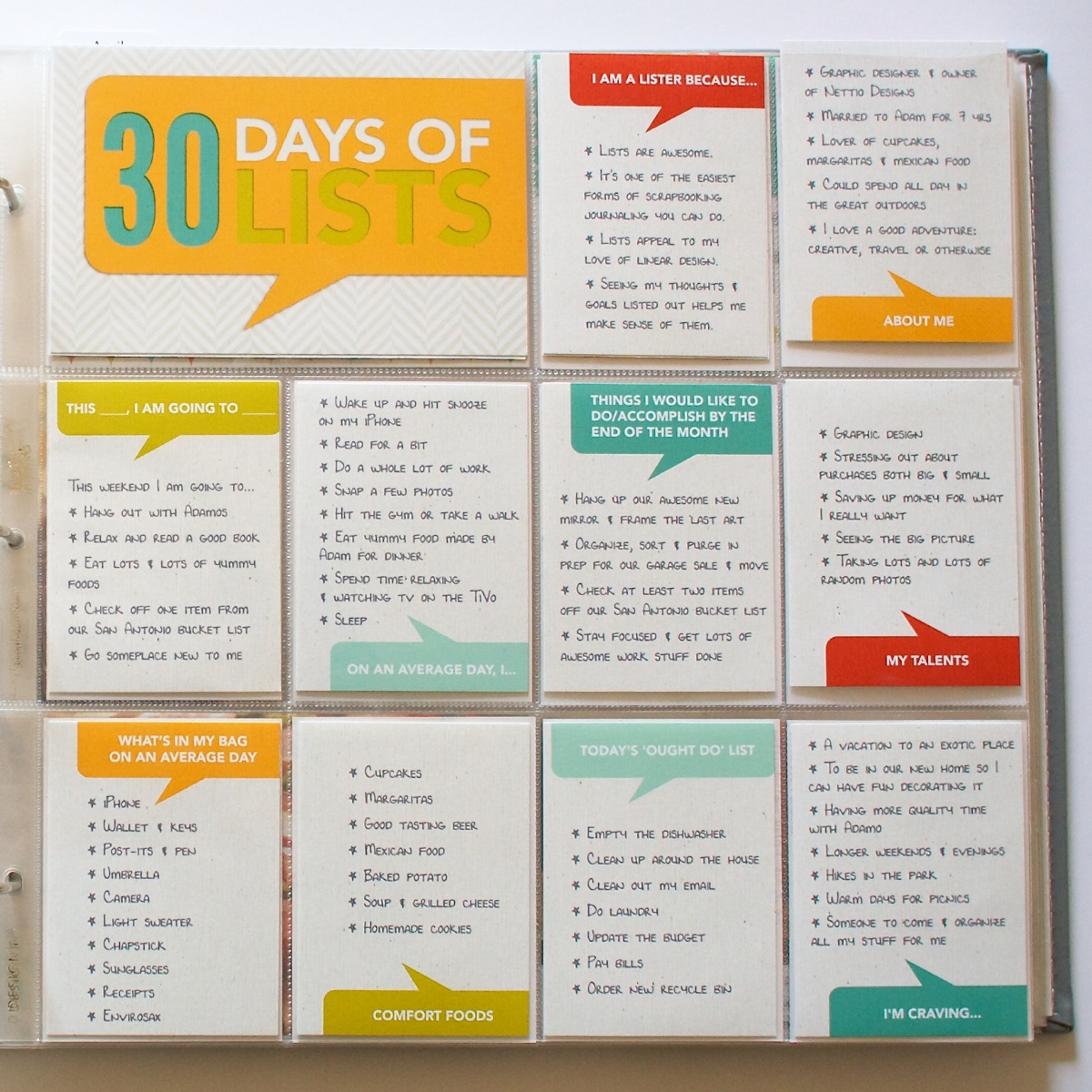
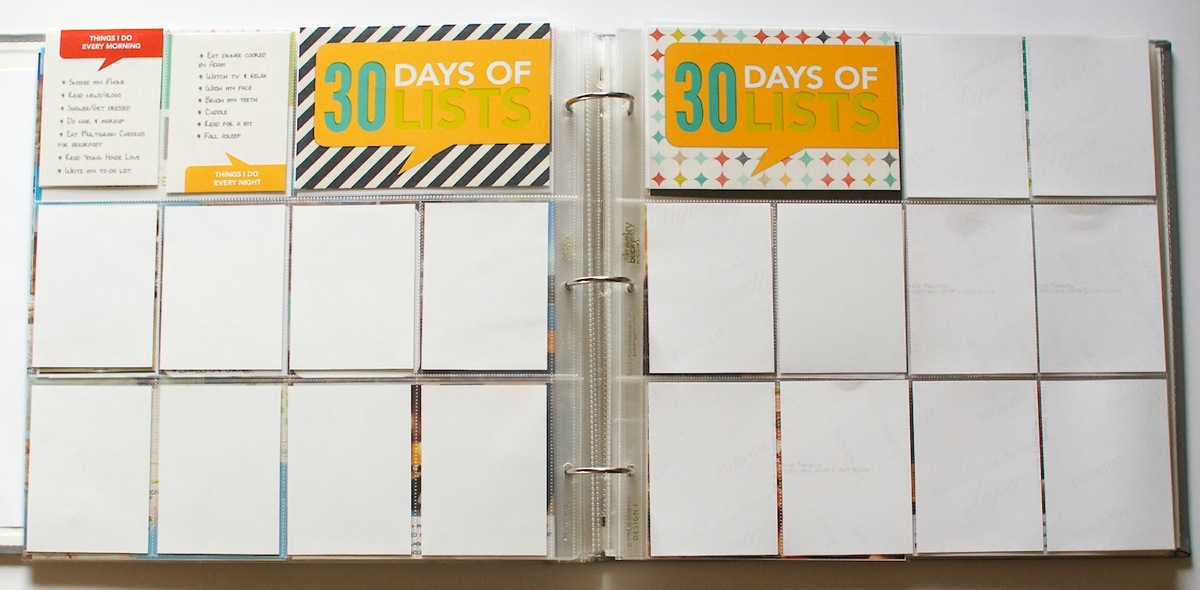
I mentioned in my 30 Days of Lists post that I was going to be incorporating my lists into my Project Life. Well here’s a look at how I’m doing that. Since I needed three page protectors for my 30 Days of Lists, I decided to create a half page for my Week 9 and use the right side of the Week 9 spread for the start of the lists.

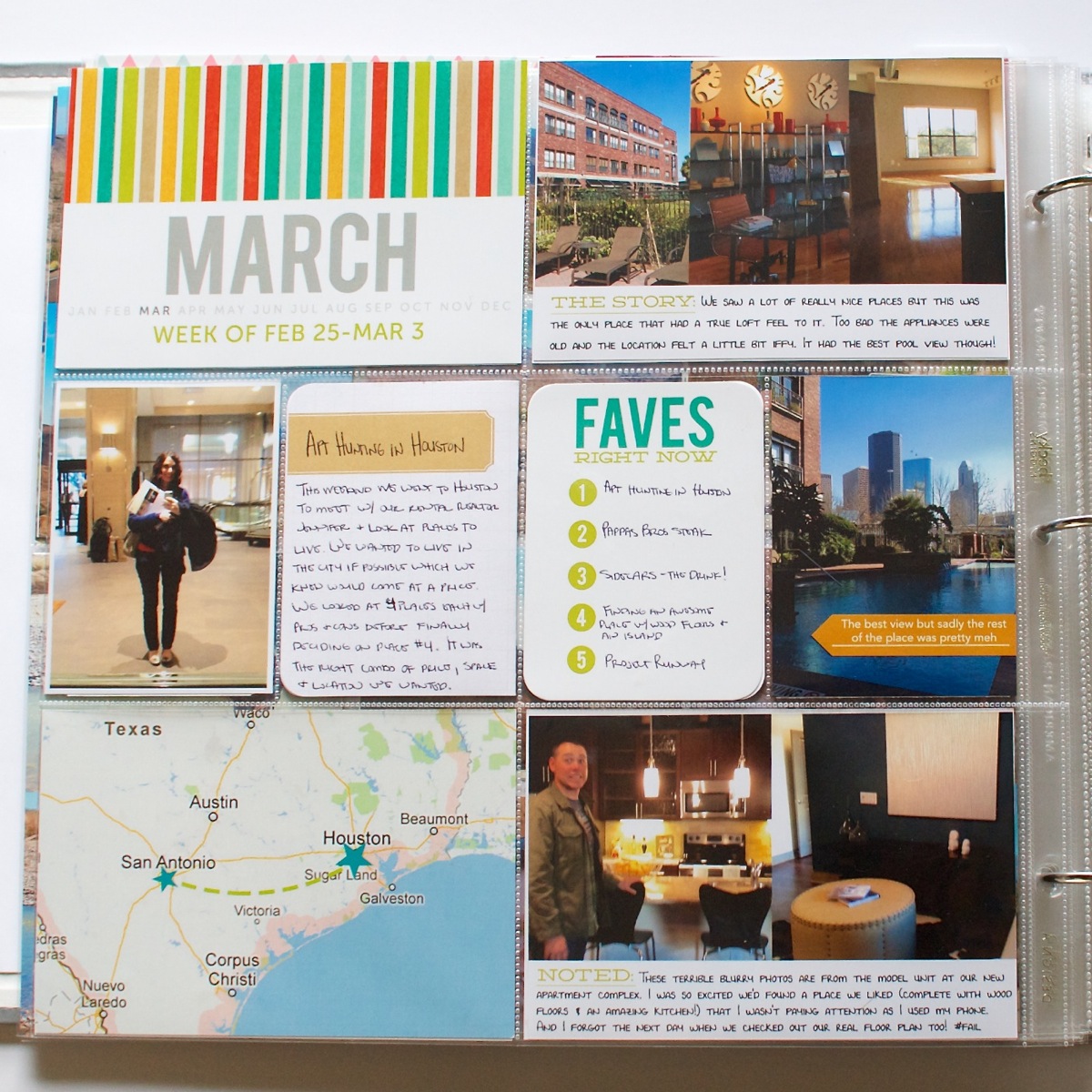
Week 9: Feb 25-Mar 3

Nettiodesigns ProjectLife Wk9 10 7

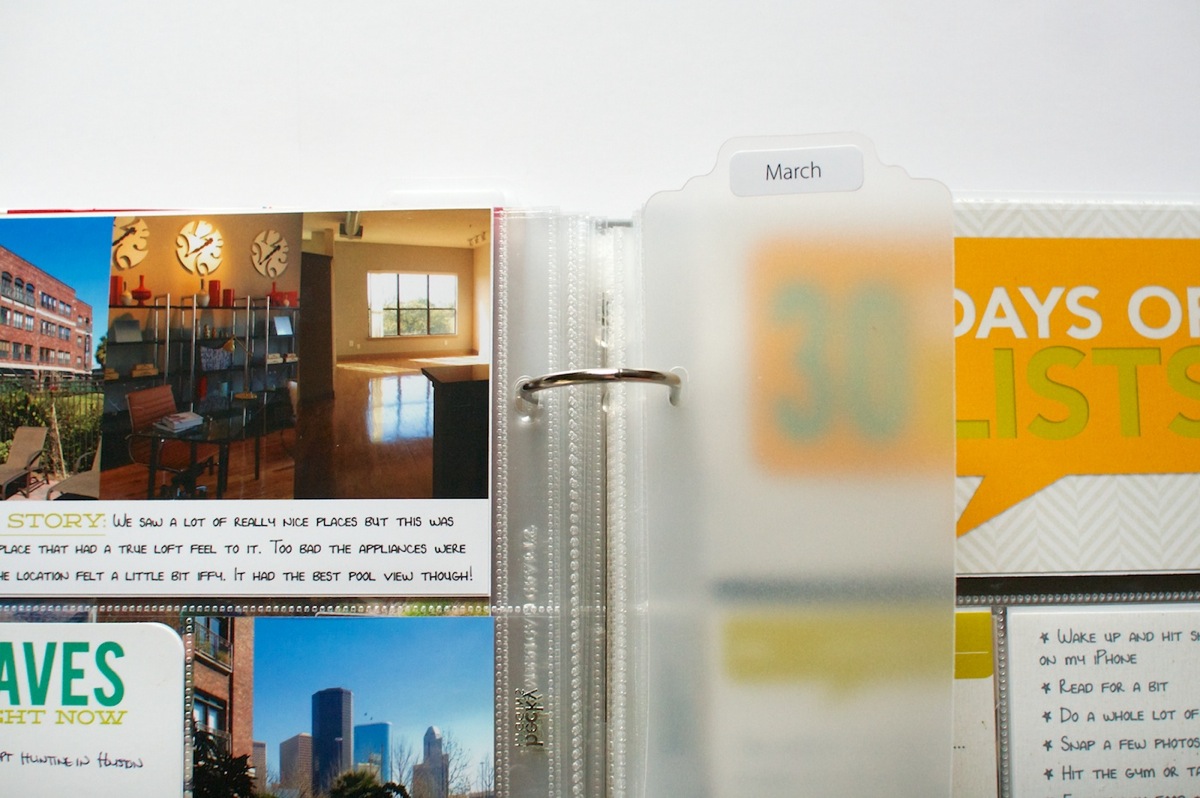
Here’s a closer look at my Week 9 page. Since I didn’t take a ton of regular photos this week, I decided to focus on our weekend apartment hunting trip to Houston.

Nettiodesigns ProjectLife Wk9 10 9

Both the story & noted cards are from my Bits & Bytes: 4×6 Journalers – Graphic mini template set. I can definitely see these becoming one of my most used products this year. The March title cards are all from my Bits & Bytes: 4×6 Weekly Title Card mini templates and all the digital papers from those are from the Oh Snap! digital scrapbooking kit by Libby & Shawna. The yellow arrow, which I added a drop shadow to and had printed directly on the card, is from Mari’s Today 2.0 Arrows digital element pack.

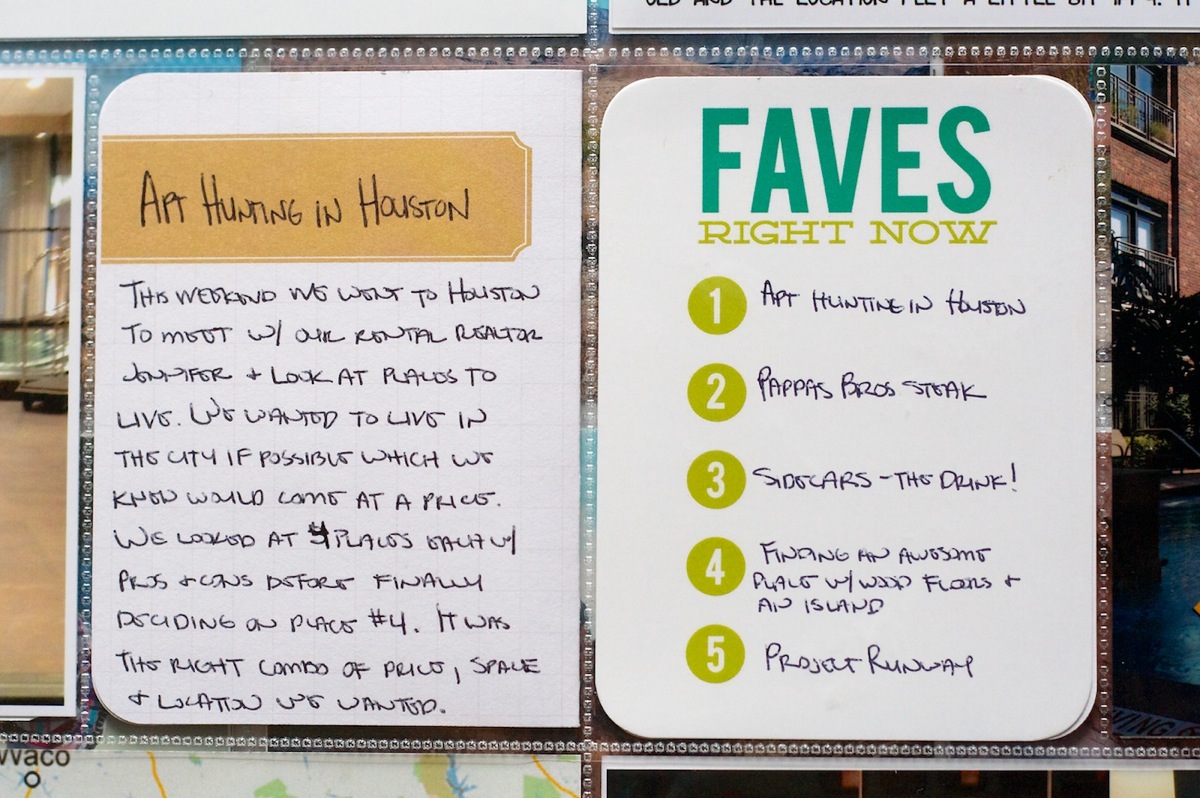
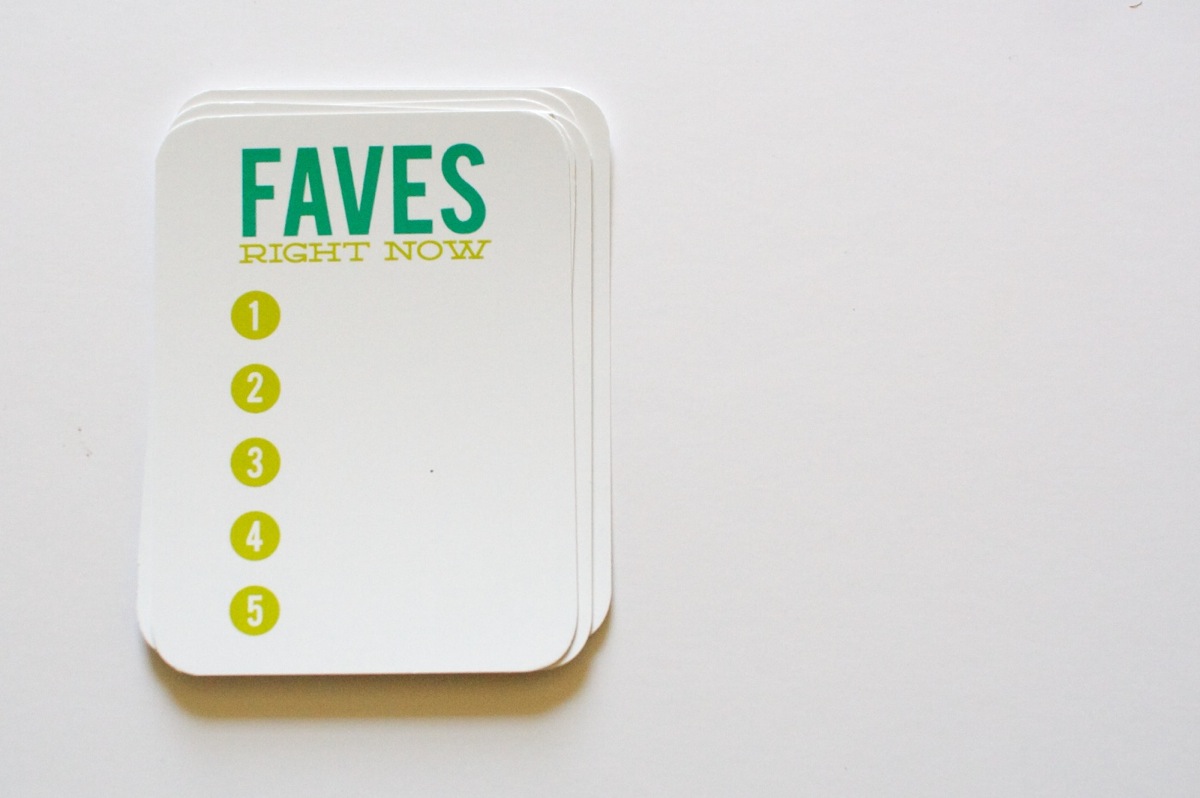
One of the things I decided to try when I sent out my prints was having a bunch of blank Faves cards printed and then handwriting my Faves onto them. What I didn’t love is that their “cardstock” isn’t what I’d call cardstock. It has a coating on it that made it really tough to write on with a pen which kind of defeated the purpose.

Nettiodesigns ProjectLife Wk9 10 10

As much as I love the bolder colors on the Faves card and the simplicity of writing my lists out, I’m not sure I’d have these printed like this again. I may even go back and reprint them with my lists already on them just to keep things consistent.

This week I also decided to add back in the monthly Project Life section dividers. I had them in my album originally and took them out since I didn’t feel like I needed them but after 3 months of Project Life, they’re definitely helpful in getting to the correct section.

Nettiodesigns ProjectLife Wk9 10 8

Here’s another look at the right side of the spread – the 30 Days of Lists cards. If you missed my original post about the 30 Days of Lists project, you can find my original post here. All of these cards were made using the templates from my Bits & Bytes: Say What 3×4 Card mini templates in case you’d like to make your own.

Nettiodesigns ProjectLife Wk9 10 11

Here’s what the other two pages of 30 Days look like. I’m batch printing my cards so I haven’t added any additional ones just yet.

Nettiodesigns ProjectLife Wk9 10 12

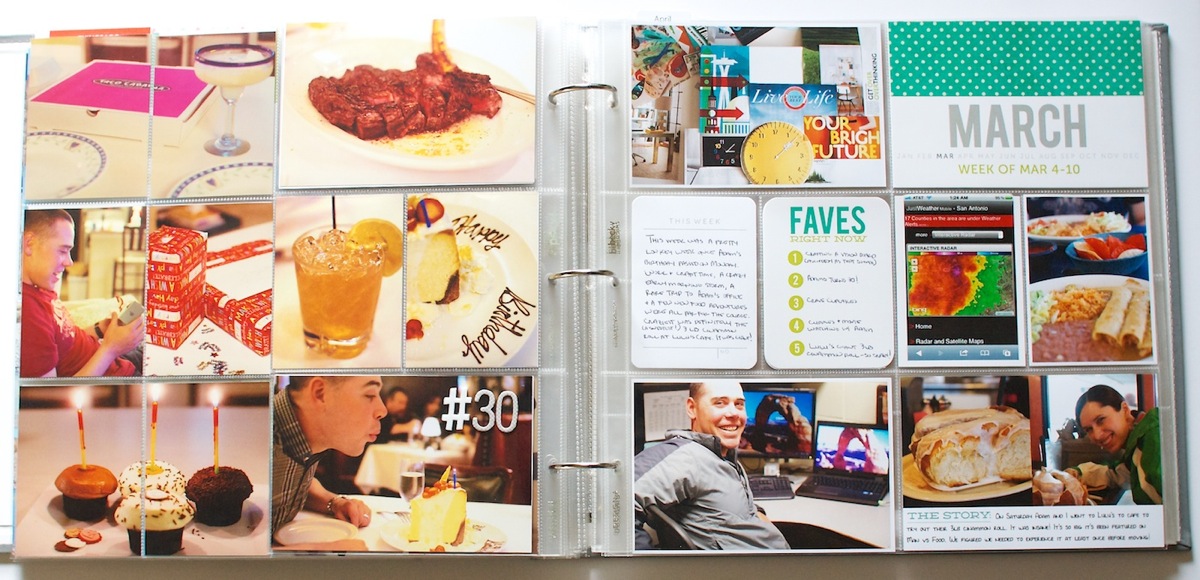
Week 10: Mar 4-10

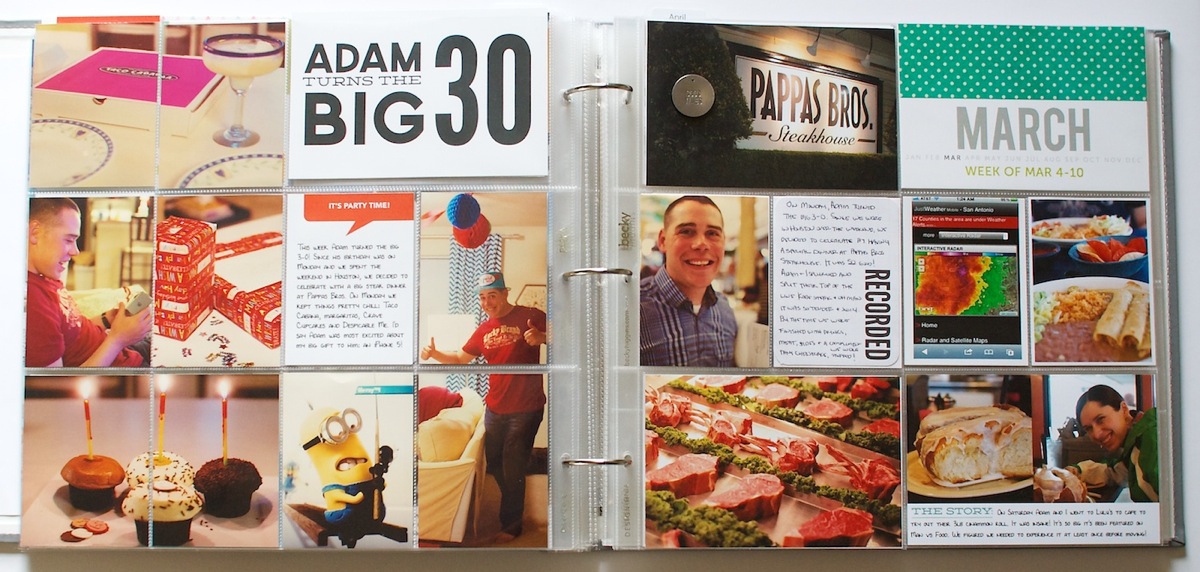
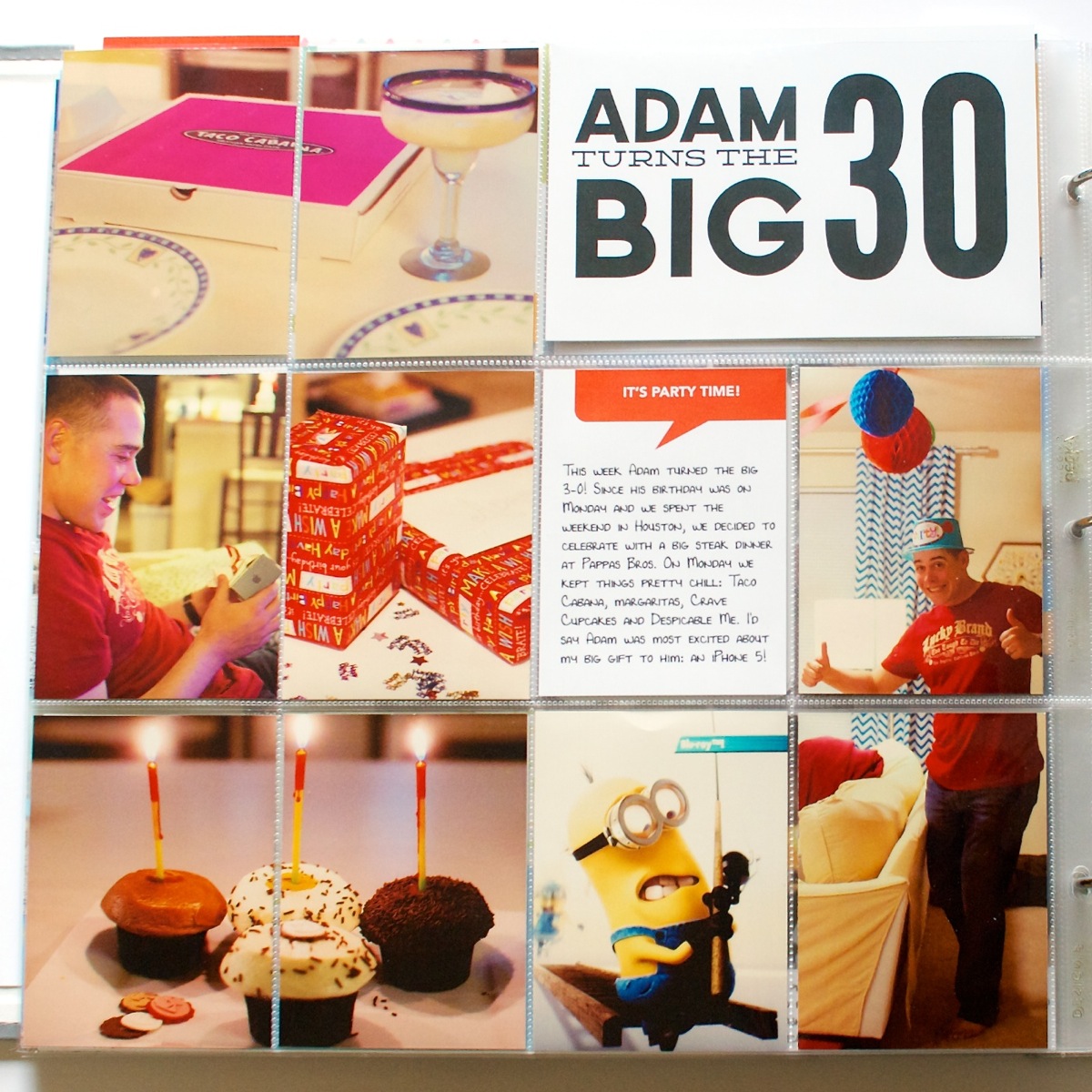
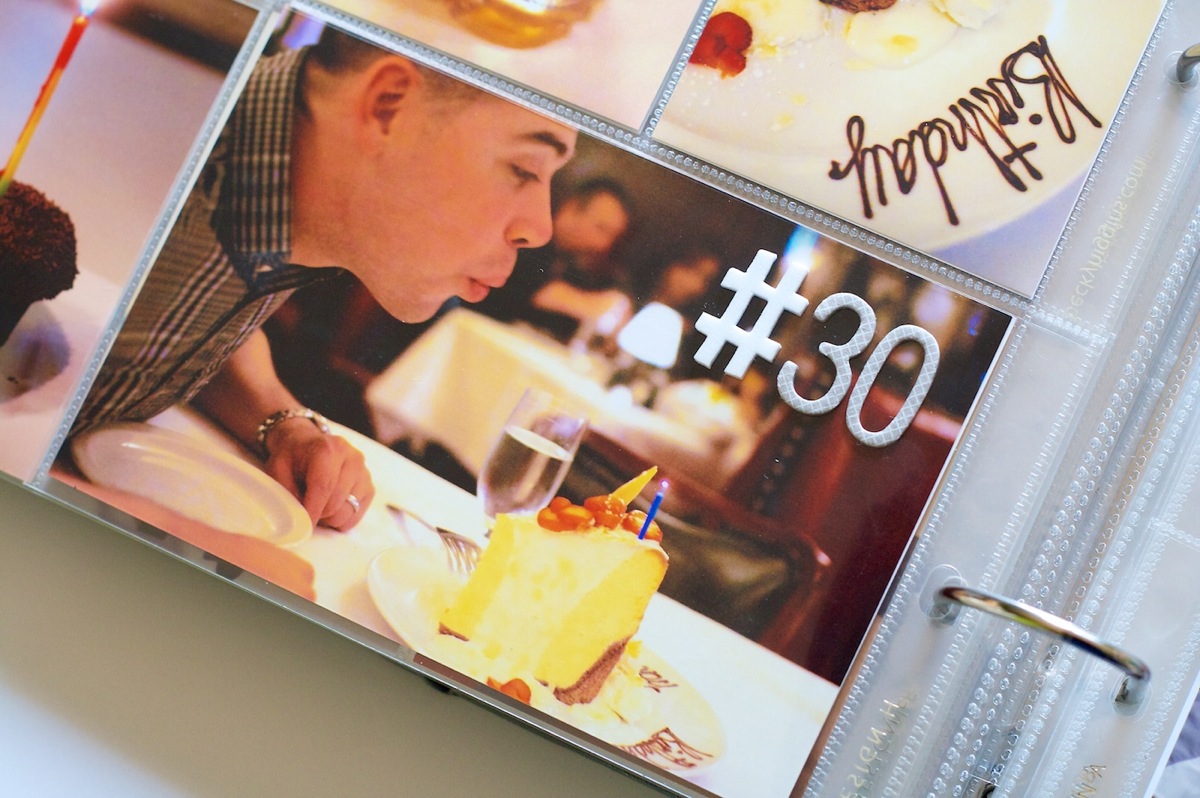
The big event this week was Adam turned the big 3-0 on March 4th! Since his birthday was on Monday, I devoted the entire left side of the spread and an insert for the invent and then used the right side of the spread for regular photos from the rest of the week.

Nettiodesigns ProjectLife Wk9 10 13

Here’s a close up of the left side 30th birthday spread:

Nettiodesigns ProjectLife Wk9 10 14

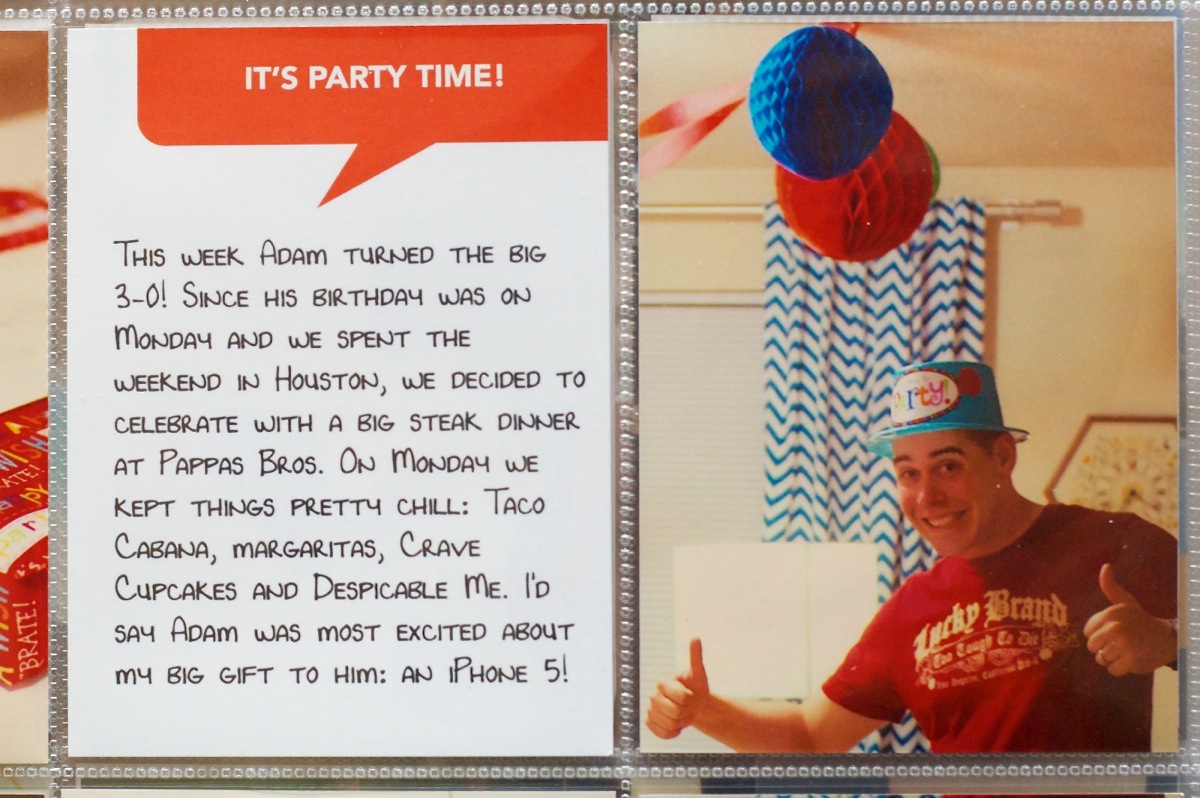
Our big birthday celebration meal happened over the weekend so Monday night we kept it pretty low key: Taco Cabana fajitas, margaritas, Crave Cupcakes (which we’d picked up the day before in Houston) and Despicable Me which Adam picked to watch. I bought him a new iPhone 5 for his birthday and he was really excited to be upgrading from my old iPhone 3GS finally.

Scrapbooking-wise: I’m totally diggin’ the chopped vertical 3×4 photo – will definitely be using that technique again.

On this page I also included another one of my Bits & Bytes: Say What 3×4 Cards in his fave color: red.

Nettiodesigns ProjectLife Wk9 10 15

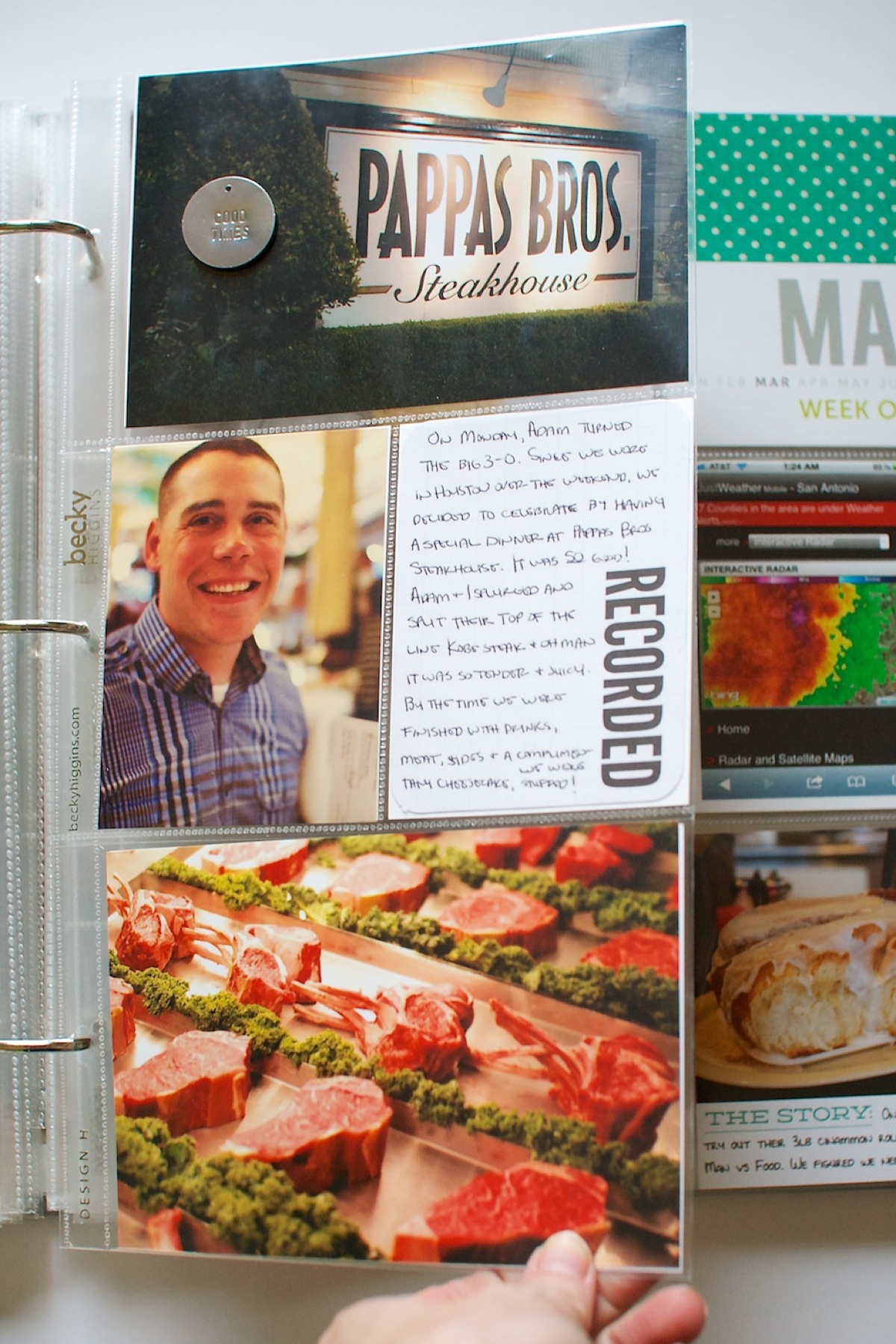
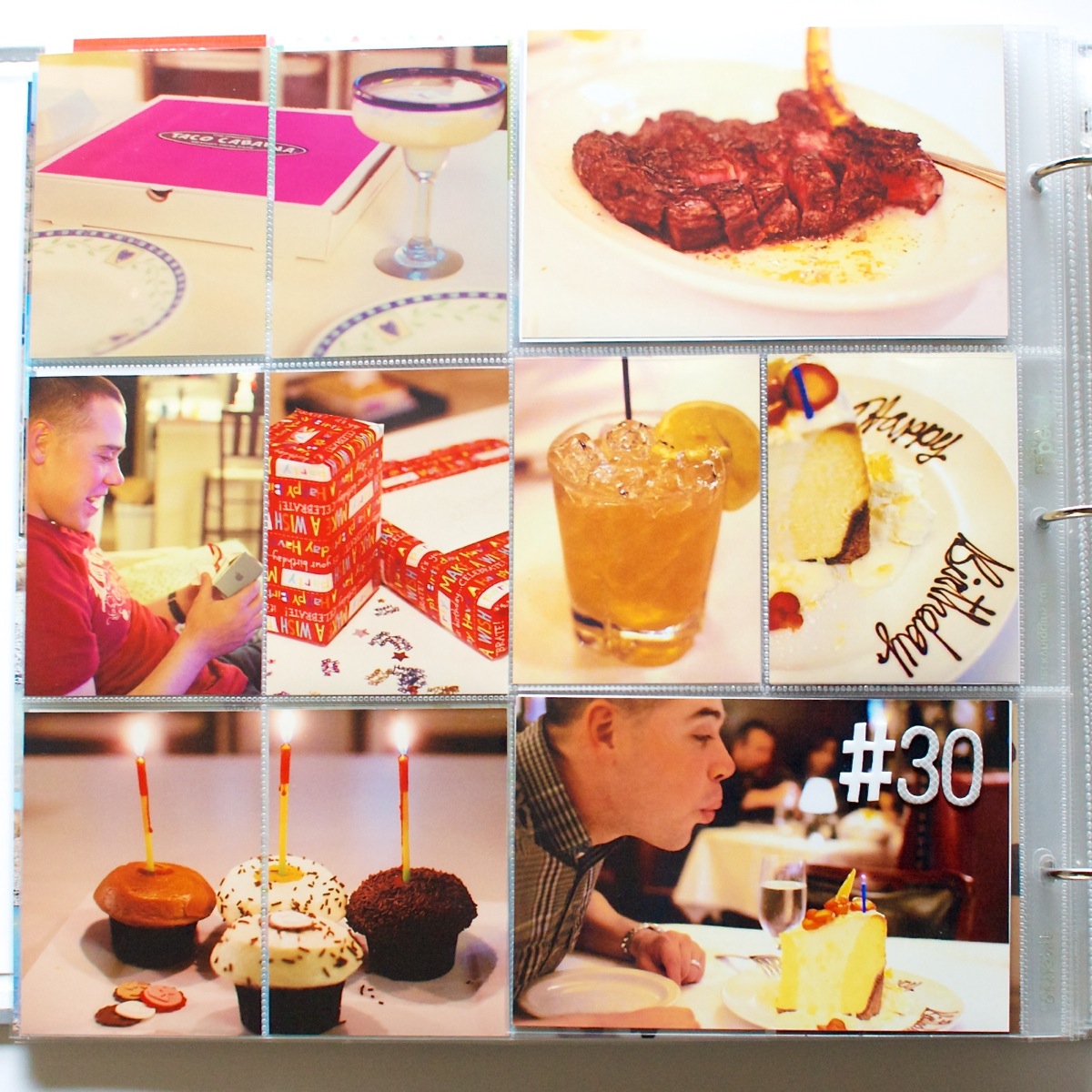
In the middle of the spread I included a Project Life insert showcasing photos from his big 30th birthday dinner. Since it technically happened on Saturday, it should be in Week 9 but I decided it made more sense to include it with the other birthday stuff in Week 10.

One of our 30th birthday traditions has been to celebrate with a fancy expensive meal. For my 30th birthday last year we went to Uchiko in Austin (which is Top Chef winner Paul Qui’s restaurant). For Adam’s birthday he chose to go to Pappas Bros. Steakhouse in Houston. We’d been once before but it was fun to go back!

Nettiodesigns ProjectLife Wk9 10 16

The photos on the right side of this image are the backside photos of the insert. Adam and I split one of their Kobe beef steaks and OMG, it was SO good. By the time they brought him complimentary dessert we were stuffed.

Nettiodesigns ProjectLife Wk9 10 17

I added a couple Thickers on here to mark his birthday. I didn’t realize so many alphas didn’t include the number symbol! This was the only one I found in my stash.

Nettiodesigns ProjectLife Wk9 10 18

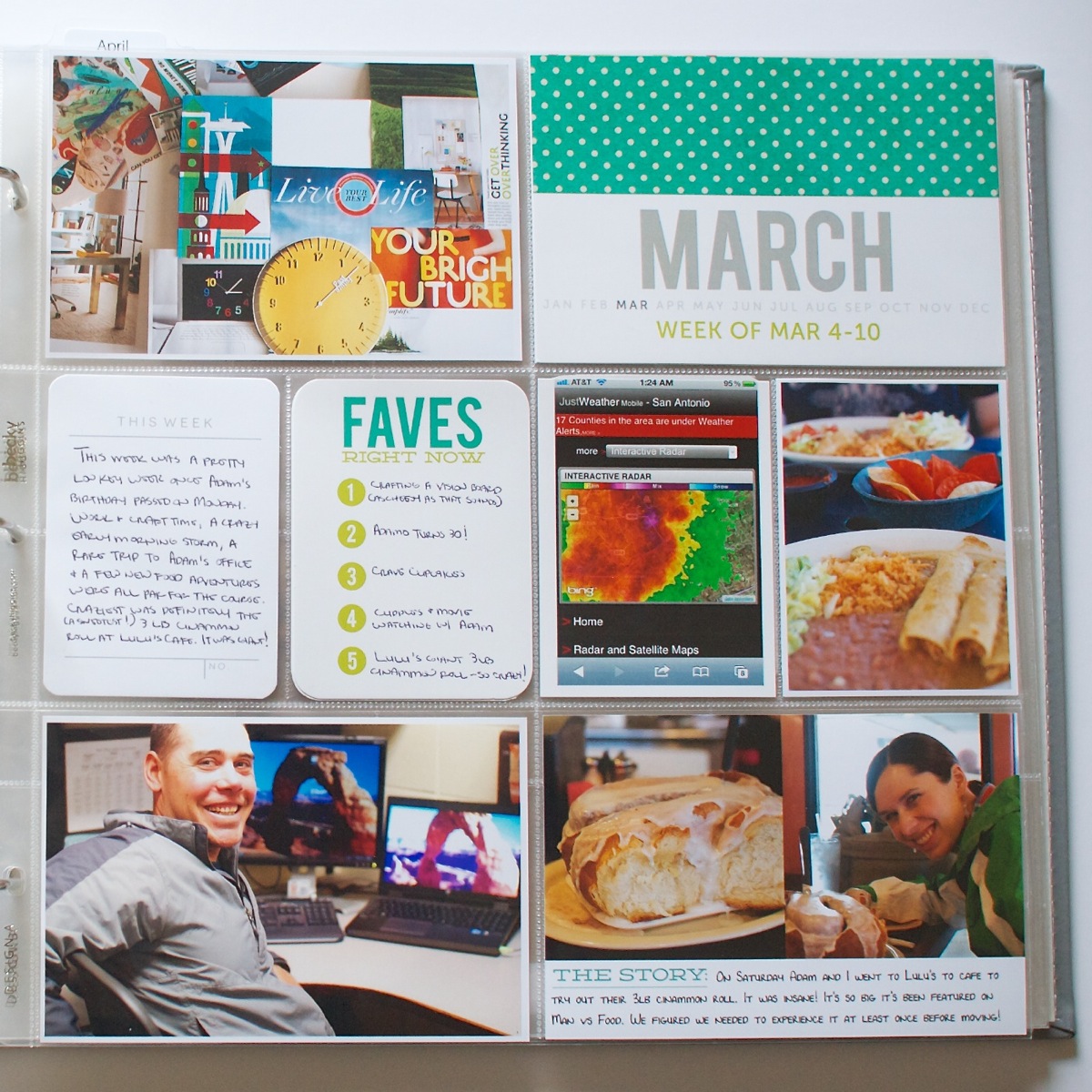
Here’s a look at the completed Week 10 spread:

Nettiodesigns ProjectLife Wk9 10 19

And a closer look at the rest of Week 10. It was a pretty low key week filled with craftiness, a crazy 1am storm, a random stop at Adam’s office (1st time I’d been there!) and of course new food adventures because we love our good eats, haha.

The This Week card came from the March Studio Calico kit and The Story card is from my Bits & Bytes: 4×6 Journalers – Graphic mini template set.

Nettiodesigns ProjectLife Wk9 10 20

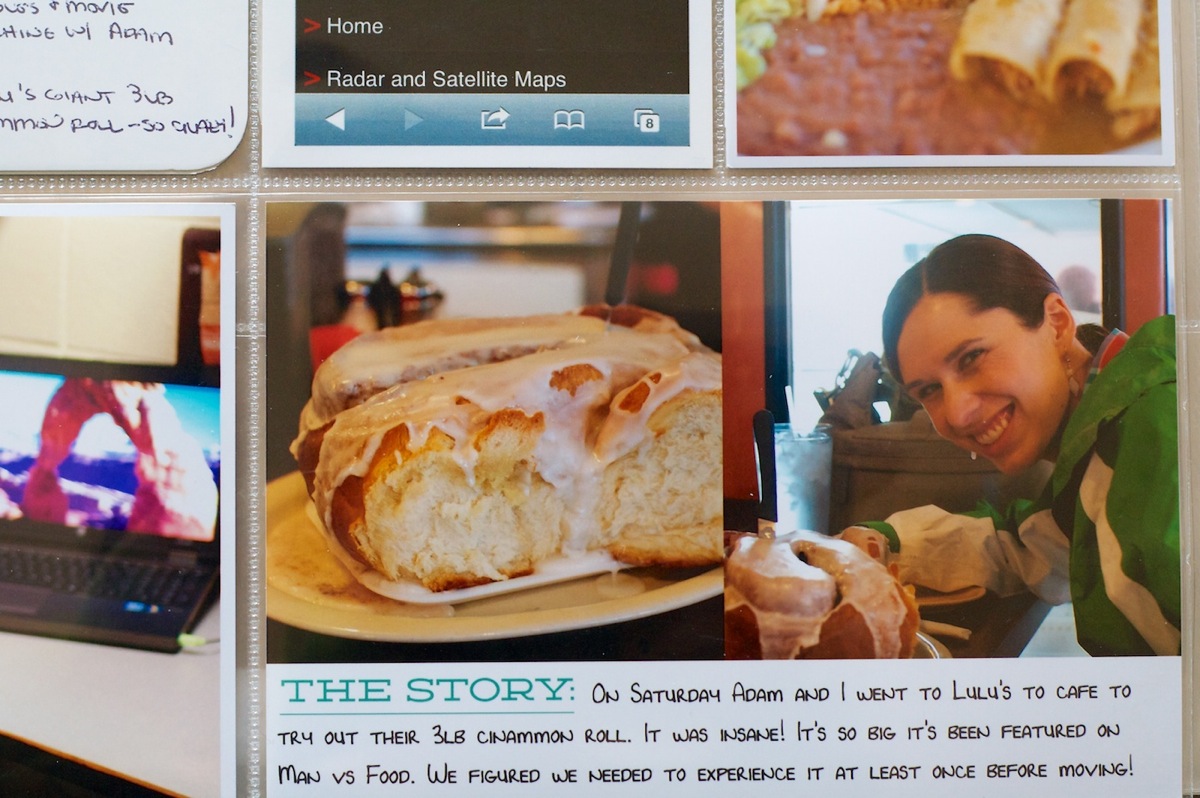
I just have to point this out because it’s so awesomely hilarious to me. One of my goals for March was to check two items off our “Before We Leave San Antonio” bucket list and getting the 3 pound cinnamon roll at Lulu’s Cafe was one of the items on our list. This place has been featured on Man vs Food and well, how can you go wrong with a cinnamon roll bigger than my head? It was the height of gluttony and no we didn’t finish it all in one sitting. We ended up having it with eggs for dinner that night and again for breakfast the next morning. And no, it was definitely not Paleo, haha. It did however taste almost exactly like the Holiday Inn Express cinnamon rolls which was pretty funny.

Nettiodesigns ProjectLife Wk9 10 21

Random thoughts this week:

As I mentioned at the beginning of the post, I decided to try printing all of my Project Life photos and cards through Persnickety Prints and I have mixed feelings about that decision.

On the one hand the prints are GORGEOUS. The colors of the photos and cards were 100% true to what I see on my screen which isn’t true when I print from home or printed from Target.

On the downside, I hated waiting for shipping. I ordered my prints on Wednesday and while Persnickety processed my order really quickly – within in a few hours – they didn’t ship out until Thursday.  With the weekend that meant they didn’t arrive until Monday which made it tough to share my Project Life pages on Monday like I’d planned. So while I loved the quality, I’m not sure it’s something I have time wait for every week, but we’ll see.

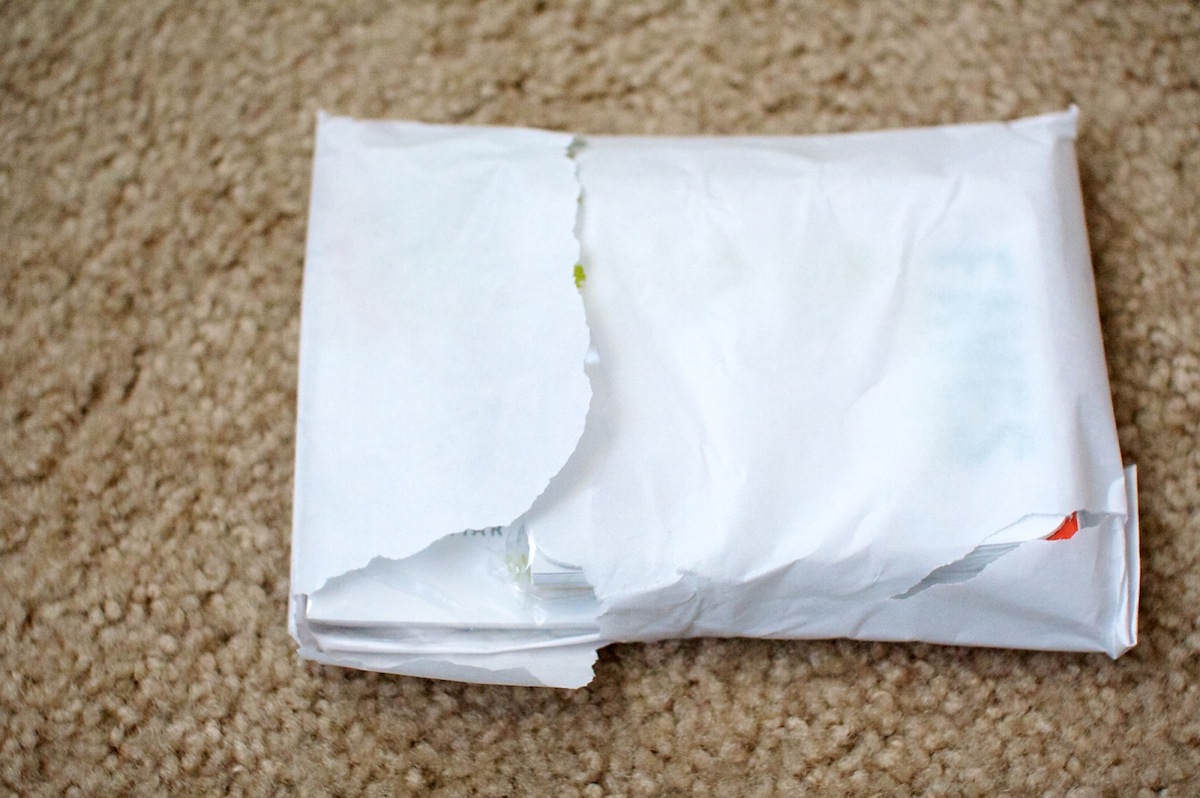
Here’s a few pictures from my order. One thing I didn’t love was the envelope of images itself was heavily taped within the box. I know they do this so the prints don’t move in shipping but I don’t know if I just didn’t open the box properly or what because they were a pain to get out. The poor outer envelope didn’t survive the process, haha.

Nettiodesigns ProjectLife Wk9 10 1

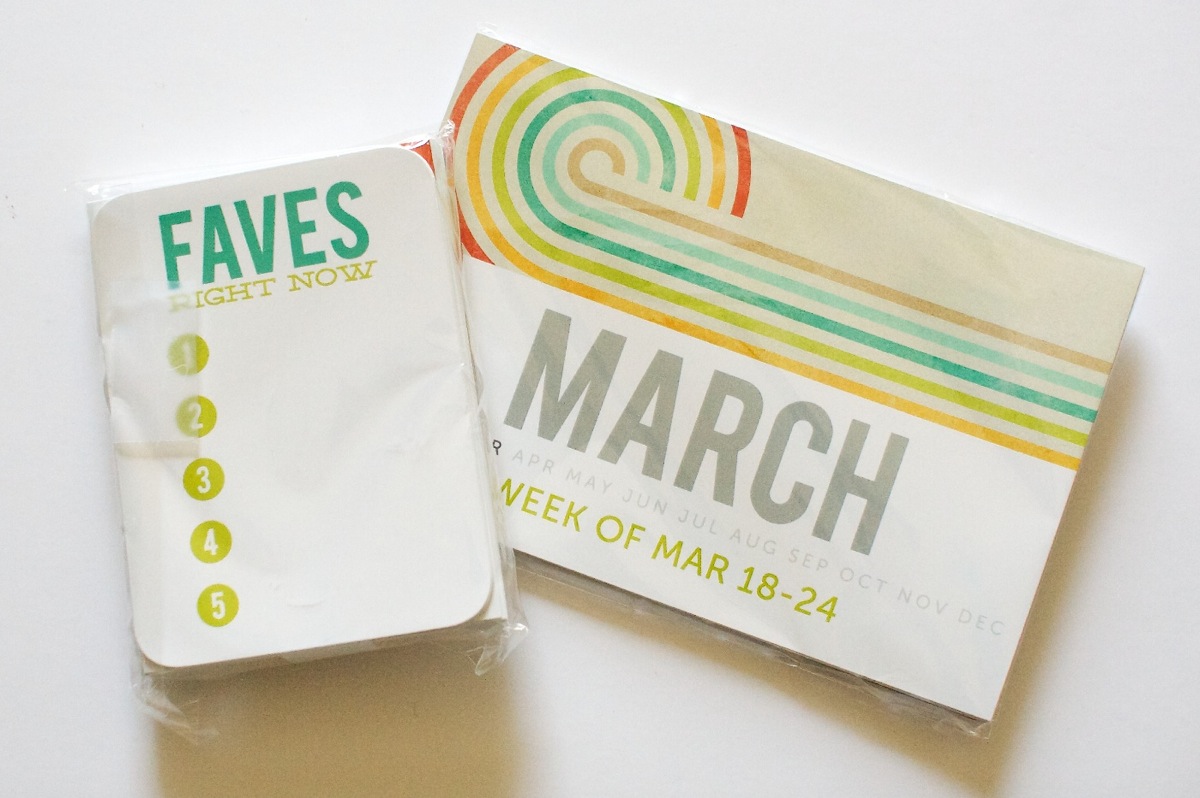
They came packaged in two sizes: 4×6 & 3×4 with all the photos and card stock cards mixed together:

Nettiodesigns ProjectLife Wk9 10 2

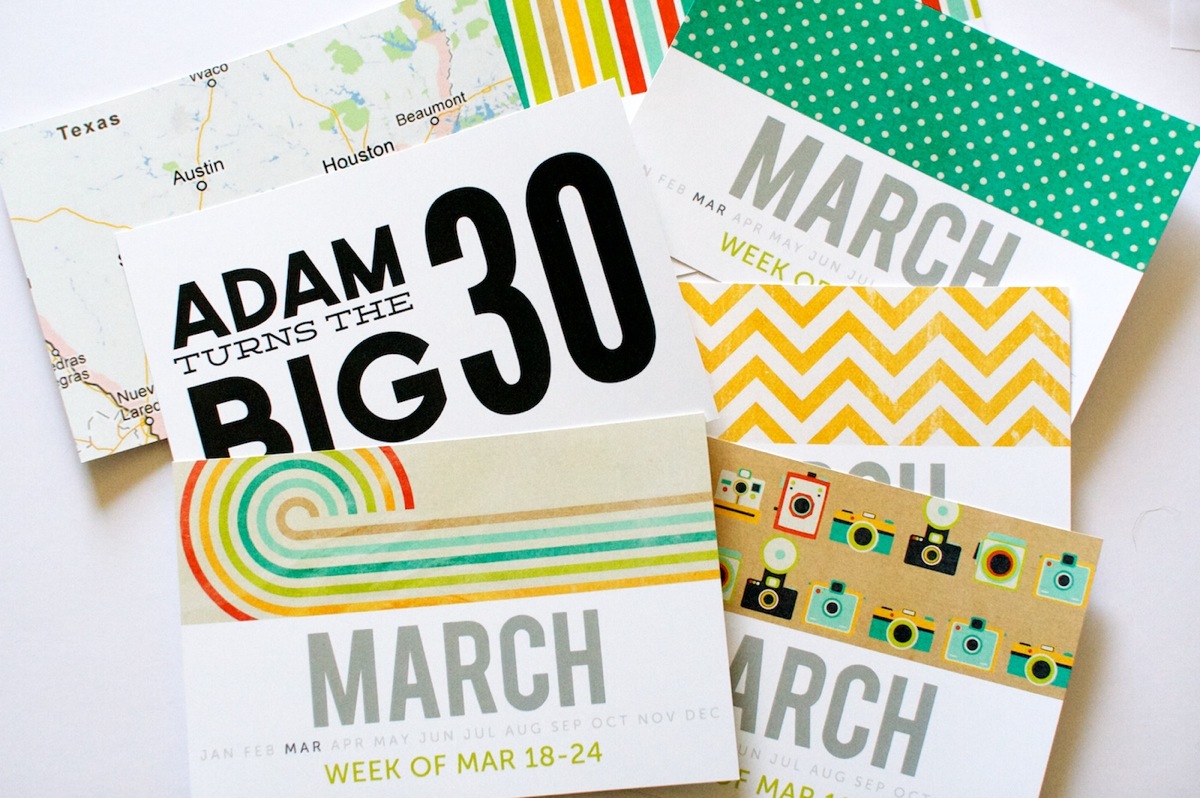
Here’s what all the 4×6 card stock printed images looked like. I loved how bold and saturated the colors looked – I’d definitely consider having my weekly title cards batch printed there again next month. All the digital papers used on my title cards are from Oh Snap digital kit by Libby & Shawna.

Nettiodesigns ProjectLife Wk9 10 3

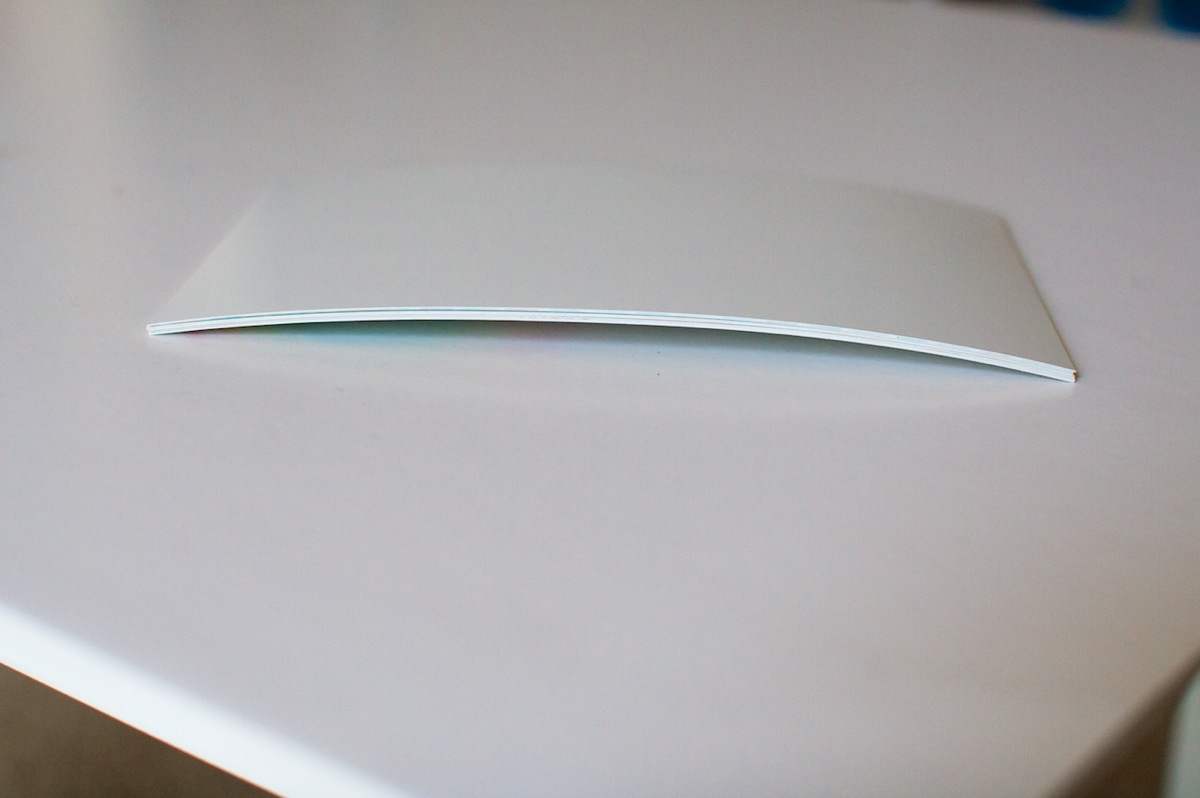
One other downside to the card stock cards was all of them came pretty significantly curled. It wasn’t really an issue for the cards I was putting into the Project Life page protectors but I’d also ordered a bunch of the Instagram Polaroids which I’d planned to clip and hang and they’re currently sitting under a pile of books in hopes I can flatten them out.

Nettiodesigns ProjectLife Wk9 10 5

Here’s what the 3×4 card stock Faves cards looked like without the writing on them. I LOVED the saturated colors but not being able to write on them was pretty much a deal-breaker. It’s possible if I used a different pen it might work better, but being left-handed, I suspect the type of pen that might work would probably result in smudge central if I attempted to write with it.

Nettiodesigns ProjectLife Wk9 10 4

Overall I was happy with my Persnickety Prints Project Life printing experience but I don’t know if it’s something I’ll continue to do every week.

Well that’s it for this Project Life 2013, Weeks 9 & 10 birthday-tastic update! How are you doing with your Project Life album? Can you believe Week 10 means we’re almost 1/5 of the way done? I’m quite proud of myself for keeping up with it this long.

Supplies used this week: Project Life Design A & Design F page protectors, Project Life Photo Pocket Pages – Small Variety Pack 1,  Seafoam core kit, Nettio Designs Bits & Bytes 2013 4×6 Weekly Title Cards, 4×6 Journalers – Graphic and Say What 3×4 Cards, Nettio Designs free Top Five Faves 3×4 card, Studio Calico March Project Life kit, Oh Snap! digital scrapbooking kit by Shawna Clingerman & Libby Pritchett, Today 2.0 Arrows digital element pack by Mari Koegelenberg. Photos/elements printed by Persnickety Prints.

Project Life is a memory-keeping system created by Becky Higgins. New to Project Life? Learn more here & find all my Project Life  posts here.

Can diabetes cause erectile dysfunction

POSTED IN Project Life

Goodbye Google Reader & A Lesson for Tech-Lovin’ Memory Keepers

POSTED ON March 20, 2013 IN From the Desk of Nettio Designs

From the Desk of Nettio Designs Issue No. 10

Hello hello and welcome to From The Desk of Nettio Designs Issue No. 10! Woohoo, double-digits, baby!

This week I wanted to talk about something that’s been on the mind of a lot of bloggers and blog-readers this week: the demise of Google Reader.

If you hang out anywhere in digi-land, odds are you’ve heard by now that Google announced last week that as of July 1st, it will be discontinuing it’s free RSS feed-reader service, Google Reader. While I had switched away from Google Reader as my main feed reader a year ago, the announcement was still a bit of a surprise to me. Considering the media frenzy that ensued in the online tech world afterwards, I’d say I wasn’t the only one.

A lot of blog posts I’ve seen lately have focused on alternatives to Google Reader which is awesome. If you’re a highly visual person or subscribe to a lot of visual blogs, I highly recommend Feedly. It has the Nettio stamp of approval.

But I think the even bigger lesson for us tech-lovin’ memory keepers is this: We need to be smart about what companies and services we trust our priceless memories and photos with, especially when those services are cloud-based and/or free.

There are a lot of amazing free services that can help us creatively capture our life adventures: journaling sites like 750words, Facebook, Instagram, Evernote.

But as with any service that exists primarily in the cloud (as opposed to an app downloaded to your desktop or smart phone), there is always a certain amount of risk that one day that service could disappear and just like with Google Reader, you may not have any say in it.

Which is why before investing a lot of time and energy into any new platform or service, it pays to do a little homework and ask yourself some questions like:

  • How long has this company/service been around? Do they have a successful track record for maintaing products and services? What is the fan-base like?
  • If it’s free, how are the costs for the product or service paid for? Is there a premium level available? Is it ad-based? Do they take donations?
  • Is there an exit strategy? If you need to remove your content from their platform is there an easy way to do that in a non-prioprietary readable/editable format?

And of course, as with any technology, always make sure you backup anything that’s important to you. Save copies of your WordPress blog posts, download your Instagram photos to your computer or screenshot your favorite Facebook status updates.

No matter what we do in this fast-paced tech-lovin’ world of ours, we’ll never completely mitigate the risk that our beloved app or service won’t one day go the way of the dodo. If anything I always say the more I love something, the more likely it is to disappear, haha. But with a little due-diligence and proper backups, we can be that much more prepared should the unthinkable happen.

So goodbye, Google Reader, it’s been fun. Thank you for keeping me up to date on all my favorite blogs all these years. I hope you enjoy the rest of your days in that cloud-based code-heaven in the sky.

And with that I’m bringing this edition of From The Desk of Nettio Designs to an end. As always if you have thoughts to share, feel free to leave a comment below. I love hearing from ya.

This post is Issue No. 10 of my From The Desk of Nettio Designs weekly email series. Want to get in on the action? Sign up for Nettio Designs emails here.

Fraudulent Drugs Are A Huge Global Problem

POSTED IN From the Desk of Nettio Designs

  • « Previous Page
  • 1
  • …
  • 18
  • 19
  • 20
  • 21
  • 22
  • …
  • 51
  • Next Page »
HI I'M LYNNETTE. Graphic designer, tech-lovin’ memory keeper and lover of bold colors & patterns, good food and the great outdoors. Here at Nettio Designs, I share a behind the scenes peek at my own creative & life adventures. Read more...

KICKSTART YOUR CREATIVITY


By popular demand, photo book templates are back! Grab all three sets in the shop.
ADVENTURES IN ORGANIZING
GOAL-SETTING
MEMORY KEEPING
PROJECT LOVE
LIFE ADVENTURES
TIPS & TRICKS
BEHIND THE SCENES

POPULAR PROJECTS

TO SEE ALL MY PROJECTS, CLICK HERE

MUST READ POSTS

  • WHY EVERY SCRAPPER SHOULD SCRAP A FAVES PAGE
  • HOW TO CREATE A SCRAP-WORTHY MAP WITH PHOTOSHOP
  • REMEMBERING THE IMPORTANCE OF TELLING YOUR STORY
  • WHAT DOES IT MEAN TO CREATIVELY CAPTURE YOUR LIFE ADVENTURES?
  • BROWSE BY CATEGORY

    BROWSE THE ARCHIVES

    GET IT FOR FREE

    Testing testing

    links goes here

    Copyright © 2026 ·Dynamik Website Builder · Genesis Framework by StudioPress · WordPress · Log in