Nettio Designs

Design + Creativity + Adventure = LOVE

  • HOME
  • JOIN THE 2023 MONTHLY FAVES
  • THE SHOP
  • ABOUT
  • CONTACT

New Release | Bits & Bytes: 3×4 Cards Vol. 1

POSTED ON March 16, 2013 IN Shop News & Releases

Happy Sweet Shoppe Saturday everyone!

This weekend I’m excited to release my second set of goodies in my new line of products called Bits & Bytes. Just think of them as digital bite-sized pieces of Nettio Designs designed to make creatively capturing your life adventures that much easier.

This week’s Bits & Bytes releases were inspired by my love of two faves: lists and Instagram! And of course, now that I’ve been Project Life-ing for almost 10 weeks, I figured it was time I made some smaller 3×4 sized mini templates. Which brings me to this week’s releases!

Bits & Bytes: 3×4 Cards – Say What Templates

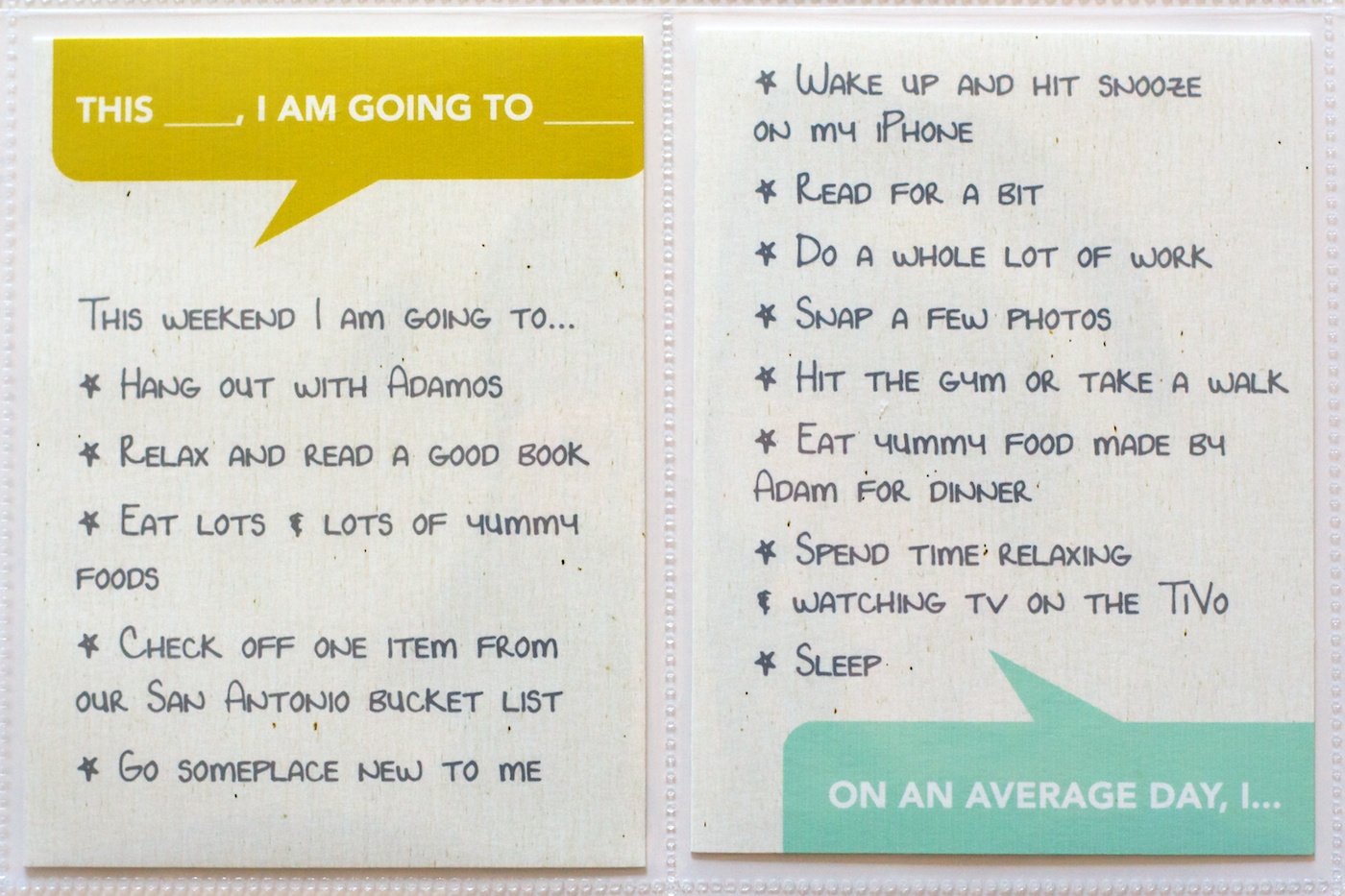
The first Bits & Bytes release this week, Bits & Bytes: 3×4 Cards – Say What Templates features a fun, talk bubble design that’s perfect for journaling or showcasing your fave photos. Included in the set are 4 customizable 2.9×3.9 template files as well as 6 pre-colored printable cards.

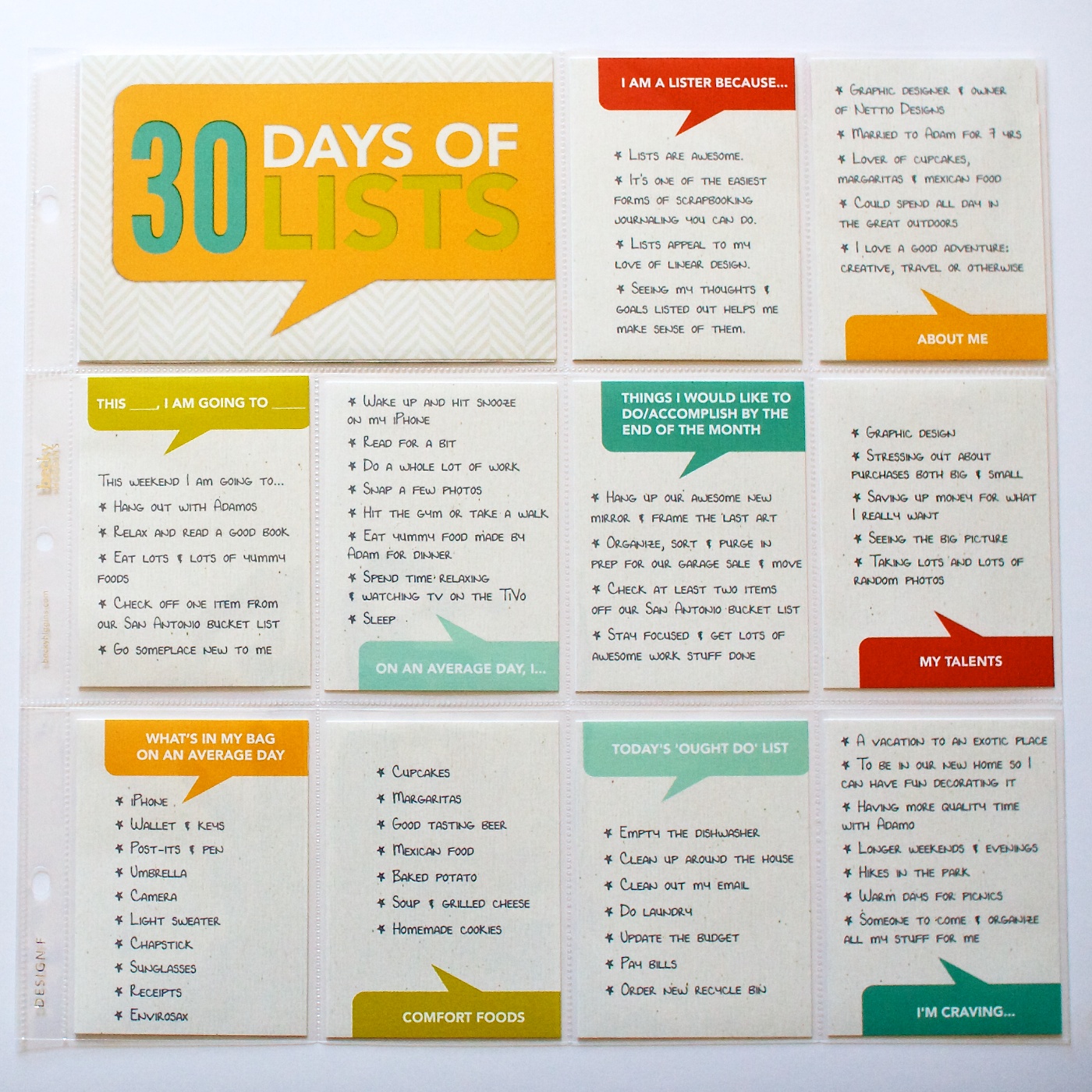
I used them for my 30 Days of Lists Creative Adventure earlier this week and I’d say they turned out pretty cute…
Bits & Bytes: 3×4 Cards – InstaLove Templates

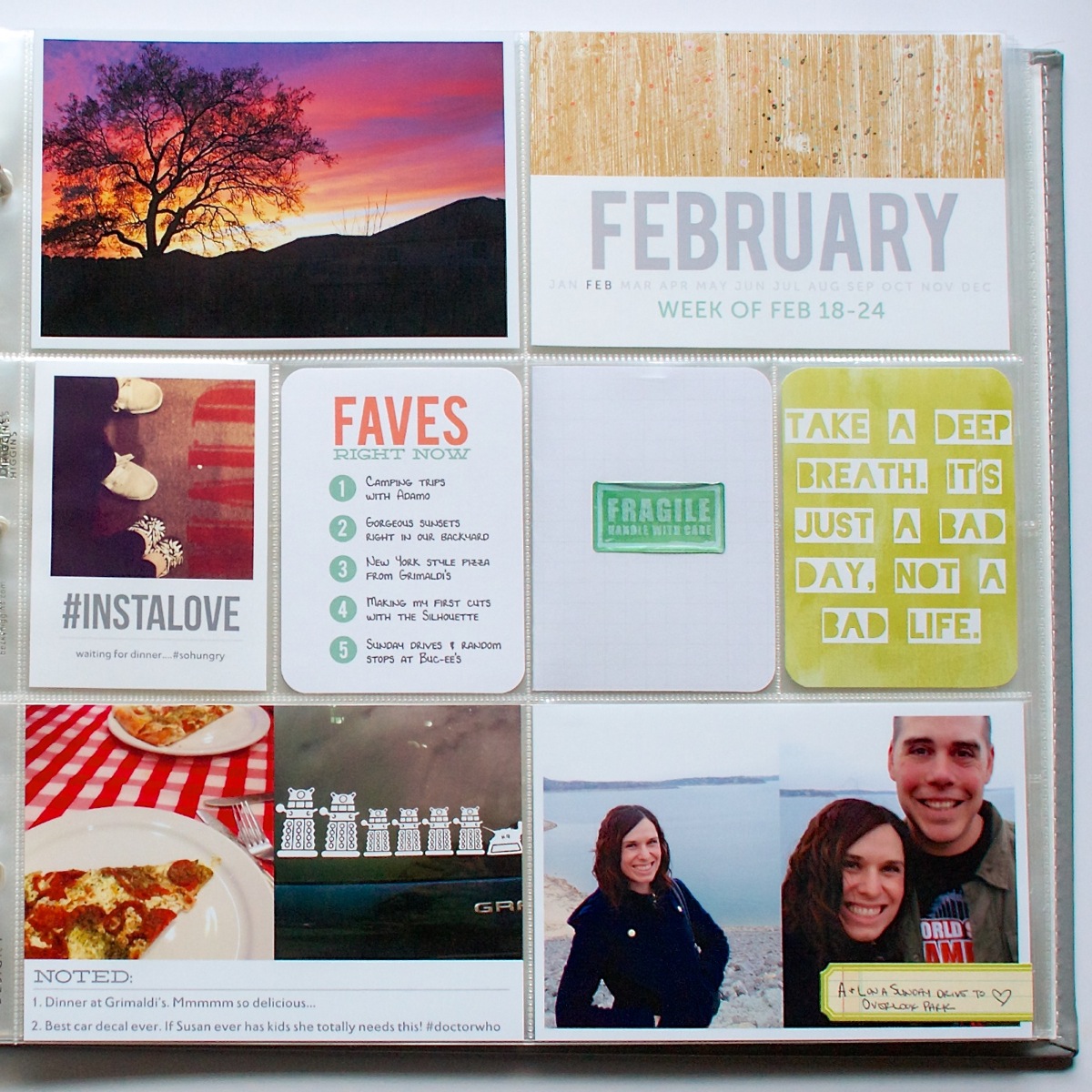
The second release this week, Bits & Bytes: 3×4 Cards – InstaLove Templates were born out of what else? My love for Instagram! These 2.9×3.9-inch mini templates feature 10 hashtag-lovin’ designs that makes paring your fave square photos with a small caption fun & easy.

I used them as part of my Project Life Week 8 pages to capture one of my recent fave Instagram photos. For the caption I pulled the text directly from my photo on Instagram.
Bundle & SAVE! Bits & Bytes: 3×4 Cards Vol. 1 Bundle

Of course if you can decide which set of 3×4 card templates you love the best, you can purchase the Bits & Bytes: 3×4 Cards Vol. 1 Bundle and save a little cash off the full price. The Bits & Bytes: 3×4 Cards Vol. 1 Bundle includes all 10 3×4 InstaLove templates as well as all of the templates and printable cards included in the 3×4 Cards Say What template set.

Here’s a peek at how two of the lovely ladies on Team Awesome used these card templates together. Sherly clipped digital papers to both of them and used them as a journaling card and photo mat for her digital layout…

And Aly used both sets of mini card templates as part of her digital Project Life pages this week…

SAVE 20% OFF thru Saturday

As with every Sweet Shoppe Saturday you can save 20% off all 3 new releases thru Saturday….

Want to save 20% off this weekend?

Pick up the Bits & Bytes: 3×4 Cards Vol. 1 Bundle here today!
Benefits Of Using Canadian Pharmacy

POSTED IN Shop News & Releases

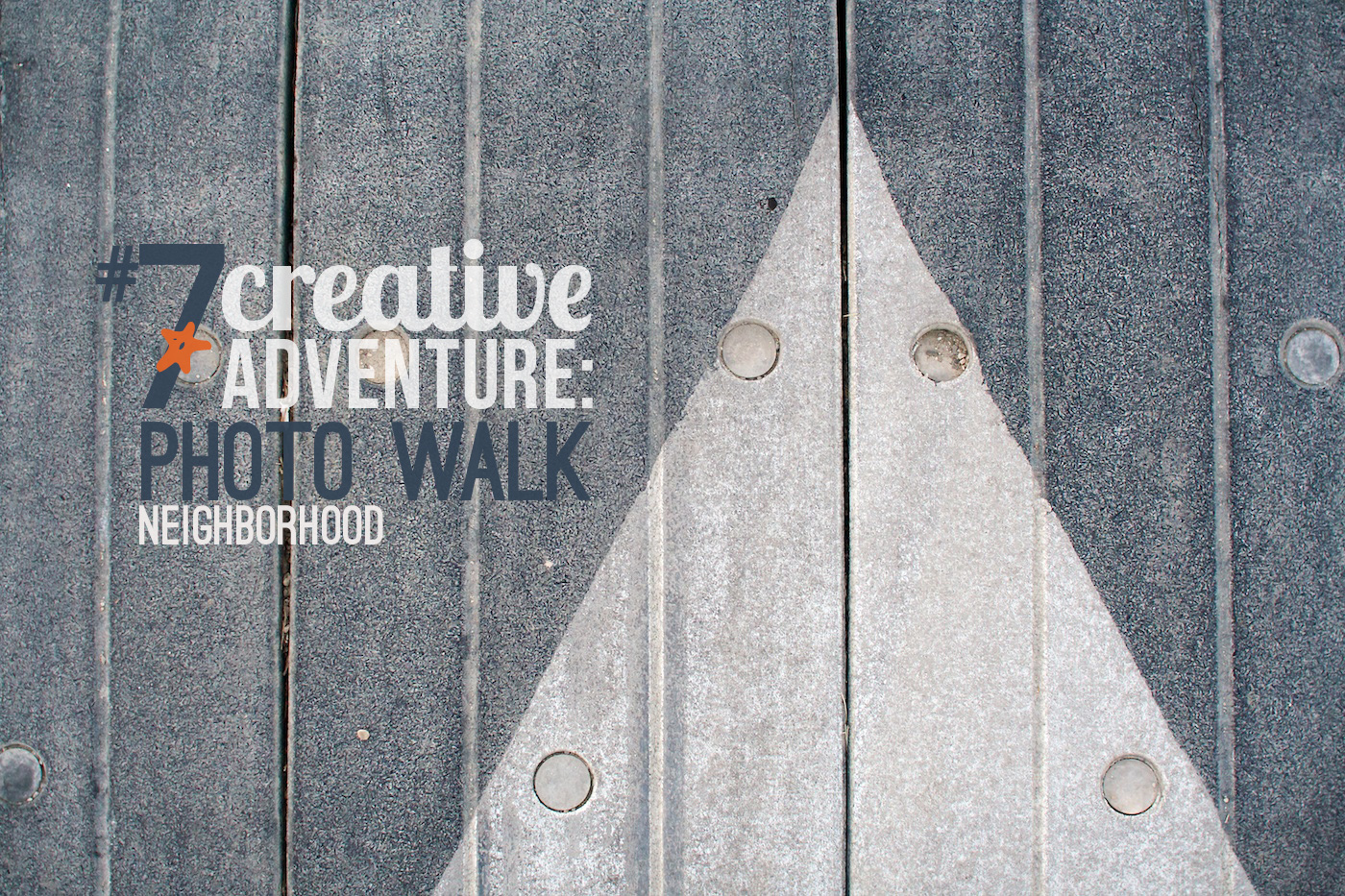
Creative Adventure #7: Neighborhood Photo Walk

POSTED ON March 14, 2013 IN 30 Creative Adventures, Photo Walk

After seeing Elise’s photo walk posts last year, I knew photo walks were a creative adventure I wanted to try. To be honest, considering I see myself as more of a photo-taking memory keeper than a photographer, I was a bit nervous about tackling such a photo-centric challenge. But it seemed easy enough in theory so I decided to go ahead and give it shot earlier this week.

Creative Adventure #7: Neighborhood Photo Walk

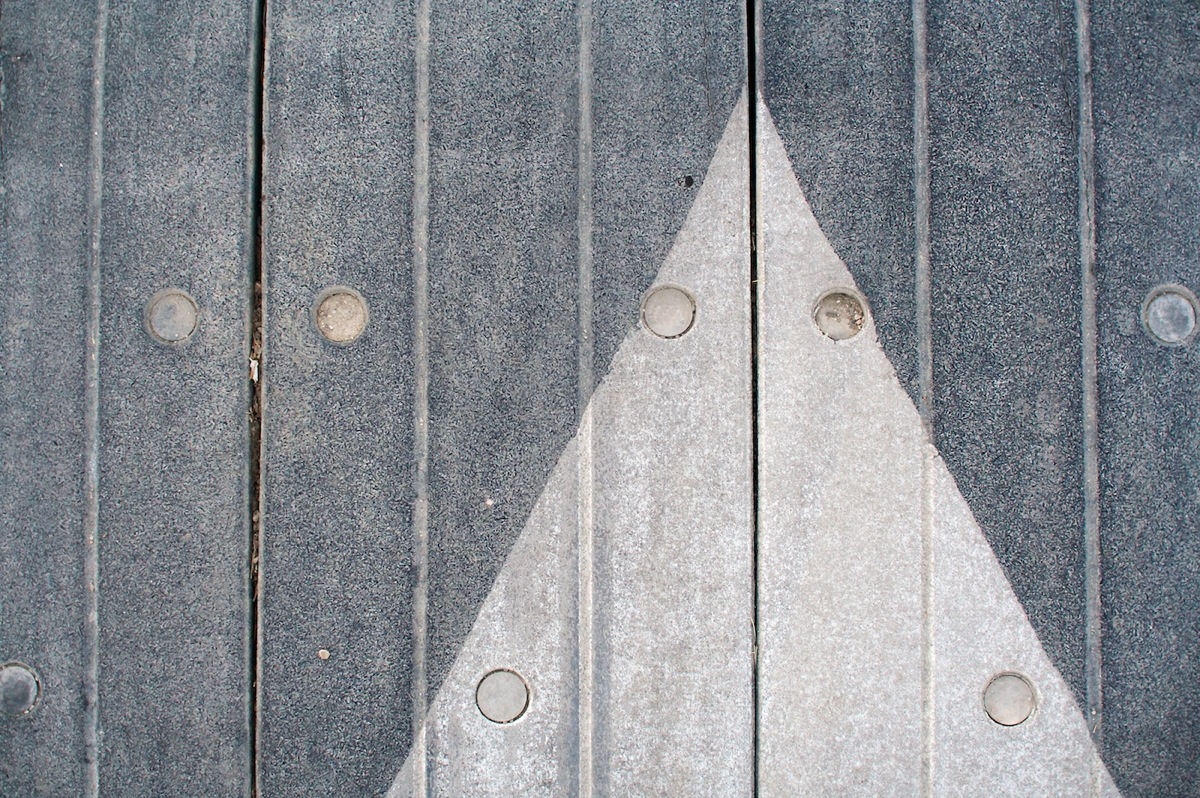
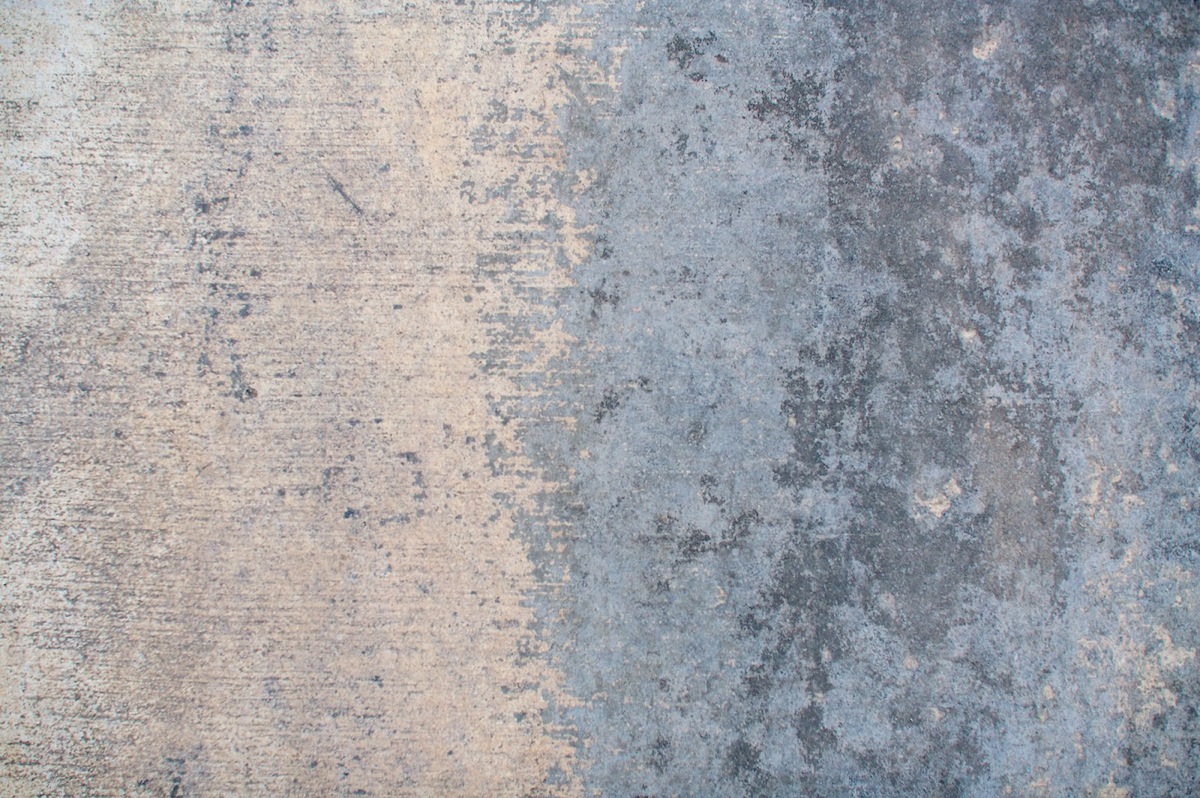
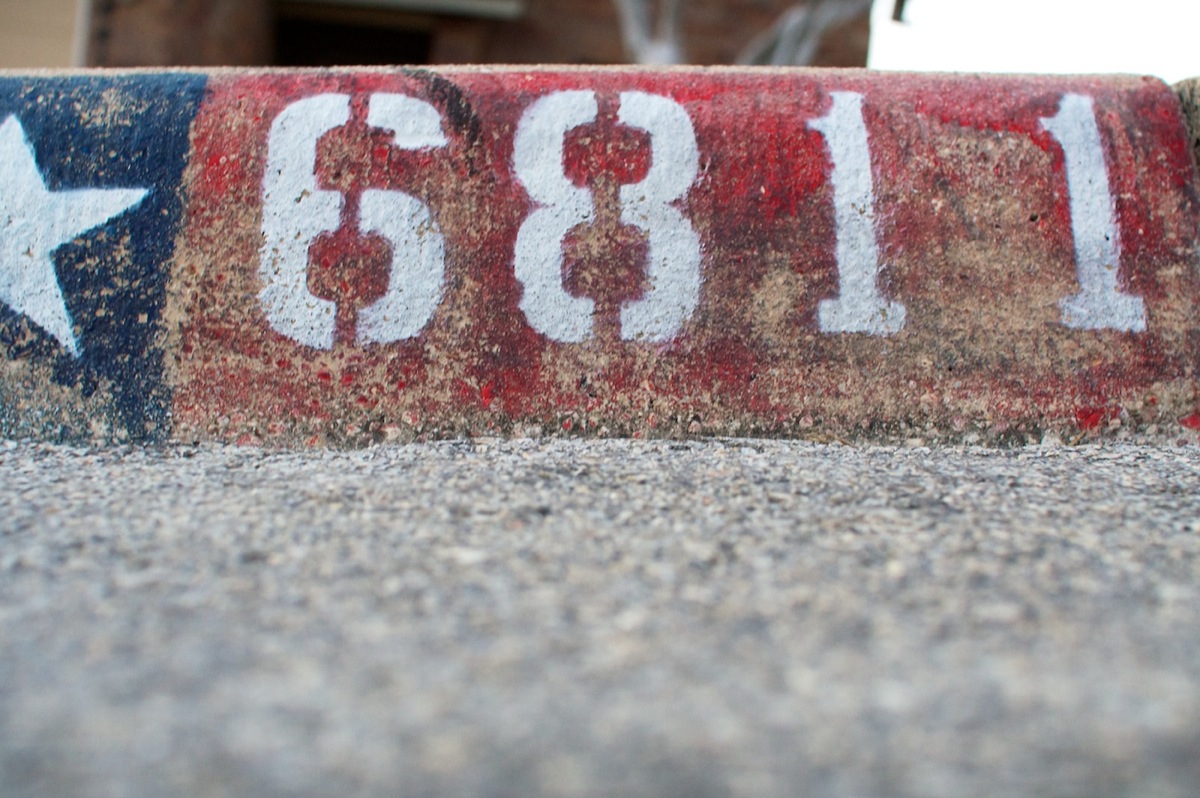
On Tuesday evening after Adam came home from work, I grabbed my trusty Canon Rebel XT and we headed out for a short stroll around our neighborhood. In total we were out for about 30 minutes. Here were some of my favorite shots:

Nettiodesigns CA7 PhotoWalk1Nettiodesigns CA7 PhotoWalk2Nettiodesigns CA7 PhotoWalk3Nettiodesigns CA7 PhotoWalk4
Nettiodesigns CA7 PhotoWalk5Nettiodesigns CA7 PhotoWalk6Nettiodesigns CA7 PhotoWalk8Nettiodesigns CA7 PhotoWalk9Nettiodesigns CA7 PhotoWalk10Nettiodesigns CA7 PhotoWalk11Nettiodesigns CA7 PhotoWalk12Nettiodesigns CA7 PhotoWalk13Nettiodesigns CA7 PhotoWalk14

For anyone interested in trying their own neighborhood photo walk here were a few tips I learned from my walk:

  • Look up, down and all around you – the most interesting textures and elements were rarely right in front of me.
  • Get in close, then get closer – pretty much anything looks more interesting when bound by a tight crop.
  • Key an eye out for interesting patterns and textures – these photos were my favorites.
  • Take someone with you – that way when you’re doing crazy things like setting your camera down in the street you have someone watching out for cars for you. Plus then you don’t look like the lone weirdo wandering around the neighborhood with a camera, haha.

To be honest, I really wasn’t sure what to expect going into this creative adventure but I LOVED it. In fact, it may even be one of my favorite ones I’ve done so far.

It was simple & easy but I loved the way it made me look at the world differently than I do when I take photos for memory keeping purposes. This format really forced me to slow down and look for things like shapes, details and textures or patterns which was awesome. Will definitely be doing more photo walks in the future, for sure.

For anyone interested in the technical details: All photos were taken around 7:30pm with my Canon Rebel XT and Sigma 30 1.4mm prime lens. Aperture was set to f4 and ISO was between 400-800 (I increased it as the sun went down). All photos were edited slightly with Aperture but almost all cropping was done in camera.

______________________________________________________________________

ABOUT THIS PROJECT

In honor of my 30th birthday, I’m challenging myself to go on 30 creative adventures before the end of 2013. This is Creative Adventure 7 of 30. You can read all the details behind this project here and find links to all my completed adventures here.

Can diabetes cause erectile dysfunction

POSTED IN 30 Creative Adventures, Photo Walk

Digital Galleries & The Rise of Templates

POSTED ON March 13, 2013 IN From the Desk of Nettio Designs

From the Desk of Nettio Designs Issue No. 9

Hello hello and welcome to From The Desk of Nettio Designs Issue No. 9!

Behind the scenes at Nettio Designs this past week, my team and I have been having an interesting discussion about Creative Teams, galleries and the role they play in digital scrapbooking. One of the things we’ve all agreed on is that the role galleries play has changed a lot in just the last few years, especially with regards to CTs and product promotion.

Back in 2006 when I first started digital scrapbooking, especially after DigiShopTalk first opened, galleries were king. If you wanted to get your latest product seen, one of the best ways you could do this was by having a talented member of your team create a layout that stood out in the gallery. Galleries were the place to see and be seen and I can certainly remember spending hours and hours browsing the galleries for inspiration. There was so much eye candy!

Fast forward to today in 2013, and it would seem at least on the surface, that digital galleries play a much less prominent role in our digital scrapbooking community. Unfortunately, zero comment and low view layouts are the norm in some of the bigger galleries and it seems in general that people spend much less time browsing galleries for inspiration than they did at one time.

So what happened? Why did this change?

Well I’m sure some of it is due to the rise of social media sites like Pinterest or Facebook, as well as the many many years of technical issues suffered by big gallery sites like DigiShopTalk. Or maybe as a community, we’ve simply evolved past the point of needing as much inspiration as we did in those early days.

But I have one other factor that’s rarely mentioned but I think is important to discuss: the rise of templates.

Now I know, as a template designer that may be a weird statement for me to make. But here’s the thing:

Back in the wild west days of scrapbooking, templates didn’t exist. And yes, if you’ve ever seen someone’s first layout from back then, it’s probably terrifying, haha. There was definitely a MUCH higher learning curve in those days!

But at the same time, that steeper learning curve also meant there was much more room for growth and creativity. If you wanted to be on the best Creative Teams or work with the top designers, you needed to improve your design skills and find a style that would make your layouts stand out from everyone else. And in a lot of ways, that pioneering spirit was good for the digital scrapbooking industry, because it encouraged people to step outside their comfort zones which pushed the industry forward.

Today the scene is a bit different. Thanks to the evolution of templates, a lot of that initial learning curve has been lessoned which, in a lot of ways, is awesome! It’s easier than ever for new scrapbookers to get started and it’s hard to deny the overall quality of digital scrapbooking layouts in galleries has improved thanks to an abundance of templates.

But one of the downsides of templates is the tendency they have to homogenize, or create a certain level of sameness throughout a digital gallery.

For example, let’s say you have 3 template designers, each with their own unique style. Then let’s say, 3 different scrapbookers buy templates from each of them. Assuming each of those scrapbookers use the templates as designed, you now have 12 scrapbookers (including the designers) whose layouts represent only 3 main styles.

What I loved about galleries in the pre-template days was that unless you were a hardcore scraplifter (and most people weren’t), those layouts from the 12 scrapbookers would have represented 12 individual styles. And while everyone’s “style” back then wasn’t necessarily amazing (and I put my own early layouts firmly into that category as well, haha), you were much more likely to come across someone who’s style was completely unique and amazing than you probably are today.

Now before you go grabbing your pitchforks and running me out of digi land, haha, let me assure you I am in no way suggesting we do away with templates. Far from it. I am all for the template-y goodness as much as any of you.

I design templates because I see them as an awesome tool for jump-starting your creativity, building your confidence and making more complicated or out-of-your-comfort-zone styles a little bit easier and more doable. But if you’ve read all of my various posts on creatively capturing your life adventures, it probably comes as no surprise that my goal as a template designer has never been to create a scrapbooking army of Mini-Me’s. That would be quite weird actually, haha.

Plus there’s a little part of me that wonders if templates had existed in their current form back when I first started scrapbooking, would my style have evolved the way it has? While it took me a few years to really find my own unique style, I do know that those early days of pushing myself to be different from everyone else, whether it was scrapbooking 8.5×11 when everyone was doing 12×12 or going linear and graphic when everyone was all clustery and angled, did help to shape the scrapbooker I am today.

I guess what I’m wondering from all of this is how we can find balance. How can we balance creativity and personal style with the ease and confidence that comes with using templates? How can we get back some of that early digi-land pioneering spirit and creative learning without giving up everything we’ve gained since then? And, perhaps from my own perspective, how can I as a designer create products that help you to embrace your own creative spirit and personal style while still providing you with that leg up when you need it?

It’s an interesting question and one that at this point I don’t know that I have all the answers for just yet. But I’m willing to investigate, so stay tuned…

With that I’m going to bring this weeks installment of From the Desk of Nettio Designs to a close. As always if you’d like to share your own thoughts with me, you’re more than welcome to leave a comment below and share away. I’ll be back next week with more thoughts on scrapbooking, life and creatively capturing your life adventures. See you then!

This post is Issue No. 9 of my From The Desk of Nettio Designs weekly email series. Want to get in on the action? Sign up for Nettio Designs emails here.

Can diabetes cause erectile dysfunction

POSTED IN From the Desk of Nettio Designs

Creative Adventure #6: 30 Days of Lists

POSTED ON March 12, 2013 IN 30 Creative Adventures, 30 Days of Lists, Project Life

I’ve known since I started this Creative Adventures project last May that one of the adventures I wanted to include this year was 30 Days of Lists.

If you haven’t heard of 30 Days of Lists before, it’s pretty much exactly what it sounds like it would be. It’s a month long event hosted by the lovely Kam of Campfire Chic and Amy of Lemon & Raspberry. It costs $8 to participate and then every day during the month of March you receive one list prompt posted on a private blog, covering anything from weekend goals to celebrity crushes. At the end of the 30 days you’ll have a collection of entries capturing a snapshot of your life right now.

Let’s be honest, a project featuring lists that captures a snapshot of my life right now? You know I’m all over that.

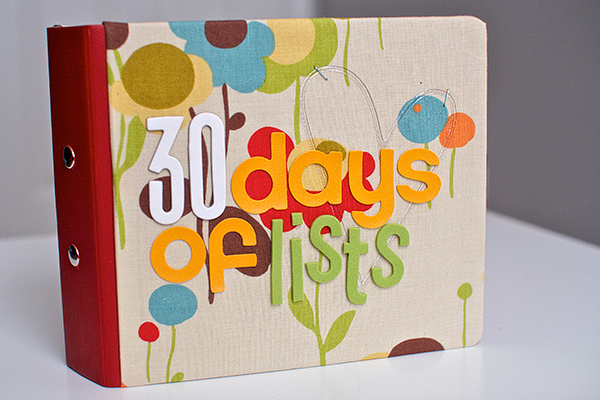
Last March I played along with 30 Days of Lists and created this 6×6 mini album for my lists:

Nettio 30Days cover1

Here’s what the design for each page looked like:

Nettio 30Days 5

You can see my all my completed pages here: #1-5 and here: 6-11.

I LOVED how the pages turned out, but I only ended up making it through about Day 11 and I can tell you right now why: because as much as I loved my pages, they were too complicated. Too many details and decisions needed to be made for each one.

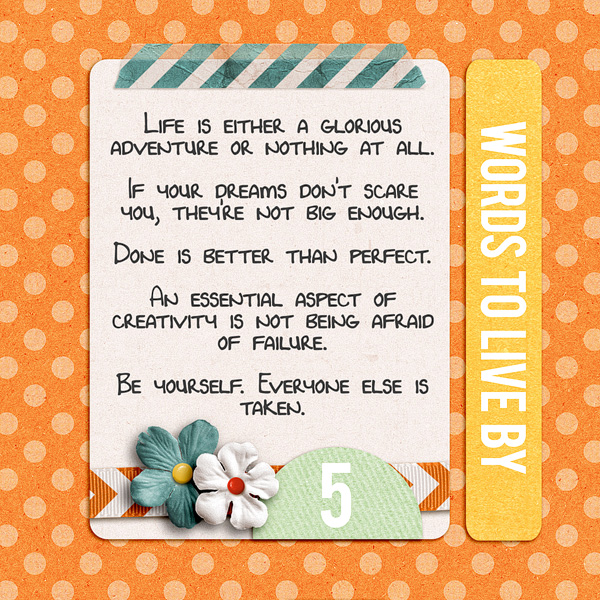
If there’s one thing I’ve learned in 7 years of scrapbooking it’s this: the more times you have to repeat something, the more simple the design should be or else you aren’t going to finish it. #wordstoliveby

Creative Adventure #6: 30 Days of Lists

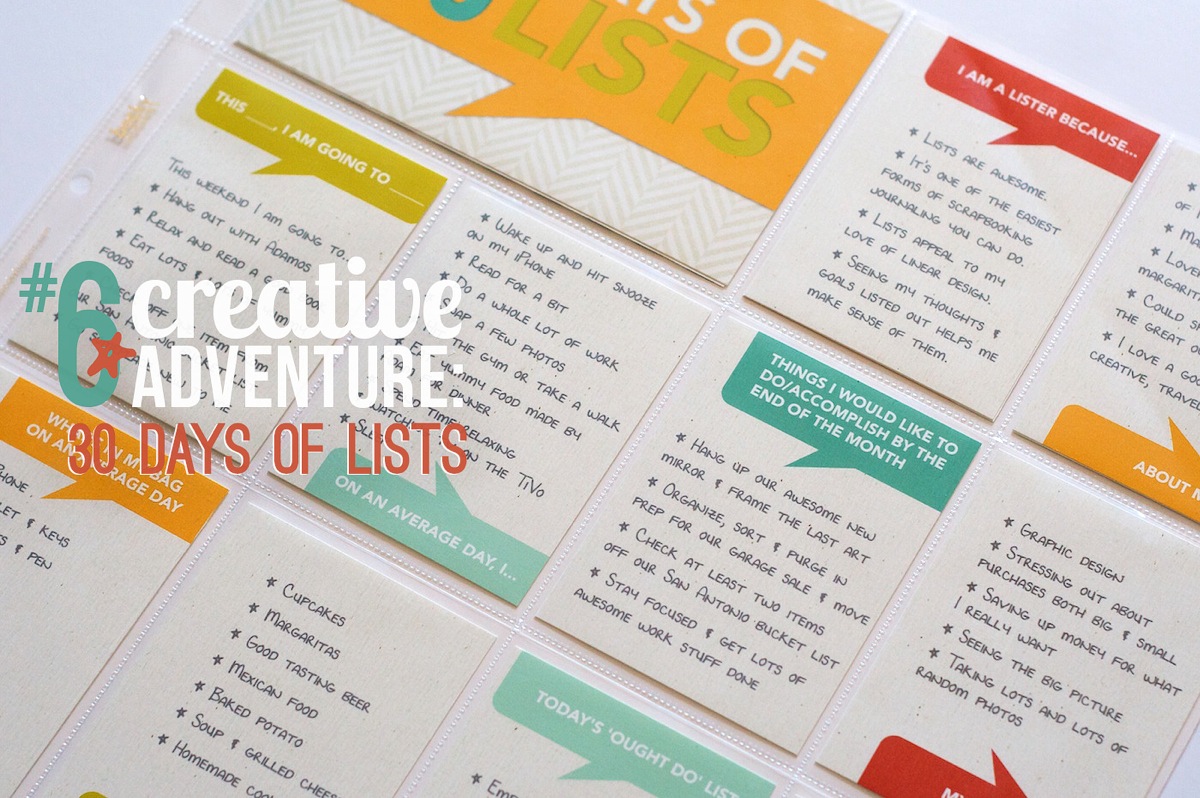
So for 30 Days of Lists, the March 2013 edition, I decided to keep things super simple. And since I’ve been enjoying Project Life so much, I decided this year I’d include my lists as 3×4 cards as part of my Project Life album by including them in a series of Project Life Design F page protectors.

Nettio CA6 30 Days of Lists title

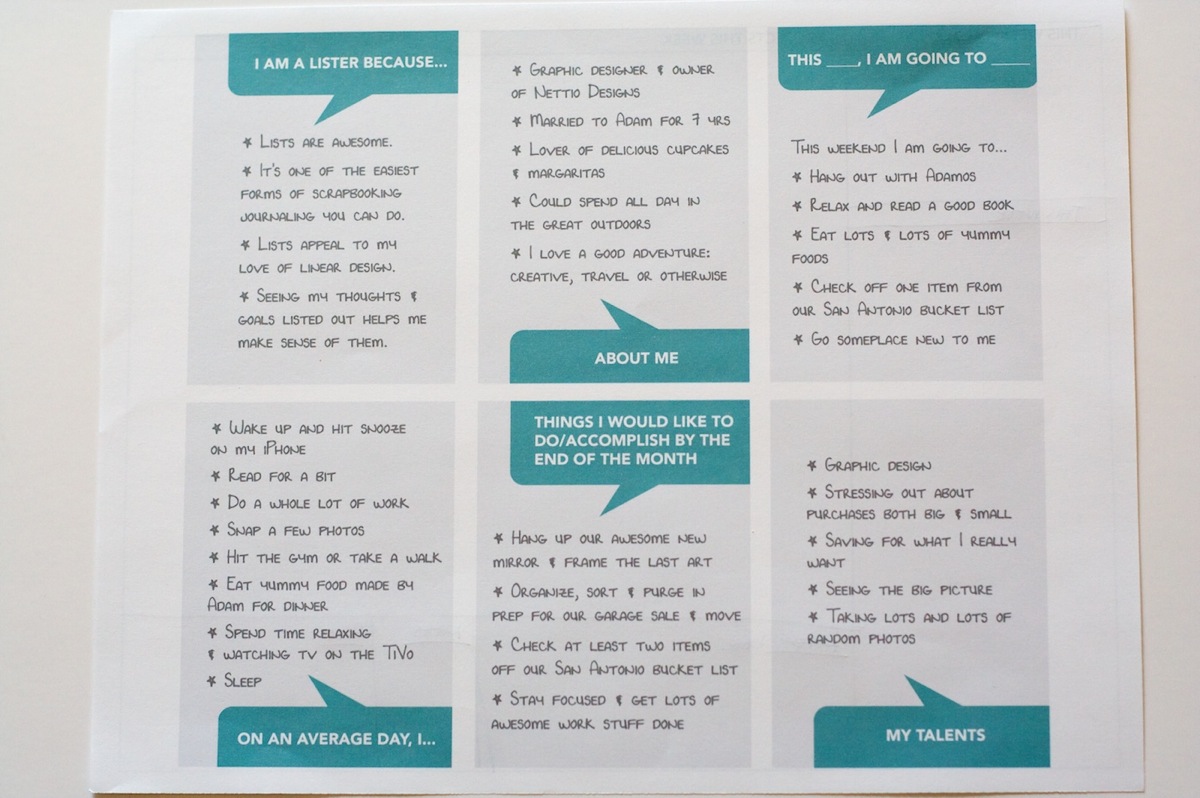
I started by designing a mock-up template in Photoshop and then printing it out to check the sizing of the type. I almost always start with a mockup when I know I’m going to be design multiple copies of something since the last thing I want to do is design a bunch of cards and then have to change them all. I designed all of the talk bubbles using the shape tool in Photoshop.

Nettiodesigns 30 Days of Lists 1

Once I was happy with the overall design, I started playing around with colors and papers. Since I knew I wanted to tie my color scheme into my March Project Life pages, I chose to use a background paper and colors from Libby & Shawna’s Oh Snap! kit which I plan to use for my March Project Life weekly title cards.

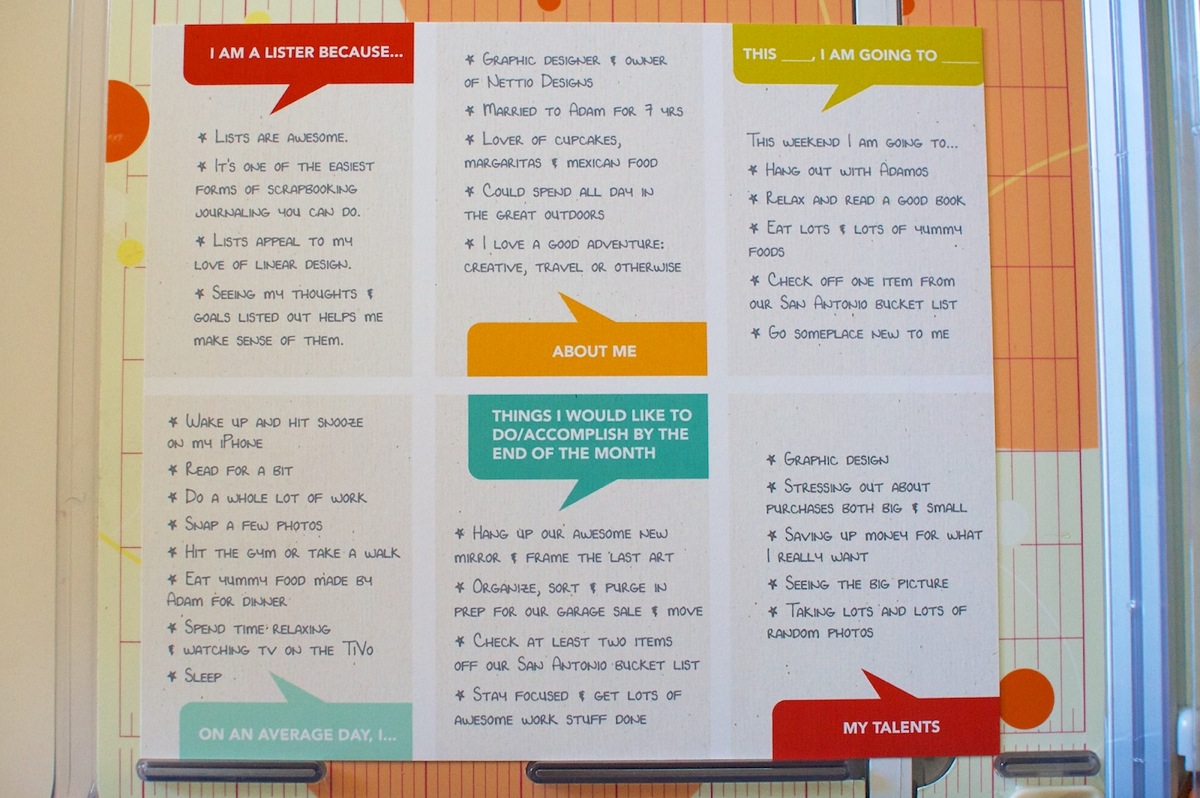
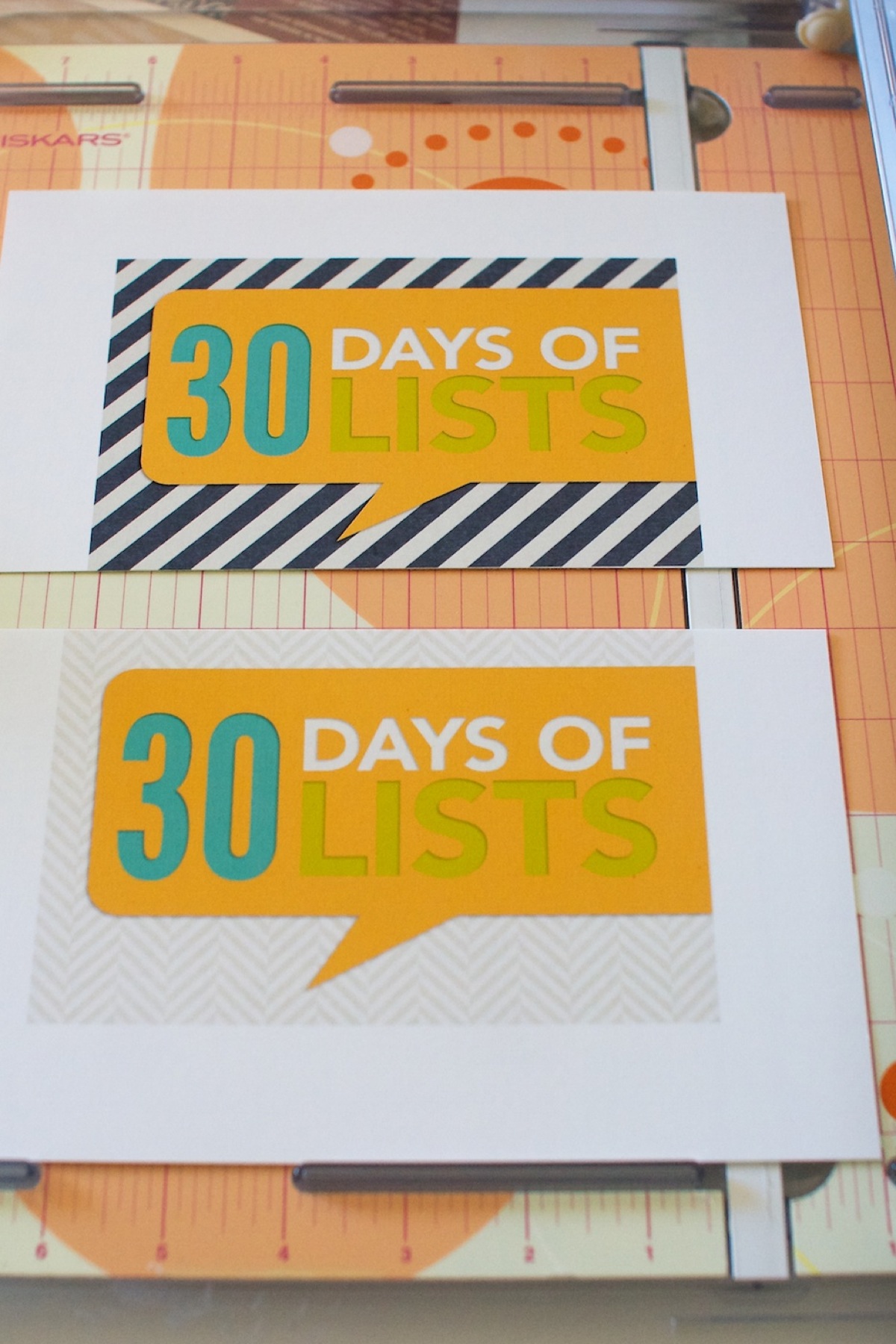
Once I had a design I liked, I printed everything on Epson Matte Premium Presentation Paper and then trimmed everything out with my Fiskars paper trimmer:

Nettiodesigns 30 Days of Lists 8

I also printed a couple of title cards to use in the 4×6 slot in the Design F page protectors. All of the patterned papers for these came from Libby & Shawna’s Oh Snap! kit as well.

Nettiodesigns 30 Days of Lists 4

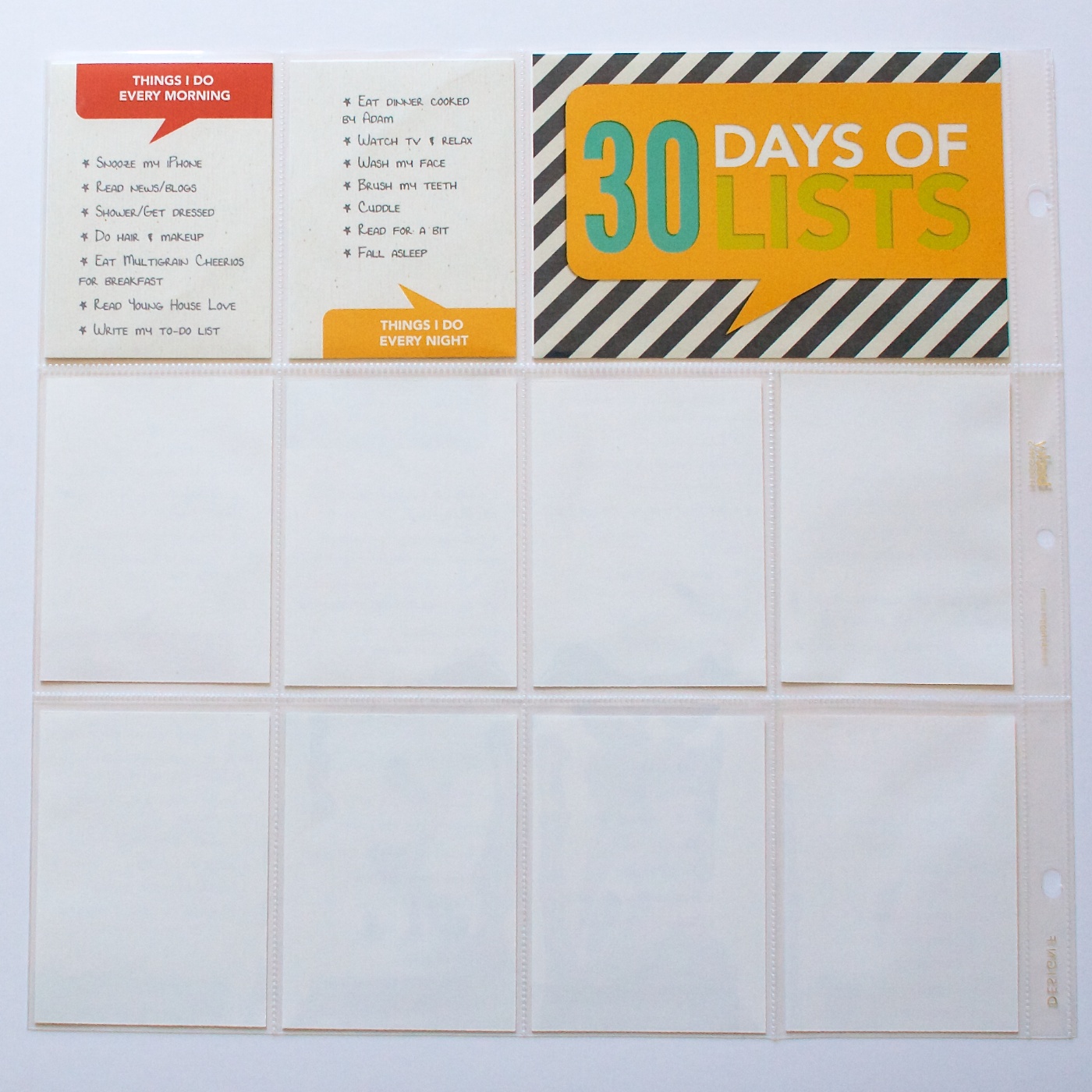
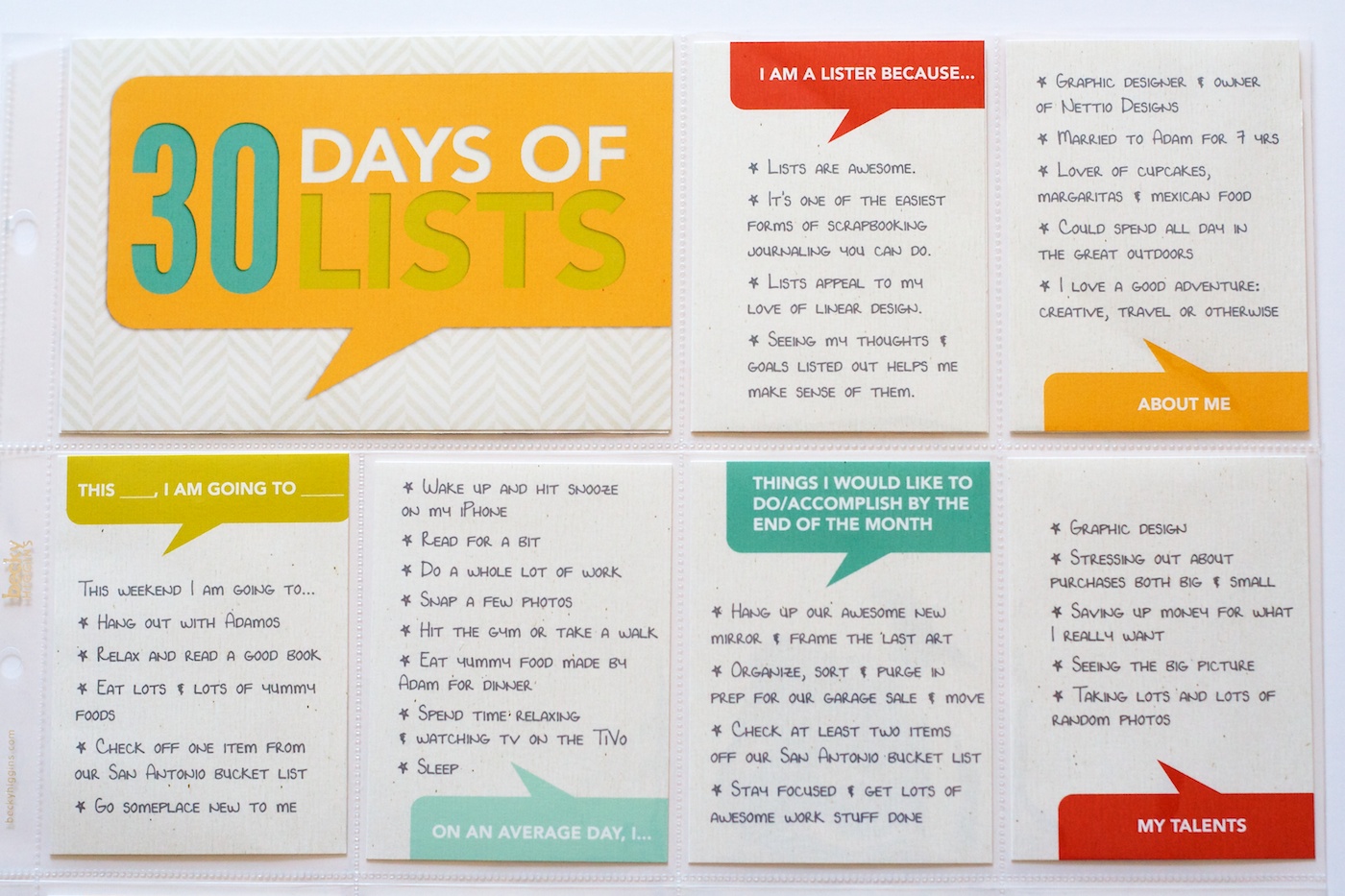
Here’s what all the cards looked like once I added them to the page protector. I’m not going to lie, I’m totally in love with the talk bubbles – they’re so fun! I can definitely see using them again as part of my regular Project Life pages.

And here’s what the back of the page looks like right now. Since I’ve only done up through Day 12, the majority of this page is blank.

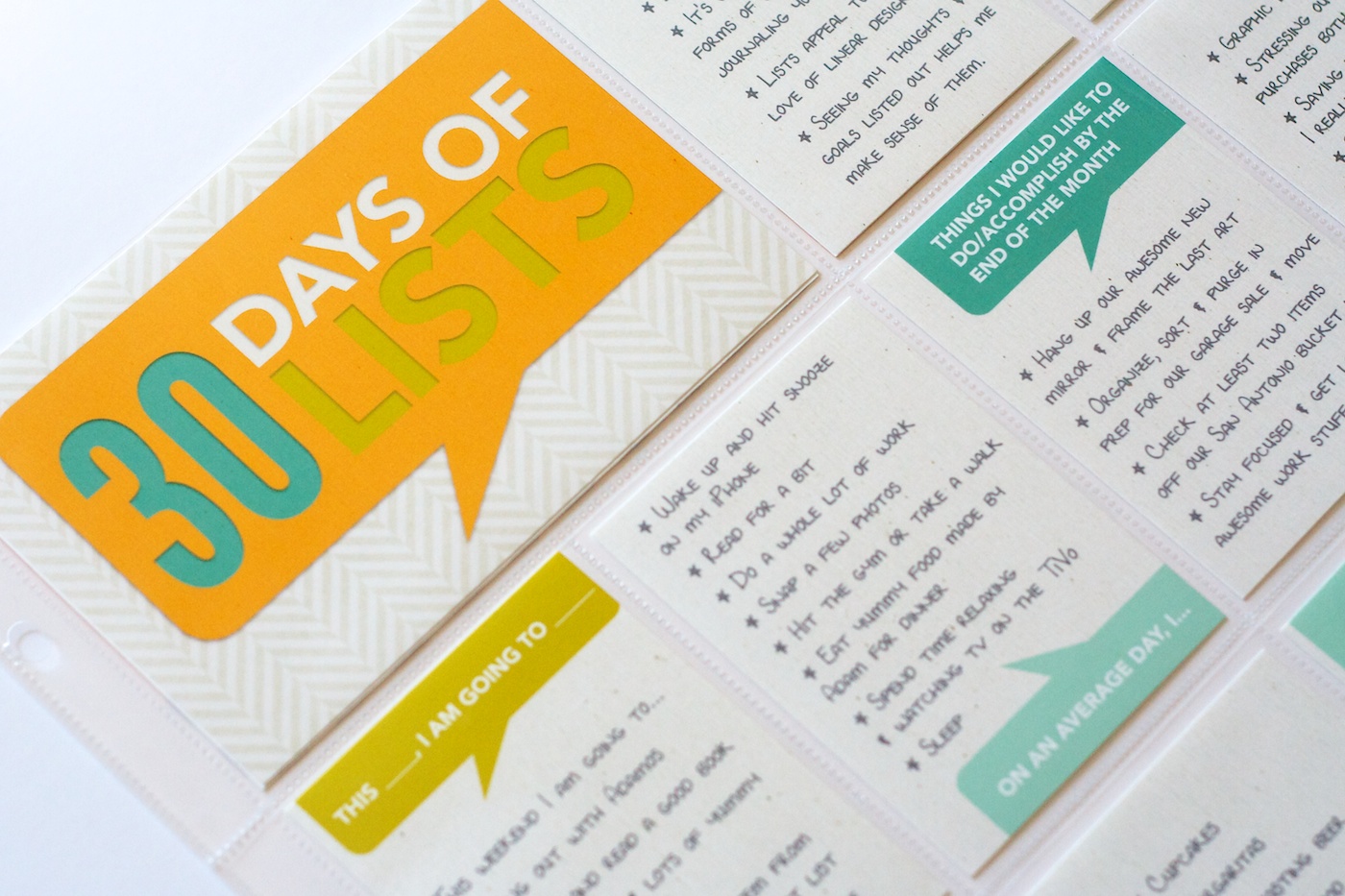
I purposely went with a textured off-white digital paper for the background of the cards because I wanted them to stand out from the regular bright white 3×4 cards I use for Project Life.

For all of the list titles I used the font Avenir and for the lists themselves I used my own journaling font Darcy Baldwin made for me. I love the way the handwriting font makes it feel so much more personal without me having to actually write everything by hand.

If you don’t already have a custom handwriting font by Darcy, RUN, don’t walk or wait for a sale, and get yourself one because they are awesome.

Here’s a close up of the texture of the cards. I really wanted the colored talk bubbles (which I made using the shape tool in Photoshop) to look like they were actually printed on the textured background paper, so I added a duplicate copy of the paper above the talk bubble layer and changed the blend mode to Color Burn. Because the paper was fairly neutral, it added a nice texture without altering the color too much.

If you’re wondering how I’m planning to incorporate my 30 Days of Lists pages into my Project Life album, the answer is I have a plan, but you’ll have to wait until my next Project Life update to see it in action.

And that’s pretty much it for this list-tastic Creative Adventure! I will be back to share an update of my album once I have it all completed but I have to say so far, I’m so very glad that I took the simple route this time around. This project is definitely a case where less is more.

______________________________________________________________________

ABOUT THIS PROJECT

In honor of my 30th birthday, I’m challenging myself to go on 30 creative adventures before the end of 2013. This is Creative Adventure 6 of 30. You can read all the details behind this project here and find links to all my completed adventures here.

Can I take Levitra if I am taking other remedies at the same time

POSTED IN 30 Creative Adventures, 30 Days of Lists, Project Life, Hybrid Scrapbooking

OLW 2013: March Goal-Setting

POSTED ON March 11, 2013 IN Goal Setting, One Little Word

Wow, can you believe it’s already the second week of March? Holy cow, this year is flying! But the good news is it means it’s time for another round of goal-setting!

I mentioned in January when I introduced my One Little Word for 2013, DETERMINATION, that I planned to pair my word with four goals every month, themed around the phrase “This Month I’m Determined To…”, complete with a 6×6-inch inspiration card to keep my goals front & center throughout the month.

You can find templates for making your own monthly inspiration cards here.

This is what my February card looked like:

Nettiodesigns One Little Word Goals Feb new

February 2013: Monthly Goal Update

So how did I do my February goals?

Well, I’m not going to sugarcoat it, this month was a bit of a bust, haha. If I’m feeling generous I’d say I completed 1 out of 4 but even that’s a stretch.

1 & 2 definitely didn’t happen, although I did start #2 so that’s something! #3 would have happened but once we found out we were going to be moving, I decided it didn’t make much sense to do it now. Luckily our new place should have an even better space for it.

And #4 is the one I’d say I completed but not really – definitely didn’t achieve 2x a week but since we went on a big trip with lots of hiking, I figure time-wise it balances out. So maybe half a point?

Looking back I think there are two reasons for that:

1) After the high of January, I was a bit too ambitious with my goal-setting this month. There were quite a few big time consuming items on there that I’m not sure I really had time to commit to, especially not all at once. Not to mention that all of the goals were big enough that I’m not sure I really believed when I set them that I could achieve them.

2) I included too many shoulds instead of wants. I want my goals to be fun & inspiring not a re-hash of my regular to-do list.

So what am I planning to do differently in March? Here are a few things:

1) Simplify, simplify, simplify. I love big scary goals but I also want my monthly goals to be realistic and achievable. There’s nothing worse than feeling like why try before you even start. So I need to make sure to make more little goals that I can easily check off rather than ones that are too daunting to finish.

2) Track my progress. As part of her I Choose class at Big Picture Classes, Elise included some printable goal tracker sheets. I’m planning to print out one for each goal so I can track my tasks as well as my successes. I also think I’ll print out a different calendar just for goal planning/tracking.

3) Don’t be too hard on myself. I’ll admit when I first realized the end of February was here and I hadn’t accomplished any of my goals, my first thought was “I suck and I totally failed this month.” Really the answer is I didn’t, my priorities just ended up being different than I thought they would be. It happens. This is the great thing about setting monthly goals – it allows you to reassess and start fresh every month. Love that.

March 2013 Goal-Setting

So with that in mind, here’s the digital version of my goals inspiration card for March:

Nettiodesigns 03Mar13 4 Goals Tracker digital

And here’s what it looks like hanging above my desk. I may end up moving it back towards my to-do list but for now I’m liking that it’s capturing my attention again simply by being in a different place. Sometimes you gotta just switch things up to make things happen!

Nettiodesigns OLW Mar Goal Tracker

I’m not going to lie, I had a tough time coming up with goals this month. For some reason I was feeling a lot of stress & anxiety over which ones to choose. Adam said he thought it was because we have a lot to do before our move but I think it’s more that I’m still trying to find that balance for big vs little goals and personal vs business goals.

Last month I felt my goals were too big/business-focused so this month I’m focusing on tasks I want to do just for me. Our big task this month is to start purging and sorting in preparation for our move since Adam will be gone for training a big chunk of April, so I tried to keep my other goals small and fun.

Considering as soon as I started putting together my inspiration card, I was already feeling motivated to start, I’d say I’m on the right track.

One Little Word 2013: February Assignment

I mentioned last month that one of the ways I’m staying in touch with my One Little Word this year is through Ali Edward’s One Little Word class at Big Picture Classes. This month’s assignment was to create a vision board based around your word. I’ll admit, I procrastinated horribly about doing it but once I started, it was actually fun!

Ali’s example was on a 16×20-inch canvas but I wanted something a little smaller so I went with a 14×18-inch canvas which seemed like a good size.

I decided to do this all paper as opposed to digital so I started by ripping a bunch of pages that had words/images I liked out of a stack of magazines (mostly Real Simple & one Oprah magazine). Then I started layering the big images first…

Nettiodesigns OLW Mar 1 - Vision board

And kept adding bits until I had a design I liked…

Nettiodesigns OLW Mar 2 - Vision board

Next came the glueing stage. I’d planned to use this Matte Medium I had on hand since it said it was good for collage on bottle and I figured it’d be similar to mod podge. Uh, no, totally wrong. This stuff didn’t work at all! All it did was wrinkle the paper and make it curl up so it wouldn’t stick at all.

This was also the time Adam chose to come home from work and my frustration must have been showing because his response to me was “Uh, I think this is why you do digital.” LOL!

Nettiodesigns OLW Mar 3

I eventually resorted to a combination of a regular old gluestick and my trusty tape runner. Worked WAY better and didn’t wrinkle all the paper. The only downside was the tape runner is permanent so I couldn’t adjust things after I placed them, so there’s a few items not quite where I wanted them but I figure this isn’t really the kind of project where perfection is required.

Here’s what my finished DETERMINATION vision board looks like…

Nettiodesigns OLW Mar 4 - Vision board

I did end up spraying it with a clear spray to seal it but since the edges of some of the small pieces are sticking up still, I may glue those down a little better. Overall I’m really happy with it! I love the bold colors and the mix of type – very me. Not sure where I’m going to put it yet but I’m thinking somewhere near my desk so I can see every day.

Well that’s it for this March edition of 2013 Goal-Setting! How’d your February goal-setting go? What do you have planned for March?

Psst…what to get in on the monthly goal-setting action? Pick up your own copy of the 2013 Monthly Goal-Tracker Templates or OLW Goal-tastic 2013 Goal-Setting Bundle at Sweet Shoppe Designs.

How Can Customers Lower Their Remedy Costs

POSTED IN Goal Setting, One Little Word

Memories On the Move

POSTED ON March 6, 2013 IN From the Desk of Nettio Designs, Life Adventures

From the Desk of Nettio Designs Issue No. 8

Hello hello and welcome to Issue Number 8 of From the Desk of Nettio Designs, my weekly email series where I share my thoughts on creatively capturing your life adventures, life and everything in between. This week’s issue leans a bit more heavily on the life side of things but I promise by the end it’ll wrap back around to memory keeping so stick with me.

I don’t often write about our life as a military family because well, to be honest, it’s really not that exciting! Outside of the fact that my husband wears a uniform to work and occasionally leaves the house at 4am or spends the night out the field, our day-to-day life is really not that different from any other.

But there are two military events that tend to affect our everyday life in a big way: deployments and the always popular PCS aka Permanent Change of Station move. Thankfully Adam is not deploying again but it does mean that, after a little over 2.5 years, our adventure of living here in San Antonio, Texas is coming to an end.

So where are we headed next you ask? Where will our 5th move in 8 years be taking us?

Well come May we are going to be moving to…..drumroll please….

Nettiodesigns move

Houston, Texas!

I know, kind of anti-climatic, huh? And not nearly as exciting as someplace overseas like Germany or Korea or Italy. Believe me, we tried hard for Germany.

But it’s true, our Texas adventures will be continuing for another two years as we move three hours east from where we are now to the 4th largest city in the US.

If you’re wondering if there’s a military base in Houston, the answer is no, there is not. Adam will be overseeing the medical recruiting process for the area (they’re the people who recruit doctors, nurses, medical specialists and such for the Army) which means this will be the first time in eight years where we won’t be living within a short distance of a military base.

But considering we’ve yet to ever actually live on a military base, we figure this shouldn’t really be all the different for us. Plus it’ll be a nice test run for what life would be like if he eventually decides to get out of the military since that’s the next big decision we’re going to have to make in a few years.

This past weekend we drove over to Houston to scope out the area, celebrate Adam’s 30th birthday with our fave Crave Cupcakes and do a little rental home hunting.

We went into it with uncertain expectations but ended up finding a place we loved so much that we didn’t want to gamble on it not being available later. We’re still waiting on final approval but fingers-crossed it works out because it’s exactly what we were hoping to find and weren’t sure would exist in our budget.

It’s an apartment so we’ll be downsizing quite a bit from our much-too-large-for-us single family home we live in now but it’s perfect: hand-scraped wood floors, 10 foot ceilings throughout, a kitchen with an island which we’ve very very much missed from our house in Colorado, and of course, lots and lots of natural light.

But as excited as I get about the chance to explore another new city, there’s always a little part of me that finds the moving process a bit bittersweet. When I was a child, I was the one who would tear up when an awesome camping trip or vacation would come to an end because I knew those experiences would never happen again in that same exact way.

And the truth is, there’s a little part of me that still feels that way.

Which is probably why I’m so passionate about scrapbooking – because it’s an awesome way to capture these priceless memories and adventures and save them for a later day.

So as we start preparing ourselves to say goodbye to our current home, I’ve been thinking about what stories or photos I what to make sure I capture before we leave. And I came up with a little list:

1) Make a San Antonio bucket list and scrapbook it

We’ve known for awhile we’d most likely be leaving San Antonio in the near future, so Adam and I have talked several times about things we want to do/places we want to go before we leave. But now that we’ve got a timeline in place, it’s time to make it official. I may end up scrapbooking this as a digital layout but I also think it could be a really fun item to include in my Project Life album.

2) Take more photos around our current house and neighborhood

I’ve definitely taken photos around our house and neighborhood while we’ve been here but since I’ve made quite a bit of progress on my on-going “Operation Home Sweet Home” home design goal, I want to make sure I capture all the details of our home in it’s most final state. When we moved from our home in Colorado in 2010, I ended up doing this a few days before the movers arrived and it’s so fun to look back now at what our house looked liked at that time.

3) Capture our San Antonio area faves

You had to know there’d be some form of the faves on this list, right? Haha. But really I’d love to take the time to make some Top Ten-type lists about our favorite restaurants, places we go, etc. Might even be fun to do it as an awards type of thing like “Best Place For Breakfast Tacos” (Little Texas Cafe) or “Most Visited Store” (Target).

I’m sure as we jump into the decluttering/planning/moving stage I’ll think of more things I want to capture but I figure this is a good start. My general rule of thumb when it comes to memory keeping is “You never remember as much as you think you will” and since a lot of times with military moves, there’s always a chance we might never return to where we were before, I always try to capture as many details as I can. Better to have too much than not enough, I say.

It’s Challenge Time!

Your adventure challenge this week is to take a moment to capture where you live, right now. It doesn’t have to be anything fancy: a single photo, a series of photos or a layout would do. Even if you’re in your forever home, life changes and I can tell you from experience how fun it is to look back and be reminded of all those little details and changes that have happened when you didn’t even notice.

And hey, if you have any awesome moving tips, feel free to lay those on me as well.

Well that’s it for this week’s installment of From the Desk of Nettio Designs! As always if you have any comments, questions or just want to share what you’re up to feel free leave a comment below. Until next time…

This post is Issue No. 8 of my From The Desk of Nettio Designs weekly email series. Want to get in on the action? Sign up for Nettio Designs emails here.

Can I take Levitra if I am taking other remedies at the same time

POSTED IN From the Desk of Nettio Designs, Life Adventures

  • « Previous Page
  • 1
  • …
  • 19
  • 20
  • 21
  • 22
  • 23
  • …
  • 51
  • Next Page »
HI I'M LYNNETTE. Graphic designer, tech-lovin’ memory keeper and lover of bold colors & patterns, good food and the great outdoors. Here at Nettio Designs, I share a behind the scenes peek at my own creative & life adventures. Read more...

KICKSTART YOUR CREATIVITY


By popular demand, photo book templates are back! Grab all three sets in the shop.
ADVENTURES IN ORGANIZING
GOAL-SETTING
MEMORY KEEPING
PROJECT LOVE
LIFE ADVENTURES
TIPS & TRICKS
BEHIND THE SCENES

POPULAR PROJECTS

TO SEE ALL MY PROJECTS, CLICK HERE

MUST READ POSTS

  • WHY EVERY SCRAPPER SHOULD SCRAP A FAVES PAGE
  • HOW TO CREATE A SCRAP-WORTHY MAP WITH PHOTOSHOP
  • REMEMBERING THE IMPORTANCE OF TELLING YOUR STORY
  • WHAT DOES IT MEAN TO CREATIVELY CAPTURE YOUR LIFE ADVENTURES?
  • BROWSE BY CATEGORY

    BROWSE THE ARCHIVES

    GET IT FOR FREE

    Testing testing

    links goes here

    Copyright © 2026 ·Dynamik Website Builder · Genesis Framework by StudioPress · WordPress · Log in