Nettio Designs

Design + Creativity + Adventure = LOVE

  • HOME
  • JOIN THE 2023 MONTHLY FAVES
  • THE SHOP
  • ABOUT
  • CONTACT
You are here: Home / Archives for Template-y Goodness

A Sweet New Release at Sweet Shoppe Designs: Sweet Single No. 1

POSTED ON July 14, 2012 IN Announcements, Shop News & Releases

Happy Sweet Shoppe Saturday everyone!

This weekend I’m releasing the first in a NEW line of digital scrapbooking templates called Sweet Singles. Think of them as bite-sized template packs perfect for dipping your toe into the Nettio Designs template pool.

Sweet Single No. 1: In the Round

This week’s Sweet Single, Sweet Single No. 1: In the Round, features a fun, repeating circle design in my signature modern paper-lovin’ style.
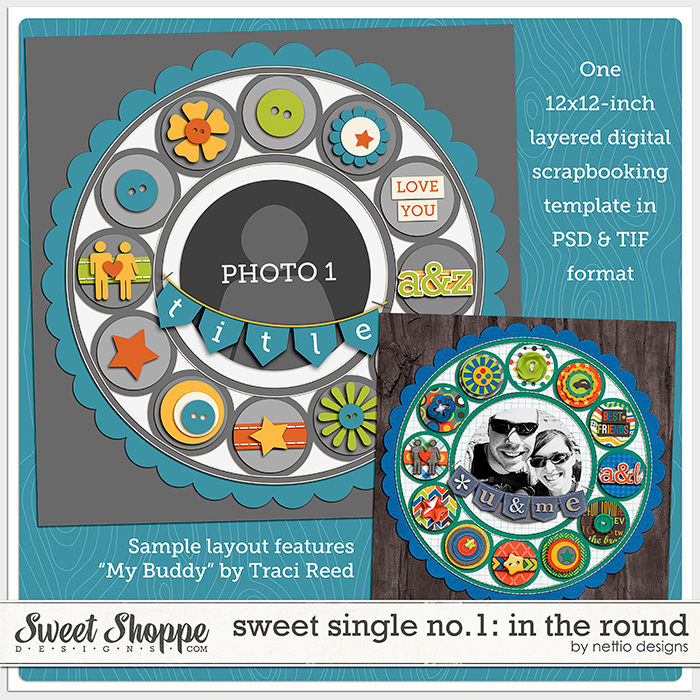
Here’s a closer look at my layout …
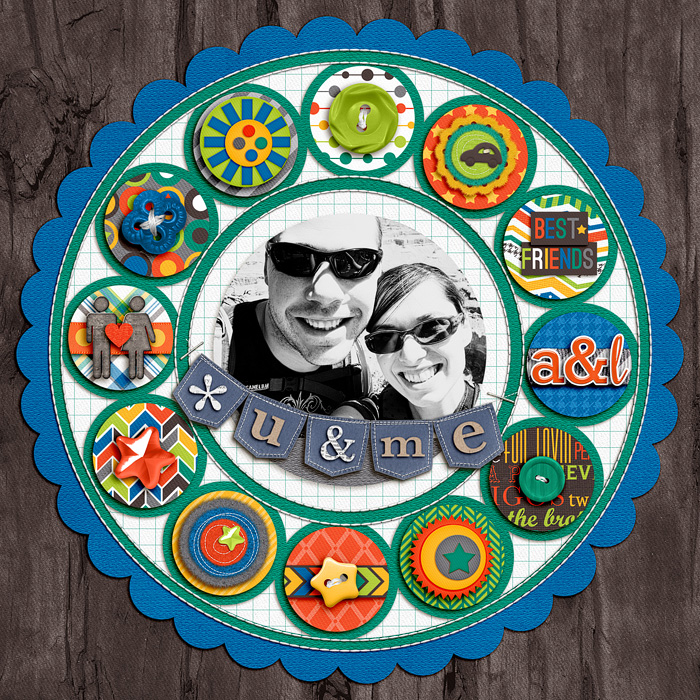
What I love most about this template is it’s versatility. You can feature a single photo on your layout like I did or you can include up to 13 photos using all the paper circles for photos instead.

That’s a whole lotta photos!

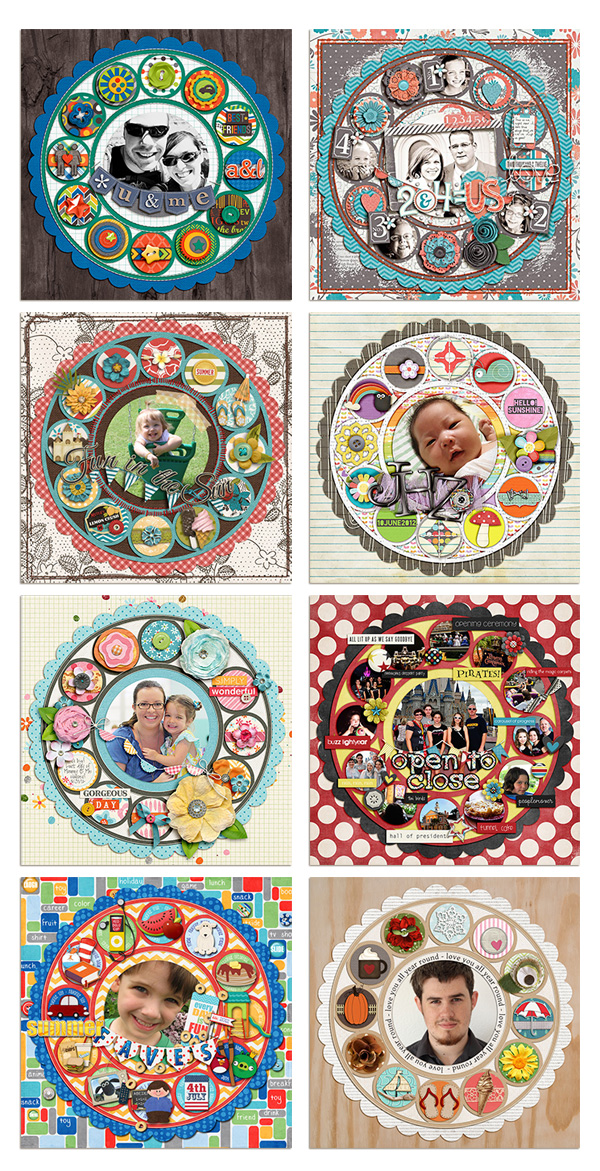
If you’re in need of inspiration, check out at all the different ways Team Awesome rocked this template…

Team Awesome Inspiration
New Release Discount: SAVE 20% thru Saturday

As always, Sweet Single No. 1: In the Round is 20% OFF thru Saturday at Sweet Shoppe Designs.
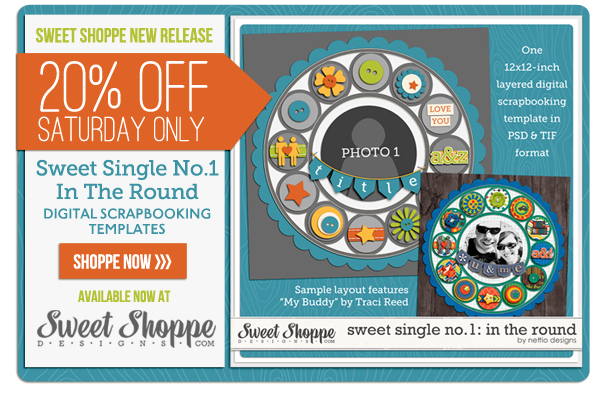
Pick up Sweet Single No. 1: In the Round today!

Benefits Of Using Canadian Pharmacy

POSTED IN Announcements, Shop News & Releases, Template-y Goodness

Nettio Designs Reveal Day at The Daily Digi!

POSTED ON July 12, 2012 IN Announcements

In case you missed it, I’m one of the featured designers this month over at The Daily Digi and today is my official feature designer reveal day! Woohoo!

Pop on over to The Daily Digi blog to check out the reveal of my exclusive Digi Files template pack, a Q&A with yours truly and a little extra coupon-y goodness from me as well.

Don’t forget for just $7.50/month you’ll get access to my digital scrapbooking template pack along with 6 other awesome goodies from some amazingly talented designers. Find out more about becoming a member here.

Oh and I hear there are prizes too. And eye candy. But mostly prizes.

I know you like prizes right?

Go check it out at The Daily Digi!

Can I take Levitra if I am taking other remedies at the same time

POSTED IN Announcements, Template-y Goodness

Summer Lovin’: My 2012 Summer Bucket List

POSTED ON July 11, 2012 IN Life Adventures, Memory Keeping

I LOVE lists. For anyone who’s followed my scrapbooking for awhile this probably comes as no surprise considering the number of list-y based projects I’ve done: the Faves, 30 Days of Lists, the 28 at 28 List, Holiday Faves (which was essentially a list in mini book form). Not to mention the number of random one-off list digital scrapbooking layouts I’ve done as well.

But one of my favorite lists of the year is my summer bucket list. Because not only is it a list, but it’s a list full of awesomely fun summertime adventures.

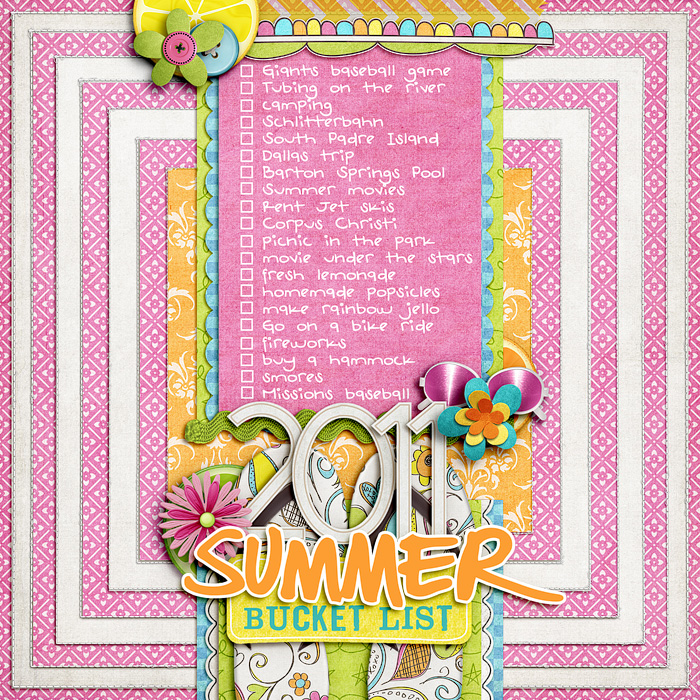
My 2011 Summer Bucket List

Last year’s summer bucket list sadly got a bit thwarted by the insane heat we had here in Texas. I mean, ass much as I love summer, when it’s 100+ degrees for 59 days, even I don’t want to be outside doing anything. So we sadly only checked off a handful of items: Giants baseball game (which was indoors), Schlitterbahn, Barton Springs Pool, summer movies and smores in the backyard.

#SummerBucketListFAIL

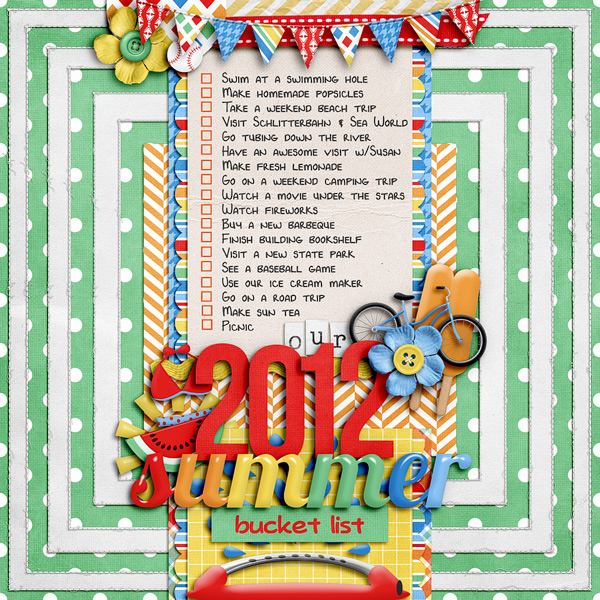
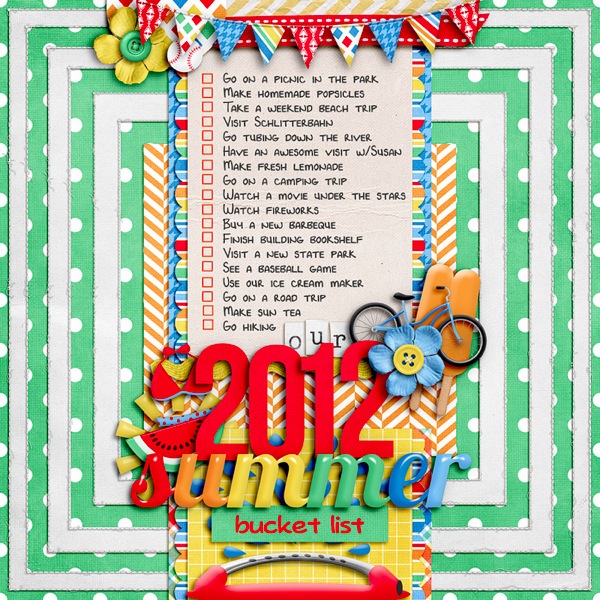
My 2012 Summer Bucket List

This year I tried to be a bit smarter about my list, making sure there’s a good mix of do-able indoor/outdoor local activities including a few items I still want to do from last year and a few things Adam requested.

So far our weather has been playing much nicer this year (well much nicer for Texas anyway which means 90s instead of 100+, haha) so I’m feeling a bit more optimistic this year. I mean, we’ve checked off a few items already which is progress my friends…

  • Swim at a swimming hole
  • Make homemade popsicles
  • Take a weekend beach trip
  • Visit Schlitterbahn & Sea World
  • Go tubing down the river
  • Have an awesome visit w/Susan
  • Make fresh lemonade
  • Go on a weekend camping trip
  • Watch a movie under the stars
  • Watch fireworks
  • Buy a new barbeque
  • Finish building bookshelf
  • Visit a new state park
  • See a baseball game
  • Use our ice cream maker
  • Go on a road trip
  • Make sun tea
  • Go on a picnic

Still lots of fun to be had and I admit, I’m a bit giddy with excitement. Apparently my love of summer is still strong as ever even though I no longer get three months off to do nothing, haha.

What about you? What’s on your bucket list for this summer?

Psst…looking for some awesome summer kits? Check out 12 Months: June by Penny Springmann and 100 Days of Summer by Meghan Mullens which I used for my layouts.

Looking to scrapbook your own Summer bucket list layout?

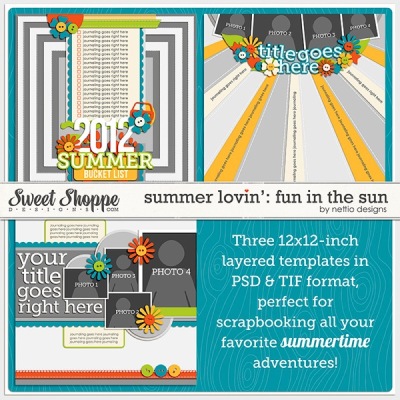
Check out my Summer Lovin’: Fun In the Sun Templates or pick up Summer Lovin’: The Complete Collection to get 9 summer-tastic templates for one great price.


Benefits Of Using Canadian Pharmacy

POSTED IN Life Adventures, Memory Keeping, Template-y Goodness

The Summer Lovin’ Template Collection Is Here!

POSTED ON July 6, 2012 IN Announcements

Happy Sweet Shoppe Saturday everyone! I can’t even tell you how excited I am about today’s new release, my first ever digital scrapbooking template collection: Summer Lovin’.

I LOVE summer. There’s just something about the combination of summery activities, long days and warm weather that appeals to my outdoor adventure loving self. I love being out creating NEW memories and checking items off on my summer bucket list…

Nettio SL 2012summerlist

…which means, finding time to scrapbook amongst all the fun can be tough. And I’m sure you know what I’m talking about.

Your kids are home, the fun may be flowing but your normal me-time for scrapbooking may not be.

Which is exactly why I created the Summer Lovin’ Template Collection.

To give you (and me!) a jumping off point for scrapbooking all our favorite summertime adventures quickly and awesomely while the memories are still fresh. So we can indulge our creative scrapbooking sides while still having plenty of time for fun in the sun too.

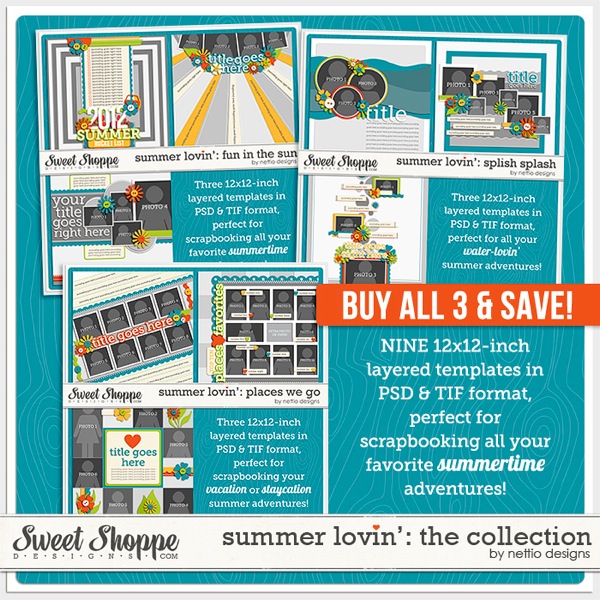
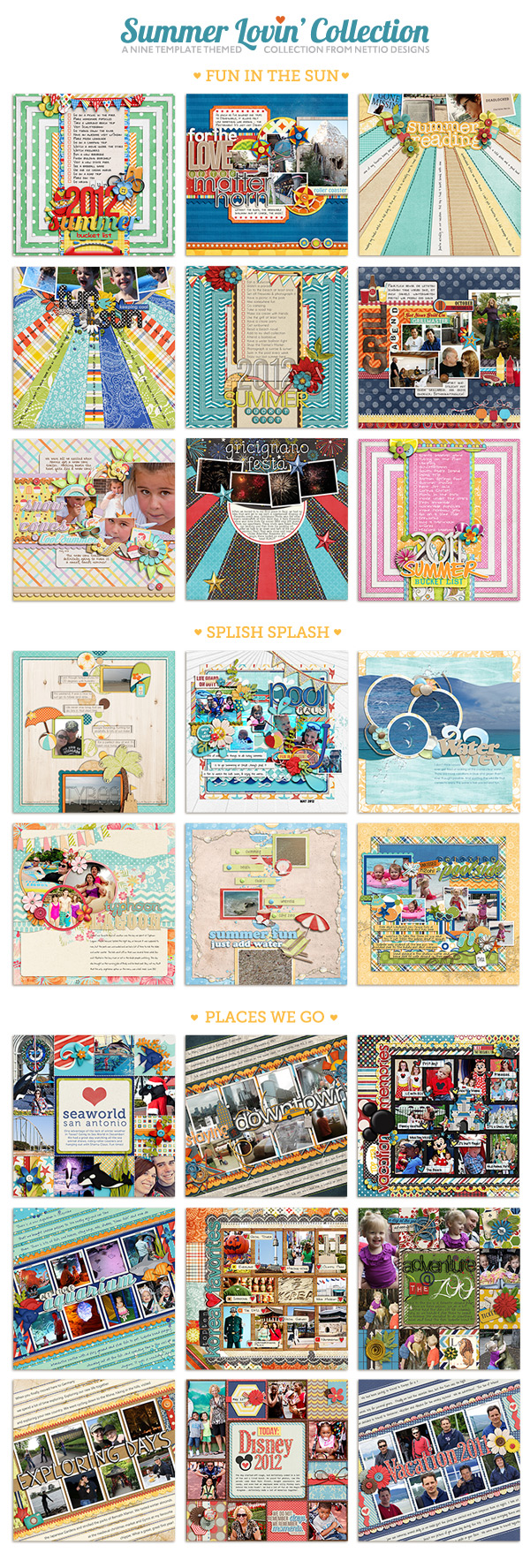
The Summer Lovin’ Template Collection includes NINE brand-new 12×12-inch digital scrapbooking templates in my signature modern, paper-lovin’ style, this time with a summer-tastic twist.

The collection is divided up into three templates packs, each one themed for my favorite summer adventures: Fun In the Sun, Splish Splash and Places We Go.

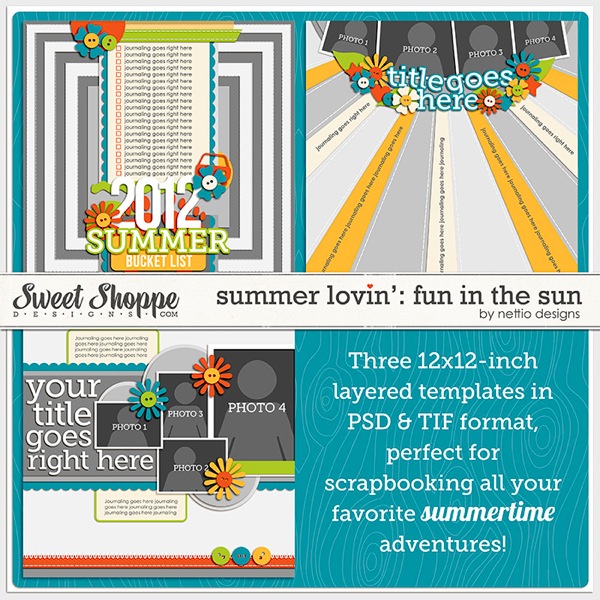
Summer Lovin’: Fun In the Sun

This versatile template pack features three unique template designs perfect for scrapbooking your everyday summertime memories and summer bucket list.

Nettiodesigns SummerLovin FunIntheSun preview

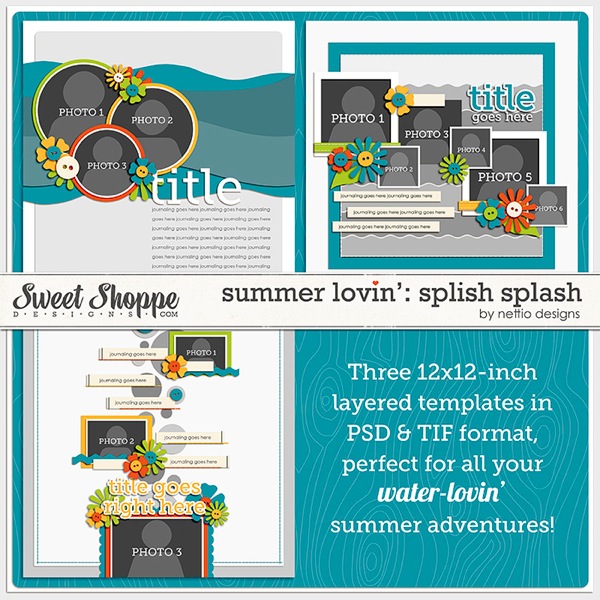
Summer Lovin’: Splish Splash

I don’t know about you but when I think of summer, I think of one thing – water fun! This template pack features three paper-lovin’ style templates each with a watery twist and are perfect for capturing all your water-lovin’ adventures.

Nettiodesigns SummerLovin SplishSplash preview

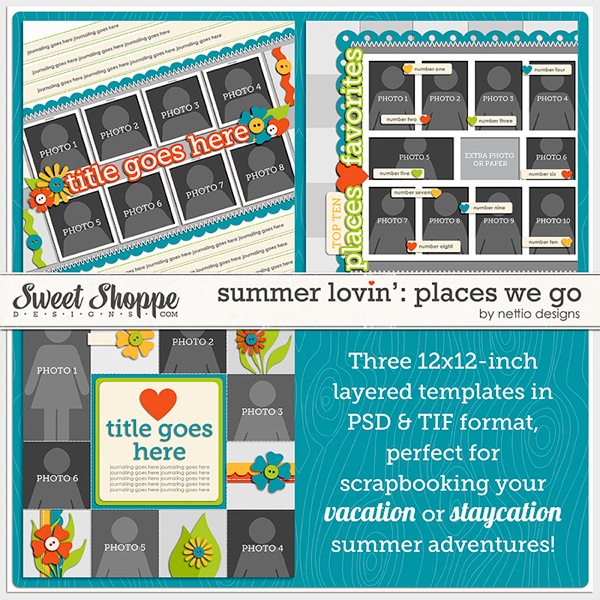
Summer Lovin’: Places We Go

Calling all travelers, stay-cationers and zoo lovers! This photo-friendly set of templates is perfect for all those times when you just can’t narrow down the photos. All three of these templates feature room for six photos or more!

Nettiodesigns SummerLovin PlacesWeGo preview

Summer Lovin’: The Complete Collection

Of course, if you can’t decide which set of Summer Lovin’ templates is your favorite, the Summer Lovin’ Complete Collection is for you! For one low price you can pick up all NINE templates at once!

Nettio SummerLovin Collection preview

As always, Team Awesome has been rocking the summertime scrapbooking awesomeness so here’s a peek at all their summer adventures. I love seeing everyone’s different takes on the templates!

SummerLovin CTNews web

The Summer Lovin’ Template Collection is available now at Sweet Shoppe Designs and is 20% off TODAY ONLY so if you want to pick it up and save a little cash, today is the day.

I’ll be sharing my own Summer Lovin’ layouts throughout the summer so I hope you’ll pick these babies up and scrap right along with me. It’s going to be fun.

Start scrapbooking your summer today!

How Can Customers Lower Their Remedy Costs

POSTED IN Announcements, Template-y Goodness

Taking a Layout From Inspiration to Reality

POSTED ON June 5, 2012 IN Tips from Team Awesome

Welcome to another installment of Tips from Team Awesome where the lovely ladies of my Creative Team share their fave scrapbooking tips & tricks. Today Heather is sharing who she takes a layout from inspiration to reality. Take it away Heather!

While Lynnette is on vacation and enjoying her outdoors adventure, I (Heather K or interstitchal in the digi world) have a post today about one of the tactics I use to scrap even when inspiration is low.

This is a typical scenario for me: I have lots of ideas for layouts and layout designs that pop into my head at the most random times, often when I am unable to write them down. Then when I have some time to scrap, the blank Photoshop screen stares back at me. I’ve been working a lot recently in creating more inspiration folders for myself inspired by Stacy Julian’s Twelve and Pinterest. My Pinterest account is quite barren because I often look without repinning myself (I hope to get better with this- I’m planning on getting more involved with following and maybe more followers?? will help me), but Nettio has a most awesome pin board and is great to follow!

How do I create a layout when I just don’t  know what to do?  Where to start? Sometimes I start with a kit I want to scrap with. Sometimes I have a story or thought to build from. I rarely just start straight from photos. But what I find works well is along the lines of free association. Pick something I am dwelling on and then run with it.

Today, change has been on my mind. I am in the middle of a long move and I need a little inspiration and pick me up. I love reading and one of the themes that continues to run through my head is starting a new chapter in my life.

So I went to pinterest for inspiration and here’s what I found:

Source: imgfave.com via Heather on Pinterest


Source: poppiesandsunshine.blogspot.com via Heather on Pinterest


Source: mymdsdesigns.blogspot.com via Heather on Pinterest


Source: Uploaded by user via Heather on Pinterest


I’m really indecisive. So I use the pins to help guide my choices. What jumps out at my from these four images is the the freedom of Pin #1 (the open book on grass), the loose script of Pin #2 (grid pictures of cities with their names underneath), the colors of Pin #3 (the super cool art journal style painting), and the just get going quote of Pin #4 (ie stop agonizing and start scrapping).

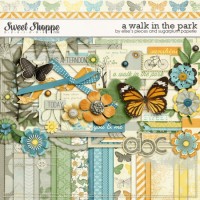
Pin #1 made me think of the kit A Walk in the Park by Elise Hansen and Sugarplum Paperie

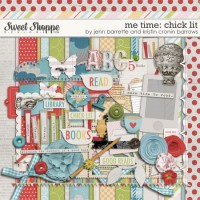
and Pin #3 made me think of Me Time: Chick Lit by Kristin Cronin-Barrow and Jenn Barrette.

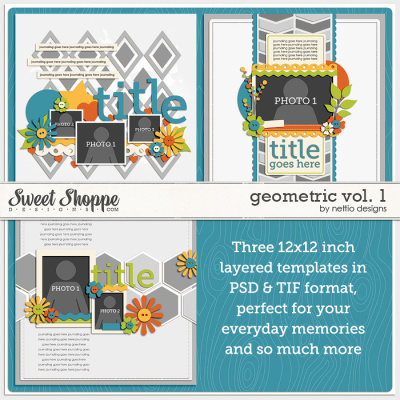
And when I don’t know where to start with page design, there little more satisfying than grabbing a Nettio Designs template. I picked the upper right template from Geometric Vol. 1  because I am planning on a photoless or max 1 photo layout.  And for some reason, I feel like chevron goes really well with books.

Then I open my kits, play, and plan my journaling. I was planning on making this a photoless layout until I realized that the picture from Pin#1 reminded me of a book photo I took in 2011.

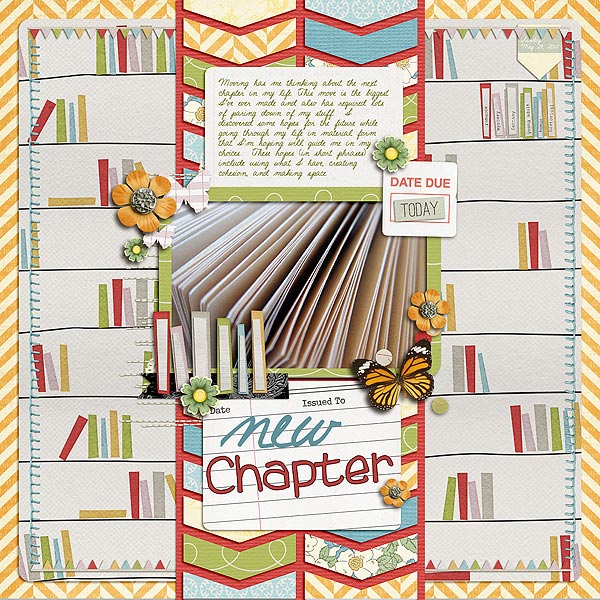
I was going to pick just one kit to use for the layout since I tend to be a kit scrapper, but I found that the kit colors of both of the above kits worked really well together. The more the merrier! I used DJB Jennifer Script 1 as my loose script journaling font and DJB Tweenybopper for the Chapter title.

And my layout evolved into this:

Since I was using bits and pieces of different ideas, my layout came together smoothly and still feels like my own. And whenever I ran into a decision roadblock, I jumped back to my inspiration to help me decide.

Thanks for joining me (Heather K) today, I’d love to hear about your process for using inspiration in your layouts too!

Can I take Levitra if I am taking other remedies at the same time

POSTED IN Tips from Team Awesome, Digital Scrapbooking, Template-y Goodness, Tips & Tricks

How To Adapt a Detailed Template For Your Clean & Simple Style

POSTED ON May 30, 2012 IN Tips from Team Awesome

Hello hello and welcome to another installment of Tips from Team Awesome where the lovely ladies of my Creative Team share their favorite scrapbooking tips & tricks. This week Kim is going to share how she adapts my templates for her clean and simple style. Take it away, Kim!

I’m a pretty clean and simple scrapper most of the time, so I always enjoy the challenge of taking a Nettio Design’s template and making it my own. Lynnette is known for her use of embellishments and patterns, and I’m none of those things. I tend to let the photos and words tell the story. That doesn’t mean that I can’t take one of Lynette’s templates and still make the layout feel like my own. I just have to think about what speaks to me in a template and go from there.

Let’s walk through my scrapping process…

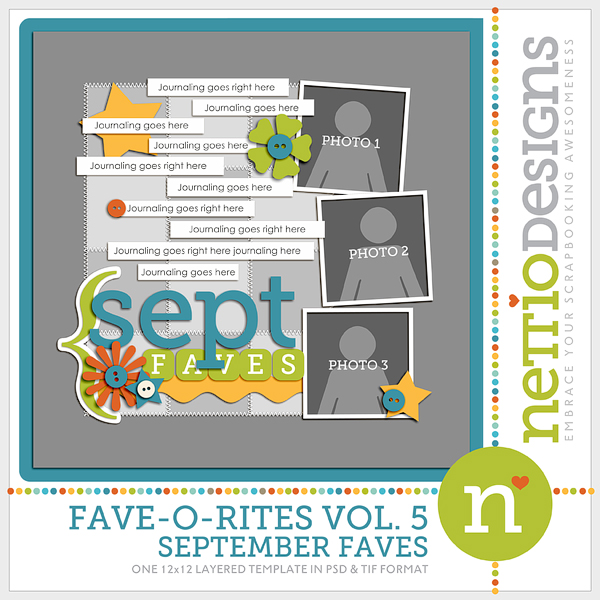
I decided to start with one of Lynnette’s Fave-O-Rites Vol. 5 Templates.

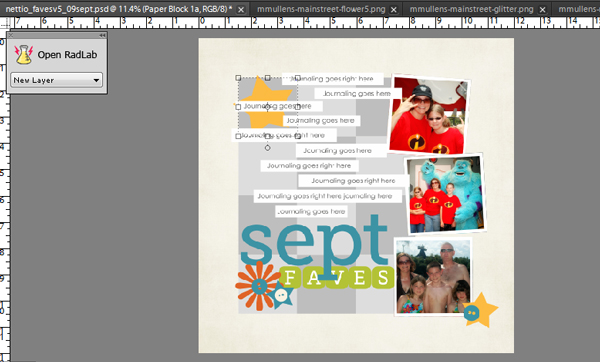
To my simple and clean lines eye, there is a lot going on here. My scrapping process usually starts with choosing the template (if that’s what I choose to use), then choosing the photos, and then choosing a kit. I open everything up in my photo bin.

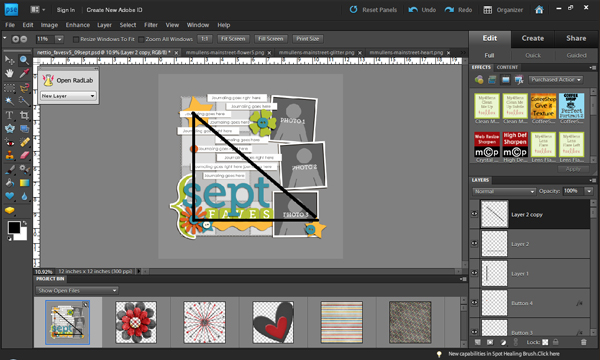
My next step is to look at the template and try to find what is visually pleasing to my eye. I usually look for a visual triangle. A visual triangle helps lead the eye through the page and just plan makes me happy when I see it. To help you see what I see in this layout, I actually drew the triangle on this screen shot.

Then I got “hide this layer” happy. Any embellishment that didn’t fall on the points of the triangle were hidden. I just clicked on that little eyeball over there in the layers palette and it disappeared from view. I did some messing with deleting then adding back in before I was happy with the layers I chose to use.

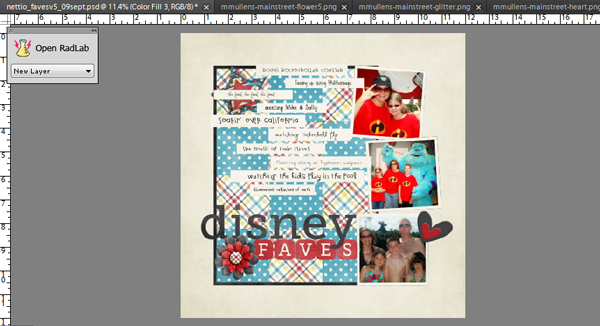
The next step is one of those “your mileage may vary” steps. I personally go in and delete all my hidden layers, then highlight all the layers and remove the layer styles. Lynnette adds drop shadows to all her template layers, and that’s a great thing… I just like to use my own shadows and they distract me when I’m actually working on the layout.

My next step is to edit the photos and add them to the layout.

I’ve already added the background paper in that screen shot, so I need to decide on which patterns I want to use on the squares that are the focal point of the layout. I know it would look great with a mish mash of patterns all mixed together… but I just can’t handle that. So how about choosing just two classic patterns for those squares? I go with a blue dot and a multicolor plaid, then get on a roll adding elements, listing my faves, and finishing the raw layout.

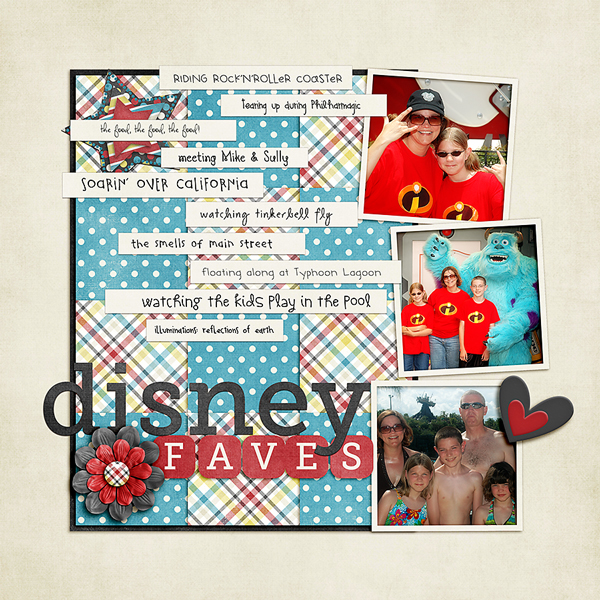
As you can see, I ended up deleting a few more layouts and using a few less elements than I intended. I also didn’t like the look of the patterns just sitting there, so I added a black border around the paper block. Lynnette originally had stitching around the papers to anchor them, but that was a little more than I wanted. I think the crisp black line kept it clean and simple. Finally, I add all my drop shadows, resize for web and sharpen. And within a half hour, I’m done with a layout that makes me smile, fits into my own personal style, and using a template that makes completing that layout much easier.

The finished product:

Awesome tips, Kim! I so love seeing people how adapt my templates for their personal style. If you any comments or questions for Kim, feel free to leave them in the comments section of this post.

How Can Customers Lower Their Remedy Costs

POSTED IN Tips from Team Awesome, Digital Scrapbooking, Template-y Goodness

  • « Previous Page
  • 1
  • 2
  • 3
  • 4
  • 5
  • …
  • 7
  • Next Page »
HI I'M LYNNETTE. Graphic designer, tech-lovin’ memory keeper and lover of bold colors & patterns, good food and the great outdoors. Here at Nettio Designs, I share a behind the scenes peek at my own creative & life adventures. Read more...

KICKSTART YOUR CREATIVITY


By popular demand, photo book templates are back! Grab all three sets in the shop.
ADVENTURES IN ORGANIZING
GOAL-SETTING
MEMORY KEEPING
PROJECT LOVE
LIFE ADVENTURES
TIPS & TRICKS
BEHIND THE SCENES

POPULAR PROJECTS

TO SEE ALL MY PROJECTS, CLICK HERE

MUST READ POSTS

  • WHY EVERY SCRAPPER SHOULD SCRAP A FAVES PAGE
  • HOW TO CREATE A SCRAP-WORTHY MAP WITH PHOTOSHOP
  • REMEMBERING THE IMPORTANCE OF TELLING YOUR STORY
  • WHAT DOES IT MEAN TO CREATIVELY CAPTURE YOUR LIFE ADVENTURES?
  • BROWSE BY CATEGORY

    BROWSE THE ARCHIVES

    GET IT FOR FREE

    Copyright © 2025 ·Dynamik Website Builder · Genesis Framework by StudioPress · WordPress · Log in