Nettio Designs

Design + Creativity + Adventure = LOVE

  • HOME
  • JOIN THE 2023 MONTHLY FAVES
  • THE SHOP
  • ABOUT
  • CONTACT
You are here: Home / Archives for Project Love

Are YOU Ready to Scrap Your FAVE-O-RITES?

POSTED ON August 5, 2011 IN Announcements, the Faves

If you’ve been following NettioDesigns or my scrapbooking for awhile, it’ll probably come as no surprise to you that I love scrapbooking Faves layouts.

You can read more about why I believe every scrapbooker should scrap a Faves page here in this post, but it’s pretty safe to say that being a part of the NettioDesigns family means you’re on board with the whole Faves layout lovin.’

So it seemed only fitting that for their first task as members of the NettioDesigns Creative Team (or Team Awesome, as I like to call them around here, haha),  I asked my team of lovely ladies to get their Faves scrapbooking on and boy, did they totally rise to the occasion!

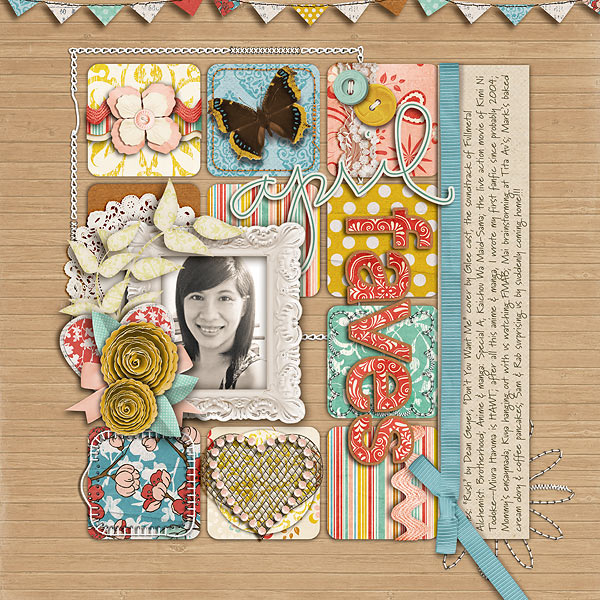
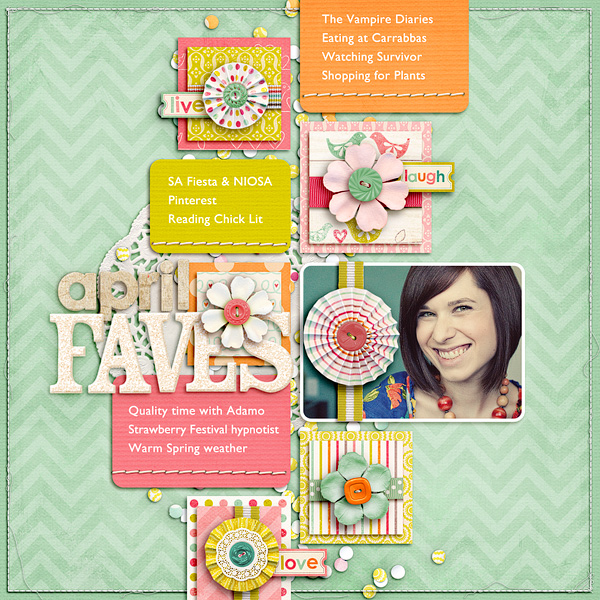
We have Monthly Faves from Aly & Alexis…
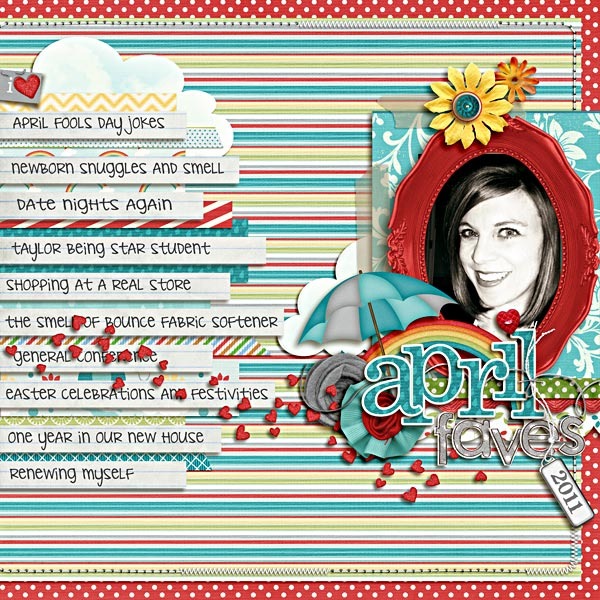
April Faves 2011 WEB

April faves

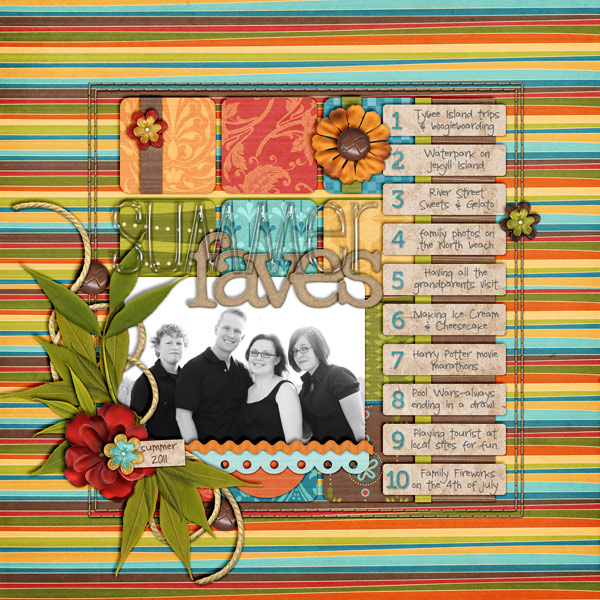
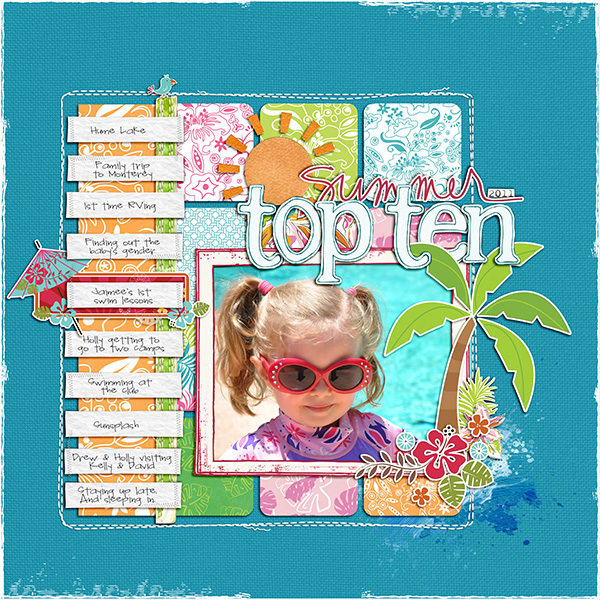
Summer Faves from Rebecca, Jen & Kathleen…
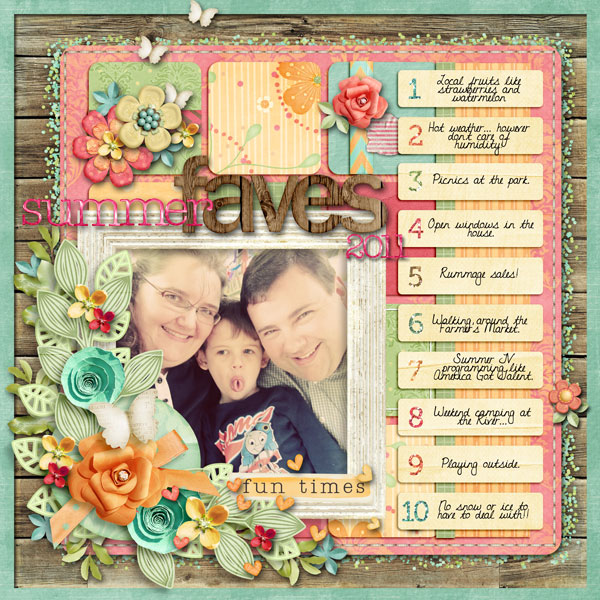
2011 08 Summer faves

Summer faves

Summer2011TopTen

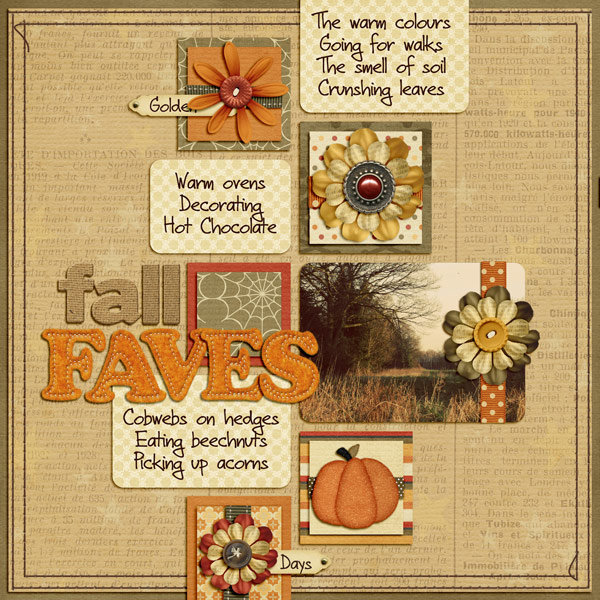
Fall Faves from Inga…

Fall Faves web

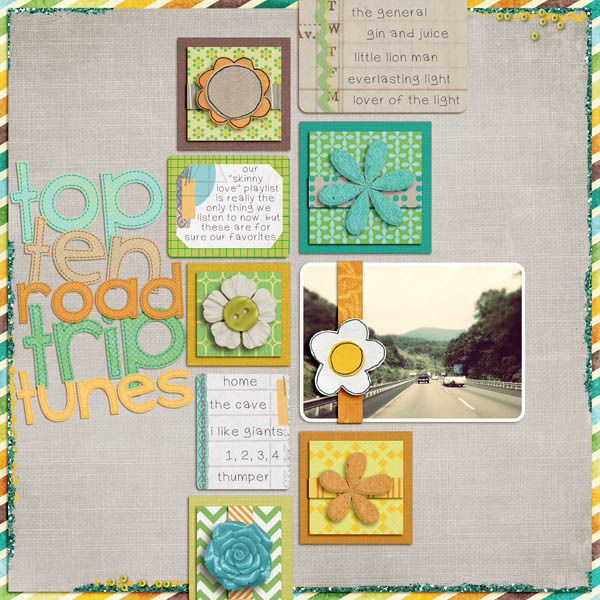
Vacation Faves from Natalie & Heather…
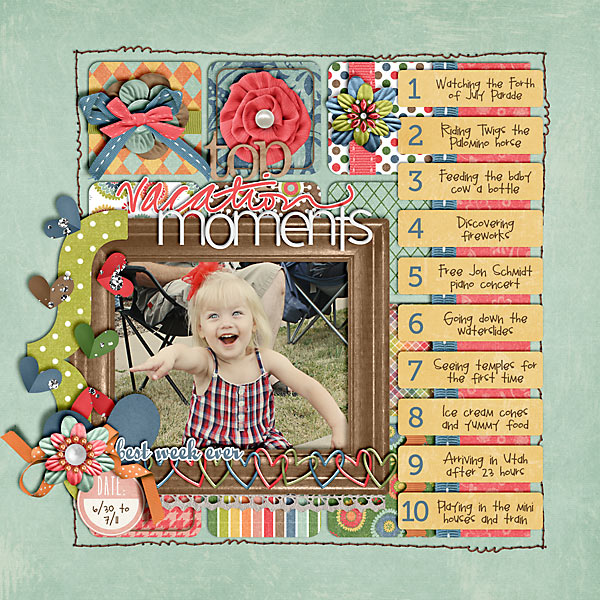
2011 07 11 Top Vacation Moments copy

Roadtriptunes

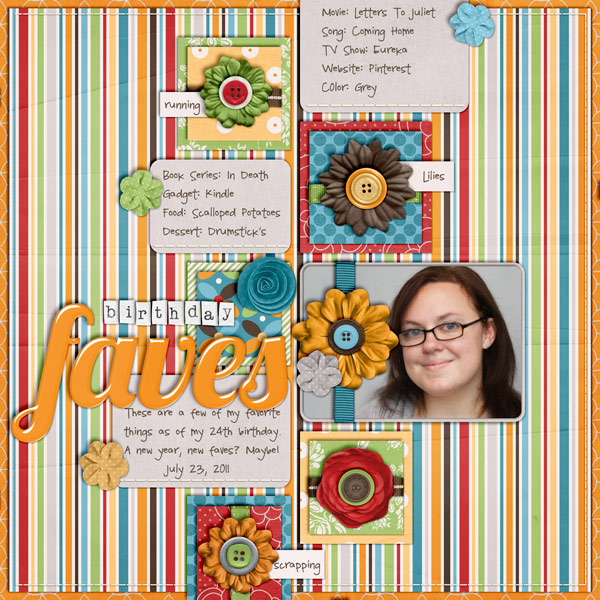
Birthday Faves from Jen…

Birthday faves

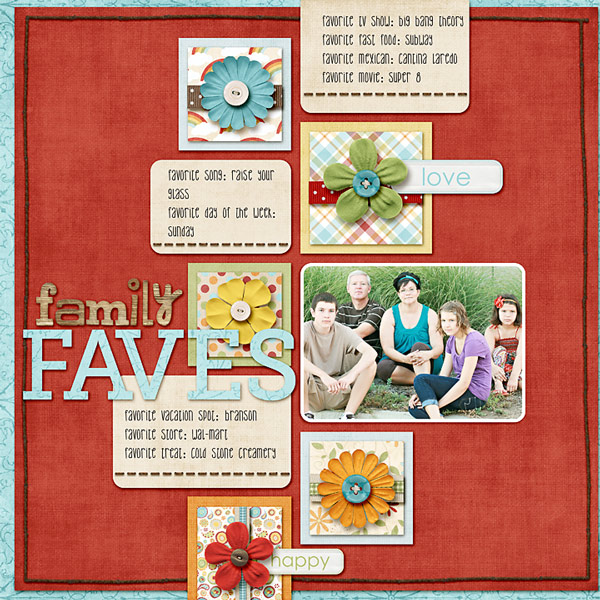
Family Faves from Kim…

Klund familyfaves

A cool spin on my April Faves from Crystal which I am now dying to try…

Book faves

Another spin from Brynn who really made the March Faves template her own…
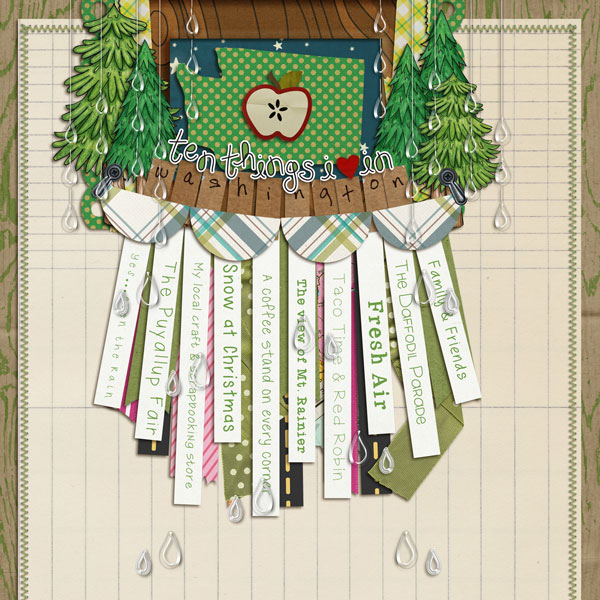
10thingsWAweb

And of course my monthly Faves layouts that served as inspiration for it all…
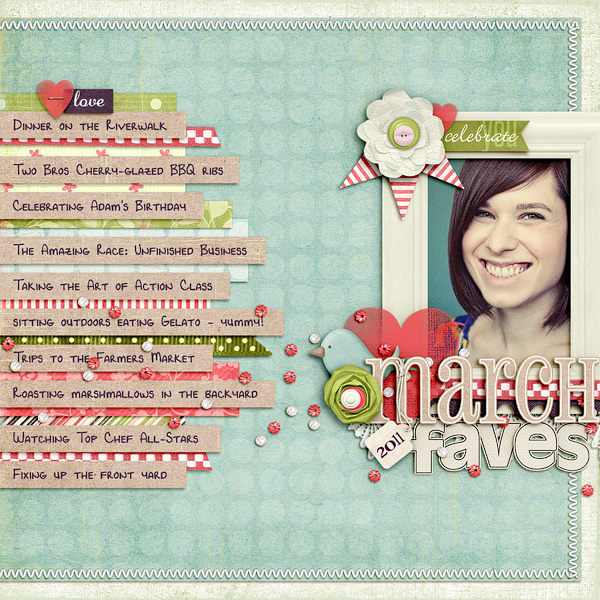
Nettio 2011faves 03mar

Nettio 2011faves 04apr

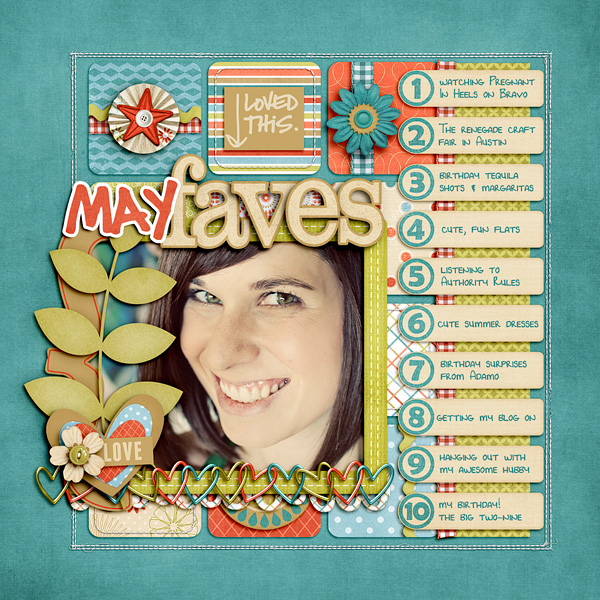
Nettio 2011faves 05may

And look! I’ve even got Adam jumping on the Faves bandwagon now…
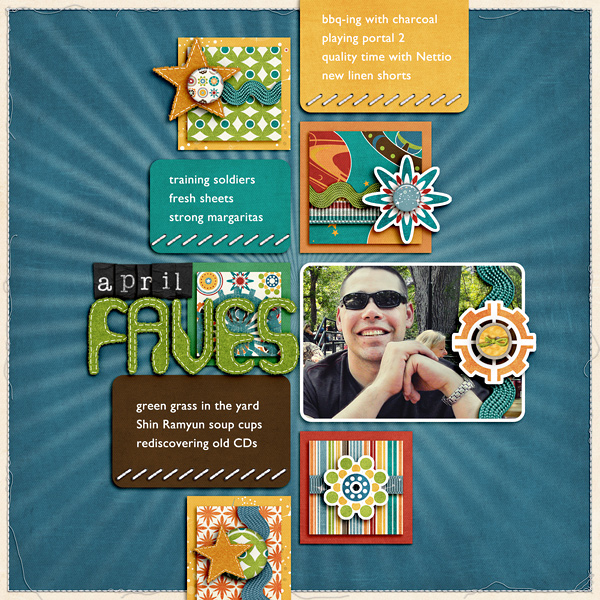
Nettio adamo aprfaves

This is what I LOVE about templates.

You can give a team of people the same three templates and topic and yet each layout is completely different and unique because each of our lives and stories are totally unique.

The solid modern paper-lovin’-style design may stay the same but by adding in a touch of your own scrapbooking awesomeness, you end up with a layout that is so-very-YOU.

And that’s exactly what these ladies did.

Feeling inspired to scrap your own Faves now?

Check out the FAVE-O-RITES Vol. 3 March, April & May Super Pack.

It’s NEW in the NettioDesigns Shoppe today.
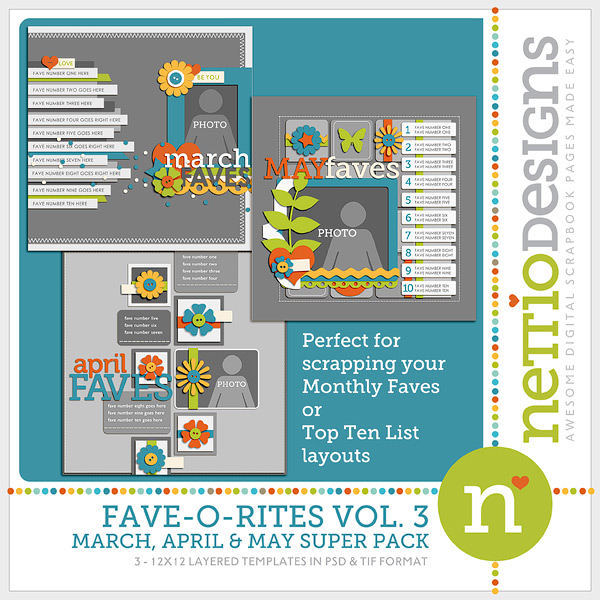
0nettiodesigns FAVE O RITES Vol3preview 150

Looking for more Faves templates? Check out FAVE-O-RITES Vol. 1 & Vol. 2.

Scrapbooking some Faves layouts may be the perfect way to beat the summer heat this weekend, I’m just sayin’. ; )

Have a great weekend everyone!

How Can Customers Lower Their Remedy Costs

POSTED IN Announcements, the Faves, Template-y Goodness

A Week In the Life 2011 In Photos

POSTED ON July 29, 2011 IN A Week In the Life, A Week In the Life 2011, Life Adventures

AWITL collage web

Five days in and still going strong…

I heart this project.

Benefits Of Using Canadian Pharmacy

POSTED IN A Week In the Life, A Week In the Life 2011, Life Adventures, Digital Scrapbooking

A Week In the Life 2011, Nettio Style

POSTED ON July 25, 2011 IN A Week In the Life, A Week In the Life 2011

Screen shot 2011 07 24 at 10 19 46 AM

Welcome to A Week In the Life week, Nettio style!

If you’re a fan of Ali Edwards like I am, you probably know that today marked the first day of Ali’s 2011 A Week In the Life project.

For those of you who haven’t heard of A Week In the Life before, AWITL is a seven-day documentary project designed to capture your everyday life through words and photos. The idea is rather than focusing on the big moments like birthdays, vacations and holidays, you spend a week focusing on all the little details that make up your everyday, regular, routine life.

I’ve attempted A Week In the Life twice before, once in 2008 and once in 2010 and in both cases I took photos and notes for a few days, got bored/burnt out with the process and never made it to the scrapbook album portion of the project.

2010 was especially difficult for me because Adam was deployed at the time which meant my days, evenings and weekends tended to blur together in one big pile of sameness. Some people would argue that the whole point of AWITL is capture those same routines and while I’d agree to a point, there were only so many days I could handle taking yet another photo of myself emptying the dishwasher, haha.

But the truth is I LOVE this project. L-O-V-E.

The completed albums I’ve seen from other scrapbookers make me want to complete an album of my own in a bad, bad way. There’s something so magical in embracing the everyday and especially because Adam and I are at a point in our lives where a lot could change in the next few years, I love the idea of taking this time to document our life right now.

So when Ali announced a few months ago her plans to do AWITL the last week of July, I made a commitment to myself that THIS would be the year I complete this album.

And this weekend, I came up with a plan…

1) Focus on documenting this week, album next week

Ali recommends separating your documenting from your album process and I’m going to follow her advice.

Originally I liked the idea of working on the album while the stories were still fresh but I also know myself well enough to know that it would be WAY TO MUCH for me to do everything at once.

So this week I’m taking photos and notes and next week I’ll be putting my album together.

2) Begin with the end in mind

In the past when I’ve done AWITL, I went into it figuring that once I had all my photos, I would work out the design.

This time around I decided to do things differently and sketched out a design plan for my album already. Right now I’m liking having the constraints of a planned design because it’s giving me a better idea of the types of photos I need to take throughout the day while still giving me the flexibility to the capture the stories I want.

As far as my design plan, right now I am to planning to do an 8×10 Portrait photo book through Blurb which I’m going to design using Adobe InDesign. I’ve never done a photo book before so that part kind of scares me but I’m excited to have the chance to brush up on my InDesign skills, haha.

It’s definitely going to be a much more clean, magazine style design than you usually see from me but I am really really excited about the design.

It’s all about the words + photos.

3) Break my daily documenting into chunks

One of the more overwhelming aspects of AWITL for many people (myself included) is the idea that you’re trying to document every day for seven days in a row. Can we say burnout by day three?

I made the decision this time that rather than trying to document my entire day every day like I have in the past, I would break my day into four chunks: Morning, Midday, Afternoon, and Evening and focus heavily on one or two of those chunks each day.

My reason for doing this is two-fold:

One, it will allow me to really focus in on capturing certain parts of my day without feeling the pressure to capture everything.

And two, since my weekdays tend to be pretty similar from day to day, I’m hoping this will keep things fresh throughout the week as I won’t be documenting something I’ve documented the last four days already.

There are a few things I will be documenting every day like clothing and food, but since this decision was partly influenced by my album design, I’m comfortable knowing that while you won’t see everything everyday, you will get an idea of our daily life over the course of the week.

4) Use Evernote to document my week

I’ve recently jumped on the Evernote train and will be using it to capture my journaling/notes for this project. I love that I can add notes from both my computer and iPhone and they automatically sync.

In Evernote, I have an A Week In the Life notebook that has eight notes in it: one note for each day of the week for documenting those day specific notes (schedule, routines etc) and a note named Weekly Faves where I will be documenting ongoing themes throughout the week. Right now my Weekly Faves list is broken up into these categories:

  • Food
  • TV Shows
  • Places We Go
  • Technology
  • Brands
  • Clothing
  • Websites/Apps

My plan is to compile the Weekly Faves lists into a two-page spread that will serve as a round-up of the week.

I have to say this may be one of my favorite aspects of my album design not only because I was able to fit my “faves” obsession into this project, haha, but because I love the idea of mixing daily and weekly themes. If my lists become really long, I may limit them to a top-ten list for each category but for now I’m writing down anything we do that falls into these categories.

5) Download my photos off my camera every day

While I’m not going to be focusing on creating my album this week, I am going to upload my photos to my computer every night/morning. Not only will this give me a better idea of any photos I still need to capture but it should help me avoid the OMG-too-many-photos moments that always come when I work on a large project.

So that’s my current plan for tackling A Week In the Life. I’m sure some things will change as the week progresses but after today I’m feeling really good about my design and plan for this week.

Anyone else doing A Week In the Life project of your own this week? Do you have a plan or are you winging it as you go? Feel free to share your plan or lack there of in the comments!

Can diabetes cause erectile dysfunction

POSTED IN A Week In the Life, A Week In the Life 2011, Digital Scrapbooking

Documenting My 29th Year with Project Life

POSTED ON July 20, 2011 IN Project Life

Back on May 24th when I turned the big Two-Nine, I wrote out five personal goals to complete over the next year, one of which included documenting my 29th year.

At the time I wasn’t quite sure what type of album I wanted to create so in order to help me get a better idea about what type of album would be best, I made a list of exactly what I hoped to get out of my 29th year album. You can read more about my reasoning behind the list in this post but here is the short version of the list I wrote:

  • Daily Life – Document what our everyday life looks like – similar to P365 but less structured
  • Memorabilia – Create a home for all the little bits and pieces of paper/things I love to pick up
  • Adaptable – Ability to adapt to the story – with more or less photos/story
  • Easy upkeep – Needs to be manageable to maintain throughout the year

At the time I was leaning heavily toward Becky Higgins’ Project Life since it seemed exactly what I wanted but since it was SO trendy and I try to avoid anything too trendy, I decided to wait.

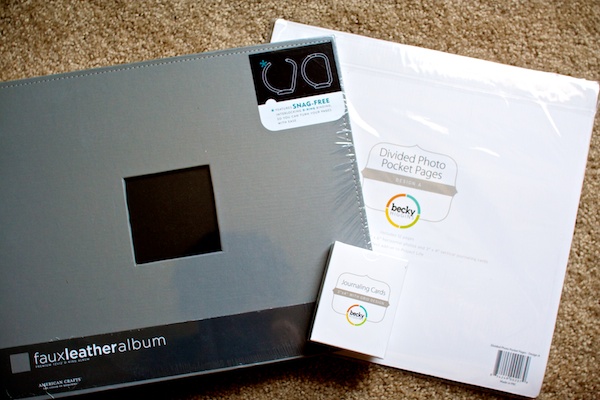
Flash-forward to July 1st rolling around and me realizing that if I was serious about making an album to document my 29th year, I needed to get this party started. So over the 4th of July holiday I took the plunge and ordered this:

IMG 34793

An American Crafts 12×12 Faux Leather album in Graphite, Project Life Divided Photo Pocket Pages Design A and Project Life 100 Pack of Journaling Cards. I debated about ordering a larger variety of pocket pages but ultimately decided to keep things simple until I was sure I actually liked Project Life.

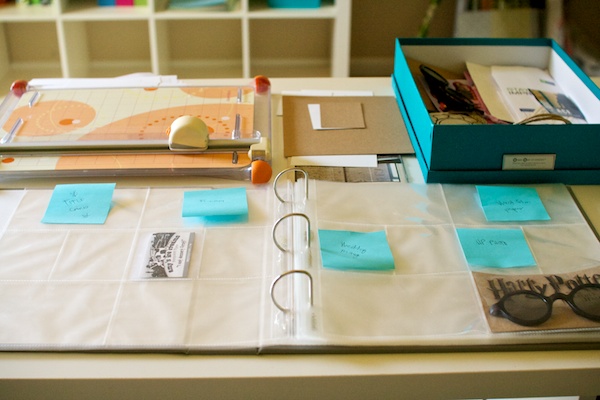
As is often the case with projects around here, my Project Life stuff sat sad and unused for another week or two before I decided to finally get down to business earlier this week…

IMG 34907

And have since turned those pages above into this…

IMG 34947

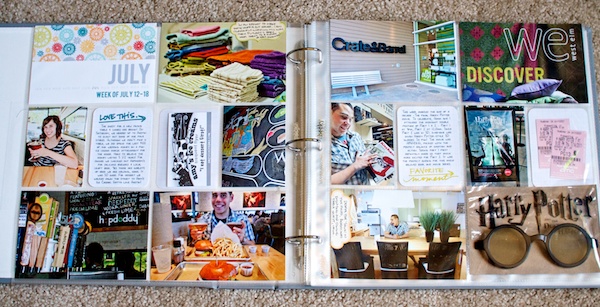
A completed two-page Project Life spread documenting Week 8 of my 29th year – July 12-18. Woohoo go me!

One of the mistakes I made when I did my Deployment:365 project back in 2009 was trying to get caught up on my layouts by starting at week 1 and working forward. Which meant no matter how many layouts I did, I was always several weeks behind. I do not recommend this plan. At all. It is a BAD idea.

So this time around I decided that although I’m now eights weeks after my birthday, I would start with the most recent week, July 12-18 and scrap that first and then while I’m keeping my book current going forward, I’ll work on filling in the weeks going back to May 24th. This way I can stay focused on the current stories rather than forever being lost in the past.

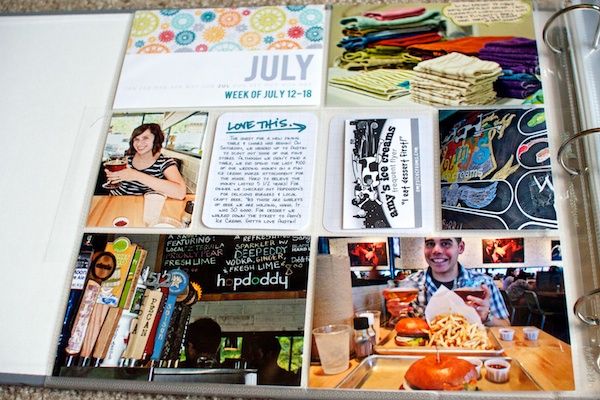
Here’s a closer look at the left side of the page:

IMG 34938

Yes, that is Adam and I holding goblets of beer (at hopdoddy’s), haha. For anyone lucky enough to be in the Austin area, you should check out hopdoddy. It’s awesome. Delicious burgers made with local ingredients and tasty local brews.

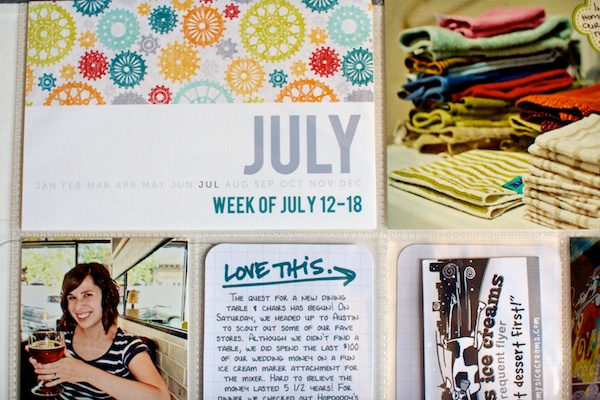
Since the Project Life kits aren’t available anymore, I made my own title card to label each two-page week spread. Here’s a close-up of the title card:

IMG 34931

For all my fellow font lovers out there, the tall font is Bebas and the smaller font is Museo Sans, both of which are available for free. For the patterned paper top, I used a digital paper from Zoe Pearn’s awesome Zoom Zoom kit and printed the whole card on Epson Premium Presentation Matte paper using my Epson printer.

Here’s a closer look at the right side of the page:

IMG 34939

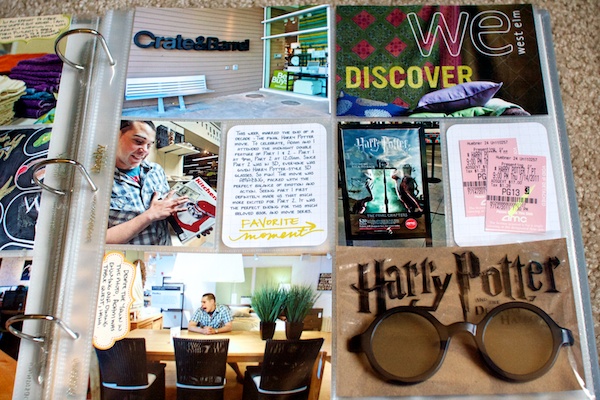
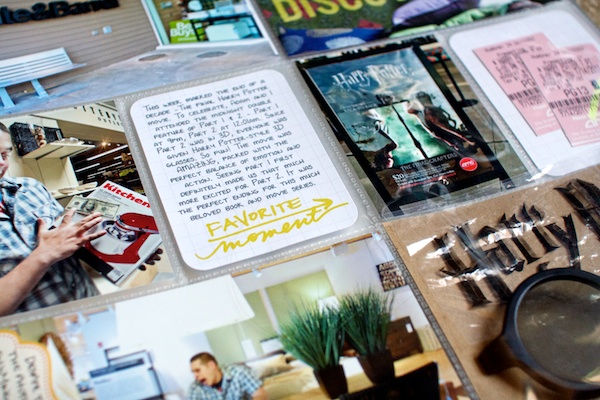
Since one of our big activities this week was the start of our quest for a new dining table and chairs to replace our sad dining table and folding chairs we’ve had since college, I included some photos of our trip to Crate & Barrel as well as a clipping from the front of a catalog we picked up at West Elm.

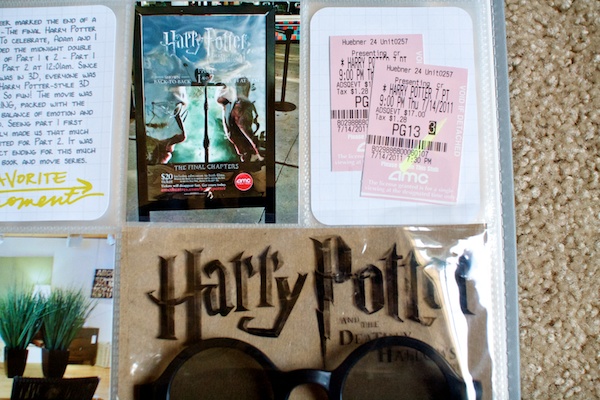
We also attended the midnight showing of the final Harry Potter movie this week so I dedicated several pockets and a journaling card for Harry Potter. Here’s a close-up of the Harry Potter part of the page:

IMG 34956

I included a photo I took with my iPhone of the sign at the theater as well as our ticket stubs. In the bottom pocket I included the front of our Harry Potter-style 3D glasses as well as the top of the wrapper they came in since they included the name of the movie.

In order to make the glasses less bulky, I unscrewed and removed the sides of the glasses so they’d sit flatter in the pocket. It’s still a little bulky but once I complete next week’s page (the back of the Harry Potter card) I’m going to staple the corners of the pockets to hold the glasses inside and I think they’ll stay just fine..

Here’s another detail shot of the right side page:

IMG 34964

For the two journaling cards, I wrote my journaling on the computer using my custom handwriting font by Darcy, added some Ali Edwards’ brushes (This One Brushes) and then printed them directly on the Project Life journaling card using my printer.

I didn’t realize you could do this until this week but because my Epson printer feeds papers through the printer without folding or bending them, you can pretty much print any custom size you want. Had I known this back in December, it sure would have made my December Daily album a whole lot easier, lol!

My thoughts on my 29th year Project Life album so far?

I am in LOVE. As in this-album-makes-me-want-to-do-a-happy-dance kind of love. There’s something so cool about seeing daily events and memorabilia like this all in one place. I am definitely very very excited to see where this album goes as the year progresses. I’m so glad I decided to jump on the Project Life bandwagon, trendy as it may be, haha.

So that’s my story from my first week of Project Life. Anyone else doing Project Life? Anyone finished any happy-dance inducing projects lately? Feel free to share in the comments!


Can I take Levitra if I am taking other remedies at the same time

POSTED IN Project Life, Hybrid Scrapbooking

The 28 at 28 List: Seven Days to Go

POSTED ON May 17, 2011 IN Life Adventures, the 28 at 28 List

For those that don’t have my birthday written down as a national holiday in their calendar, (and really, why don’t you, haha) my 29th birthday is coming up on May 24th, which means as of today, I officially have only seven short days to finish up my 28@ 28 list. Derp.

Back in March when I last updated you on my 28 at 28 List progress (read all about my list here), I had completed 13 of the 28 items with 15 items still left to go.

Well I’m pleased to announce that as of today, May 17th, I have completed 16 of the 28 items, with 12 items still left to go. In seven days. Double derp.

The good news is despite my normally awesome procrastination skills, I have been kicking things into high gear around here in an effort to get ‘er done.

Since I know I don’t have time to finish everything at this point, I am focusing my efforts on the items I am most excited about and not worrying about the rest. I figure I’d much rather finish an item I love than spend a bunch of time on an item I was never that excited about in the first place. That’s right, I’m looking at you #15 – Learn to Shoot in Manual Mode.

So I thought with only a week to go, I’d post a little behind-the-scenes peek of some of the craftier (scrapbookier?) projects I’m currently working on:

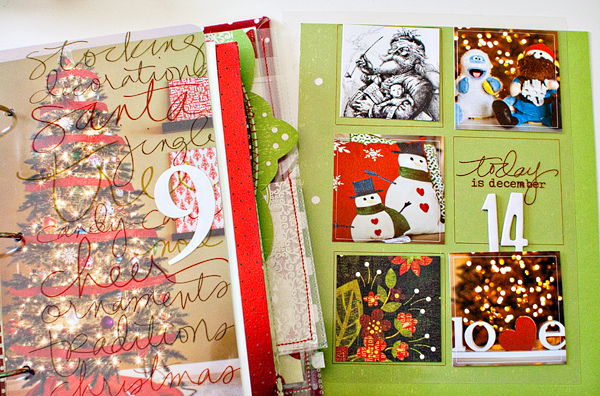
#10 Complete a December Daily 2010 Album

A look at my desk right now:
Decemberdaily preview

Why yes, that page does say “Today is December 14.” Did you not realize we’ve traveled back in time? Haha.

Number 10 on my 28 at 28 list is to complete my December Daily 2010 album so despite that it is obviously no longer December, I am pushing forward to finish this album for two reasons:

1. I LOVE this album

I LOVE looking through it and revisiting all the Christmas memories, some of which I’d totally forgotten even though it’s only May. (Is that a sign I’m getting old? I’m thinking maybe.) It makes me sad seeing it in an unfinished state.

2. If I finish my December Daily mini-album I’ll be able check off not one but TWO items off my list

I’d be able to check off both #10 Complete a December Daily album and #18 Complete at least one themed scrapbook album. That’s what I call getting more bang for my buck.

13 of the 25 pages are already finished and day 14 is almost done, which means I’ve got 12 more pages to finish in 7 days. I’m thinking this is going to be a tough task to complete but I’m going to try my best to get into the holiday mood. I am however drawing the line at listening to Christmas music in May. A girl has to have standards.

Random embarrassing Nettio scrapbooking moment: As I was flipping through my December Daily album on Saturday, I found myself thinking “Wow, my handwriting looks REALLY good on these pages!” And then I realized it was the custom handwriting font Darcy made me. And felt a bit silly. But, see? That’s how awesome her fonts are! You should get your own custom font here.

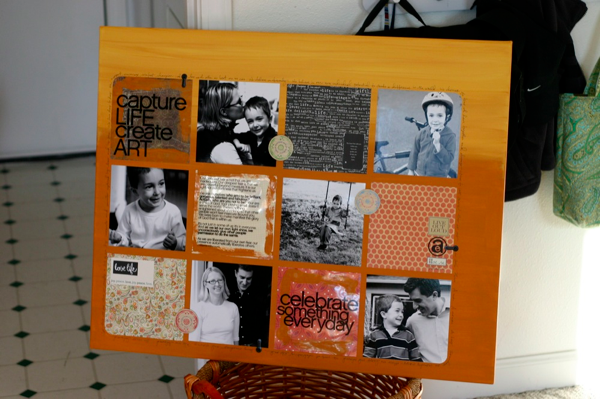
#25 Create an art/scrap canvas

This is the other big crafty task I’m attempting to tackle this week. I’ve been wanting to create an art/scrap canvas forever, ever since I saw this art canvas by Ali Edwards several years ago (photo found here on Flickr):

Ali-canvas.png

Art canvas by Ali Edwards

I absolutely loved the clean lines and blocking (no real surprise there, I don’t think I’ve met a blocked design I didn’t love), the mix of photos and paper and the fun touches of paint. But I’ve never gotten around to making one.

So when I was writing up my 28 at 28 list I purposely added this item to my list with this specific inspiration piece in mind so rather than reinvent the wheel, I’m going to go ahead and use Ali’s canvas as a jumping off point for my own.

My current plan is to use digital supplies for the blocking creating my design in Photoshop first and then printing all the blocks out with my printer and adhering them to the canvas. Seems easy enough.

Ali’s original canvas was 24×30 inches which makes each of the squares around 6×6 inches, but I’m thinking I’m most likely going to scale the squares down to a closer to 4×4 inches so I can print four squares to a page and save some paper and ink.

It’ll be an interesting crafting adventure for sure. Hopefully one that doesn’t end with me covered in paint. Haha.

Also in the works…

In addition to my craftier projects, I’m also working on a few non-crafty projects.

Last night, I finished my 5th non-fiction book last night, Tina Fey’s Bossypants so that’s one more item I’ve checked off this week. Go me.

I’m hoping to squeeze in two more classic movies (I’ve watched three) and possibly a bike ride over the weekend. Adam and I have been talking about the bike ride for a few weeks now but the main hitch is we’ll have to rent bikes because the bikes we own were destroyed by rust back in college when we had to store them outside. (We were clearly terrible Davis bike owners.)

Now It’s Your Turn

So what about you? Are you working on any awesome layouts or projects this week? Up against a tight deadline? Let me know in the comments! And if you’ve got any suggestions for must-see classic movies, I’m am open to recommendations so feel free to share those as well.

Fraudulent Drugs Are A Huge Global Problem

POSTED IN Life Adventures, the 28 at 28 List

Why Every Scrapper Should Scrap a Faves Page

POSTED ON April 19, 2011 IN 5th Scrapiversary, the Faves

As I mentioned in my last post, April 7th 2011, was officially five years to the day from when I created my first digital scrapbooking layout. Boy how time flies.

This week, in celebration of my 5th Scrap-i-versary, we’ll be continuing our trip down digiscrappy memory lane by revisiting some of my favorite digital scrapbooking hits and misses over the past five years, beginning with one of my absolute favorite scrapbooking projects ever: the Faves layouts. Or as I like to lovingly refer to it: the little scrapbooking project that would forever shape my future scrapbooking layouts. (Oh yeah, it’s that awesome.)

It’s All About the Faves

All you gallery stalkers out there have most likely seen my Faves layouts floating around in the digi galleries before, but for any of you newbies out there, here’s a quick refresher of what my Faves layouts are all about.

Back in January 2009, I decided that every month for that year, I would create a digital scrapbooking layout documenting my top ten favorite things from that month. My faves could be anything I wanted: people, places, things, experiences – anything and everything I was loving at that moment was fair game.

But I did set myself a few loose guidelines:

  1. My list had to include exactly ten items – no more, no less.
  2. Journaling had to be in list form but numbers were optional.
  3. The title for the layout had to include the month followed by the word FAVES.
  4. Each layout had to include a NEW self-portrait taken during that specific month. (I know some of you camera-shy peeps out there are cringing at the very thought of this, haha.)

Everything else was entirely up to me – color, design, kit, etc. (Well technically it was ALL up to me, but, uh, you get the idea, haha.)

The one thing I didn’t do was set myself a specific timeline for completing the layouts. No layout must be finish by the 8th minute of the 15th hour on the 1st day of the new month requirements here. If I scrapped my April faves on April 28th but didn’t scrap my May faves until July, I was totally ok with that. As much as I believe in the power of a deadline, I knew setting deadline for myself might quickly make this project a chore which I definitely wanted to avoid.

The Faves: the 2009 Edition

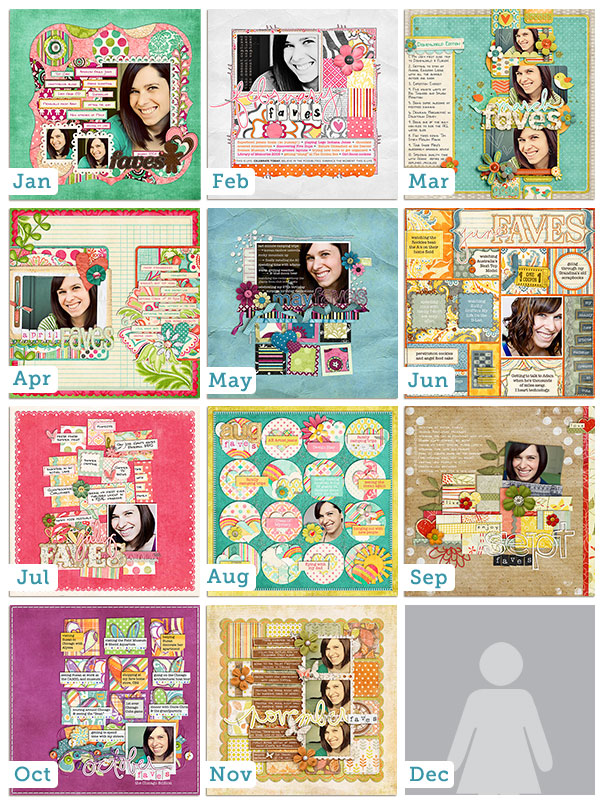
By the end of the 2009 Faves project I had scrapped these 12 layouts which I absolutely love:

Faves 2009

Uh…December?…December?…Come in, December…

Or uh, these 12 11 layouts.

Confession time…

Yes, I discovered as I was writing this post thatapparently I never actually scrapped a December 2009 Faves page. Oops. Looks like I have a little bit more scrapbooking to do, haha. (Guess it’s a good thing I didn’t set a deadline to complete these, huh? LOL)

Anyway, *clears throat* moving on…

By the time December 2009 rolled around, I was ready to be done with the Faves layouts. Don’t get me wrong. I loved loved loved creating these layouts. They were most definitely one of my favorite scrapbooking projects I had ever done. Just looking at them makes me smile a big goofy grin.

But by the end of 2009, Adam had been deployed for a total of six months and the stress of him being gone had slowly taken it’s toll on my scrapbooking mojo. (Which is to say my digi mojo pool was at the bare minimum.) So I decided to take a break from the structure of the Faves for awhile and see where I ended up.

The Faves: the 2011 Edition

As 2010 progressed, I found myself more and more really missing scrapping my Faves layouts.

  • I missed the simplicity of the list journaling. Seriously, easiest journaling ever.
  • I missed having new monthly photos on hand for All About Me layouts. I know, I’m weird. Haha.
  • I missed the challenge of coming up with fun, creative ways to scrap each month’s list in a new way.
  • And I really missed having that monthly snapshot of my life to look back on. Having a moment captured in time like that is so cool to me.

So when January 2011 rolled around, I decided to begin my monthly Faves layouts again.

Same rules. New faves. Two years later.

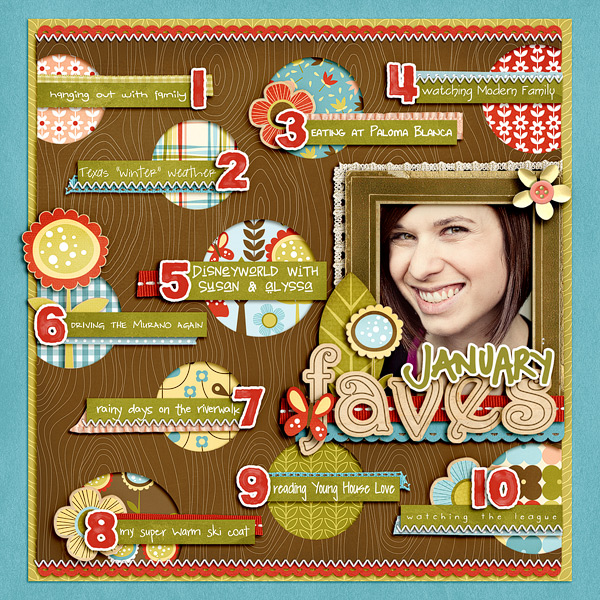
This is the lovely layout I scrapped back in February to document my January 2011 Faves:

January Faves 2011

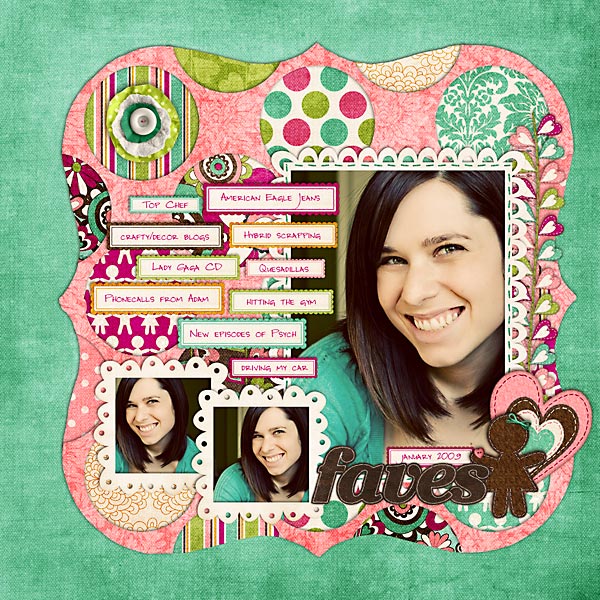
And for reference purposes, here’s a larger version of the layout I scrapped documenting my January 2009 Faves:

Seeing these two layouts – ten faves, two years apart – reminds why I LOVE these Faves layouts oh-so-very-much. (And not just because my drop shadowing has clearly improved, haha.)

In the two years between when I scrapped these two layouts, I’ve:

  • been through a year-long deployment
  • sold a car
  • sold our first house
  • moved to a new city and state
  • bought another car
  • made three trips to Disneyworld, trips to Chicago and Hawaii and numerous trips to California

To say my life is different today from how it was in January 2009 would be an understatement.

And yet when I look at these two layouts, I’m reminded again that while my world around me may have changed (such is life as a military wife), so much about me has remained the same.

Like my love for driving my Nissan Murano. Oh how I love that car.

And my obsession for home decor blogs. Young House Love is my newest fave.

This Is Why I Love the Faves

If I were to ask you today what your top-ten favorite things were back in January 2009, would you be able to tell me? Lord knows I wouldn’t be able to remember. But the beauty of these Faves layouts is I don’t have to.

Because my Faves? They are right there. On.these.layouts. Documented for all time.

And that right there is why I love scrapbooking.

Because it allows me to document all those little bits and pieces of life that would otherwise be forgotten. Those little bits that truly make up who we are. And that is oh-so-very-cool.

Why Every Scrapbooker Should Scrap a Faves Layout

Pardom me for a moment while I step up onto my little digi soapbox to say this:

I truly believe that every scrapbooker should take the time to scrap their very own Faves layout.

Why?

  • Because a top ten list is one of the easiest forms of journaling you can possibly do. For real.
  • Because a list of your personal faves will say more about you than a travel/event/birthday layout ever will
  • Because it’s an awesome way to make sure YOU are featured in your scrapbooks too

And if that wasn’t reason enough for you, I’m about to make creating your own very Faves layouts mind-blowingly easy.

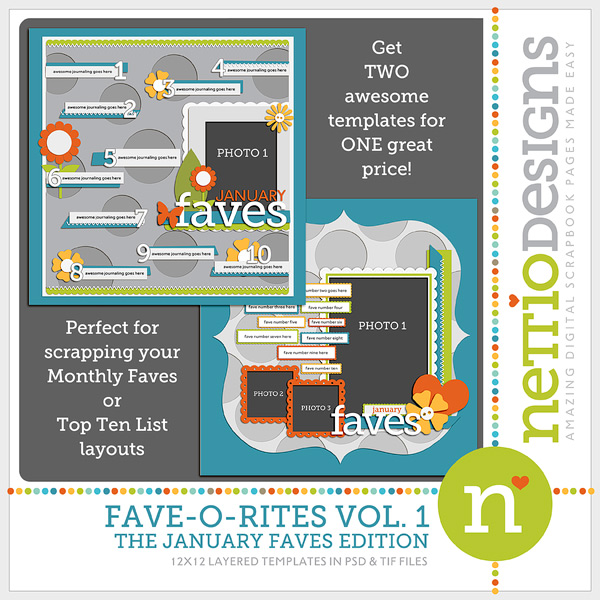
Introducing FAVE-O-RITES Vol. 1 – The January Faves Edition

One advantage of my being one of the slowest digiscrappers ever? Despite it being now uh, April, haha (seriously, HOW did that happen??), I have only scrapbooked one 2011 Faves layouts – my January 2011 Faves. Which means, good news for you, there is still plenty of time for you to join me in scrapbooking your 2011 Monthly Faves! Woohoo! Go Team Slow Scrapper!

Today I am releasing the first in a series of digital scrapbooking templates based on my Faves layouts: FAVE-O-RITES Vol. 1 – The January Faves Edition.

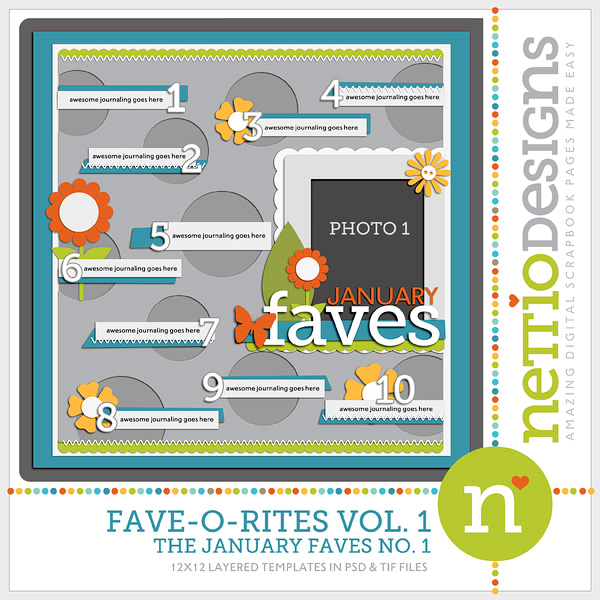
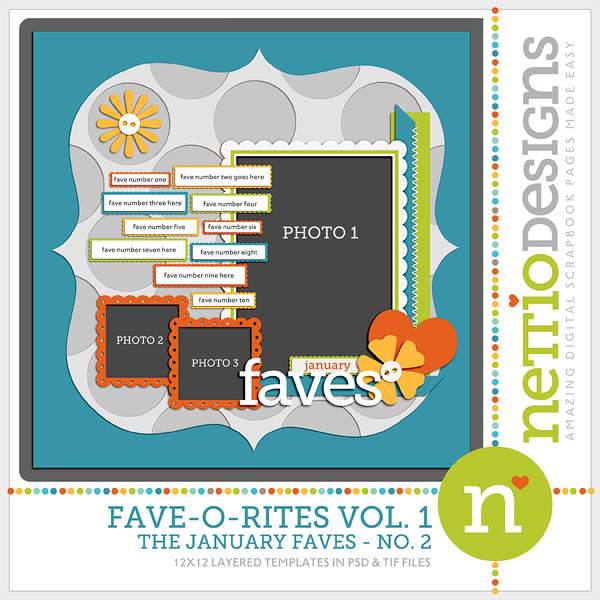
Today’s release includes two templates: The January Faves No. 1 and The January Faves No. 2.

Each template can be purchased individually or you can purchase the template two-pack to save a little cash. These templates are not only perfect for documenting your own Faves layouts but they’re a great way to scrapbook any kind of top ten list for yourself, your spouse or your kids.

Here they are in all their digiscrappy goodness…

FAVE-O-RITES Vol. 1 – The January Faves Edition

FAVE-O-RITES Vol. 1 Jan Bundle

FAVE-O-RITES Vol. 1 – The January Faves No. 1

January Faves No. 1

FAVE-O-RITES Vol. 1 – The January Faves No. 2

January Faves No. 2

Now It’s Your Turn

And with that my 5th Scrap-i-versary tribute to my most favorite project in the past five years comes to an end. But now I want to hear from you.

Have you scrapped your own Faves layout? Did you love the end result? Have you thought about it but just never taken the plunge? If so what are you waiting for?

Hit reply and let me know in the comments and if you’ve scrapped your Faves, be sure to link me up to your page so I can check it out! And if you use one of my brand-spanking new templates, be sure to link me up here in the comments too so I leave ya some love. I can’t wait to see what you create!

How Can Customers Lower Their Remedy Costs

POSTED IN 5th Scrapiversary, the Faves, Digital Scrapbooking

  • « Previous Page
  • 1
  • …
  • 15
  • 16
  • 17
  • 18
  • Next Page »
HI I'M LYNNETTE. Graphic designer, tech-lovin’ memory keeper and lover of bold colors & patterns, good food and the great outdoors. Here at Nettio Designs, I share a behind the scenes peek at my own creative & life adventures. Read more...

KICKSTART YOUR CREATIVITY


By popular demand, photo book templates are back! Grab all three sets in the shop.
ADVENTURES IN ORGANIZING
GOAL-SETTING
MEMORY KEEPING
PROJECT LOVE
LIFE ADVENTURES
TIPS & TRICKS
BEHIND THE SCENES

POPULAR PROJECTS

TO SEE ALL MY PROJECTS, CLICK HERE

MUST READ POSTS

  • WHY EVERY SCRAPPER SHOULD SCRAP A FAVES PAGE
  • HOW TO CREATE A SCRAP-WORTHY MAP WITH PHOTOSHOP
  • REMEMBERING THE IMPORTANCE OF TELLING YOUR STORY
  • WHAT DOES IT MEAN TO CREATIVELY CAPTURE YOUR LIFE ADVENTURES?
  • BROWSE BY CATEGORY

    BROWSE THE ARCHIVES

    GET IT FOR FREE

    Copyright © 2025 ·Dynamik Website Builder · Genesis Framework by StudioPress · WordPress · Log in