Nettio Designs

Design + Creativity + Adventure = LOVE

  • HOME
  • JOIN THE 2023 MONTHLY FAVES
  • THE SHOP
  • ABOUT
  • CONTACT

30 Days of Lists: Days 6-11

POSTED ON March 13, 2012 IN 30 Days of Lists

The 30 Days of Lists list-mania continues! Here’s a look at my 5×5-inch mini album pages for days 6-11. Have to say, I am totally loving this mini format – SO quick and easy to put the pages together every day!

Day 6: Things To Collect
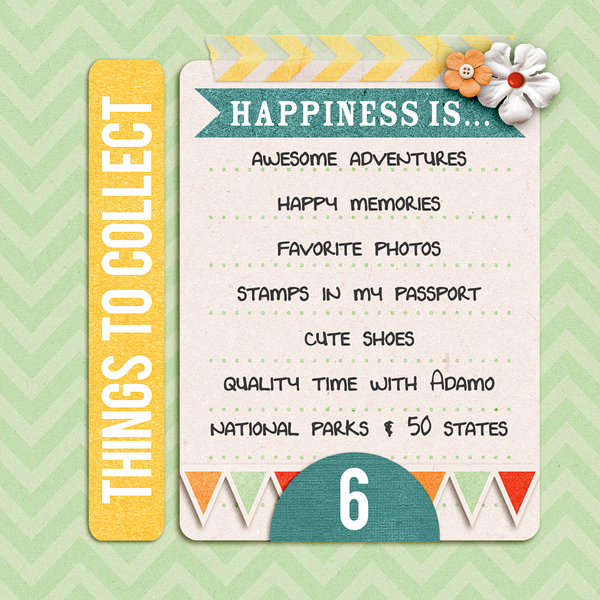
Nettio 30Days 6

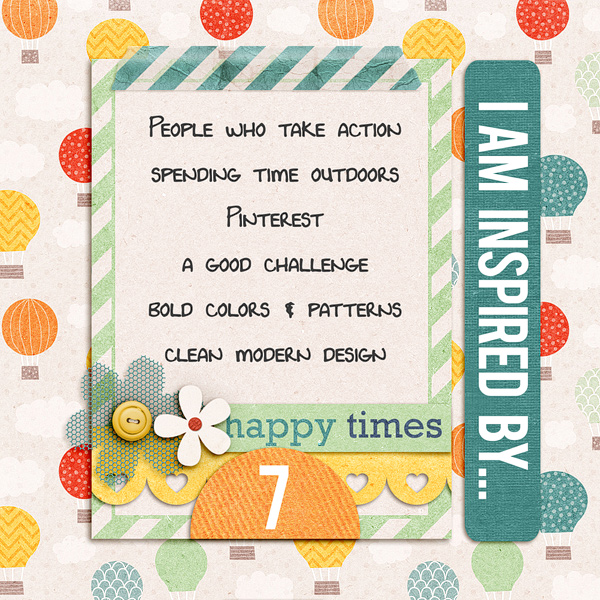
Day 7: I Am Inspired By…

Nettio 30Days 7

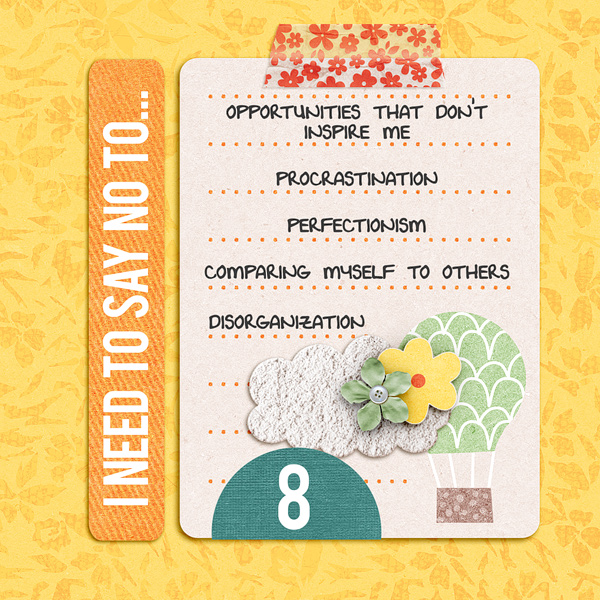
Day 8: I Need To Say No To…

Nettio 30Days 8

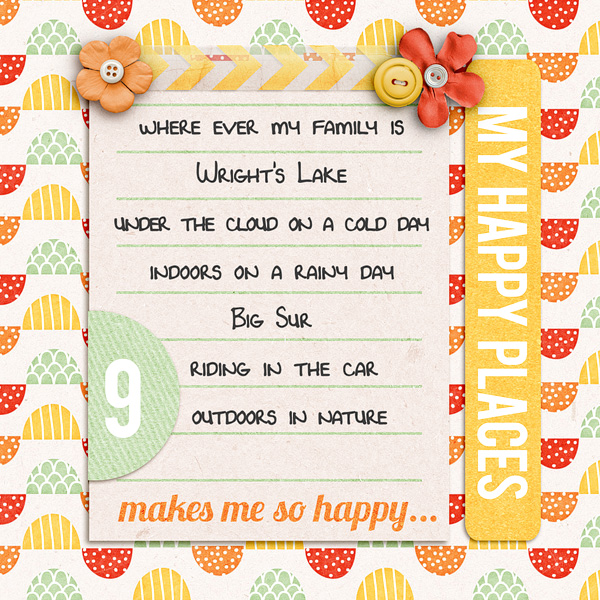
Day 9: Happy Places

Nettio 30Days 9

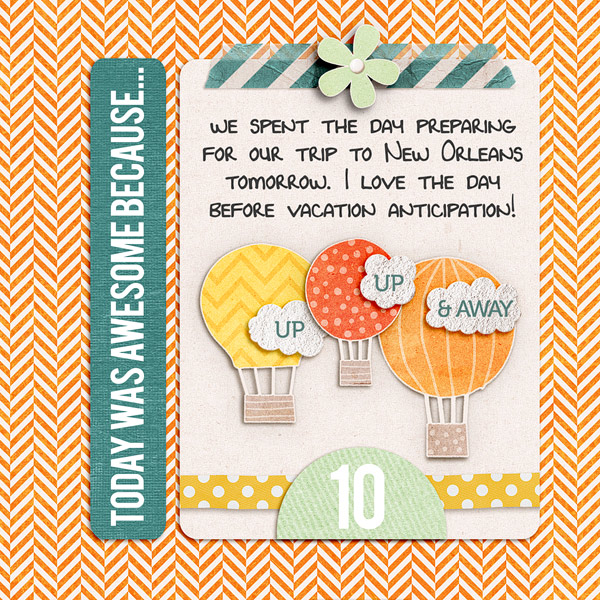
Day 10: Today Was Awesome Because…

Nettio 30Days 10

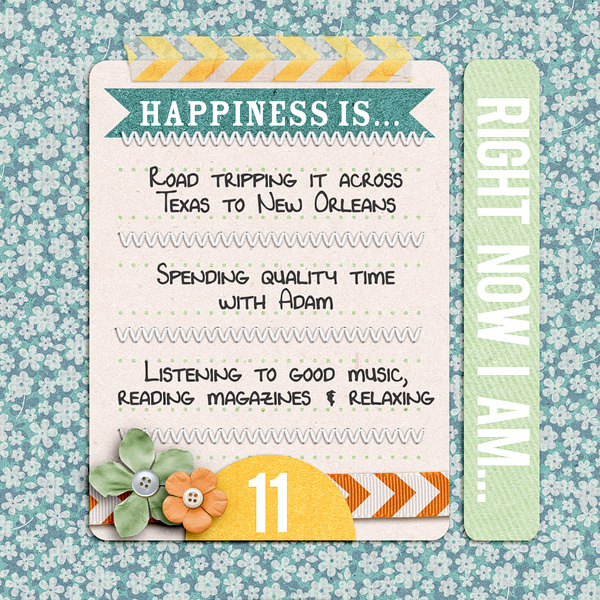
Day 11: Right Now I Am…

Nettio 30Days 11

All papers and elements are from the Happiness is… digital scrapbooking kit by Zoe Pearn. Fonts are Bebas and DJB 4 Lynnette.

Want to know my trick for getting my digital tape to look so realistic? Check out this video tutorial by Peppermint of One Little Bird Designs.

Psst…Want to know what this whole 30 Days of Lists is all about? Check out 30 Days of Lists, Part 1 here.

How Can Customers Lower Their Remedy Costs

POSTED IN 30 Days of Lists, Digital Scrapbooking, Mini Albums

For the Love of: Fonts

POSTED ON March 8, 2012 IN Memory Keeping, Stuff I Love

Today’s font-tabulous post topic is brought to you courtesy of my awesome creative team, as they requested I write up a post sharing some of my favorite fonts. Since looking for new fonts is my idea of a good time, this seemed like an easy one! So without further ado, here’s a look at some of the fonts that are rocking my world right now and best of all, they’re (almost) all FREE!

Font #1: The Museo Family

Museo slab

Museo, Museo Sans and Museo Slab are currently my go-to font family. Museo Slab is the font I used for the NettioDesigns logo and the majority of the NettioDesigns website as well. I just love those little slab-tastic feet on each letter! I don’t use Museo and Museo Sans quite as often but when I need a subtle change of pace, one of them will usually fit the bill.

Font #2: Bebas

Bebas

I can’t take credit for this font find as I found it through the lovely Elise Blaha but oh how I love it. It’s an all-caps font so use it sparingly unless you want to be shouting at everyone, but when you need to squeeze in a bunch of letters in a tight space, this font is your man.

Font #3: Grandby

Grandby

This font is one of the few non-free fonts in my arsenal but I love it just as much today as the day I bought it. It’s a lesser known font so it doesn’t suffer from font overexposure like some fonts do, but with it’s clean lines and sans-style, it’s perfect for titles, journaling and even the tagline up there on my blog header.

Font #4: Lobster

Lobster

This font is new-to-me but I used it recently in the promo graphics for my 1st Anniversary Celebration and I fell in love with it’s swishy vintage look. I’m already looking for more opportunities where I can squeeze this puppy into my designs.

Font #5: DJB 4 Lynnette

Djb4lynnette

This final font on my list should come as no surprise: my custom handwriting font courtesy of Darcy Baldwin at Sweet Shoppe Designs. If you have not had your handwriting turned into a custom font by Darcy yet, you should RUNLIKETHEWIND over to the Sweet Shoppe and get yourself one. Seriously. I will wait until you get back.

Because this little font is hands-down my most used font when it comes to scrapbooking. The personal touch it adds to my digital pages thrills me to know end. If my handwriting were to put on a tuxedo and don a top-hat, this is what it would look like – a more perfectly perfect version of my writing. Seriously. Go get yourself one.

And there you have it, my top 5 most currently used fonts! If you’re wondering where I find a lot of my fonts, MyFonts and Font Squirrel are two of my go-to places. MyFonts has a mix of free and paid fonts but Font Squirrel fonts are all 100% free for commercial use.

And for all you extra-credit font lovers, here’s a peek at a few more fonts that have caught my eye but I haven’t had a chance to use yet:

Pacifico

Walkway

Raleway

Ostrichsans

Caviardreams

Ok team, hope you enjoyed this font-tastic post! Now I’d love to hear, what’s one of your favorite fonts? You know I love me some fonts so link me up in the comments!

Psst…Looking for even more font-terrific tips? Check out this tutorial I wrote for the Sweet Shoppe blog about getting the most out of your typography.

Pssst…As always, I was not perked to mention any of these fonts or websites. I’m just a hardcore font lover. 

How Can Customers Lower Their Remedy Costs

POSTED IN Memory Keeping, Stuff I Love, Tips & Tricks

30 Days of Lists: March 2012

POSTED ON March 6, 2012 IN 30 Days of Lists

My apologies in advance to the poor soul who requested “less lists” in my 1st Anniversary survey…because I’m afraid the list craziness is just beginning my friend, hehe.

If you’ve been around NettioDesigns for long enough, it’ll probably come as no surprise to you that I LOVE lists. Between my Faves series, my 28 at 28 list and numerous other list-inspired layouts I’ve done over the years, it’s pretty safe to say lists are a have of mine.

I mean, does it get any easier storytelling-wise than jotting down a few random thoughts in list form? Not in my book.

Which is why when I heard I could get 30 days of list-inspired prompts in March for just $8, I jumped at the chance…

30 Days of Lists: March

Click here to join 30 Days of Lists

If you haven’t heard of 30 Days of Lists before, it’s a month-long challenge hosted by two lovely ladies: Amy of Lemon & Raspberry and Kam of Campfire Chic.

Each day on the private 30 Days of Lists blog, they post a new list-inspired prompt. You then create your own list based on that prompt and the great thing is anything goes – your list can be as artsy or simple as you want. There are people creating mini books and then there are others writing out their lists on post-its or on their blog. It’s so fun!

You can see a bunch of examples in the 30 Days of Lists Flickr gallery.

My 30 Days of Lists Plan

After all the fun I had with my Holiday Faves mini album, I thought this would be the perfect opportunity to tackle another mini album.

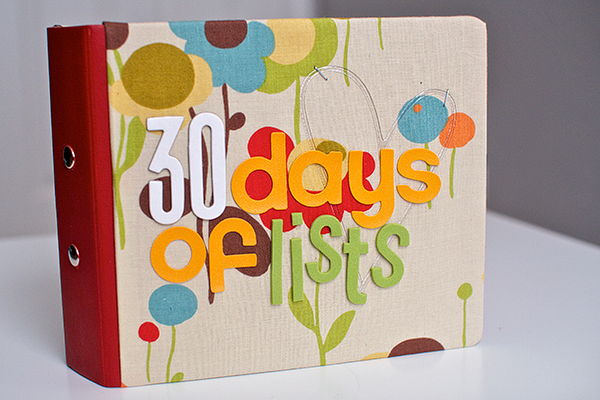
So I decided to create my lists as 5×5-inch digital pages which at the end of the month I’ll have printed at Persnickety Prints and then insert into this adorable mini album I made…

Nettio 30Days cover1

The album is by Maya Road, all the letter stickers are by American Crafts and the fabric is something I picked up forever ago in Denver and have been dying to find a good reason to use.

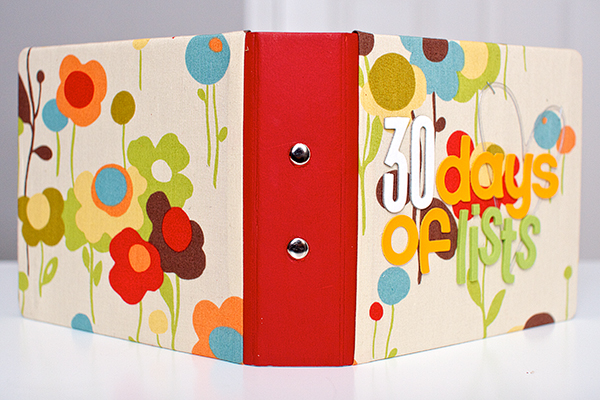
Here’s a look at the entire album. The spine is painted with Cranberry paint by Making Memories.

Nettio 30Days cover2

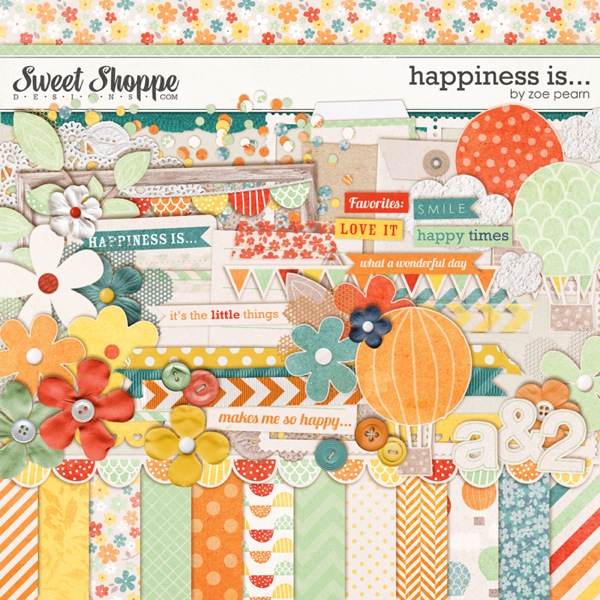
For my digital list pages, I’m using this super adorable Happiness is… kit by Zoe Pearn:

Zpearn happinessis preview

This kit includes a bunch of journaling cards and bits of tape which I knew would be perfect for this project.

My Lists: Days 1-5

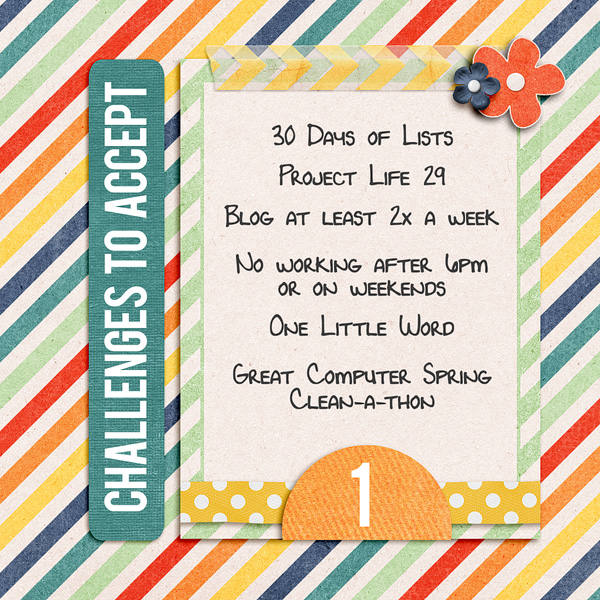
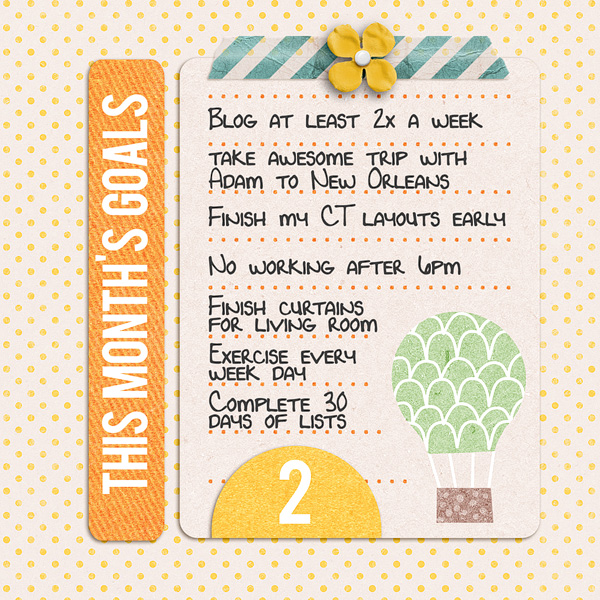
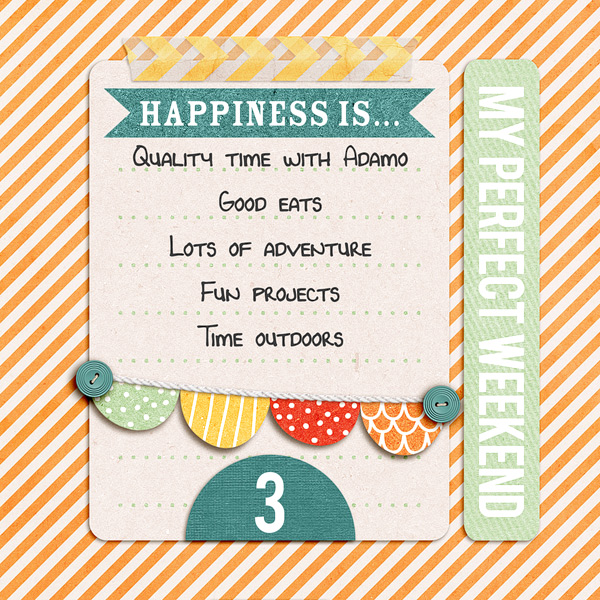
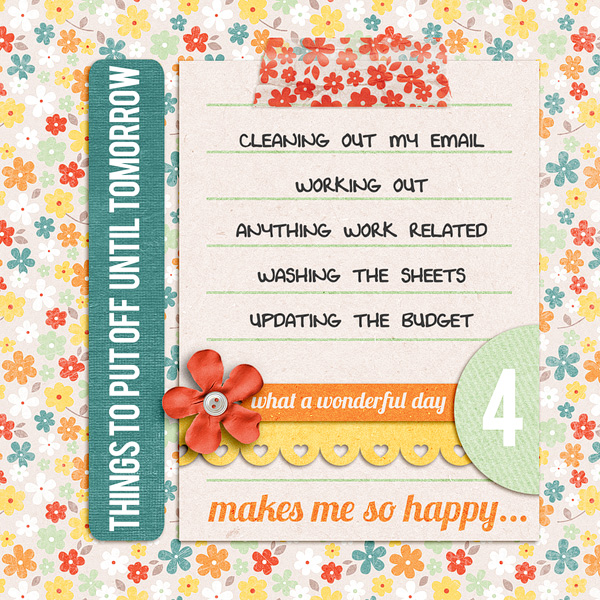
Since today is Day 6, here’s a look at my Day 1-5 lists:

Day 1: Challenges To Accept

Nettio 30Days 1

Day 2: This Month’s Goals

Nettio 30Days 2

Day 3: My Perfect Weekend Recipe

Nettio 30Days 3

Day 4: Things I’m Putting Off ‘Til Tomorrow

Nettio 30Days 4

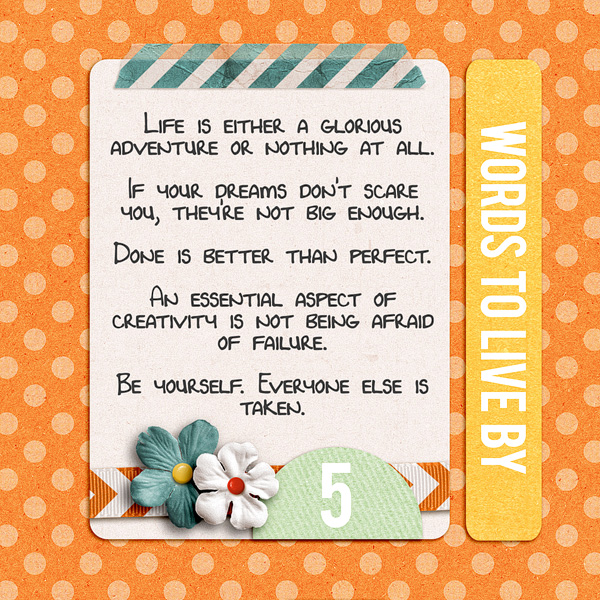
Day 5: Words To Live By

Nettio 30Days 5

My Process in Photoshop

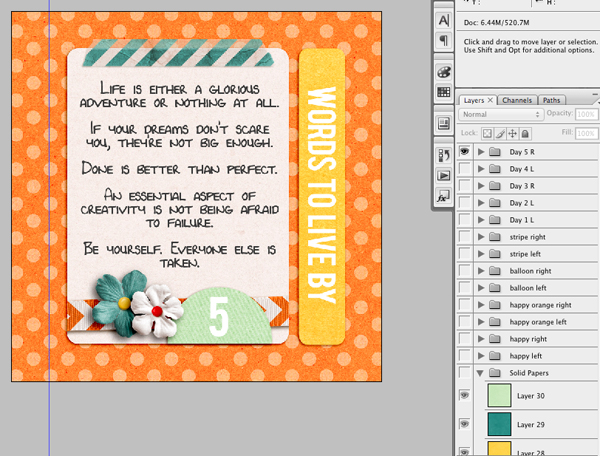
And for all you curious types like me, here’s a peek into how I’m managing it all in Photoshop:

Nettio 30days process1

To keep things simple, I’m using the same basic design and just alternating between left and right pages and swapping out new papers and elements.

Right now I’m using a single file for all my pages (if it gets too big, I’ll just split it up). Each page is grouped and I’ve created eight versions of the pages, one left & one right that I’m using as templates. To create my page, I just duplicate the group of the list style I want and add in my journaling, papers and accent.

I may turn some of these lists into digital scrapbooking layouts eventually, but for now I’m loving this project, especially since it only takes a few minutes to put together my list each day. I can’t wait to see all 30 lists together!

Now It’s Your Turn

So what about you? Anyone else playing along with 30 Days of Lists? Anyone have any fun projects they’re working on for this month? Let me know in the comments!

Can I take Levitra if I am taking other remedies at the same time

POSTED IN 30 Days of Lists, Digital Scrapbooking, Mini Albums

Lessons Learned & the Show Off Your Awesomeness Winners!

POSTED ON February 29, 2012 IN 1st Anniversary

Happy Leap day everyone! Are you enjoying all the leap-tastic puns flying about today? I know I am!

With today marking the final hours of the NettioDesigns 1st Anniversary Celebration, it seems only fitting to end this month with a post sharing a few of the lessons I’ve learned from my first year as a digi designer/blogger/business owner. This year has definitely been one crazy learning experience for me so I hope you find some of these tips helpful.

Lesson #1: You’ll work harder for yourself than anyone else.

Ask any small business owner and they’ll tell you the same thing. When the entire success of your big idea falls on your shoulders, it can be tough to take a step back and relax. Even more so when you’re passionate about what you’re doing and your work life is but a few small steps away behind the computer screen. But ultimately your business needs to work for you, which means no matter how passionate you are, you need to make time to relax because being burned out and overwhelmed is no fun.

Lesson #2: A little planning goes a long way.

What natural type-A business owners don’t tell you is that managing yourself is hard. When you’re setting your own deadlines and working from home, it can be WAY too easy to convince yourself that watching that Price Is Right marathon is a good idea. Which is why having goals and a plan is key and if you can find an accountability buddy to keep you on task even better. I’ll admit I am still in the process of figuring out a system that works for me but I have no doubt that the times when I’ve planned out my blog posts or kept my to-do list up to date, everything has run much more smoothly. And less stress equals better work from me.

Lesson #3: Things will always take longer than you expect.

That timeline you planned out? Double it. Or triple it. Because despite your best intentions, you don’t always know what you don’t know until you’re in the midst of a project and as Adam likes to remind me, no plan survives first contact. You’ll be thankful for the extra time when something unexpected comes up.

Lesson #4: The best person to be is yourself.

When you’re out and about in the world wide web, it can be SO easy to start comparing yourself to everyone else and think you’re never doing enough. But the reality is the reason people come to your site or check out your work is because of YOU. Looking back through my archives, I know that the blog posts or the projects people love the most are the ones that are 100% me. So put your head down, go with your gut and be you. Your right people will find you.

Lesson #5: I have the bestest hubby in the whole world.

So it’s not like I didn’t know this already (he does do all the cooking around here after all), but after all of the support and encouragement Adam’s given me this past year, I can easily say I am one lucky girl. Not only has he been patient with all the late nights and weekends, but he’s been there to share his thoughts, offer a helping hand or a boost of confidence. He’s offered hugs during the frustrated meltdowns and helped me celebrate the victories no matter how small. I have no doubt this would have been a much tougher adventure without him by my side.

And so with that, I’m about ready to call this 1st Anniversary Celebration done-zo. But first we have some winners to announce…

The Show Off Your Scrapbooking Awesomeness Winners!

Four lovely ladies entered our Show Off Your Awesomeness Contest and I have to say, it was SO fun seeing all your layouts! But without further ado here are the winners…

Our 1st place winner is…Denise with this awesome take on my free Oh the Places We Go layout. As a child who also spent many a summer vacation traveling around in a car, I loved her tribute to that spirit of travel and adventure. I especially love the way she shrunk down the template to fit on a single page and added all the fun text into the states.

2012 02 travel and explore

And our runner up is…Stephanie with this fabulously creative take on my Single Temp No. 4 Photo Focus template. I LOVE the way she flipped and scaled down the template to use as background for all those gorgeous papers. And an AAM at that? That’s extra bonus points right there. Stephanie will be receiving $15 to spend in the Shoppe!

Being 33

Congrats ladies! Way to go showing off your scrapbooking awesomeness! I’ll be emailing you about your prizes later this week. And a huge thank you to both Amy & Nanette as well for being brave enough to enter the contest. I’ll be emailing you a little something too. 🙂

And with that I’m ready to bring this 1st Anniversary Celebration to a close. It’s been fun but I more excited than ever to see what this next year has in store!

Just reminder that there’s only a few more hours to save in the Shoppe so if you’re wanting to get something, you won’t want to delay. Sale ends tonight 2/29 at 11:59ET!


Fraudulent Drugs Are A Huge Global Problem

POSTED IN 1st Anniversary

Counting Down My Top 5 Faves From NettioDesigns’ First Year

POSTED ON February 28, 2012 IN 1st Anniversary, Announcements, the Faves

With the NettioDesigns 1st Anniversary celebration coming to an end this week, I wanted to spend today sharing some of my favorite NettioDesigns related-moments from the past year. I have to say, going back through my blog archives was a fun reminder of just how much I have done this past year, so I hope you enjoy this trip down memory lane!

Fave #1: Opening Day of NettioDesigns

20110215 Opening Day web 600 coupon

I don’t think any faves list for the past year would be complete without starting at the very beginning: February 16th, 2011, NettioDesigns’ official grand opening day. The circumstances surrounding the grand opening were well, crazy.

In the midst of getting everything ready for the shoppe opening, I’d also volunteered to help my little sister drive back from Florida to California (I was on call for the Florida to Texas leg). Which meant behind the scenes, not only was I furiously working to create new product and get the shoppe up and running, but I was also driving long days and dealing with some of the craziest weather I’ve ever encountered – 30 degree weather in Florida, tornados and crazy rain in the South and snow and ice in Texas.

In the end, it simply wasn’t possible to get everything done in time and I had to postpone the grand opening by a week. But all the waiting and hard work proved to be worth it because I’ll never forget the sense of pride I felt in seeing those first sales come through and realizing that hey, maybe this crazy idea of mine may just actually work.

Fave #2 – Blog-tastic Events

5thscrapiversary logo web

Two of my favorite blog-related moments from the past year would have to be the Great Computer Spring Clean-a-thon I did last March and my 5th Scrap-i-versary celebration last April. In both cases, I came up with this idea for a week-long series of posts for the blog and while things didn’t always go exactly as I planned, the posts from both of those series are still some of my favorites. There’s a quirky honesty and joy to those posts that feels 100% me. I may even have giggled a time or two as I read through them all again, hehe.

Fave #3 – A Week In the Life 2011

Nettio blurb01

It’s hard to deny that my A Week In the Life photo book wasn’t a bit of turning point for my this little website of mine. It got me noticed by a larger audience and as a result, opened doors for some fun opportunities that probably wouldn’t have happened otherwise. The icing on the cake? It’s still my absolute favorite scrapbooking project from 2011.

Fave #4 – Teaching at Masterful Scrapbook Design

Nettio masterful

Teaching has always been something I’ve wanted to do as part of NettioDesigns but I’ll admit the large upfront time cost compared to creating a set of digital scrapbooking templates kind of scared me. So when the lovely Debbie Hodge asked me if I would be interested in guest teaching at Masterful Scrapbooking Design, I jumped at the chance. And I have to say, I loved it. Not only did it make me realize just how much I love chatting about the process and design side of scrapbooking, but it was a nice little reminder that maybe my goals and dreams aren’t as so out there after all. (And yes, the fact that I taught a class alongside one of my fave paper scrappers, Kelly Purkey, totally boggles my mind.)

Fave #5 – The Faves 2011

Nettio 09 2011faves 10oct

If there was one product line for NettioDesigns that represents year 1 it would have to be my Monthly Faves and Holiday Faves Mini Album templates. But the reason the Faves makes this list is not so much for the Faves themselves but because they represent the heart behind NettioDesigns – the importance of taking time to document and celebrate your awesomeness in a fun and unique way.

The Faves are what pushed me to begin this crazy adventure in the first place and so it seems only fitting to end the 1st anniversary with my final installment of the Faves template series, FAVE-O-RITES Vol 5: Sept, Oct, Nov & Dec Faves.

Nettio favesv5 pack

These templates are up in the NettioDesigns Shoppe now and like everything in the shoppe are 20% off (30% off if you’re a subscriber!) through the end of February in honor of the 1st Anniversary Celebration. Go check them out here!

And of course my final fave on this list would have to be getting to chat with all of you. Like most bloggers there are definitely days when it feels a bit like I’m rambling to myself, but those moments when someone shares a layout or leaves a comment and totally gets it makes this crazy adventure all worth it. So at the risk of being mushy for a sec, I hope you know just how much it means to me when you take time out of your busy day to stop by and share your thoughts and layouts with little ol’ me.

So with that, that wraps up my 5 Faves from the 1st year of NettioDesigns! I’ll be back tomorrow with my final 1st Anniversary post and to announce the winners of the Show Off Your Awesomeness Contest. In meantime, if you’ve been eyeing something in the shoppe, make sure to pick it up before the anniversary sale ends tomorrow!

Fraudulent Drugs Are A Huge Global Problem

POSTED IN 1st Anniversary, Announcements, the Faves, Template-y Goodness

How To Use the Photo Book Frenzy Templates to Create Your Own Photo Book (Video Tutorial)

POSTED ON February 24, 2012 IN 1st Anniversary

Since releasing the Photo Book Frenzy: A Week In the Life templates last week, I’ve received some questions about how exactly they work and how you can use them to put together your own photo book.

So in an effort to offer some clarity, I’ve put together a two-part video tutorial showing you just how easy it is to use these templates to create your own photo book.

I’ve been wanting to create some video tutorials for quite some time but I’ll admit, the thought of having to listen to my own voice on a recording kind of scared me – what if I sounded crazy?! – but it turned out to be really fun!

But before we get to the videos, I wanted to answer a couple of the questions I’ve been frequently asked about these templates:

1) What size are the actual templates?

The Photo Book Frenzy: AWITL 8×10 templates are 10 inches tall by 16 inches wide. This represents two 8×10 pages side-by-side in a single spread, just like you see when you look at any book. The Photo Book Frenzy: AWITL 12×12 templates are 12 inches high by 24 inches wide – two 12×12 pages side by side.

This makes it easy to give your two pages a cohesive look but you will need to crop each template into two individual pages for printing which I show you how to do in Part 2 of the video.

2) Is your A Week In the Life album cover design included with the templates?

As of right now, no. My concern with including a template based on the cover of my album was that unlike with the individual pages, the sizing of an image-wrapped cover depends on a lot of different variables – type of paper, thickness of book, number of pages, etc., and because of the grid-based design of the cover and the spine text, it’s not quite as easy to adjust as the pages.

But I may do some more research into this and if I can figure an easy way to include it, I’ll be sure to send an update to anyone who has purchased the templates.

UPDATE 5/01/12: Happy Day! Both the Photo Book Frenzy templates have been updated to include cover templates for creating a front and back cover for your book.

3) Can these templates be resized for say 8×8, 10×10 or 6×12?

Yes. In the case of a square-size like 8×8 or 10×10, your best bet is to pick up the Photo Book Frenzy: AWITL 12×12 templates and size them down as the proportions will remain the same. Resizing for 6×12 is a little more complicated as you’d have to adjust the photos and journaling individually but it can be done with a little effort.

In Part 2 of the video tutorial, I’ll show you how to adjust the template to fit the specifications of your photo book printer as well.

Ok, now onto the videos!

In Part 1 of the tutorial, I show you how to resize the template to fit the exact size of your photo book and how to design your page using the template and clipping masks. In Part 2 of the tutorial, I show you how to crop your pages for printing and then upload them to Blurb using Blurb’s online Bookify tool.

Part 1: Resize & Design Your Book

How To Create A Blurb Photo Book Using Digital Scrapbooking Templates: Part 1 from Lynnette Penacho on Vimeo.

You can find the Blurb full-bleed sizing info here.

Part 2: Crop & Upload Your Book

How To Create A Blurb Photo Book Using Digital Scrapbooking Templates: Part 2 from Lynnette Penacho on Vimeo.

I hope you find the videos helpful and as always, if you have any questions or anything, feel free to ask away in the comments section!

Fraudulent Drugs Are A Huge Global Problem

POSTED IN 1st Anniversary, Template-y Goodness, Video Tutorials

  • « Previous Page
  • 1
  • …
  • 36
  • 37
  • 38
  • 39
  • 40
  • …
  • 51
  • Next Page »
HI I'M LYNNETTE. Graphic designer, tech-lovin’ memory keeper and lover of bold colors & patterns, good food and the great outdoors. Here at Nettio Designs, I share a behind the scenes peek at my own creative & life adventures. Read more...

KICKSTART YOUR CREATIVITY


By popular demand, photo book templates are back! Grab all three sets in the shop.
ADVENTURES IN ORGANIZING
GOAL-SETTING
MEMORY KEEPING
PROJECT LOVE
LIFE ADVENTURES
TIPS & TRICKS
BEHIND THE SCENES

POPULAR PROJECTS

TO SEE ALL MY PROJECTS, CLICK HERE

MUST READ POSTS

  • WHY EVERY SCRAPPER SHOULD SCRAP A FAVES PAGE
  • HOW TO CREATE A SCRAP-WORTHY MAP WITH PHOTOSHOP
  • REMEMBERING THE IMPORTANCE OF TELLING YOUR STORY
  • WHAT DOES IT MEAN TO CREATIVELY CAPTURE YOUR LIFE ADVENTURES?
  • BROWSE BY CATEGORY

    BROWSE THE ARCHIVES

    GET IT FOR FREE

    Testing testing

    links goes here

    Copyright © 2026 ·Dynamik Website Builder · Genesis Framework by StudioPress · WordPress · Log in