Nettio Designs

Design + Creativity + Adventure = LOVE

  • HOME
  • JOIN THE 2023 MONTHLY FAVES
  • THE SHOP
  • ABOUT
  • CONTACT

Getting Caught Up With My FAVE-O-RITES

POSTED ON October 13, 2011 IN Announcements, the Faves

My quest to get caught up on my 2011 Faves layouts has been going along swimmingly.

I am now caught up through August which means I only have September left to do and I’ll be officially caught up. I’m not one to use the phrase “caught up” in scrapbooking very often but in this case I’m pretty excited to be able to say that.

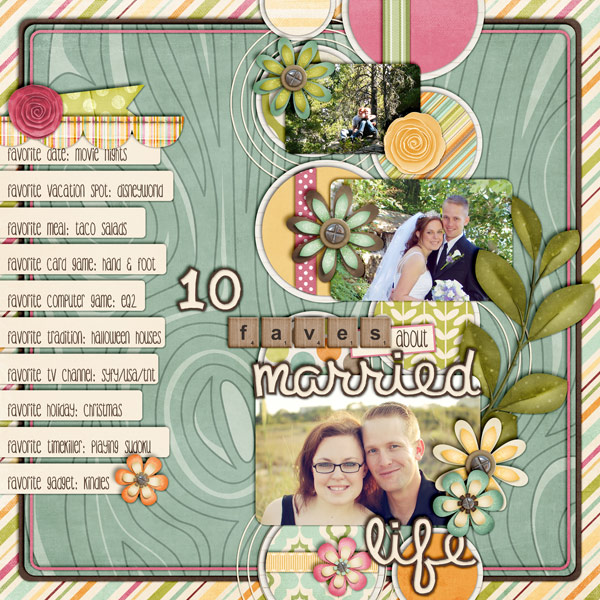
Don’t they look fun together?
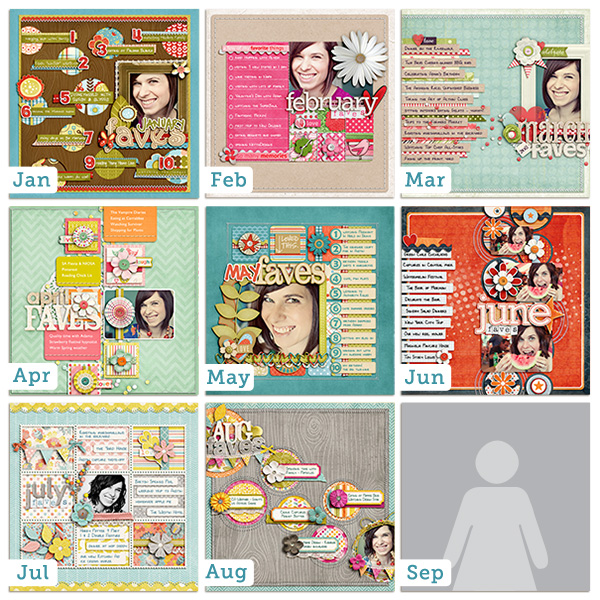
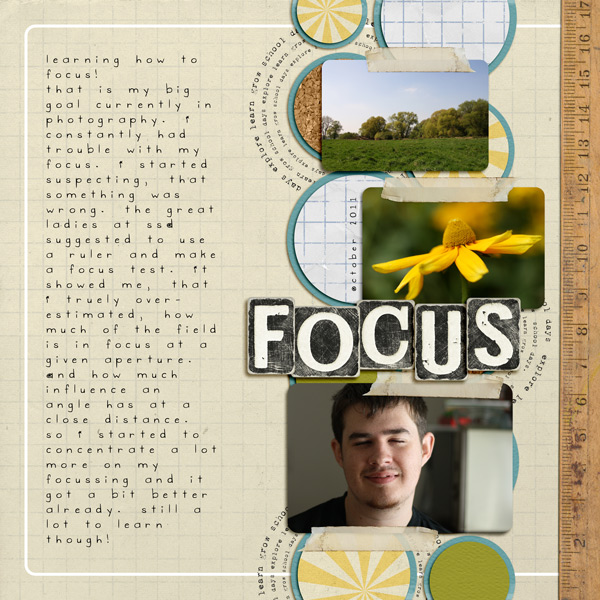
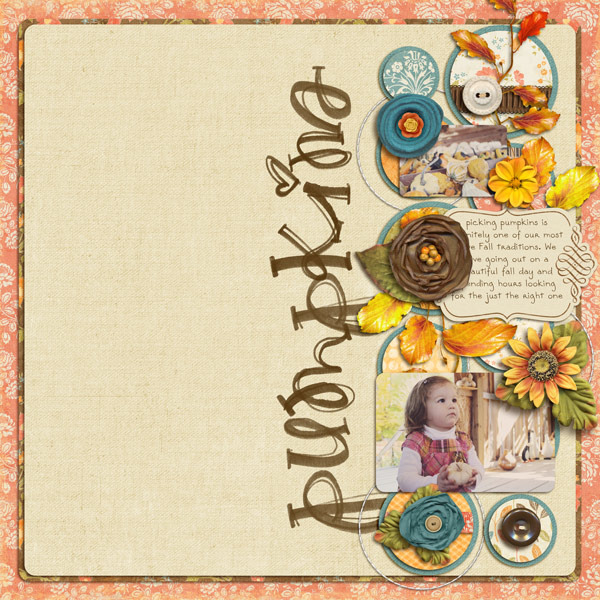
The good news for you Faves fans is this means I have a brand-new FAVE-O-RITES template super pack being released in the NettioDesigns Shoppe today!

FAVE-O-RITES Vol. 4 Super Pack
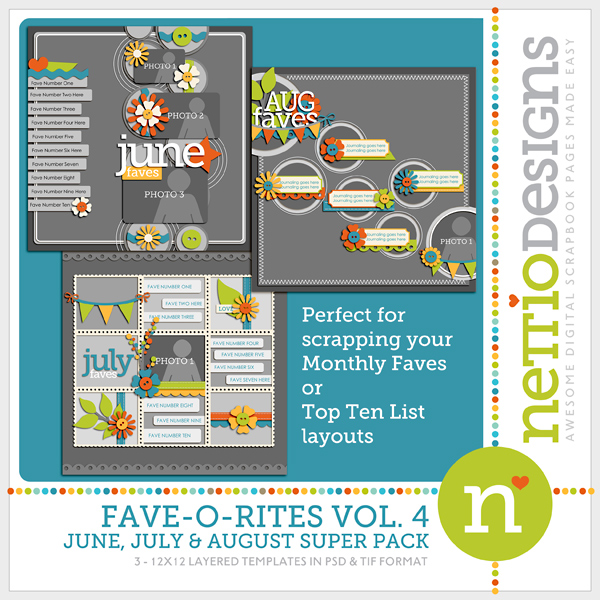
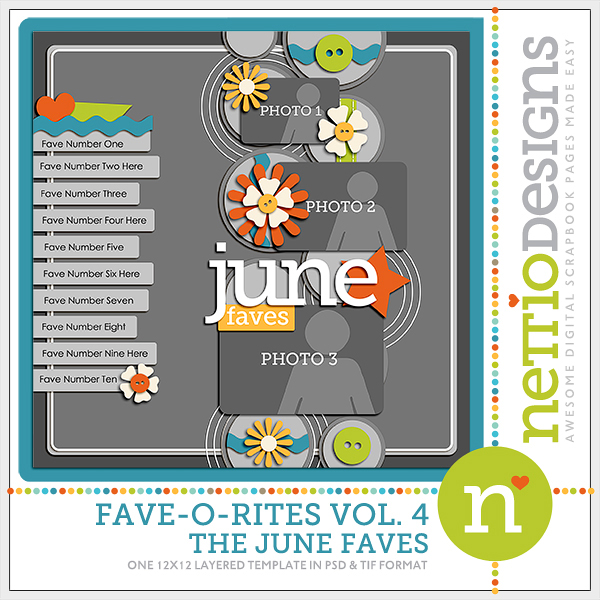
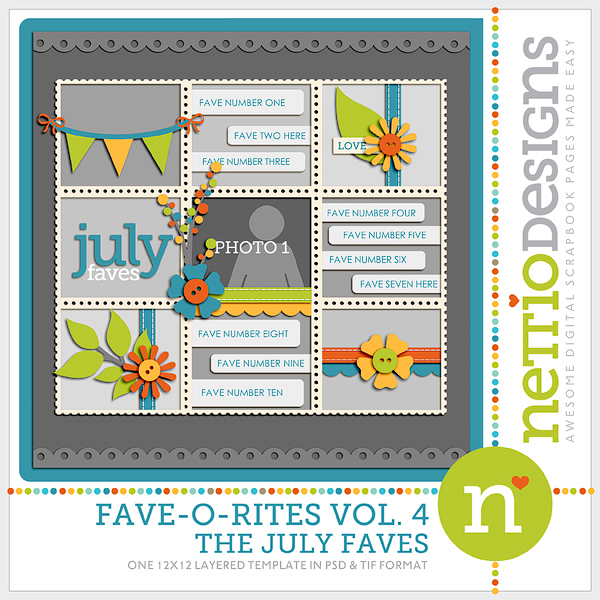
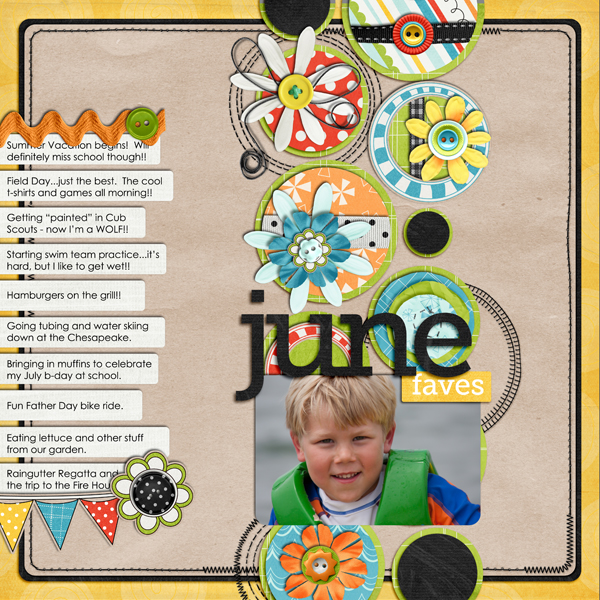
FAVE-O-RITES Vol. 4 includes three 12×12 digital scrapbooking templates based on my June, July and August Faves layouts.

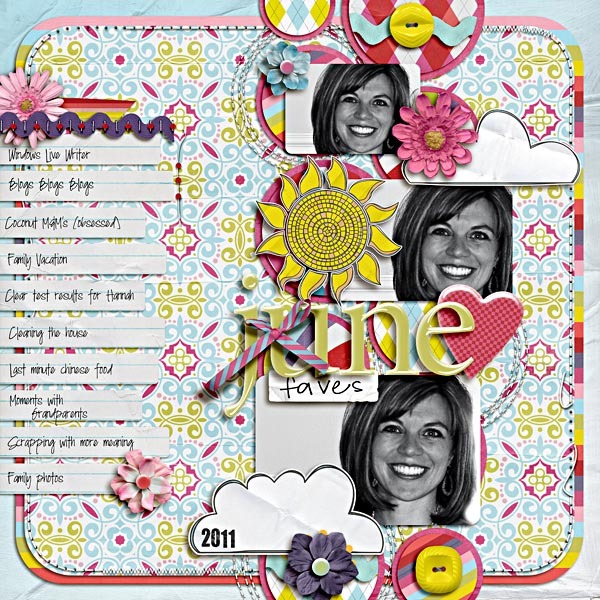
My June Faves layout (I heart that photo, haha):
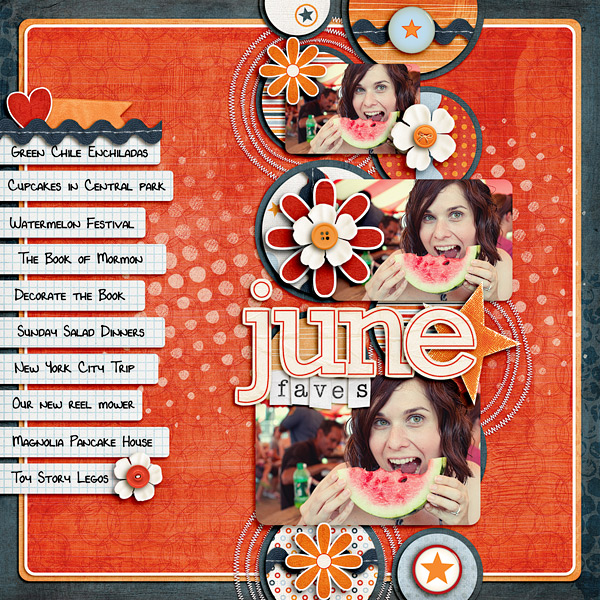
Credits: Full Throttle by Fee Jardine; Blissful Stitches: Curves by Traci Reed; Alpha from Birthday Girl by Zoe Pearn; Teeny Type Alpha by Zoe Pearn (retired); Choose Happiness by Kristin Cronin-Barrow and Shawna Clingerman; Everyday Moments by Lauren Grier and Jenn Barrette; Pumpkin Parade by Heather Roselli; Font is DJB Lynnette by Darcy Baldwin


And the June Faves template:
My July Faves layout:
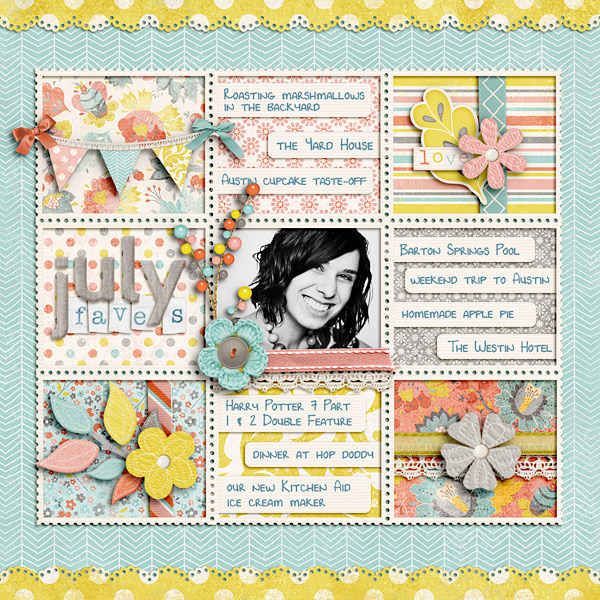
Credits: Beautiful You by Zoe Pearn; Blissful Stitches Straight by Traci Reed; Teeny Type Alpha by Zoe Pearn (retired); Font is DJB Lynnette by Darcy Baldwin


And the July Faves template:
My August Faves layout:
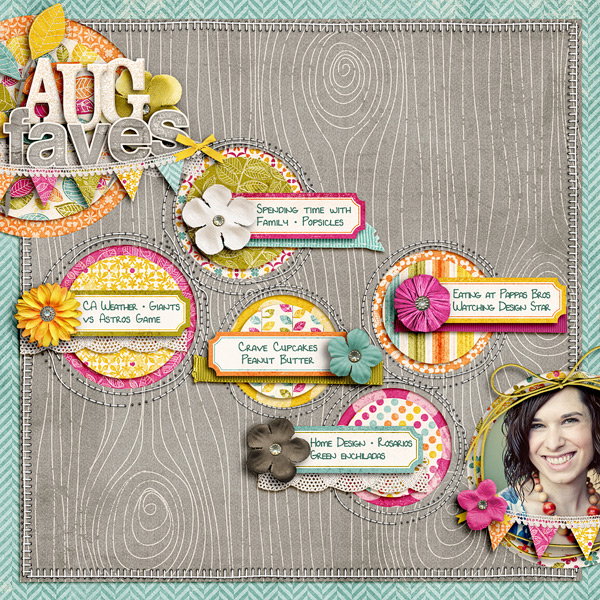
Credits: Indian Summer by Zoe Pearn; Alpha from Those Who Want to Sing by Zoe Pearn; Blissful Stitches Square by Traci Reed; Bad Sewing Machine XXIV: Small 'N Round by Traci Reed; Font is DJB Lynnette by Darcy Baldwin


And the August Faves template:
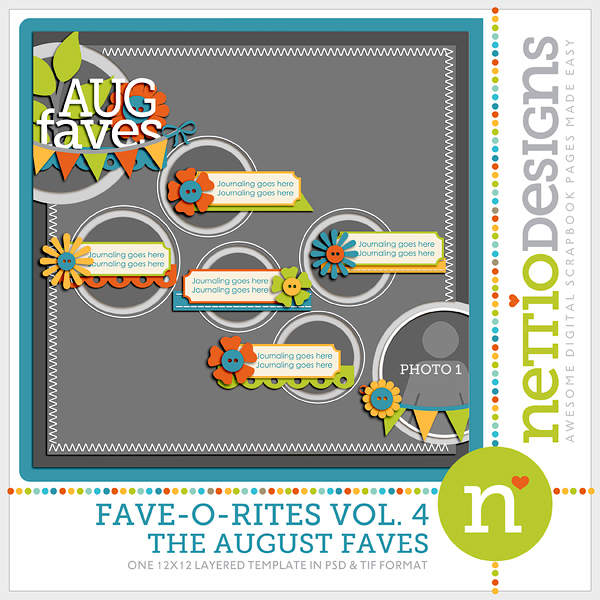
And of course, what’s a New Release day without some NettioDesigns Team Awesome inspiration!

I always love seeing their take on my templates because they really show just how versatile these templates they can be.
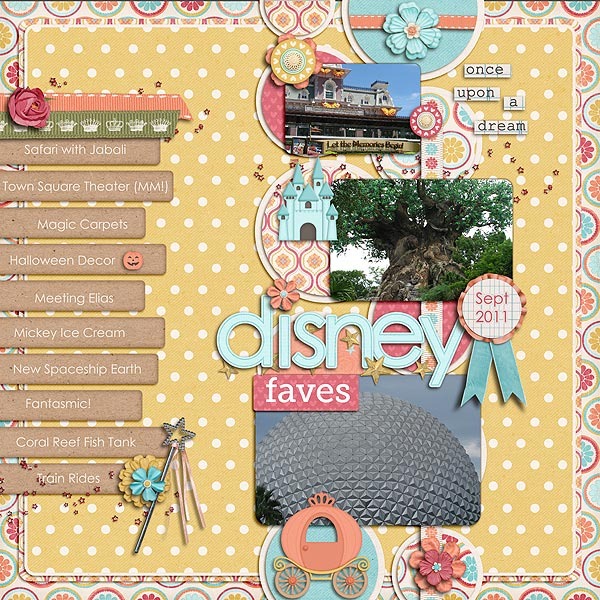
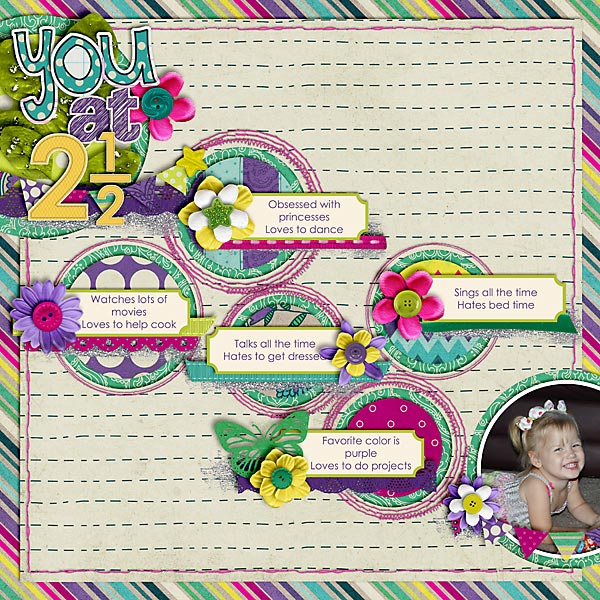
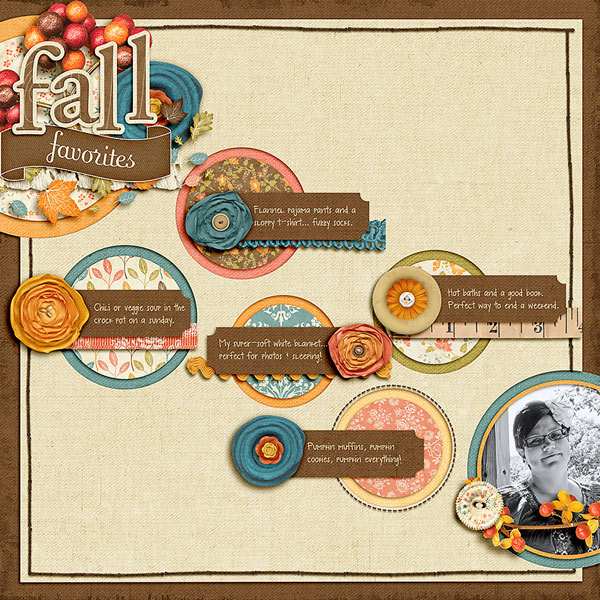
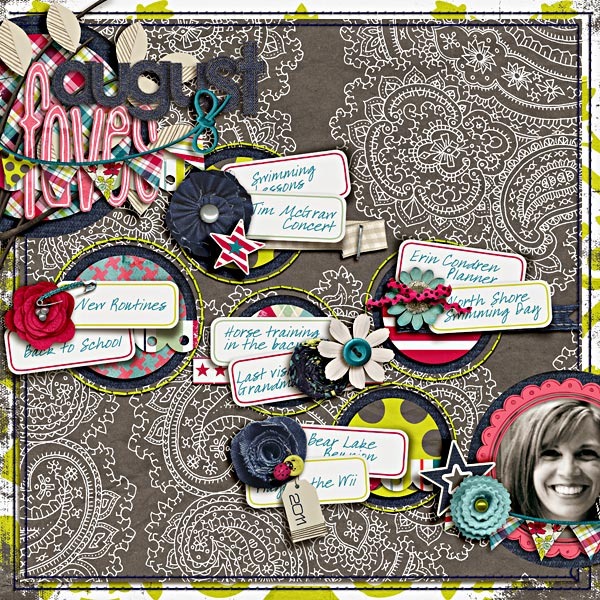
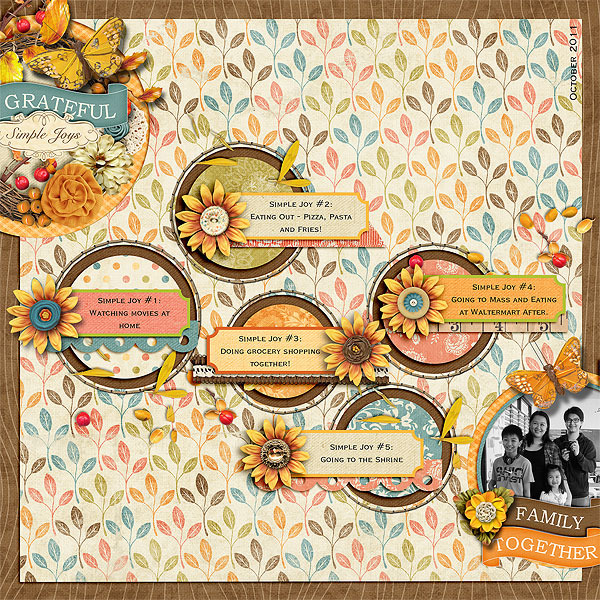
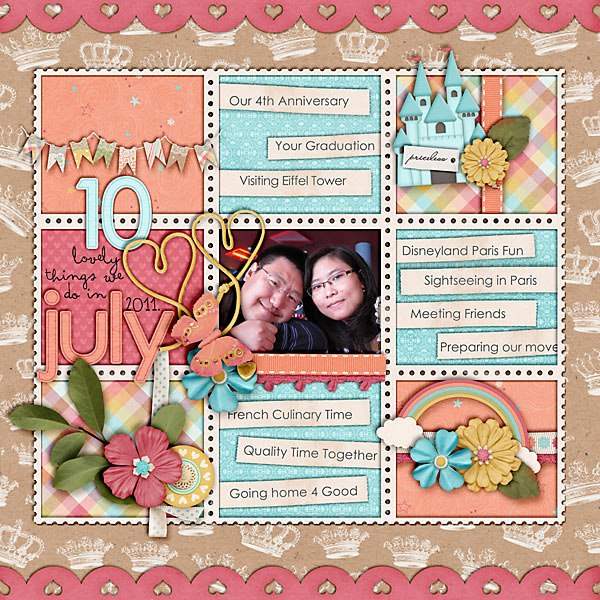
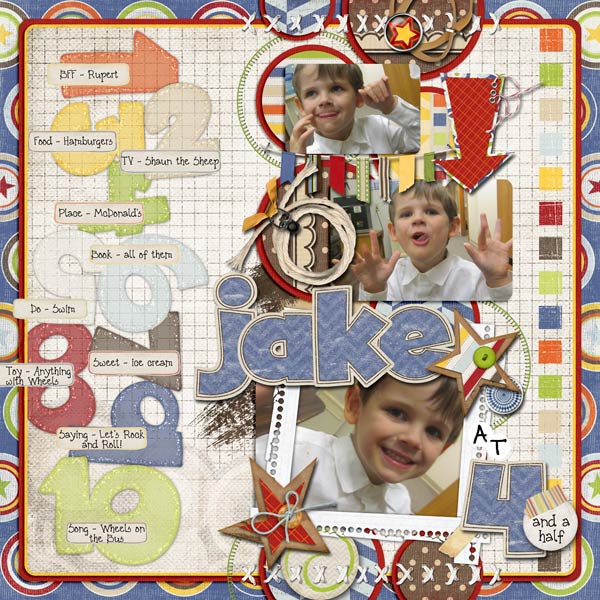
The FAVE-O-RITES Vol. 4 Super Pack is up NOW in the NettioDesigns Shoppe and is 20% off thru Friday, October 14.

Pick up FAVE-O-RITES Vol. 4 right here.

Can I take Levitra if I am taking other remedies at the same time
POSTED IN Announcements, the Faves, Template-y Goodness

Thank You, Steve Jobs

POSTED ON October 6, 2011 IN Life Adventures

The world lost a true visionary yesterday. I wonder if this is how the world felt when Walt Disney passed away.

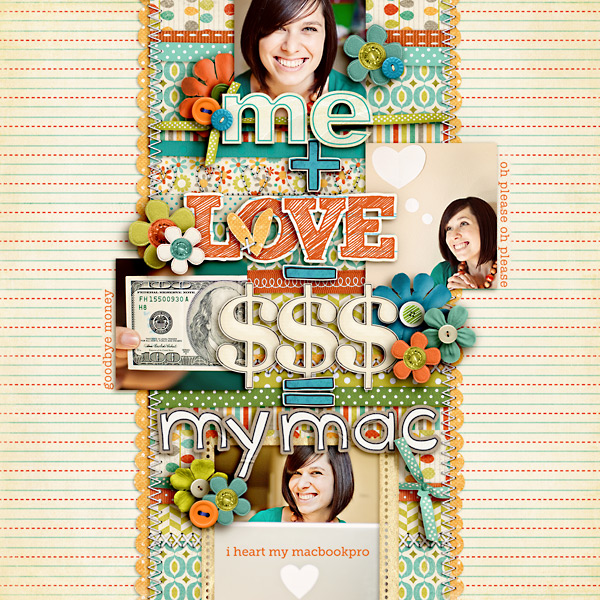
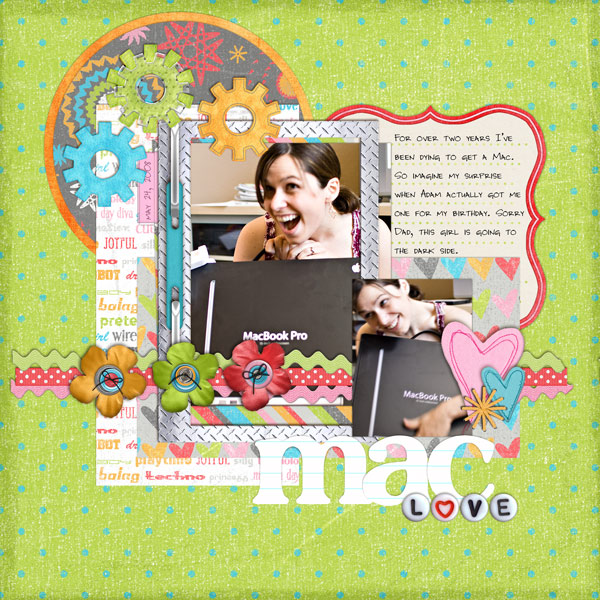
My love for Apple has been well documented in my scrapbooks.

From Adam surprising me with my very first MacBook Pro…

Dani maclaptop

To my first iPhone…

BTCT wk3 iphone63

And a lighthearted take on my MacBook Pro…

BOTCT2 Week1 250

…it’s safe to say that this not-so-little company has had a profound impact on my life.

So today I take a little moment to say, thank you, Steve Jobs. Thank you for being daring enough to think different and encouraging us all to do the same. Our lives have been forever changed because of you. : )

How do I purchase Levitra without going to the doctor

POSTED IN Life Adventures

Pop Culture Scrapbooking: This Day In History

POSTED ON October 4, 2011 IN Memory Keeping

Hello October! This month I am guest teaching over at Masterful Scrapbook Design, where alongside four other super talented paper and digital scrapbookers, I am sharing my tips and tricks for scrapbooking one of my favorite topics: pop culture!

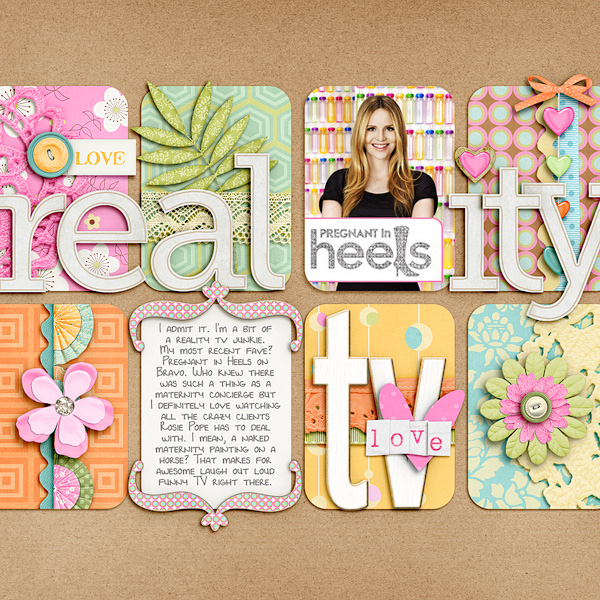
I’ve never been one to shy away from including pop culture in my scrapbooking pages, whether it’s professing my love for reality TV…

Pregnantinheels 250

Credits: Retro Chic by Melissa Bennett; 12 Months Alpha by Penny Springmann; Get Krafty by Kristin Cronin-Barrow; Layered Up In You: Shapes by Lauren Grier; Tiny Type Alpha by Zoe Pearn (retired); Chunky Chipboard Letters by Amber Clegg; Font is DJB Lynnette

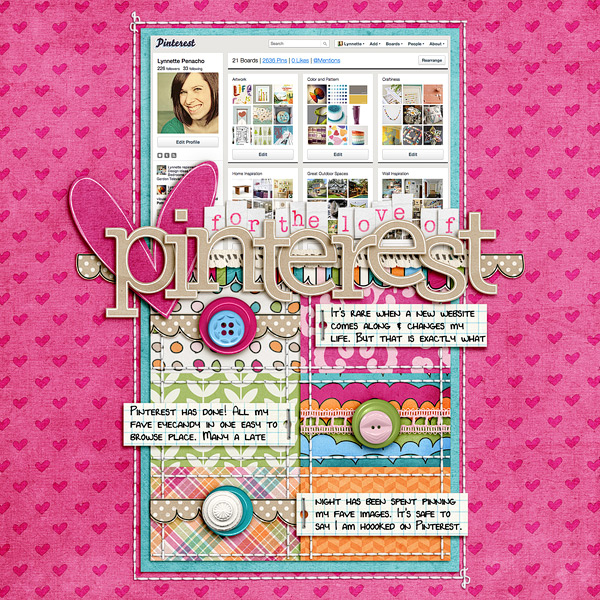
Or my current obsession with Pinterest…

Pinterest

Credits: I Heart Paper Vol 1 Templates by NettioDesigns; Golden Afternoon by Shawna Clingerman and Penny Springmann; 12 Months: Alphas by Penny Springmann; Layered Up In You: Shapes by Lauren Grier; Teeny Type Alpha (retired) by Zoe Pearn; StraightLine Stitched No 1 by Anna Apnes; Font is DJB Lynnette

I’m all about keeping it real when it comes to documenting my pop culture loves in my scrapbooks.

So in preparation for this class I’ve been thinking a lot about different ways I can get my love for pop culture and our current world into my scrapbooks.

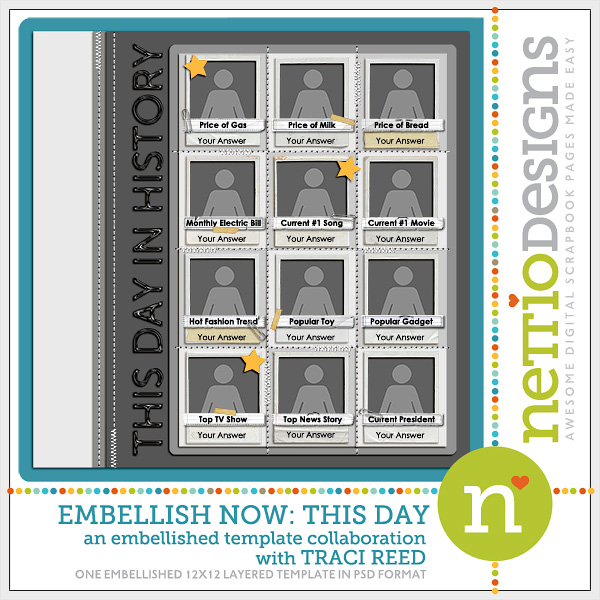
Which inspired me to use one of my very own templates: the This Day In History template from my Embellish Now collaboration with Traci Reed.

Embellishnow single thisday

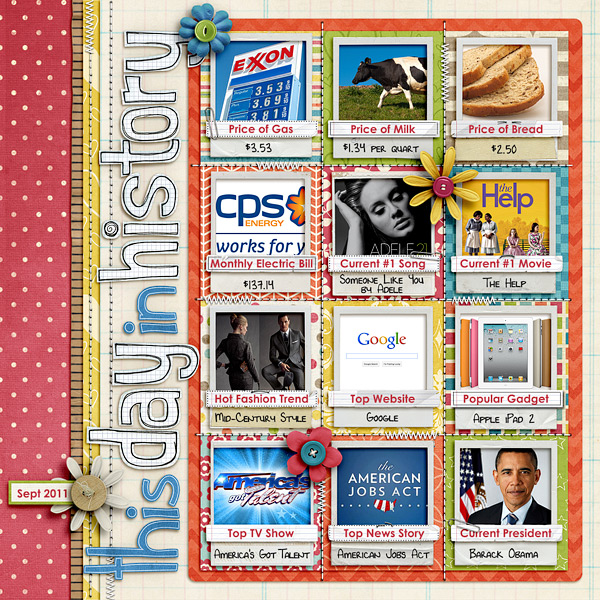
Traci and I had always imagined this page to be used as a kind of pop culture overview – a way to take a snapshot of the world as it is right now.

So that’s exactly what I chose to do thanks to a little help from Google and this super adorable kit by Penny Springmann.

Nettio thisdayinhistory 250

Credits: 12 Months: August and Knowledge Factory by Penny Springmann; Life of the Party (alpha) by Dani Mogstad; Maths Class Alpha by Kate Hadfield; Embellish Now template by NettioDesigns and Traci Reed; Fonts are DJB Lynnette and Century Gothic

Could you imagine how fun it would be to have a page like this from your parents? Or even your grandparents?

Granted they wouldn’t be documenting their top website, haha, but it makes me wonder, what would they have documented?

Which is exactly why I love scrapbooking pop culture and the world around us. Because with the rate at which our world is constantly changing, what’s popular today, may be gone tomorrow.

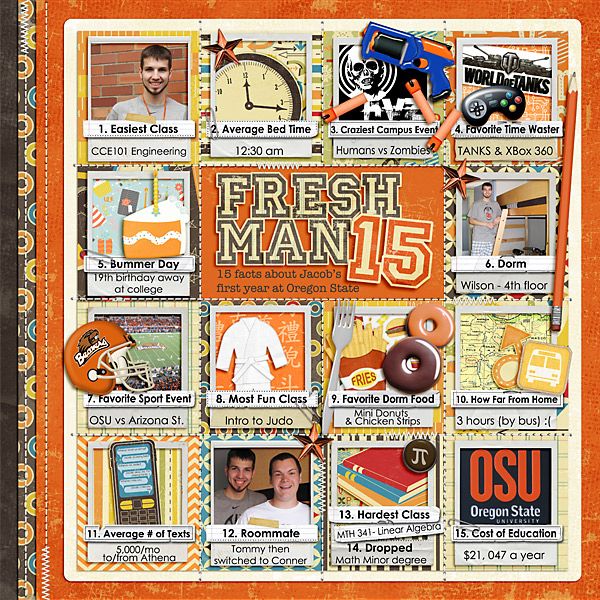
And hey, in case you’re in need of some extra pop culture inspiration for using the Embellish Now: This Day In History template in a different way, check out this AMAZING layout Sweet Shoppe Designer Julie Billinglsey made, documenting 15 facts about her son’s freshman year in college:

Julie freshman15

Credits: Embellish Now by Traci Reed and Nettio Designs Template (This Day in History – modified), School Spirit, School Spirit Add a Grad and Life of the Party by Dani Mogstad; At the Dojo and Rapid Fire by Traci Reed; Technophile by Traci Reed and Lliella Designs; Cheeseburger in Paradise by Heather Roselli; A Dozen Reasons by Jenn Barrette; Zoom Zoom by Zoe Pearn; 1st and 10 and Pi Are Squared by Libby Pritchett; Turkey Day by Melissa Bennett

Is that not totally awesome?!

I absolutely LOVE her theme, her title work and the way she added an extra row of photos so she had room for all 15 facts. I can definitely think of a bunch of variations on the “facts” theme I’d love to scrapbook with this template, so thanks so much for the inspiration Julie!

How about you? Are you a pop culture scrapbooker like me or do you love to keep your scrapbooking to holidays and everyday moments? Have you done any pop culture scrapbooking lately? Professed your undying love for your current pop culture obsession? Let me know in the comments!

Psst…Want to document your own This Day In History layout? Pick up the This Day In History single template here or save some cash by buying the entire Embellish Now template four-pack here.

Psssst…Looking for more ways you can incorporate pop culture, current events, trends and fads into your scrapbooks? Check out this month’s Masterful Scrapbook Design seminar here.

Can diabetes cause erectile dysfunction

POSTED IN Memory Keeping, Digital Scrapbooking, Template-y Goodness

September Round Up

POSTED ON September 30, 2011 IN Monthly Roundups

Well the end of September is officially here which means it’s time for a round up of my favorite posts from this month. I have to say looking back, it’s actually been a rather productive month here at NettioDesigns!

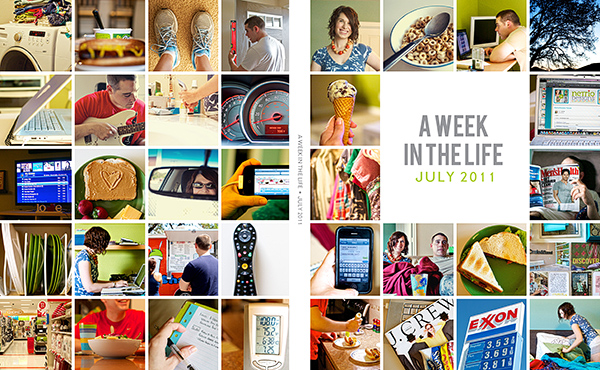
I completed my first ever A Week In the Life Album…

AWITL cover 600

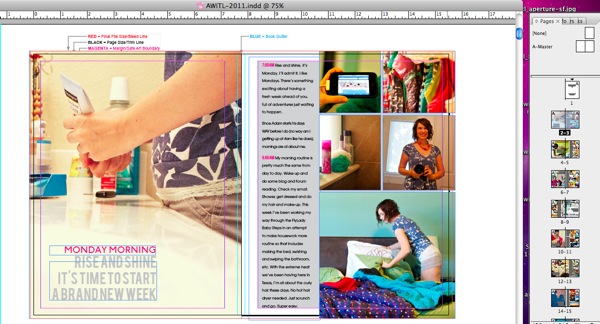
Shared a behind-the-scenes peek at how I put my AWITL album together using Aperture & InDesign…

Awitl indesign lines2

Received my finished AWITL Photobook from Blurb and wrote a little review…

Nettio blurb09

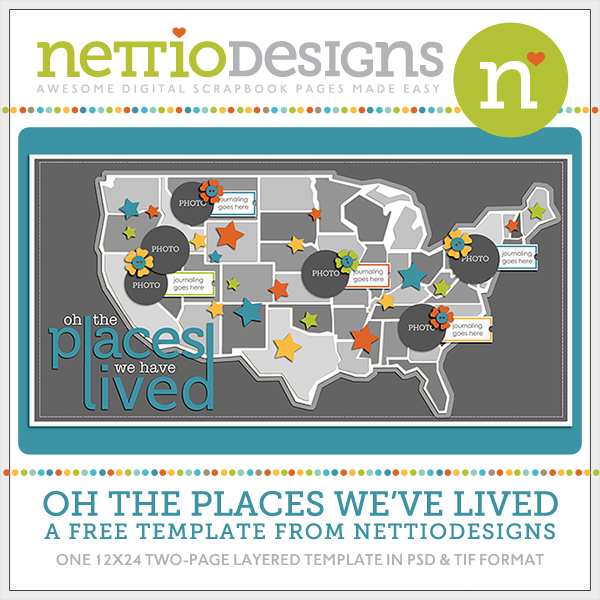
Offered up a map-tastic free template and tutorial for all my fellow map-lovin’ scrapbookers…

Nettiodesigns OhthePlaces preview

Got my goal-setting on with a four month update on my 29th Birthday goals…

29goals 5

And wrote a mini tutorial on how to cropping a two-page template into a single 12×12 document…

Usacrop 03 west

So with that, I am ready to say goodbye to September and hello to October.

But before I do, I want to send out a HUGE THANK YOU to everyone who has stopped by NettioDesigns this month to download my freebie, check out my projects/tutorials or even leave a little comment. You have no idea how much it means to me that you stopped by to check out my lil’ site. : )

A little peek at what’s coming up in October…

  • I’m guest teaching over at Masterful Scrapbook Design along with four other amazing scrapbookers (including one of my faves, Kelly Purkey!). We’re sharing our tips and tricks for pages that record “the times” – current events, news, trends, pop culture and more! It’s a topic that I LOVE and at $12.50 for the month, it’s an absolute steal.
  • I’m the October Featured Artist over at My Scrapbook Art so I’ve got a fun little interview up over there. (Hopefully I don’t sound like too big of a nerd! hehe)
  • Some new products will be coming to the NettioDesigns Shoppe
  • And of course, lots of blog-related goodness including possibly a travel scrapbooking post or two (we’re headed to Chicago!), some more tips & tricks and for sure, lots of eye candy.


So how did your September go? Can you believe it’s almost October already? This year is just flying by! We’ll be opening presents under the Christmas tree before we know it!

The one good thing about it being almost October is fall has finally arrived here in Texas which means we are getting some much needed relief from the 57 days of 100+ temperatures we’ve had this summer (and even a little bit of very very needed rain!).

Can diabetes cause erectile dysfunction

POSTED IN Monthly Roundups

Ask Nettio: How Do I Crop A Two-Page Template?

POSTED ON September 29, 2011 IN Ask Nettio

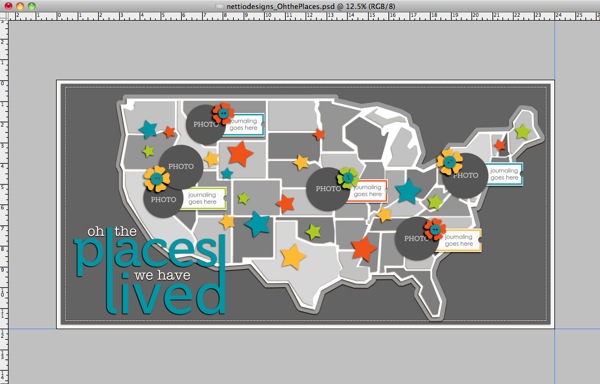
Last week I released my first ever FREE two-page template here at NettioDesigns. Since then I’ve gotten some questions about the best way to crop the template into a 12×12 page so I’ve whipped up a little tutorial with some tips to show you just how easy it is to do.

If you haven’t already, you can download your own copy of the template here.

Step 1: Open the template in your scrapbooking program of choice (for me that is Photoshop CS3). The template is 12×24 inches so it’s really two 12×12 pages side-by-side in a single document.

Usacrop 01

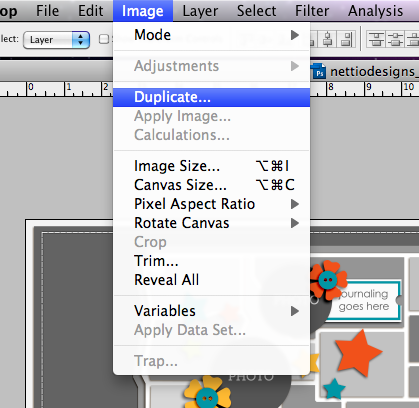
Step 2: Save a duplicate copy of the template so you don’t accidentally crop your original copy.

To do this, you can either go to File>Save As to save the existing document with the new name or you can go to Image>Duplicate to create a copy and then Save the duplicate copy. I recommend using Image>Duplicate so that you can have both the new cropped version and the original template open in Photoshop at the same time.

Usacrop 02

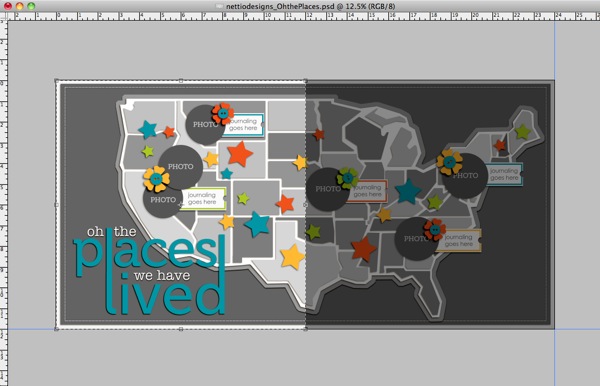
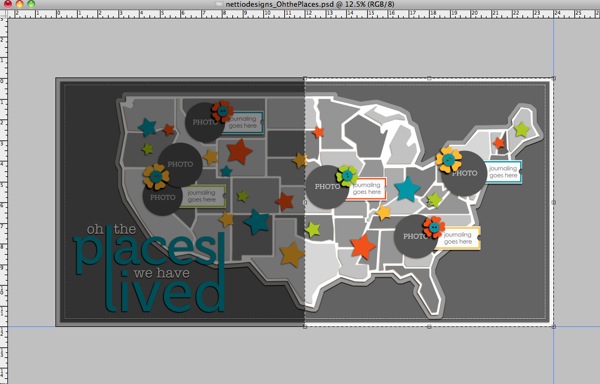
Step 3: Grab your Crop tool Crop tool and starting in the top left or right corner (top left corner for the West Coast, top right corner for the East Coast), hold down the Shift key and drag a box out towards the center of the template. Holding down the Shift key is key because it will guarantee you get a perfect square crop.
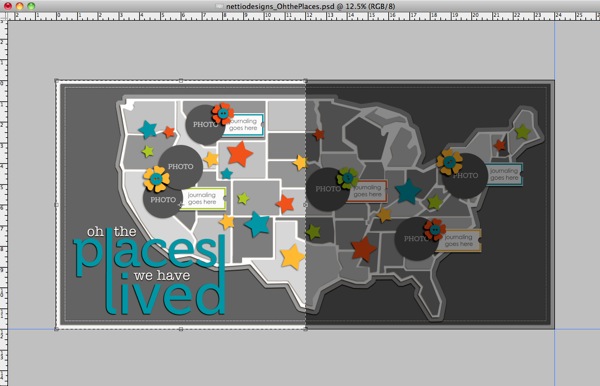
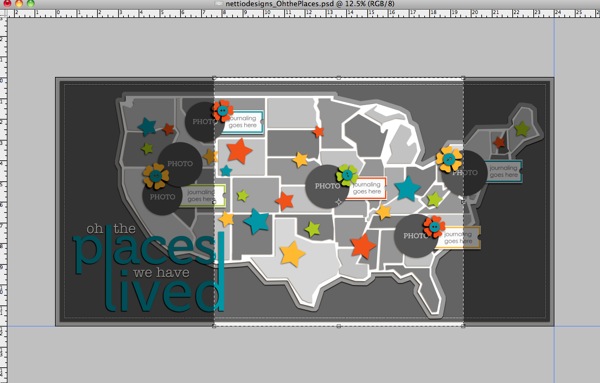
Your crop box would now look like this for the West Coast:

Usacrop 03 west

This for the East Coast:

Usacrop 03 east

Or you can even go with something like this for the Mid West:

Usacrop 03 mid

Once you’ve drawn out your crop box, check to make sure any elements or states you want to include are within the highlighted crop box.

If they’re not, cancel the crop and move those elements into the area you plan to crop so they won’t get lost when you crop the template. You can also transform the map to a smaller size to include more states or move the states closer to the left side of the page if you want to include more of the Western half of the US.

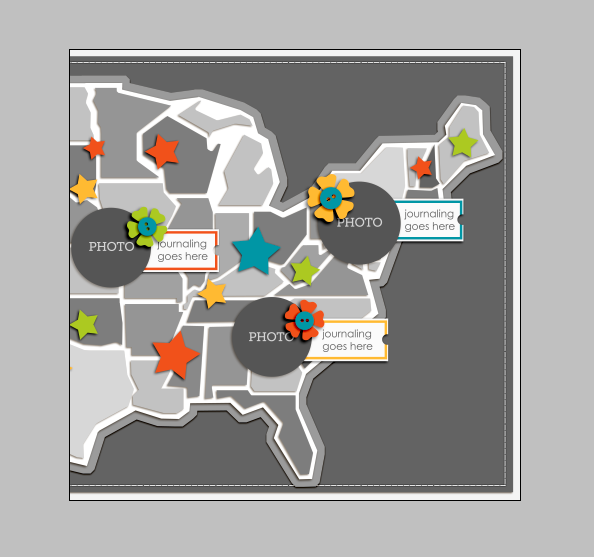
Step 4: Once you’re happy with the area within your crop box, press Enter to crop the template.

Your template should now look something like this:

Usacrop cropped

Step 5: Now add your own papers, photos and elements to the template like you normally would to create your page!

If you’d like to use the entire two page template, create your page first and then follow these same directions to crop each left and right page to 12×12 so you can upload them to be printed later on.

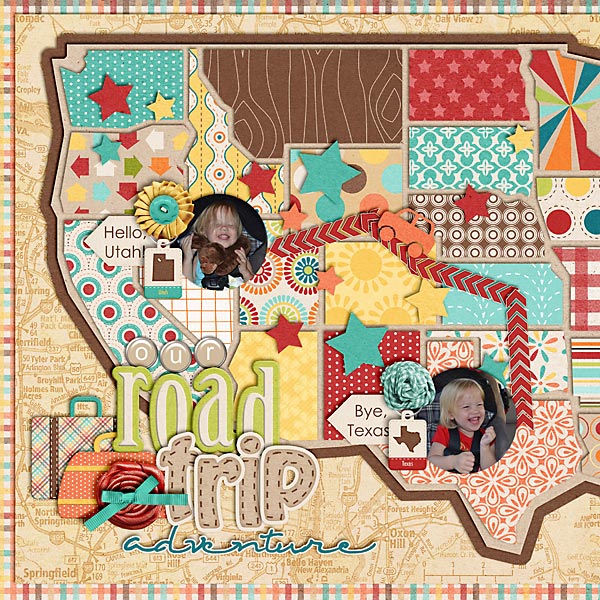
And in case you’re in need of some layout inspiration, check out this super cute Road Trip page from NettioDesigns CT Member Natalie. She moved the map portion of the template closer to the left hand side of the page to get more of the Western US and then cropped her page to 12×12. I just love the little car zipping between the states!

2011 06 30 07 11 Our Road Trip Adventure copy

Hope this helps and if you have any questions, just let me know!

Can diabetes cause erectile dysfunction

POSTED IN Ask Nettio, Digital Scrapbooking, Template-y Goodness, Tips & Tricks

5 Personal Goals for the Big Two-Nine: 4 Months Down

POSTED ON September 27, 2011 IN Goal Setting, Life Adventures

Back in May during my 29th birthday celebration, I set five personal goals to complete during my next birthday year. Since Saturday officially marked four months since my birthday, I thought today would be a good day to share an update on the progress I’ve made on my goals after four months.

1. Become a Time Management Guru

29goals 1

Guru status has been achieved!

Ok, so that could not be farther from the truth, haha, but I do feel like after many months of frustration and overwhelm, I am finally getting into a better groove thanks to a few specific changes I’ve made:

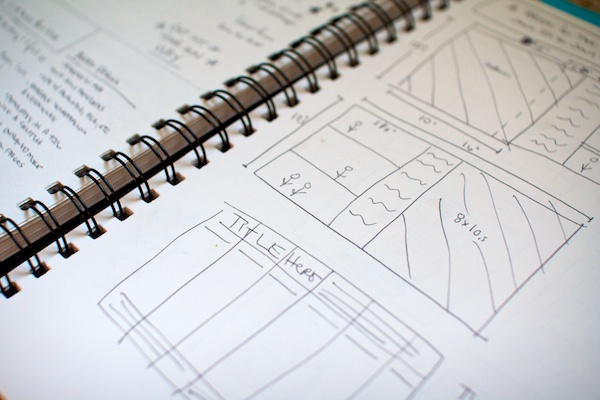
1) I started using a sketchbook: No more writing notes on random sheets of paper for me! I have officially embraced this 8.5×11.5 spiral bound book of blank page goodness I bought at Michael’s as my new BFF and I have to say, it has revolutionized my creative life. Not only do I now have a place to jot down all those random project/layout ideas and sketches I come up with but I can actually find them again when I need them. Genius, I tell ya.

Nettio sketch

And yes, those are my super detailed A Week in the Life layout ideas. There’s a reason I use the computer to create art, haha.

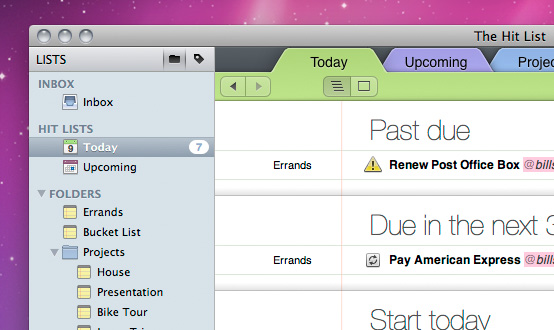
2) I switched to a new digital to-do list: I know lots of visual/creative types swear by paper to-do lists but as a tech lovin’ girl, I love the advantages of a digital system, like reminders for upcoming deadlines, auto-repeating tasks, etc.

For a long time I’ve been a Things user but I’ve recently switched to The Hit List and I am liking it even better. The Hit List and I are still in the early days of our to-do list romance but so far it seems to have the right mix of flexibility, visualness and technology that I’ve been looking for.

Hitlist main ss

3) I jumped back on the FlyLady bandwagon: I know FlyLady isn’t for everyone and her website is totally insane, but I love her home cleaning system because it’s based around routines rather than a never ending chores checklist.

I completed the BabySteps at the beginning of August (thanks largely to my digital to-do list reminding me every day) and since then I’ve done really well keeping up with my morning, afternoon and evening routines. Not only is our house looking noticeably neater (even Adam’s commented on it!) but I feel like I’m doing less overall to make it happen.

Some of my mini-goals moving forward:

  • Establish a “one-touch” rule for all small tasks, especially communication: I spend way too much mental energy remembering things that would have taken 2 seconds to do the first time.
  • Be more realistic about what I can handle: No calendar or to-do list is going to help unless I stop taking on more than I can handle at once. Not only do I need to be better about saying no (both to others AND myself) but I need to accept that I can’t do everything at once, no matter how excited about an idea I might be. Taking on less overall so I can focus more on each task/project is an absolute must.


2. Be More Eco-Concious

29goals eco

Mine and Adam’s effort to be a bit more friendly to both Mother Earth and ourselves has been going really well.

A few things we’ve done:

1) Embraced reusable bags (or no bags) whenever possible: Right now I’m using these, these and these for our produce.

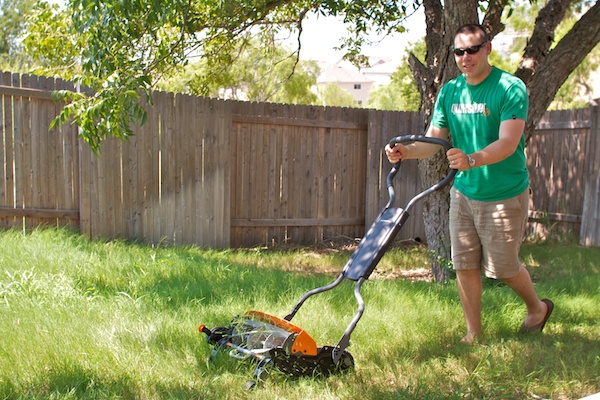
2) Replaced our gas mower with a reel push mower: We bought the Fiskars 18″ Reel Push Mower from Lowe’s. So far we’re really liking it!

Not only do we no longer have to deal with the gas fumes and sound from the old mower but the reel mower is pretty easy to use (even I’ve used it!) and it’s so much gentler on our grass. The only real negative we’ve found is it’s not great with weeds, it tends to just roll over them rather than cutting them.

Here’s a little photo of the mower in action. I love seeing the little clips of grass fly everywhere:

Nettio adamgrass

3) Started buying more organic produce and meats: At first this meant extra trips to places like Whole Foods and Central Market but we’ve noticed the commissary (aka the grocery store on the military base) has started carrying more of these products lately which is nice. I was especially excited to discover that they’re now carrying free range, hormone-free chicken since watching Food, Inc. had kind of turned me off chicken, haha.

Up Next: Possibly DIYing a compost bin or rain barrel. The rain barrel seems a bit laughable given the extreme drought we’re having here in TX but it’s also reinforced the importance of water conservation as well. Every drop helps!

3. Make Each Photo Count

29goals photo

My goal to slow down and focus on framing my photos before taking them has been going really well. Not only am I liking more of the shots I take but I’ve noticed a definite increase in sharpness of my photos overall too.

There are still times when I get into that rushed feeling, especially when we’re out and about, but I’m trying to get better about that. Adam keeps joking I need to learn to “shoot like a sniper” so I can take sharp photos as I walk (more so he doesn’t have to wait for me, haha).

Up Next: Uploading and organizing my photos so I can actually use them. And (photo) sniper school, haha.

4. Turn Our Rental House into a Home

29goals 3

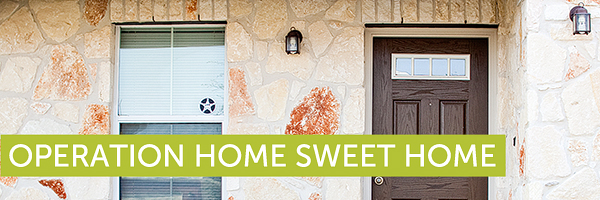
Last month, we finally signed a brand-new two year lease for the home we are currently renting, which means Operation Home Sweet Home is officially a go! Obviously since we are renters, we won’t be making any major changes like gutting a kitchen or anything, but we do have a lot of fun stuff planned to make this home a bit more “us.”

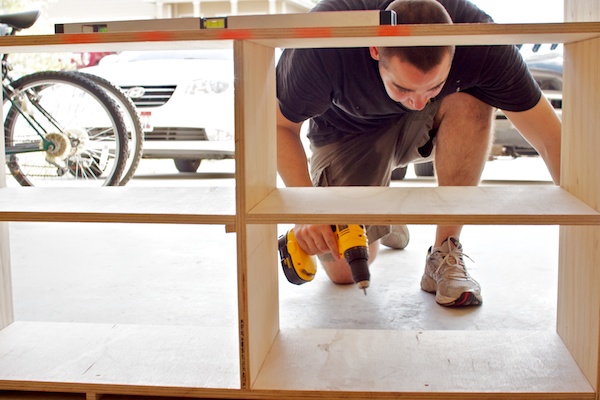
Perhaps most exciting for me is Adam decided over the summer to take up woodworking as a hobby which means I finally have someone who can make my wood building demands dreams a reality.

The first big task on our agenda is finding a new dining table to replace the embarrassing table and folding chairs dining table set up we’ve had since college. We’ve been looking a lot but finding a table that is real wood and not veneer, in our price range, the right size (preferably with an extension) AND in a style and tone we both love has proven to be quite a challenge. But hopefully we can find something before the holidays roll around.

Here’s a few little peeks at some other stuff we’ve got going on:

Adam working hard in his new workshop aka the garage:

Nettio cabinet

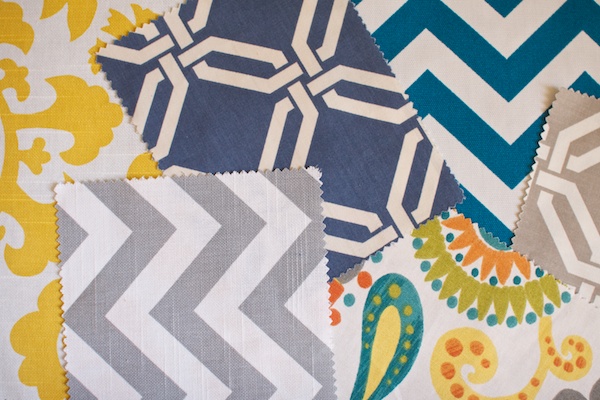
Some fabric samples…

Nettio 201109 fabric

I’m really excited to make our house more of a home so expect lots more to come on this goal!

5. Document my 29th Birthday Year

29goals 5

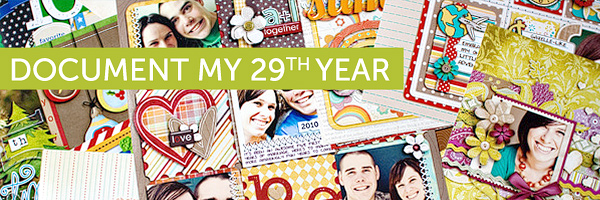
Since I turned 29 back in May, this birthday year represents my last official year as a twenty-something. Which as a scrapbooker, of course meant I wanted to do something extra special to document it.

After much deliberation, I eventually jumped on the Project Life bandwagon. I even shared my first pages back in July.

IMG 34947

Since then I have kept up with snapping photos and collecting memorabilia but not a whole lot else (well other than completing an entire A Week In the Life album, haha).

So my goal for the next few months is to get caught up with my Project Life album spreads and even share a few here on the ol’ blog.

So that’s a not-so-little update on what’s been going on with my goals as of late. I have to say, I’m feeling pretty good about the progress I’ve made in just four months. What about you? Working hard on any goals? Or are you hoping to cruise through the next few holiday-filled months and save your goal-making for the new year?

Can diabetes cause erectile dysfunction

POSTED IN Goal Setting, Life Adventures

  • « Previous Page
  • 1
  • …
  • 41
  • 42
  • 43
  • 44
  • 45
  • …
  • 51
  • Next Page »
HI I'M LYNNETTE. Graphic designer, tech-lovin’ memory keeper and lover of bold colors & patterns, good food and the great outdoors. Here at Nettio Designs, I share a behind the scenes peek at my own creative & life adventures. Read more...

KICKSTART YOUR CREATIVITY


By popular demand, photo book templates are back! Grab all three sets in the shop.
ADVENTURES IN ORGANIZING
GOAL-SETTING
MEMORY KEEPING
PROJECT LOVE
LIFE ADVENTURES
TIPS & TRICKS
BEHIND THE SCENES

POPULAR PROJECTS

TO SEE ALL MY PROJECTS, CLICK HERE

MUST READ POSTS

  • WHY EVERY SCRAPPER SHOULD SCRAP A FAVES PAGE
  • HOW TO CREATE A SCRAP-WORTHY MAP WITH PHOTOSHOP
  • REMEMBERING THE IMPORTANCE OF TELLING YOUR STORY
  • WHAT DOES IT MEAN TO CREATIVELY CAPTURE YOUR LIFE ADVENTURES?
  • BROWSE BY CATEGORY

    BROWSE THE ARCHIVES

    GET IT FOR FREE

    Copyright © 2025 ·Dynamik Website Builder · Genesis Framework by StudioPress · WordPress · Log in