Nettio Designs

Design + Creativity + Adventure = LOVE

  • HOME
  • JOIN THE 2023 MONTHLY FAVES
  • THE SHOP
  • ABOUT
  • CONTACT
You are here: Home / Archives for Project Love

Introducing the FREE Summer Love Mini Course

POSTED ON June 26, 2013 IN Summer Love 2013 Mini Course

Summer, summer, summertime…Nothing like kicking off summer with a little old skool Will Smith, right?

We passed the Summer Solstice  here in the Northern Hemisphere this past weekend which means summer is officially here. Woohoo! Have I mentioned I LOVE summer? Even though it means we’ll be battling the pits of hell dealing with crazy hot weather here in Texas, there’s just something about flip-flops, popsicles and summer adventures that make me feel like a little kid again. Well minus the perks of sleeping in everyday with no responsibilities other than swimming and relaxing. Can I put in a vote for adults getting a summer vacation too?

Of course, what would summer be without a little summertime scrapbooking, right? So this past weekend at Sweet Shoppe Designs, I released a new set of mini album templates, the Summer Love 6×6 Mini Album Templates:

nettiodesigns_SummerLoveMini-prev-1400

Much like my Holiday Faves Mini Album templates, my goal with these Summer Love templates is to give you a fun and easy way to creatively capture your summer adventures. I will be using these templates to create my own album as will quite a few members of Team Awesome.

FREE Summer Love Mini Course

I know with the busy-ness of summer, it’s easy to let a project like this fall to the wayside into the land of forgotten projects. So to keep you on track, Team Awesome and I have put together a FREE mini course where will be sharing tips and inspiration for completing your album.

nettiodesigns-summerlove-ecourse-1200

The Summer Love Mini Course will run thru August 15th with new content being posted here on the Nettio Designs blog on Tuesdays and Thursdays.

Tomorrow I’ll be sharing a FAQ post with more about how the mini templates and the class work and then Tuesday my team and I will start sharing our pages. We’ll be aiming to complete about four mini pages a week so if you keep up with us, by the end of the summer you should have an awesome album capturing all your summer adventures.

Sign Up For Email Updates

If you want to make sure you don’t miss out on any of the Summer Love Mini Course content, be sure to sign up for email updates by clicking here or using the form below.

This Summer Love email list is completely separate from my regular Nettio Designs email list so even if you’re already signed up for emails from me, you’ll have to sign up again. But this way anyone who’s interested in only the mini course won’t have to be distracted by new release or From the Desk emails from little ol’ me.

I can’t even tell you how excited I am about this Summer Love mini album. Seriously, just picture me doing a totally dork happy dance over here. My Holiday Faves mini albums are some of my absolute favorite scrapbooking projects to look back on so I’m excited to mix it up with a summer-tastic version. I hope you’ll join us in the summer fun!

Have a question about the Summer Love Mini Album templates or the Mini Course? Ask your question below and I’ll make sure it gets answered in tomorrow’s FAQ post.

Who’s up for some summer scrapbooking? I know I am!

[catalyst_hook_box name=”summerlovesignup”]

How do I purchase Levitra without going to the doctor

POSTED IN Summer Love 2013 Mini Course

New Release | April Faves & Your Chance to Join Team Awesome!

POSTED ON April 27, 2013 IN Monthly Faves 2013, Shop News & Releases, the Faves

Happy Sweet Shoppe Saturday everyone! This week’s release heralds month number three of one of my absolute FAVE (pun-intended) scrapbooking projects: the Monthly Faves!

For those new to Nettio Designs & the Faves, my Monthly Faves project is a year-long scrapbooking project where each month you scrapbook one layout documenting your top-ten favorite things from that month. Your faves can be anything: events, food, tv shows, technology, clothing – the sky’s the limit!

I’ve done my Monthly Faves project twice before, once in 2009 & again in 2011, and I love it so much I’m doing it again here in 2013. I can’t even tell you how much fun it is to look back on those layouts and see what’s changed and what’s stayed the same. It’s like a mini time-capsule of your favorite things from way-back-when.

Here’s how my 2013 Monthly Faves layouts are shaping up so far this year…

I’ve written before about why I believe everyone should scrap a Faves layout but here’s the cliff-notes version:

  • Because scrapbooking lists is fun
  • Because you don’t remember nearly as much as you swear you do
  • Because it captures an easy snapshot of your life at the moment
  • Because it’s the easiest All About Me layout you’ll ever do. Seriously.

And this year I want to make it even easier for you to creatively capture your faves. So on the last(ish) Saturday of every month, I’ll be releasing that month’s Faves layout as a new Sweet Single template. Which should give you plenty of time to capture your Faves for that month before the new month arrives.

Which brings me to this week’s release…

FAVE-O-RITES 2013: April Faves

This week’s release is the fourth FAVE-O-RITES Sweet Single digital scrapbooking template of the year, FAVE-O-RITES 2013: April Faves. It features room for one photo of your lovely smiling face, your top 10 faves for this month and a bold patterned paper-lovin’ hexagon-shaped design.

Here’s a bigger look at my 2013 April Faves layout that inspired this template. As you can see, my faves list is super random, which is exactly what I love! It’s not something you have to stress out over: make a list of 10 things, scrap it and boom, you’ve captured an easy snapshot of YOU in your scrapbooks. Just think how much fun it’ll be for you or your kids & grandkids to look back on one day!

Team Awesome Inspiration

Of course my team had a ton of fun this month scrapbooking their own take on the April Faves:

Bits & Bytes: Label It Templates

Also coming to the Shoppe this weekend is my Free With Purchase from last weekend, the Bits & Bytes: Label It Templates. Make your own labels to match any kit or color scheme!

Nettio Designs Creative Team Call

And finally my last bit of news this week, in case you missed the announcement on Wednesday, is I’m looking for some awesome new digital or hybrid scrapbookers to join Team Awesome!

This is only the second call I’ve held…ever, so it’s pretty safe this is an opportunity that doesn’t come around too often. If you think you’ve got what it takes to be part of my awesome team of ladies, just go to this link below to apply!

http://modern-school.flywheelsites.com/ctcall

Applications are due Tuesday, April 30th at NOON Eastern.

I can’t wait to see who’ll be joining us!

New Release Discount: SAVE 20% thru Saturday

And of course, as with every Sweet Shoppe Saturday, you can save 20% off all new releases thru Saturday.

Want to save 20% off this weekend?

Pick up FAVE-O-RITES 2013: April Faves here today!

Can diabetes cause erectile dysfunction

POSTED IN Monthly Faves 2013, Shop News & Releases, the Faves

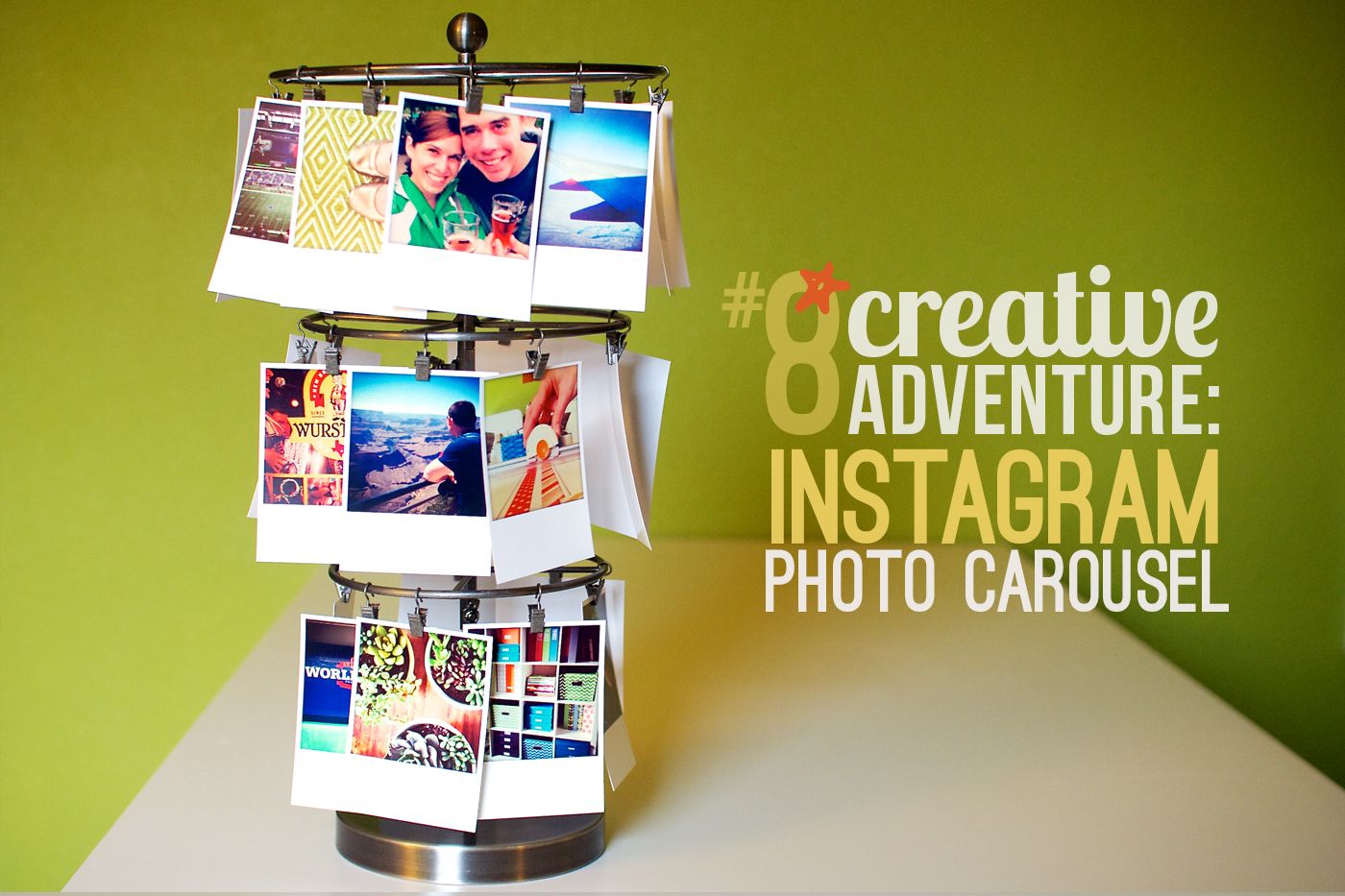
Creative Adventure #8: Instagram Photo Carousel

POSTED ON April 23, 2013 IN 30 Creative Adventures

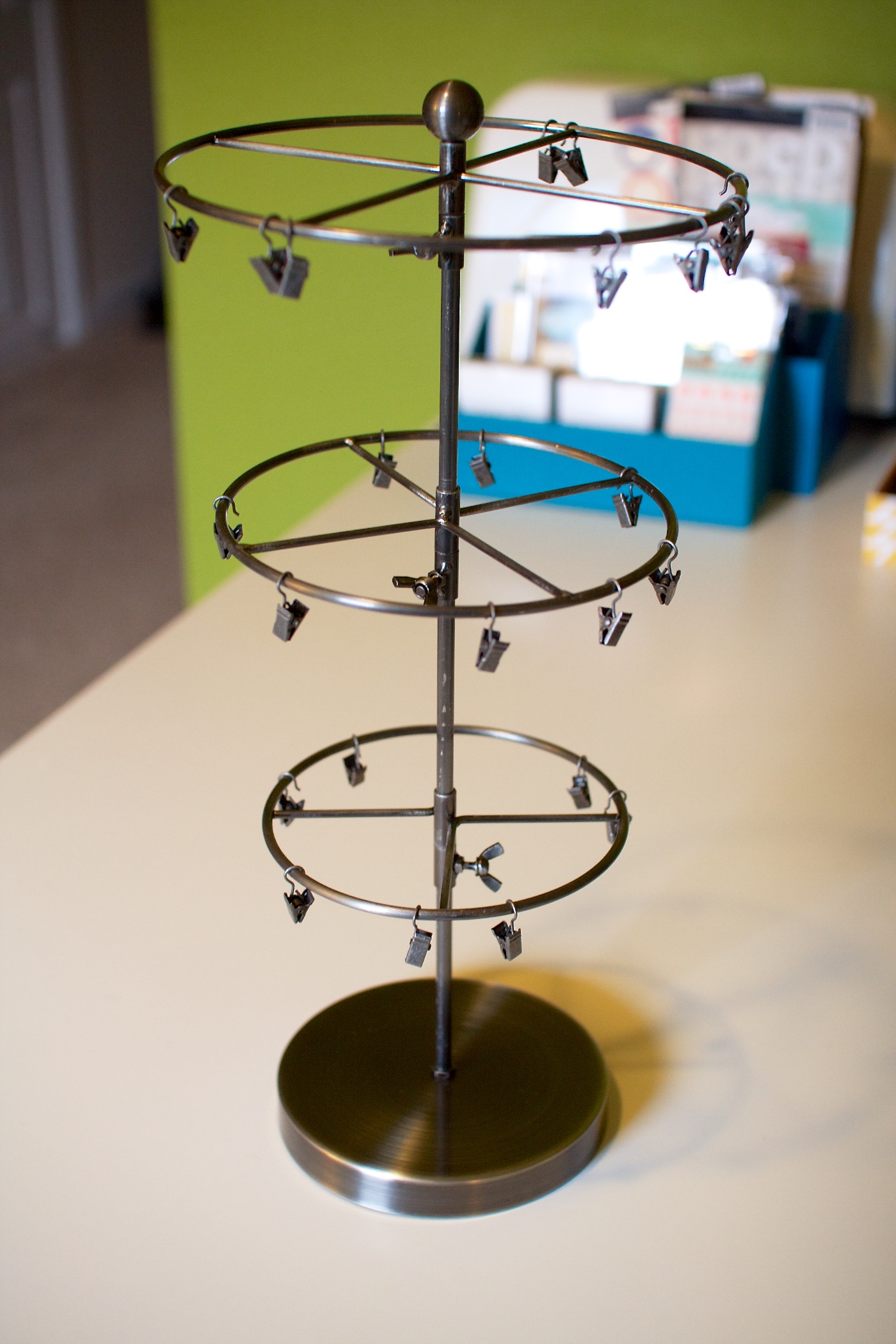
This Creative Adventure actually a started a few years back when on a trip to Archiver’s on a whim I picked up this standing carousel from 7 Gypsies:

I think it’s designed to be a product organizer of some kind but at the time I thought it might be fun to make little hybrid Christmas  to hang from each clip as a Christmas decoration. Of course, that plan never materialized, and for several years now this poor baby has languished away in a plastic tub, unloved and unused.

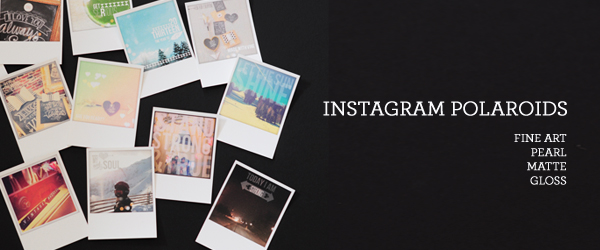
That is until last month when I saw Persnickety Prints now offers polaroid prints of your Instagram photos:

I’ve written about my love for Instagram before so when I saw I could combine two of my favorite things together to make adorable printed photos, I was all over that.

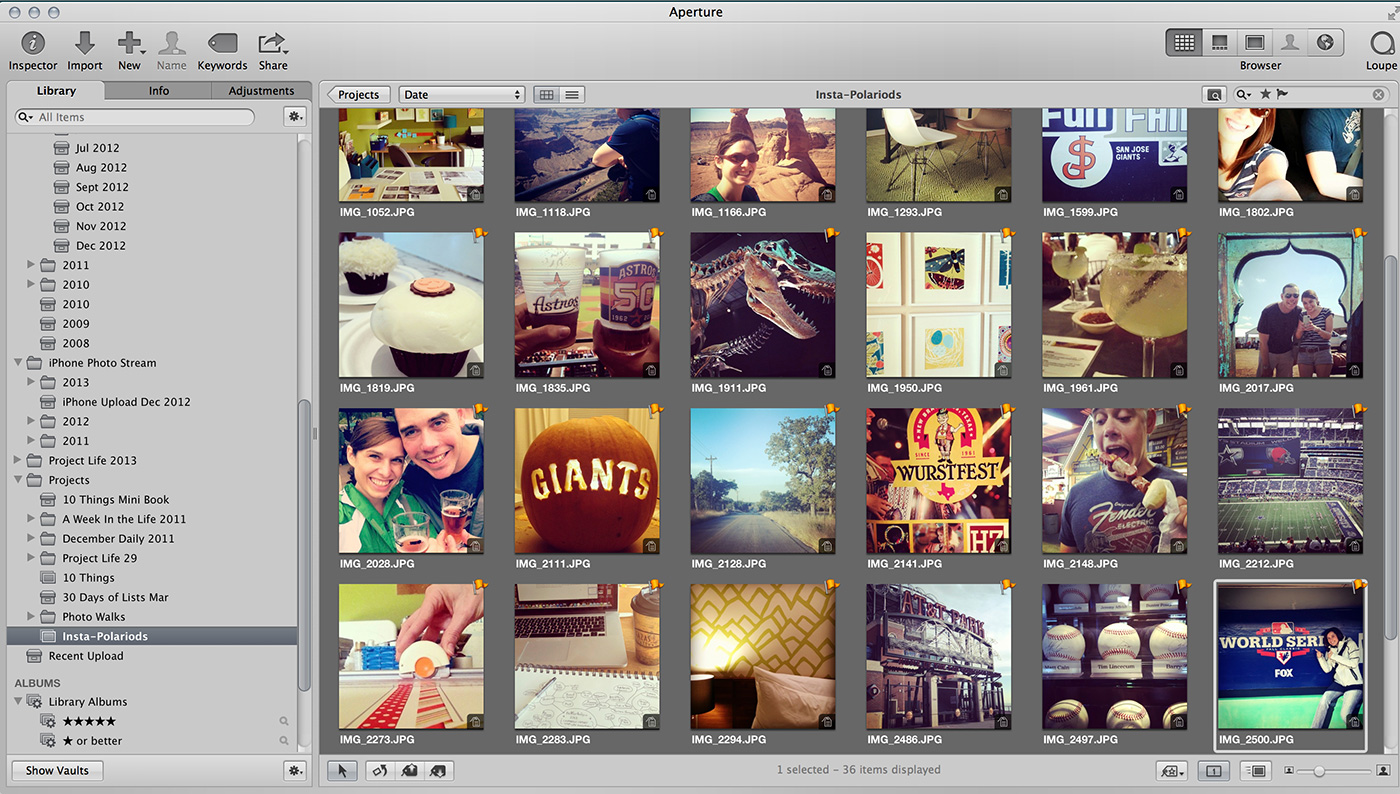
Ordering my Instagram polaroids from Persnickety Prints was pretty straight forward. I have Instagram set up to automatically save all my photos (both edited & unedited) to the camera roll on my iPhone and then all of those photos get downloaded to Apple Aperture thanks to iCloud. All I had to do was browse through my Photo Stream in Aperture and select my fave Instagram photos:

Once I had my fave photos selected, I exported them out into a new folder and uploaded them to Persnickety Prints. Since the carousel came with 25 clips, I ended up ordering 35 different Instagram polaroids so I’d have options later. If you order more than 15 prints as a time, the cost drops to $0.45 a polaroid so in total it cost me about $16 for all 35 prints.

I ordered all of mine on the Matte Cardstock but if you’re curious about all of Persnickety Prints different paper options, Christine has an awesome post on her blog that compares them all.

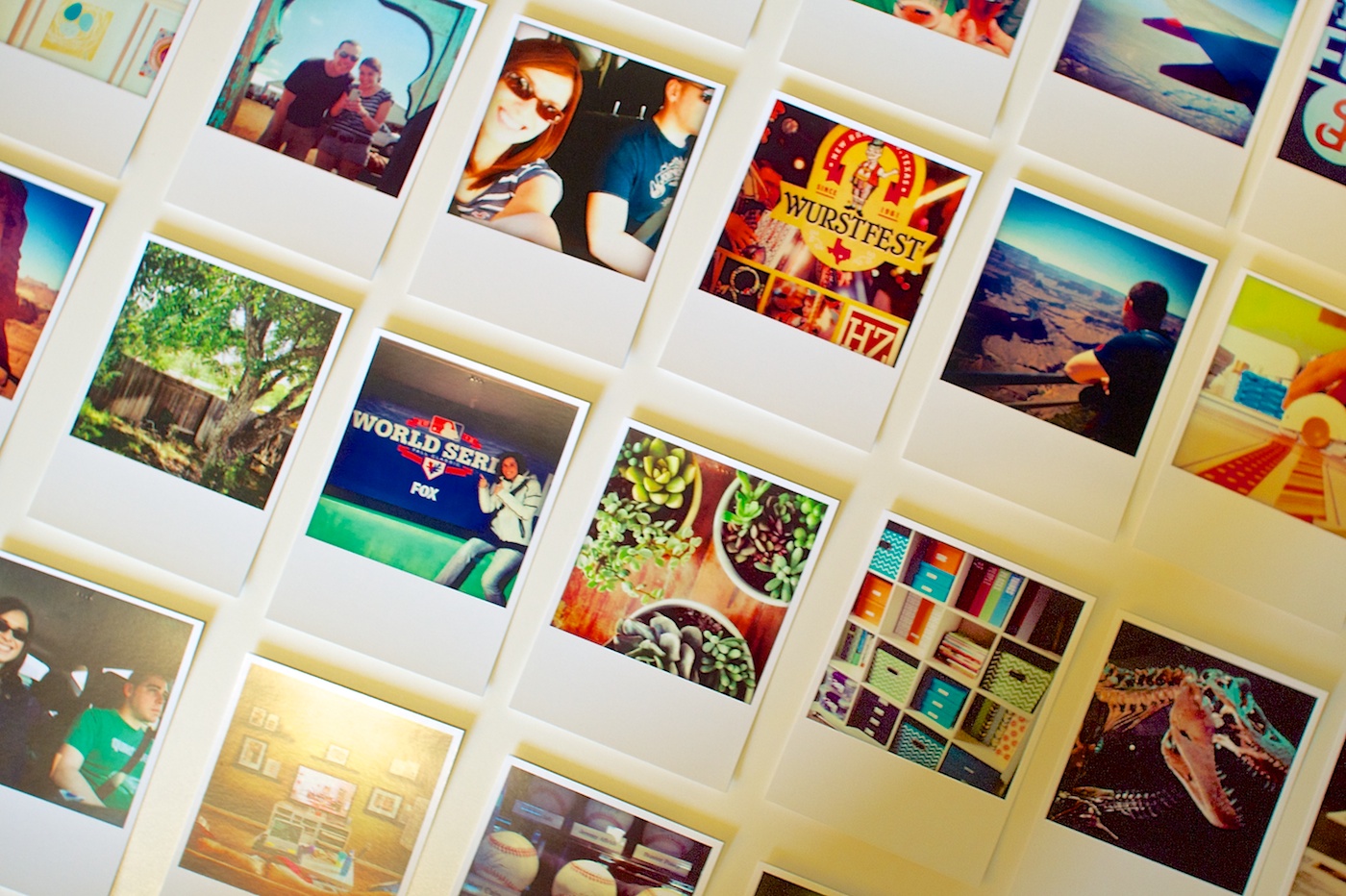
Once my prints arrived, I divided them into two piles: people and things:

Then I laid all my photos out on my desk paying attention to mixing up people and things photos as well as colors and patterns:

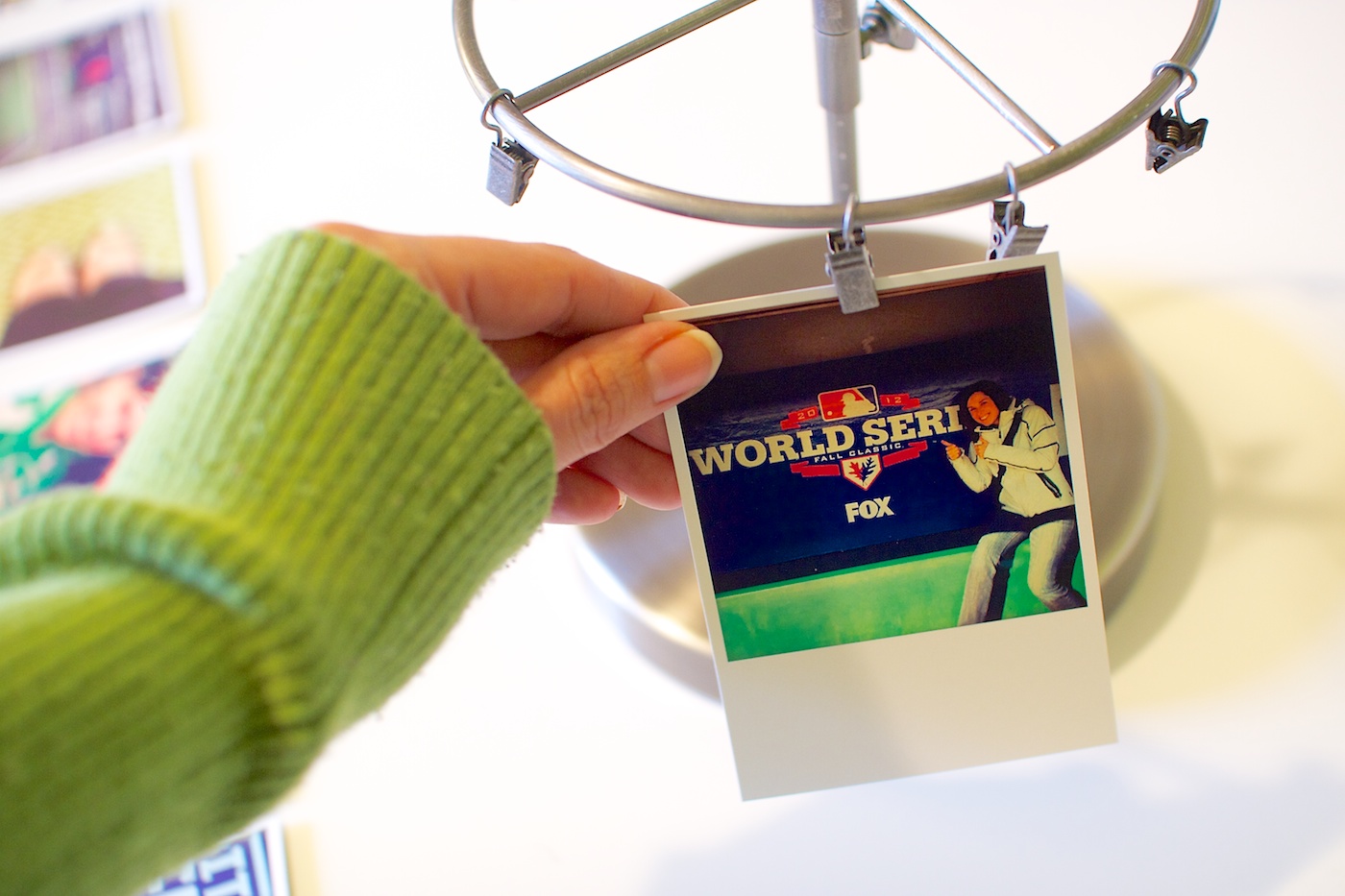
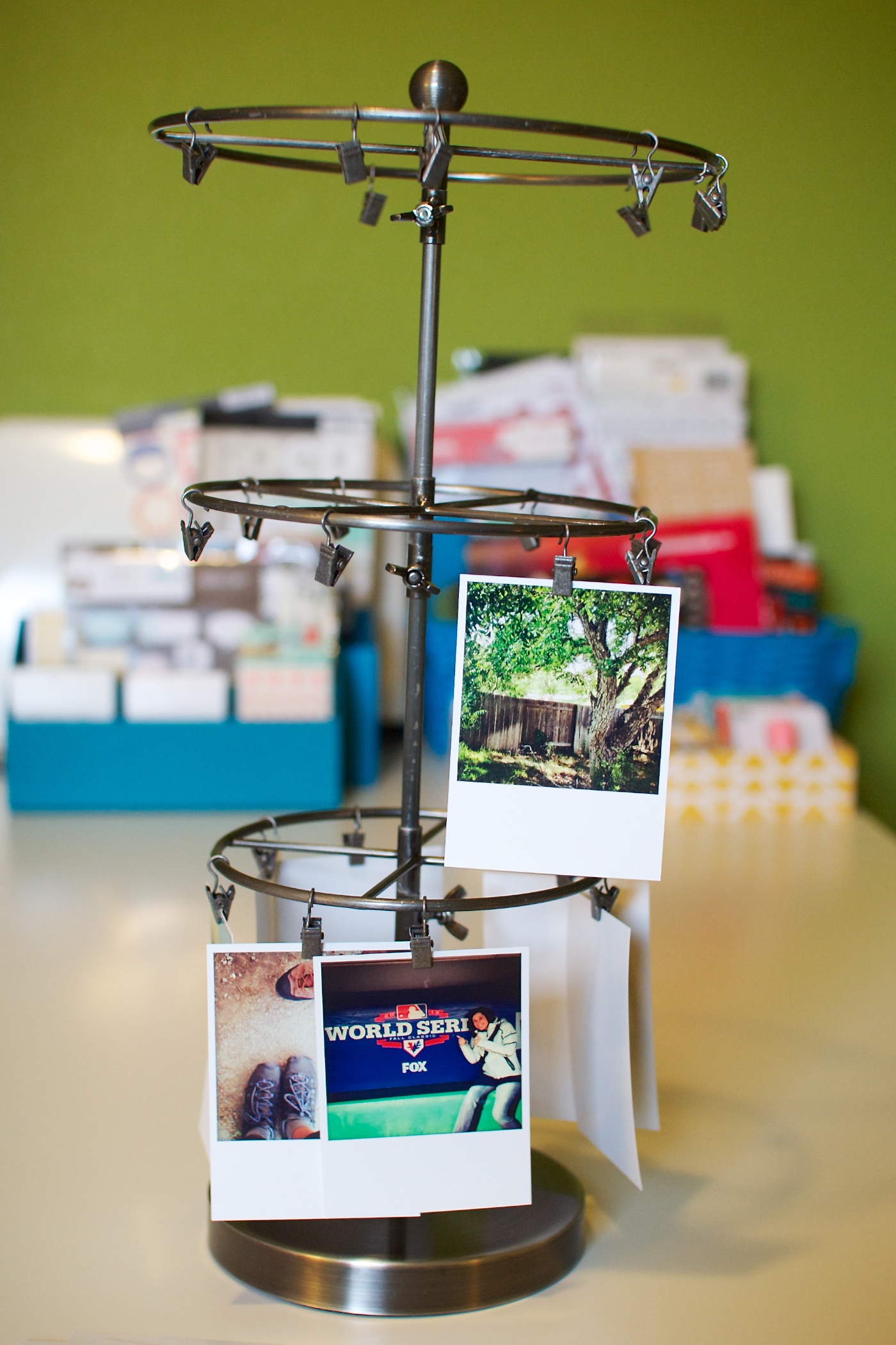
Once I had them in an order I liked, I started clipping them on to the stand, starting with the bottom tier:

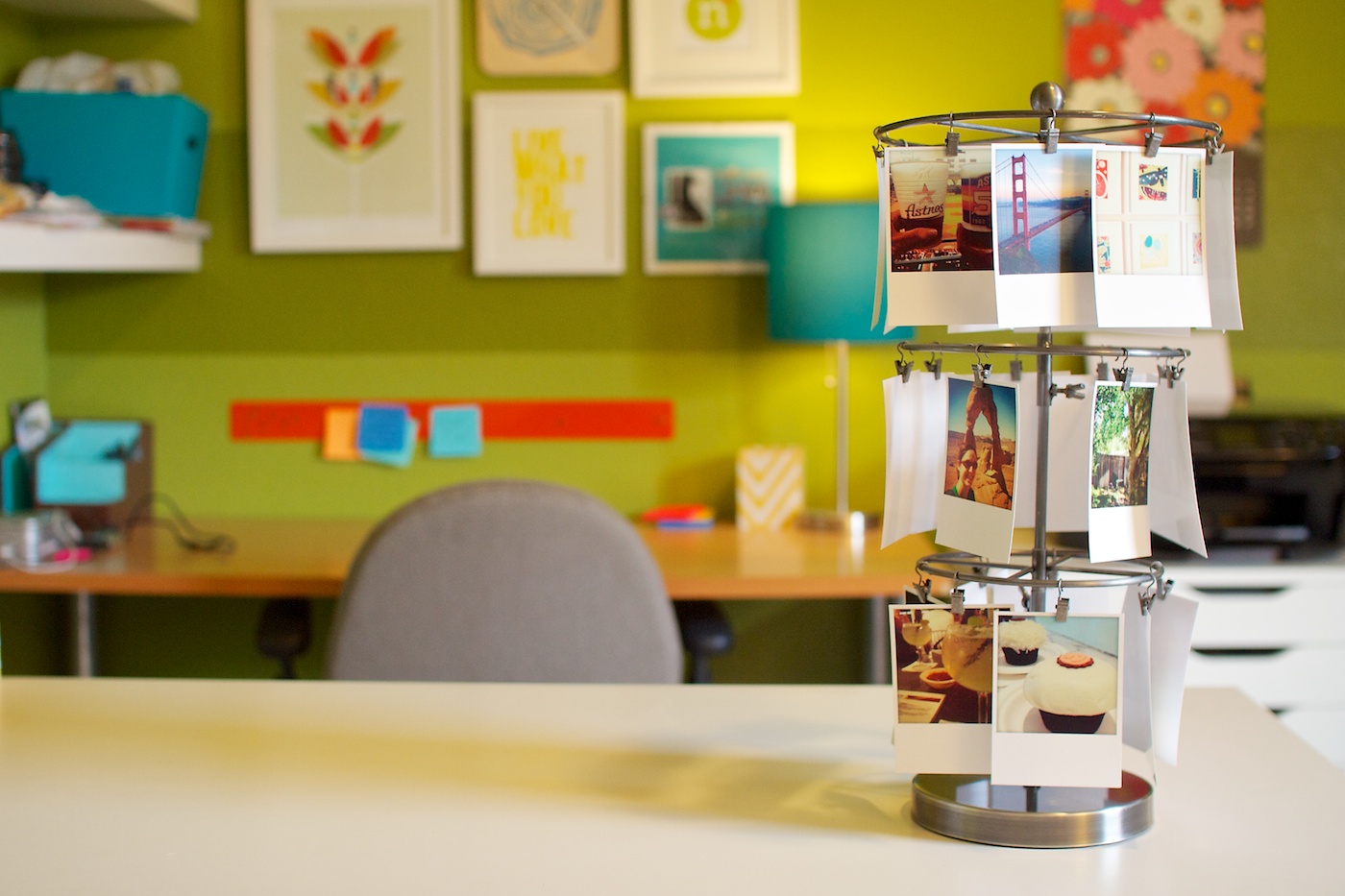
I found it worked best to add the clips to the stand first and then clip the photos onto them there. In total there are 7 clips on the bottom tier, 8 on the middle tier and 10 on the top tier.

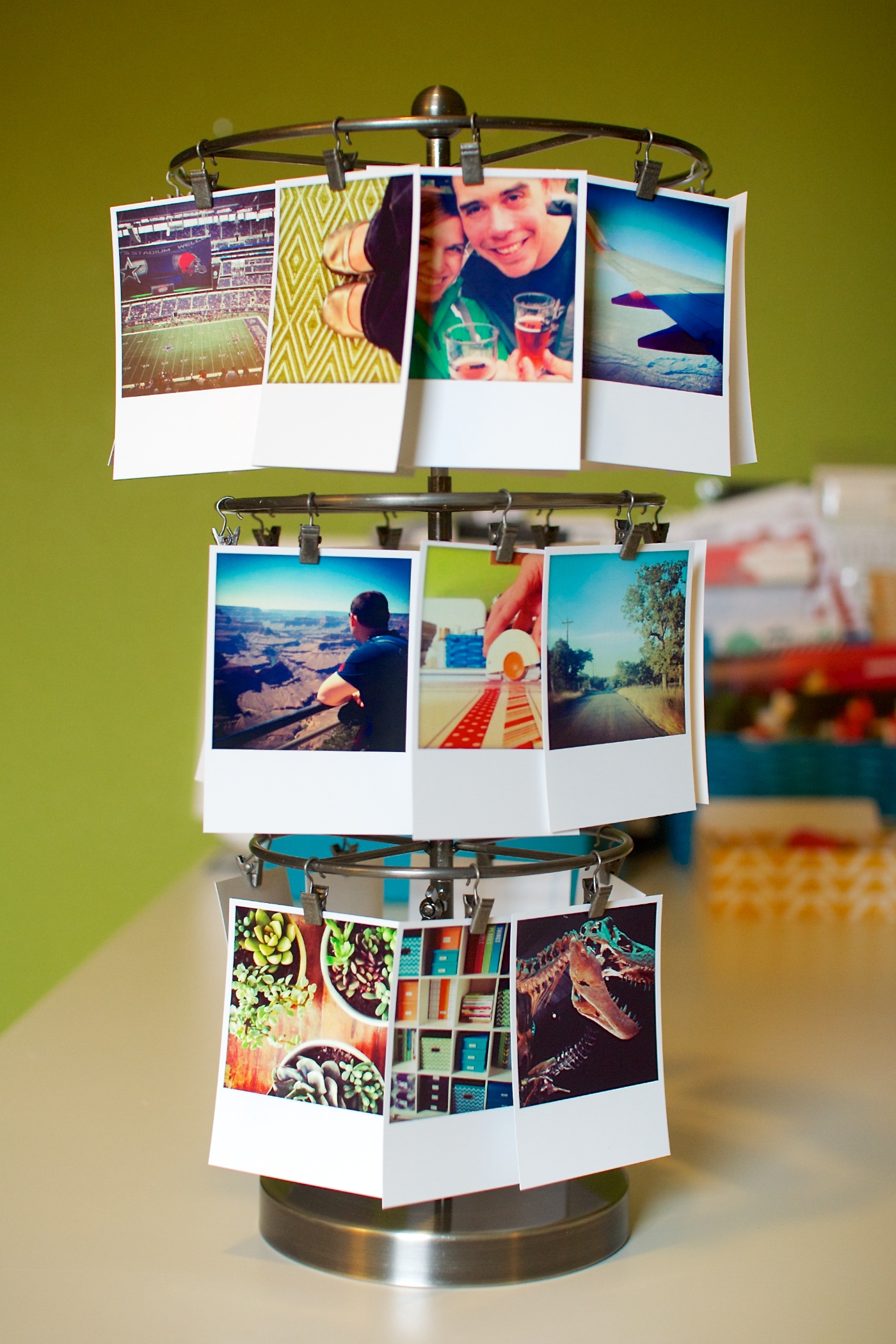
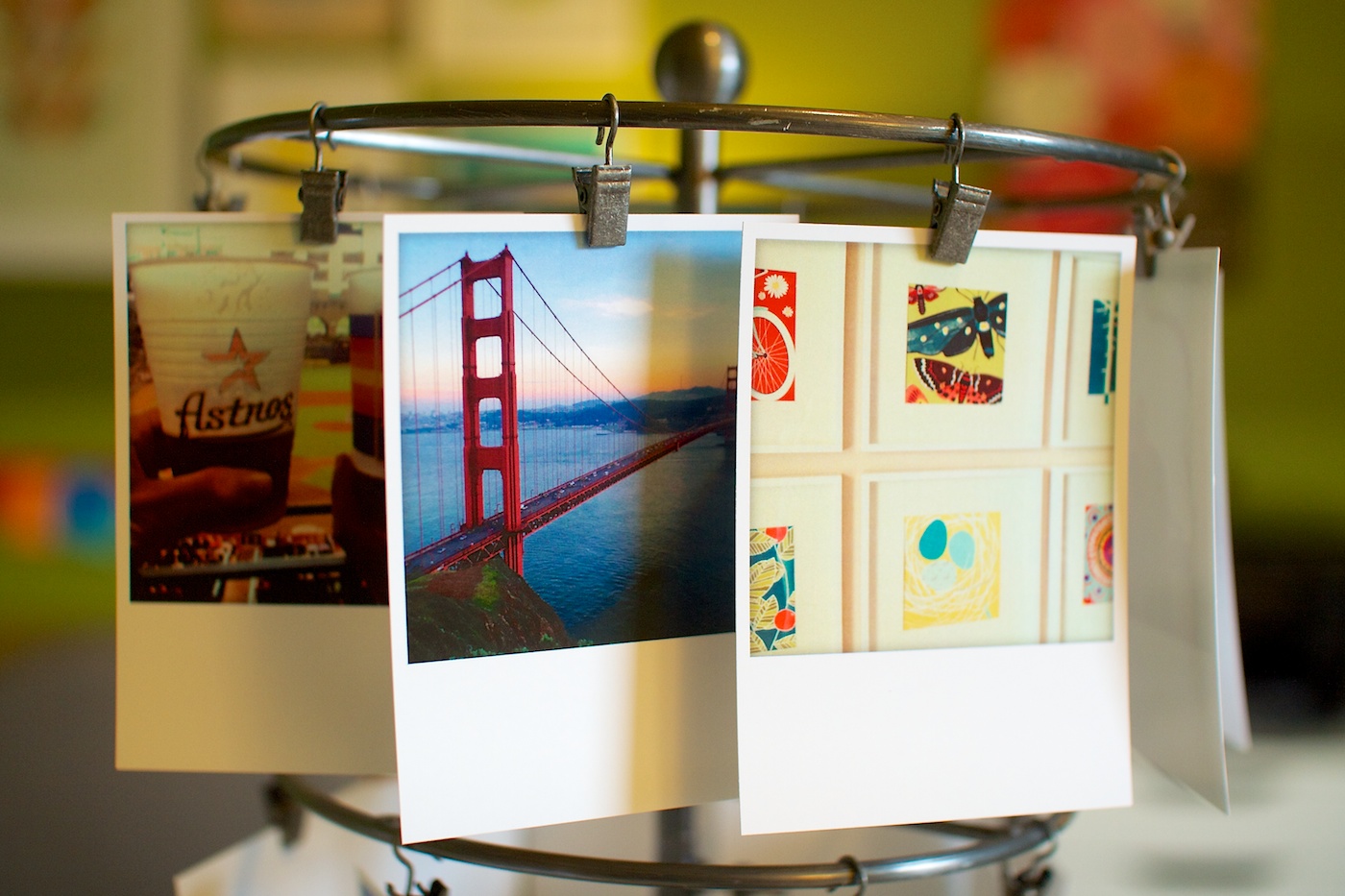
Here’s what it looked like after I’d clipped up all 25 polaroids:

Cute, right? Here’s a close-up of the clipped photos:

If you’re wondering whether the photos move around the stand, the answer is yes, and sometimes they end up hiding behind one another because of that. It doesn’t bother me – I see it as part of the organic charm of the stand – but if you’re super OCD about things staying lined up or equally spaced, it might drive you a little bit nuts, haha.

Right now my Instagram photo carousel is in my office but once we’re no longer having to show our house to future renters, I’ll likely move it downstairs where it can be part of our everyday decor.

All in all this may be one of my favorite Creative Adventures I’ve done to date. I’m sure I probably say that every time, haha, but what I love most about this one is that it’s literally like I took all of my favorite things and clipped them up for all to see. From the outdoors to travel to baseball, beer and cupcakes, it’s all on there and I can’t help but smile every time I see it.

Plus I love that when I tire of these photos, I can easily print out a new batch and swap them out – no messing around with frames or tape or anything. As a lazy photo printer and hanger-upper, you know I’m all over that.

What about you? Have you done anything creative with your Instagram photos?

______________________________________________________________________

ABOUT THIS PROJECT

In honor of my 30th birthday, I’m challenging myself to go on 30 creative adventures before the end of 2013. This is Creative Adventure 8 of 30. You can read all the details behind this project here and find links to all my completed adventures here.

Benefits Of Using Canadian Pharmacy

POSTED IN 30 Creative Adventures

OLW 2013: April Goal-Setting

POSTED ON April 9, 2013 IN Goal Setting, One Little Word

Woohoo, we are one quarter of the way done with 2013! How are you liking setting monthly goals so far?

Me? I’m totally loving it. A month is turning out to be exactly the right amount of time for me to stay excited and complete my goals while still giving me time to make adjustments or scrap a goal completely if I’m just not feeling it that month.

As I mentioned in January when I introduced my One Little Word for 2013, DETERMINATION, every month I’m pairing my one little word with four goals every month, themed around the phrase “This Month I’m Determined To…”, complete with a 6×6-inch inspiration card to keep my goals front & center throughout the month.

You can find templates for making your own monthly inspiration cards here.

This is what my March card looked like:

March 2013: Monthly Goal Update

So how did I do with my March goals?

Well, after the bust that was February, I’m happy to say that I kicked some goal-setting boo-tay in March. The tweaks I mentioned in my March post, like simplifying and making sure I choose goals that are want-to-dos rather than should-dos, totally paid off. Not only did I achieve all of my goals for the month but Adam and I were on such a roll that we managed to check off 6 items from our San Antonio bucket list instead of the two I’d set as a goal.

April 2013 Goal-Setting

So after my goal-setting success in March, what do I have planned for April?

Well, here’s a look at the digital version of my goals inspiration card for April. As always, I printed this card out and have it hanging near my desk in my office so I can be reminded of my goals every day.

This month is a little bit different as Adam will be traveling a bit this month for training. While we’re certainly no strangers to being apart, this will be the first time since we moved to San Antonio. But one of my “rules of military life survival” is that I choose to look at any time we spend apart as an opportunity for my own growth, so while I’m sure I’ll miss him, I’m also excited for the chance to have some new adventures on my own as well.

My One Little Word intention I set back at the start of the year for April was “grow” which is kind of hilarious since I had no idea at the time what April & May would have in store for us. That’s some serendipity, no? So I definitely aimed to pick goals for this month that fit with this idea of growth and I’ve also got an additional “to-do while Adam is away” list of mini goals as well. Should be fun! Once he gets home for good we’ll be in full-on moving mode so I figure I should enjoy this time before things get crazy.

Well that’s it for this April edition of 2013 Goal-Setting! How are you doing with your monthly goal-setting so far this year? Do you have anything excited planned for April? I’d love to hear what you’re up to so feel free to share in the comments below!

Psst…what to get in on the monthly goal-setting action? Pick up your own copy of the 2013 Monthly Goal-Tracker Templates or OLW Goal-tastic 2013 Goal-Setting Bundle at Sweet Shoppe Designs.

Can I take Levitra if I am taking other remedies at the same time

POSTED IN Goal Setting, One Little Word

New Release | FAVE-O-RITES 2013: March Faves

POSTED ON March 30, 2013 IN Memory Keeping, Monthly Faves 2013, Shop News & Releases

Happy Sweet Shoppe Saturday everyone! This week’s release heralds month number three of one of my absolute FAVE (pun-intended) scrapbooking projects: the Monthly Faves!

For those new to Nettio Designs & the Faves, my Monthly Faves project is a year-long scrapbooking project where each month you scrapbook one layout documenting your top-ten favorite things from that month. Your faves can be anything: events, food, tv shows, technology, clothing – the sky’s the limit!

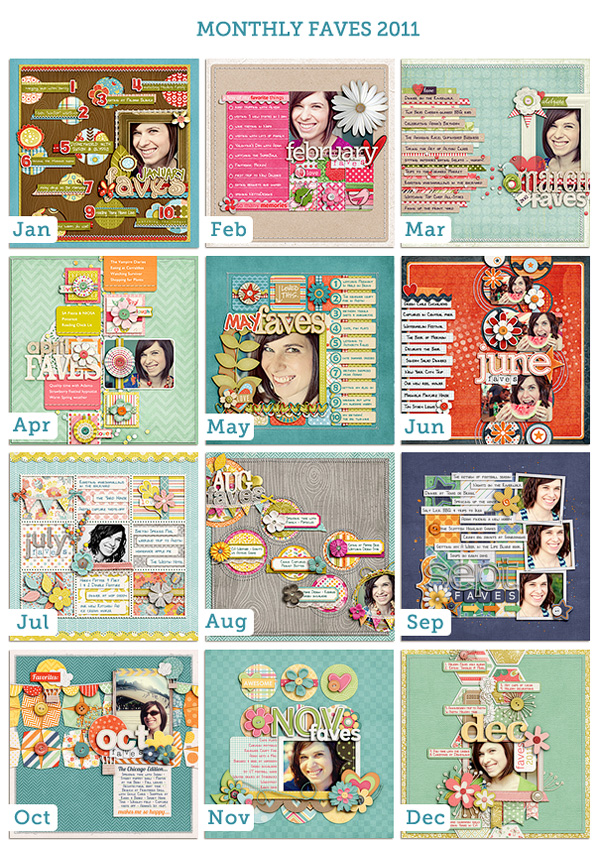
I’ve done my Monthly Faves project twice before, once in 2009 & again in 2011 and I can’t even tell you how much fun it is to look back on those layouts and see what’s changed and what’s stayed the same. It’s like a mini time-capsule of your favorite things from way-back-when.

Nettio monthly faves 2011

I’ve written before about why I believe everyone should scrap a Faves layout but here’s the cliff-notes version:

Because scrapbooking lists is fun
Because you don’t remember nearly as much as you swear you do
Because it captures an easy snapshot of your life at the moment
Because it’s the easiest All About Me layout you’ll ever do. Seriously.

And this year I want to make it even easier for you to creatively capture your faves. So I’ve changed the way I release my Monthly Faves digital scrapbooking templates.

Rather than saving them up and releasing them in a multi-month pack at once, this year on the last(ish) Saturday of every month, I’ll be releasing that month’s Faves layout as a new Sweet Single template. Which should give you plenty of time to capture your Faves for that month before the new month arrives.

Which brings me to this week’s release…

FAVE-O-RITES 2013: March Faves

This week’s release is the second FAVE-O-RITES Sweet Single digital scrapbooking template of the year, FAVE-O-RITES 2013: March Faves. It features room for one photo of your lovely smiling face, your top 10 faves for this month and a bold patterned paper-lovin’ sunburst design.

Here’s a bigger look at my 2013 Mar Faves layout that inspired this template. As you can see, my faves list is super random, which is exactly what I love! It’s not something you have to stress out over: make a list of 10 things, scrap it and boom, you’ve captured an easy snapshot of YOU in your scrapbooks. Just think how much fun it’ll be for you or your kids & grandkids to look back on one day!

Team Awesome Inspiration

Of course my team had a ton of fun this month scrapbooking their own take on the Mar Faves:

New Release Discount: SAVE 20% thru Saturday

As with every Sweet Shoppe Saturday, you can save 20% off all new releases thru Saturday.

Want to save 20% off this weekend?

Pick up FAVE-O-RITES 2013: March Faves here today!

Well that’s it from me today! Have a great weekend everyone!

Can diabetes cause erectile dysfunction

POSTED IN Memory Keeping, Monthly Faves 2013, Shop News & Releases

Project Life 2013 | Weeks 9 & 10

POSTED ON March 22, 2013 IN Project Life

Welcome to Project Life, Weeks 9 & 10.

My apologies for the delay in getting this posted this week. I decided to try something different this time and sent all of my photos and cards out for printing through Persnickety Prints and well, waiting 5 days for shipping kind of through me off my game. I’ll share more of my thoughts on sending my Project Life prints out at the end of the post, but for now let’s get on to the pages!

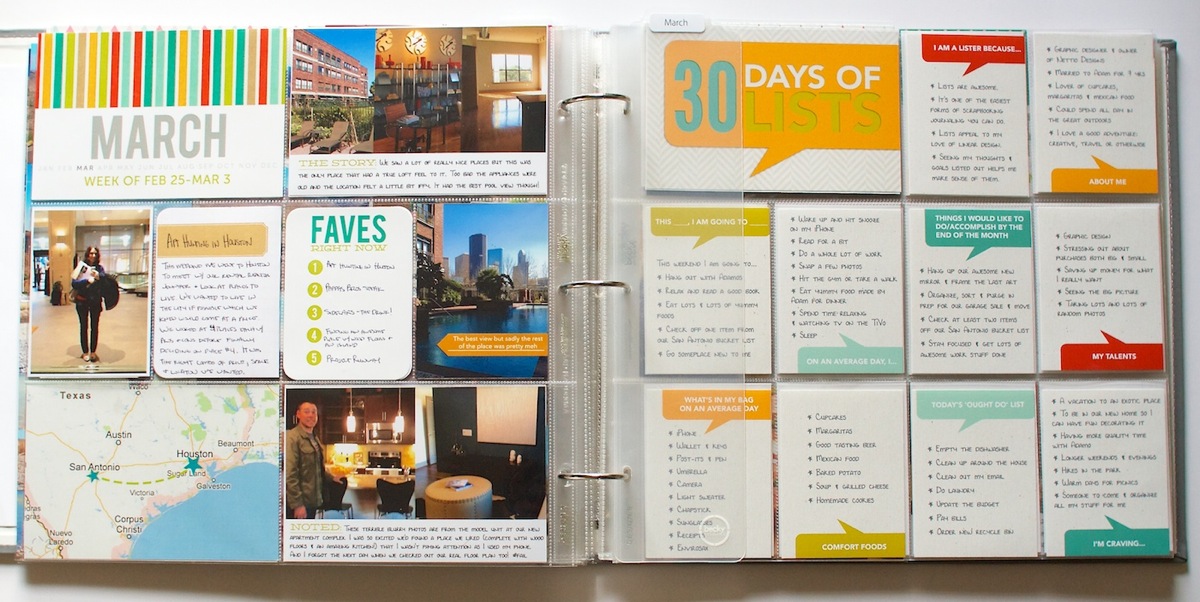
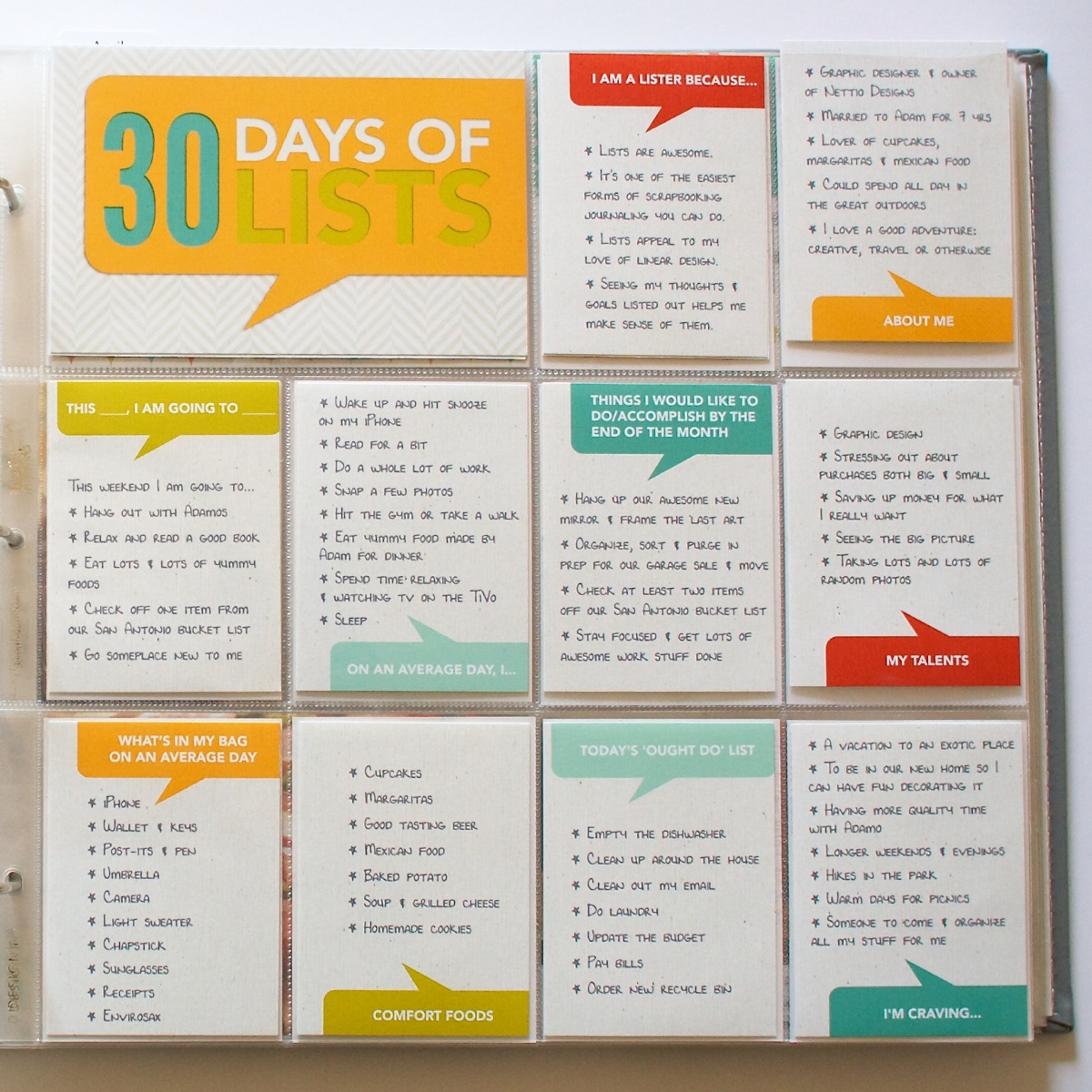
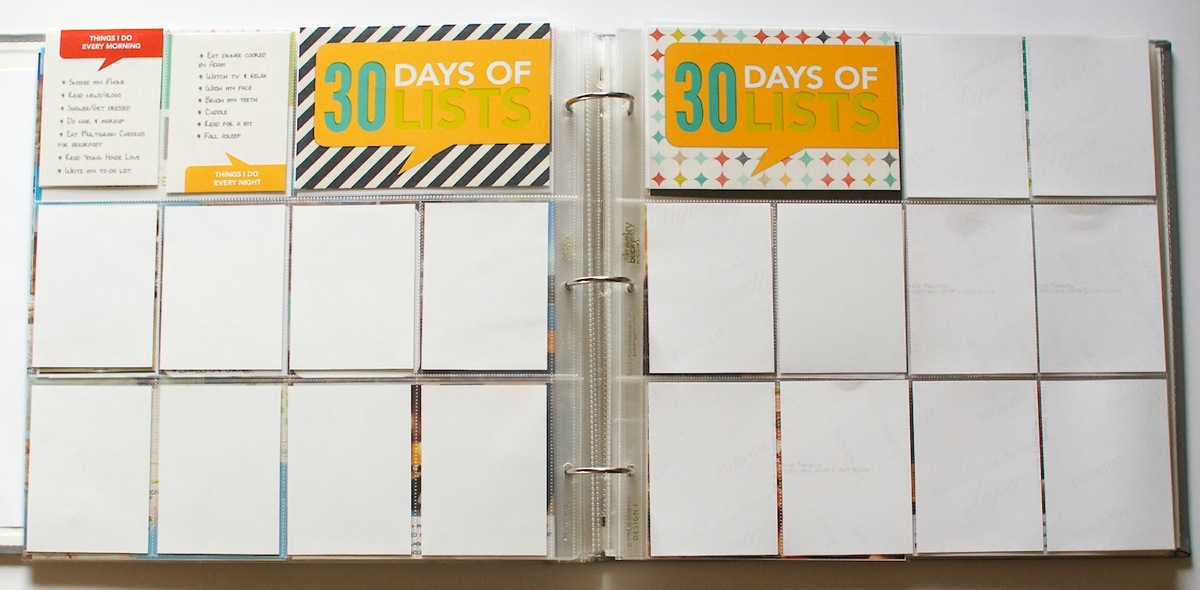
I mentioned in my 30 Days of Lists post that I was going to be incorporating my lists into my Project Life. Well here’s a look at how I’m doing that. Since I needed three page protectors for my 30 Days of Lists, I decided to create a half page for my Week 9 and use the right side of the Week 9 spread for the start of the lists.

Week 9: Feb 25-Mar 3

Nettiodesigns ProjectLife Wk9 10 7

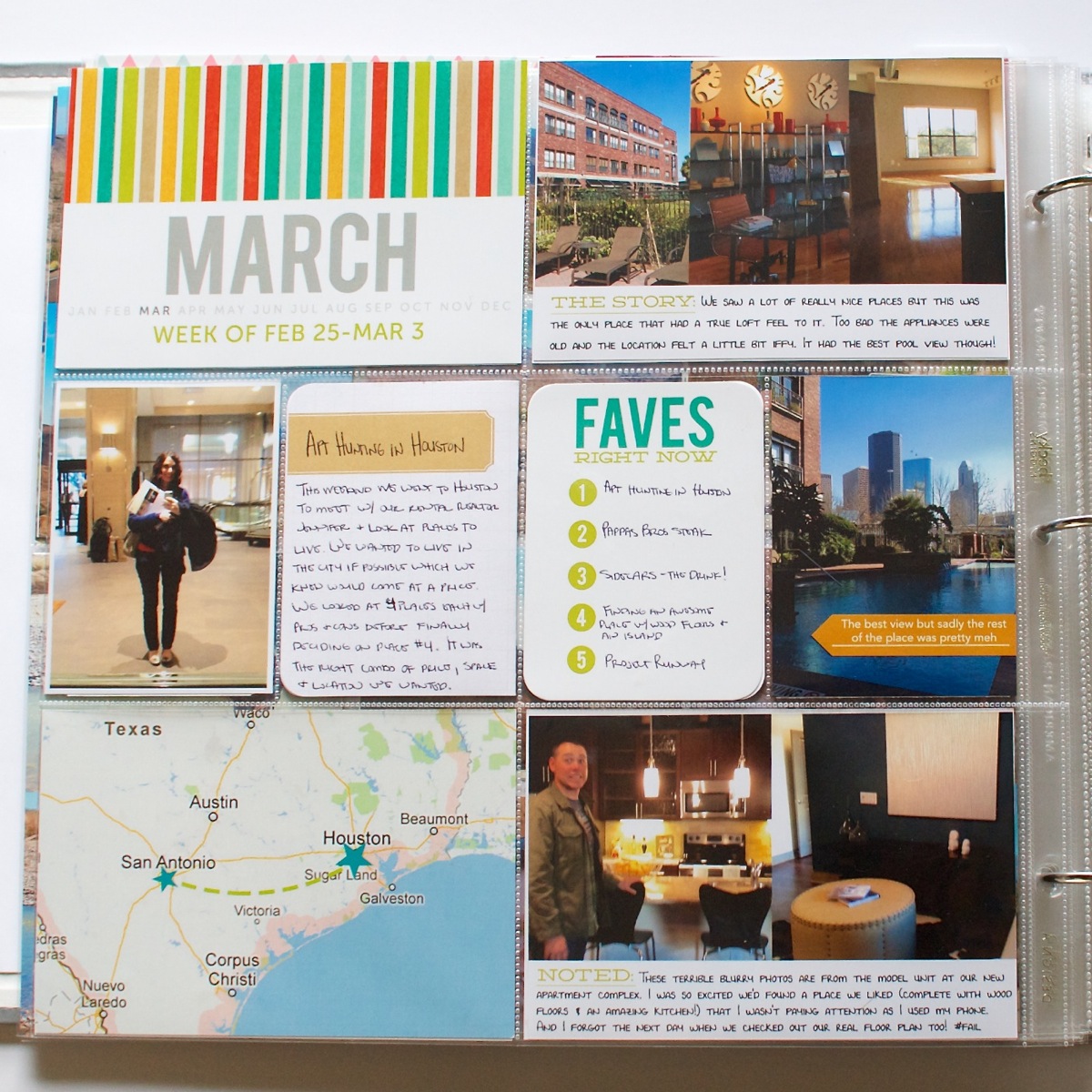
Here’s a closer look at my Week 9 page. Since I didn’t take a ton of regular photos this week, I decided to focus on our weekend apartment hunting trip to Houston.

Nettiodesigns ProjectLife Wk9 10 9

Both the story & noted cards are from my Bits & Bytes: 4×6 Journalers – Graphic mini template set. I can definitely see these becoming one of my most used products this year. The March title cards are all from my Bits & Bytes: 4×6 Weekly Title Card mini templates and all the digital papers from those are from the Oh Snap! digital scrapbooking kit by Libby & Shawna. The yellow arrow, which I added a drop shadow to and had printed directly on the card, is from Mari’s Today 2.0 Arrows digital element pack.

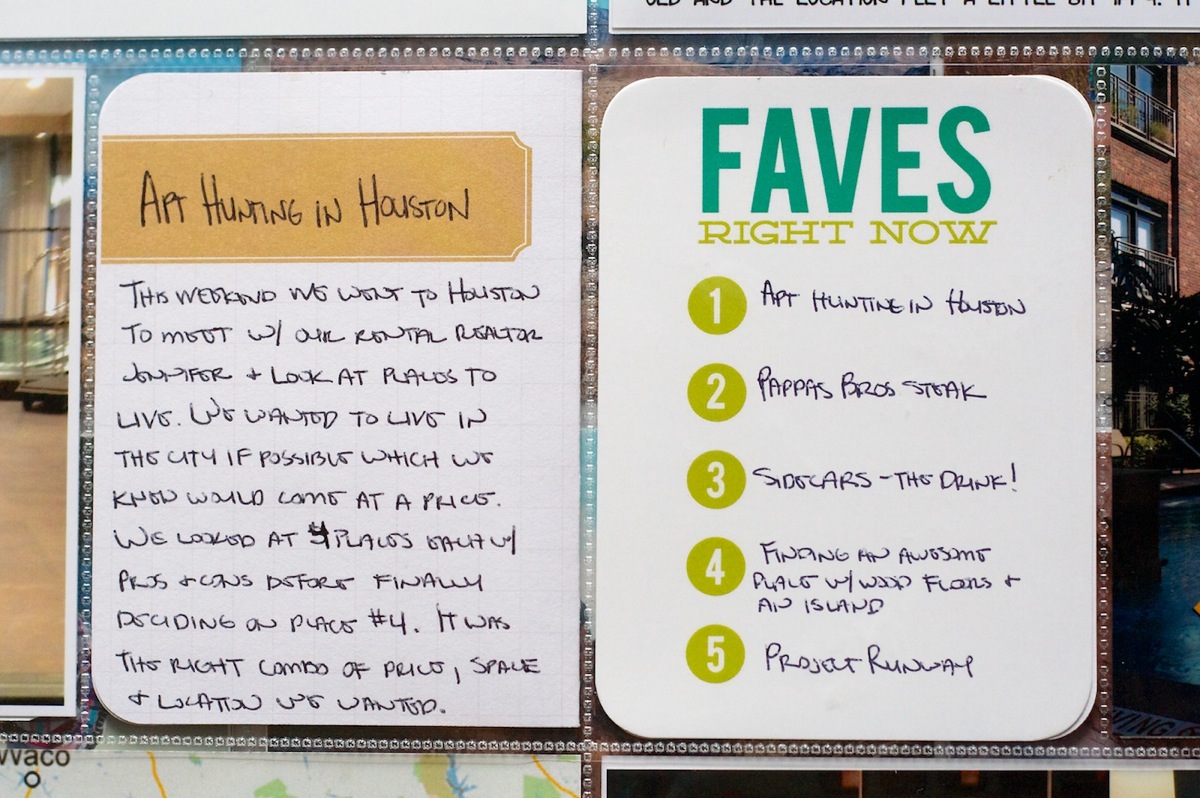
One of the things I decided to try when I sent out my prints was having a bunch of blank Faves cards printed and then handwriting my Faves onto them. What I didn’t love is that their “cardstock” isn’t what I’d call cardstock. It has a coating on it that made it really tough to write on with a pen which kind of defeated the purpose.

Nettiodesigns ProjectLife Wk9 10 10

As much as I love the bolder colors on the Faves card and the simplicity of writing my lists out, I’m not sure I’d have these printed like this again. I may even go back and reprint them with my lists already on them just to keep things consistent.

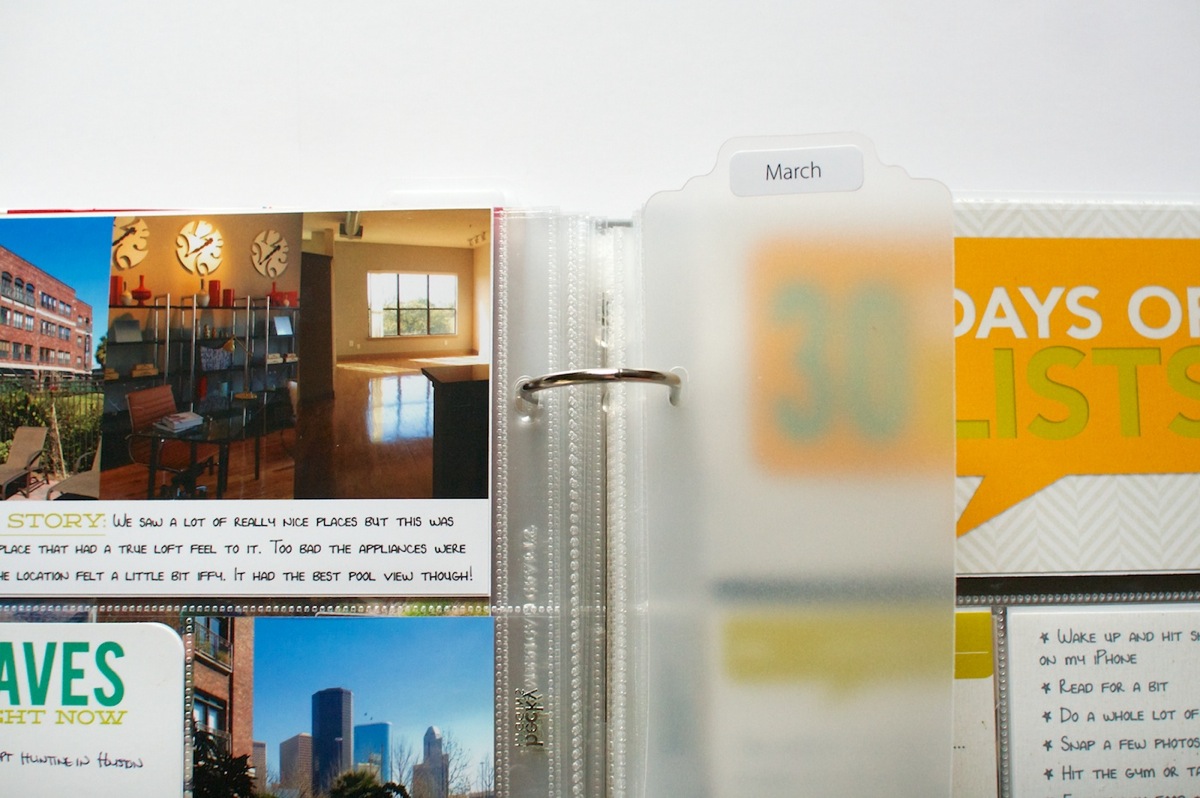
This week I also decided to add back in the monthly Project Life section dividers. I had them in my album originally and took them out since I didn’t feel like I needed them but after 3 months of Project Life, they’re definitely helpful in getting to the correct section.

Nettiodesigns ProjectLife Wk9 10 8

Here’s another look at the right side of the spread – the 30 Days of Lists cards. If you missed my original post about the 30 Days of Lists project, you can find my original post here. All of these cards were made using the templates from my Bits & Bytes: Say What 3×4 Card mini templates in case you’d like to make your own.

Nettiodesigns ProjectLife Wk9 10 11

Here’s what the other two pages of 30 Days look like. I’m batch printing my cards so I haven’t added any additional ones just yet.

Nettiodesigns ProjectLife Wk9 10 12

Week 10: Mar 4-10

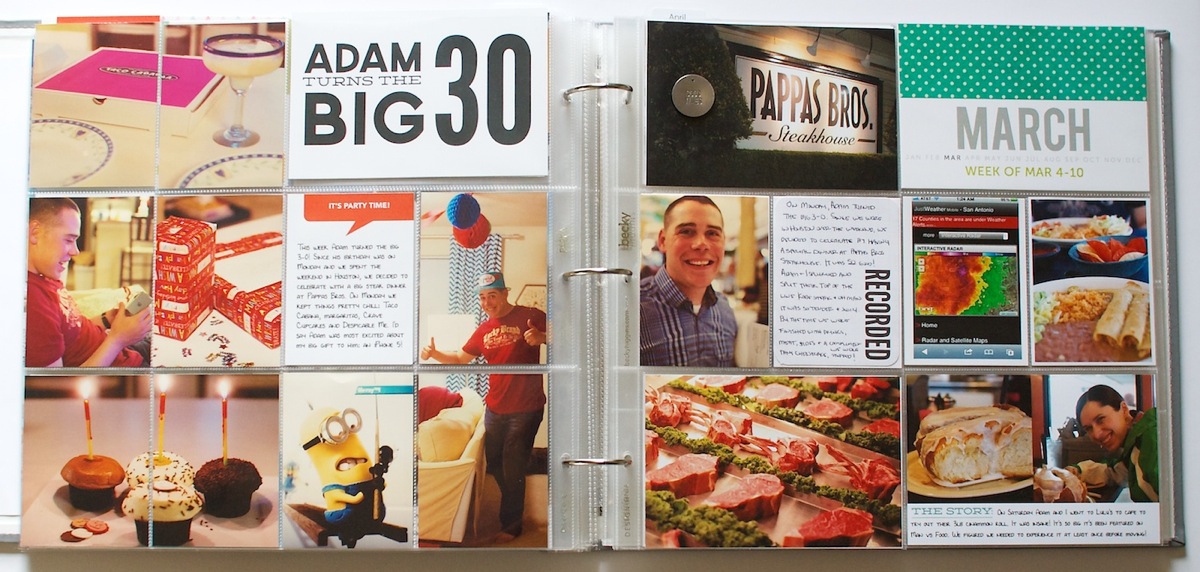
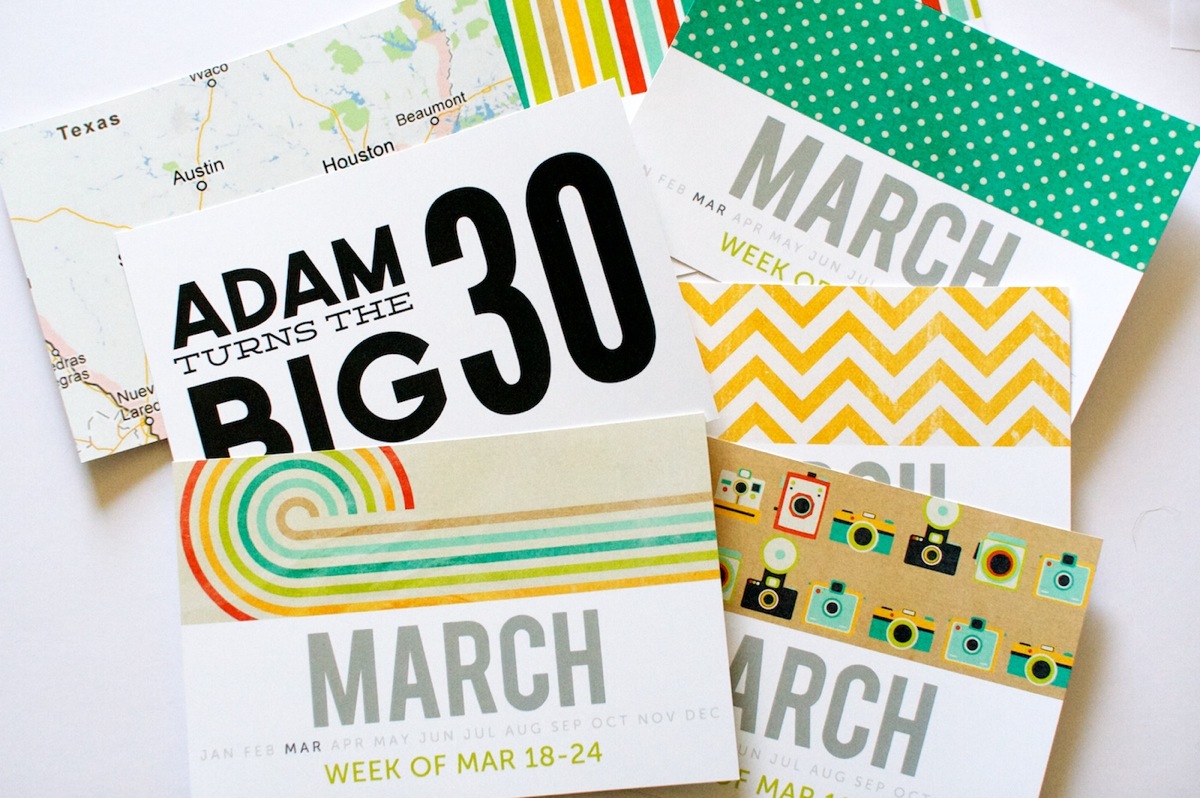
The big event this week was Adam turned the big 3-0 on March 4th! Since his birthday was on Monday, I devoted the entire left side of the spread and an insert for the invent and then used the right side of the spread for regular photos from the rest of the week.

Nettiodesigns ProjectLife Wk9 10 13

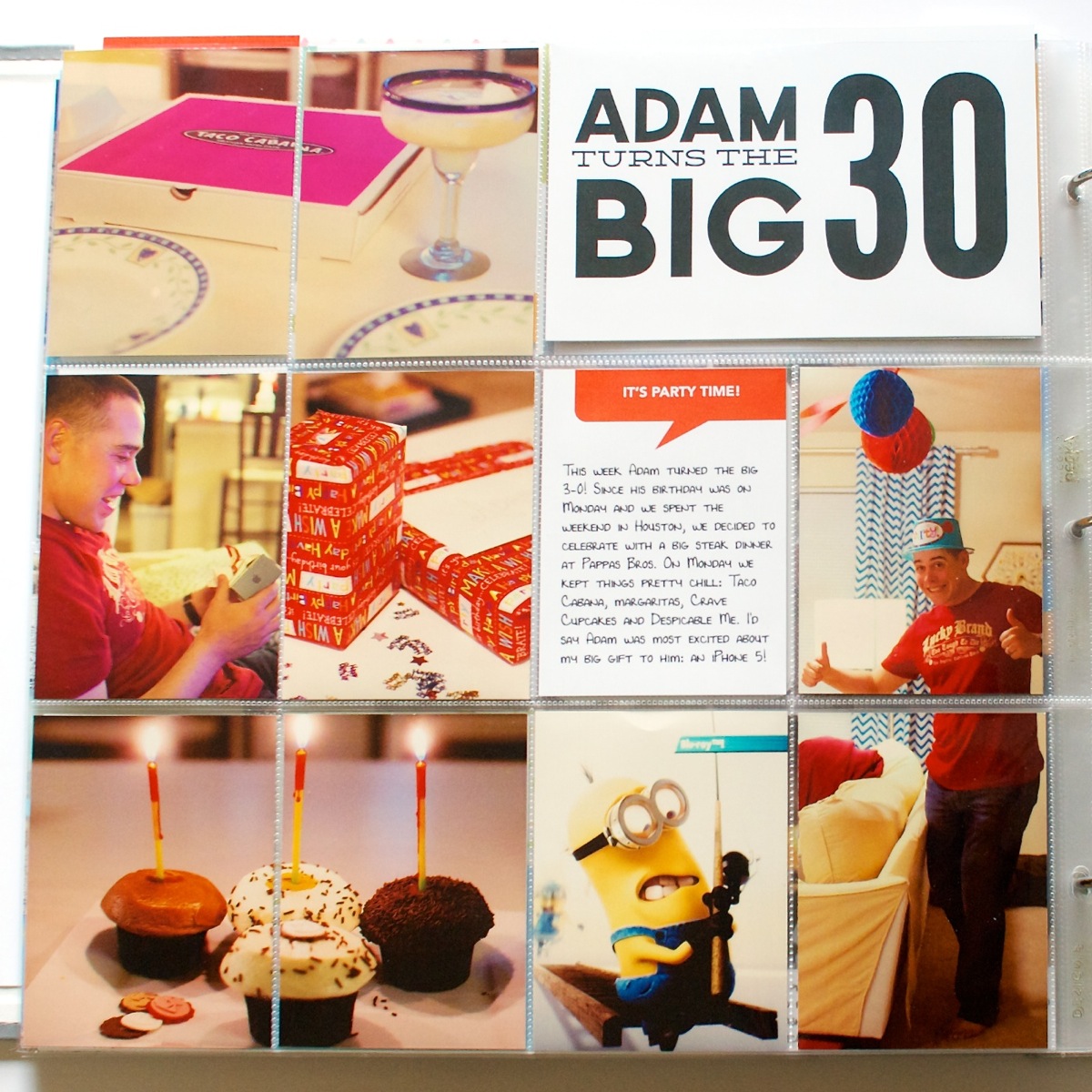
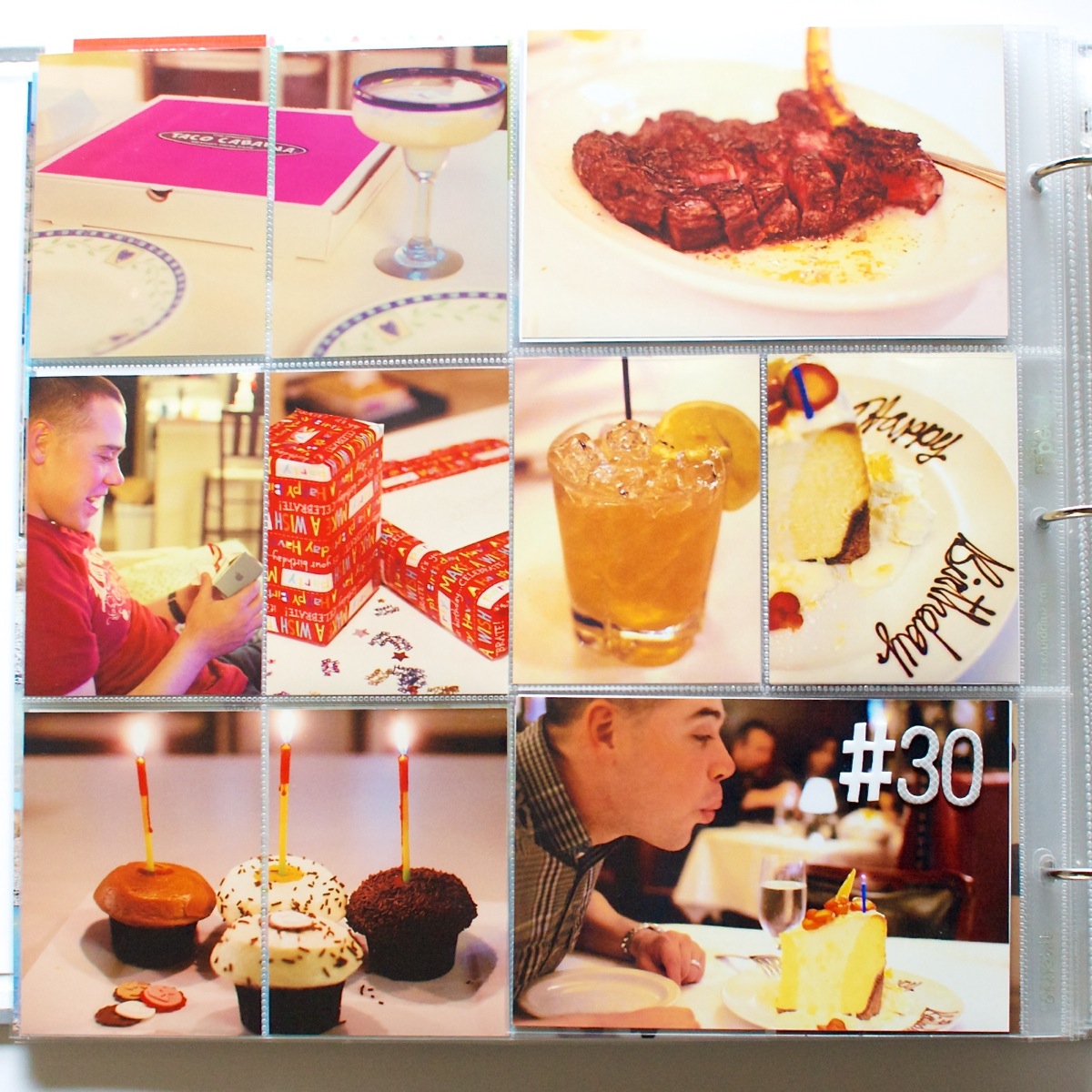
Here’s a close up of the left side 30th birthday spread:

Nettiodesigns ProjectLife Wk9 10 14

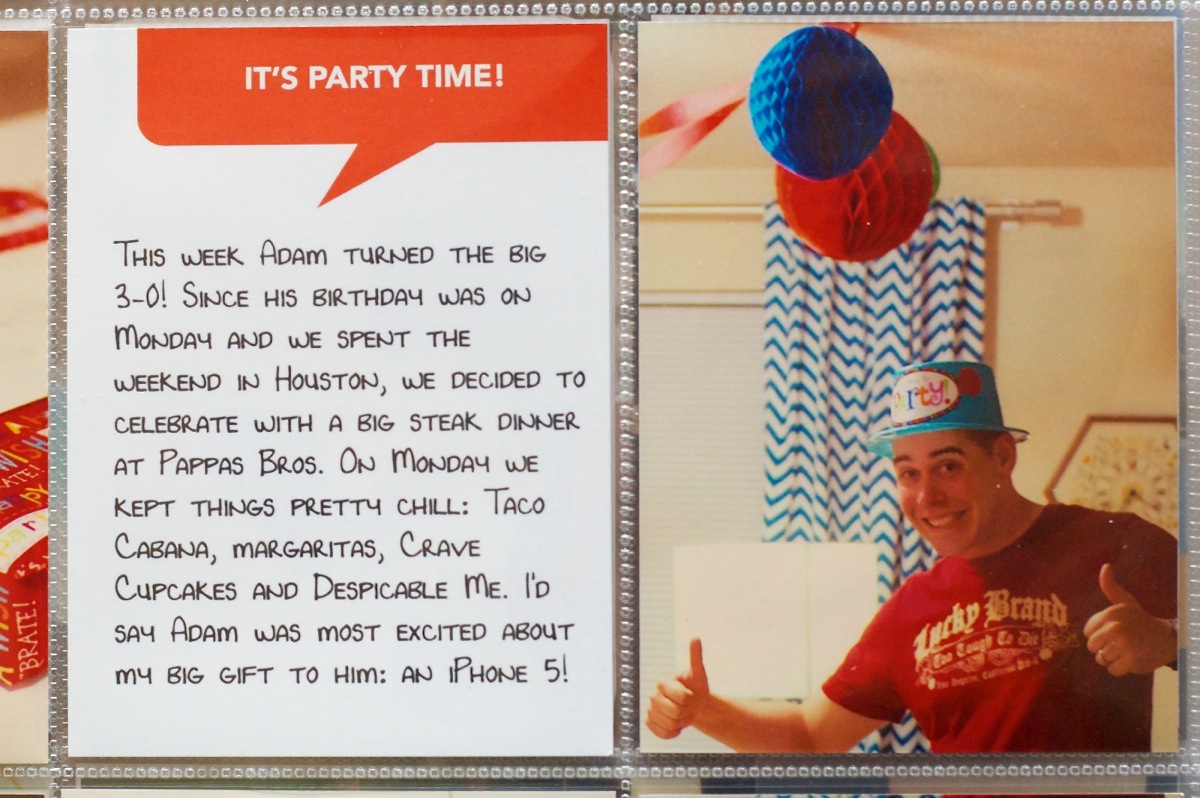
Our big birthday celebration meal happened over the weekend so Monday night we kept it pretty low key: Taco Cabana fajitas, margaritas, Crave Cupcakes (which we’d picked up the day before in Houston) and Despicable Me which Adam picked to watch. I bought him a new iPhone 5 for his birthday and he was really excited to be upgrading from my old iPhone 3GS finally.

Scrapbooking-wise: I’m totally diggin’ the chopped vertical 3×4 photo – will definitely be using that technique again.

On this page I also included another one of my Bits & Bytes: Say What 3×4 Cards in his fave color: red.

Nettiodesigns ProjectLife Wk9 10 15

In the middle of the spread I included a Project Life insert showcasing photos from his big 30th birthday dinner. Since it technically happened on Saturday, it should be in Week 9 but I decided it made more sense to include it with the other birthday stuff in Week 10.

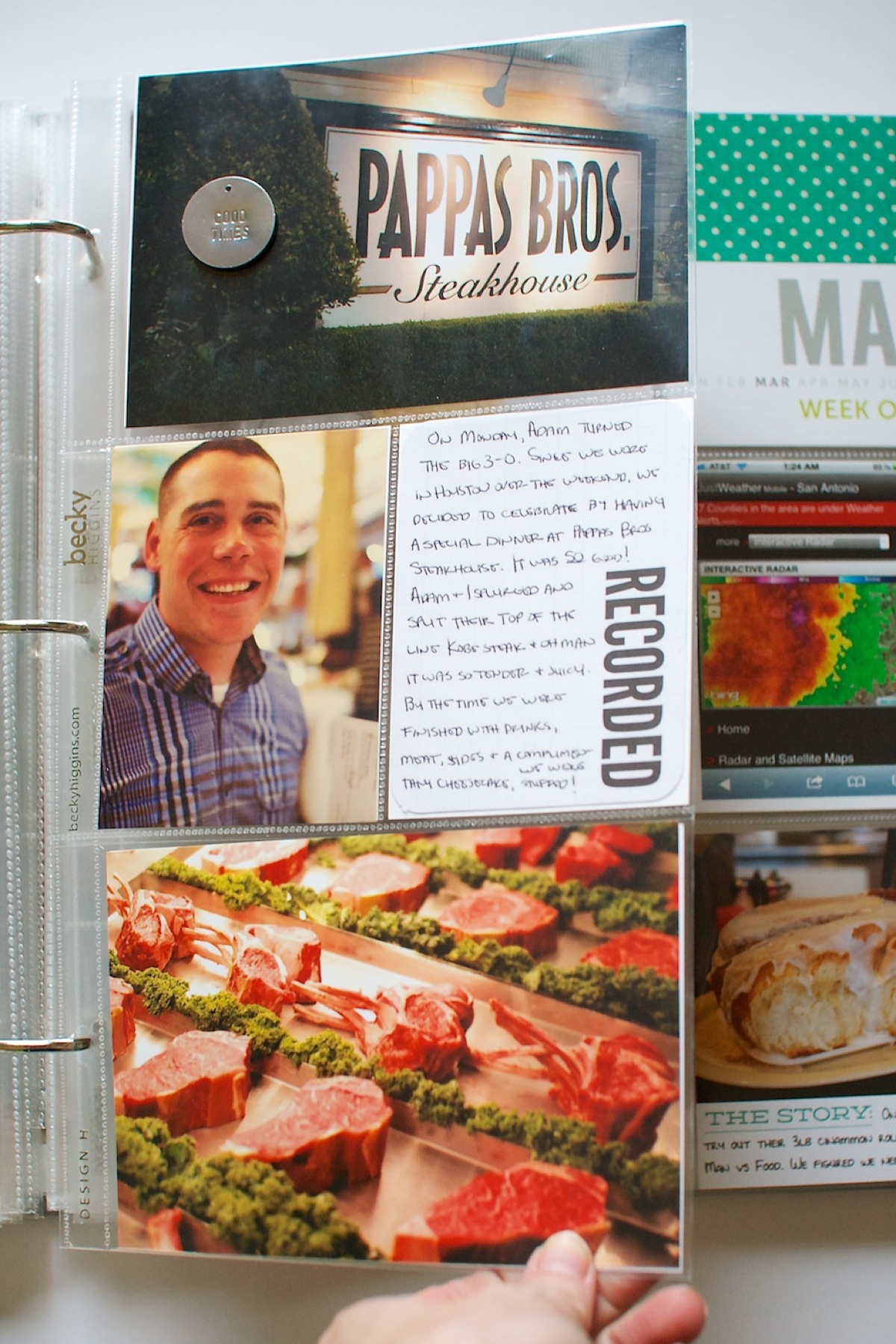
One of our 30th birthday traditions has been to celebrate with a fancy expensive meal. For my 30th birthday last year we went to Uchiko in Austin (which is Top Chef winner Paul Qui’s restaurant). For Adam’s birthday he chose to go to Pappas Bros. Steakhouse in Houston. We’d been once before but it was fun to go back!

Nettiodesigns ProjectLife Wk9 10 16

The photos on the right side of this image are the backside photos of the insert. Adam and I split one of their Kobe beef steaks and OMG, it was SO good. By the time they brought him complimentary dessert we were stuffed.

Nettiodesigns ProjectLife Wk9 10 17

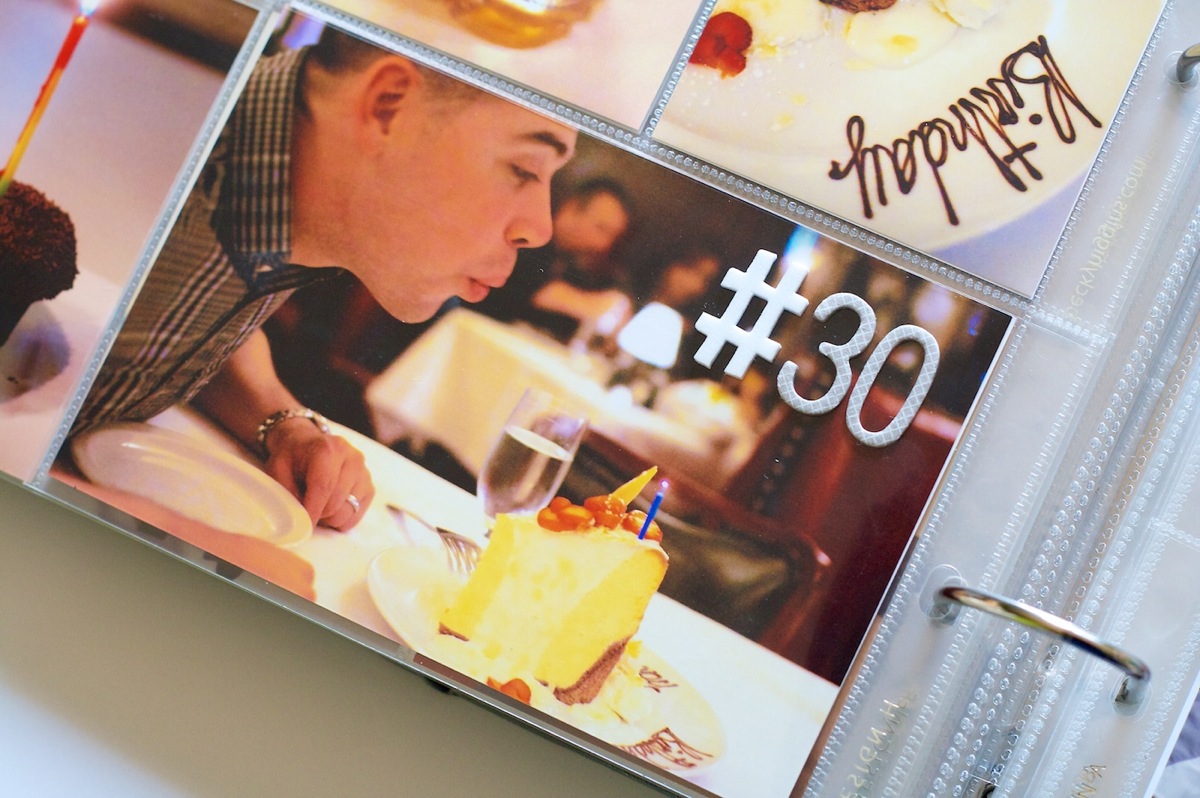
I added a couple Thickers on here to mark his birthday. I didn’t realize so many alphas didn’t include the number symbol! This was the only one I found in my stash.

Nettiodesigns ProjectLife Wk9 10 18

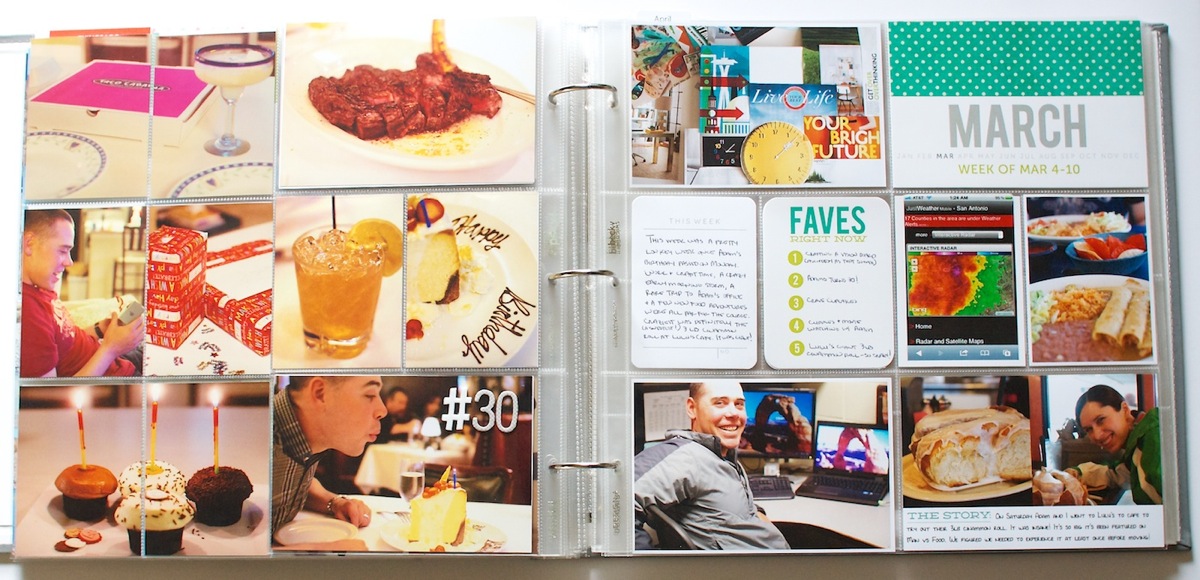
Here’s a look at the completed Week 10 spread:

Nettiodesigns ProjectLife Wk9 10 19

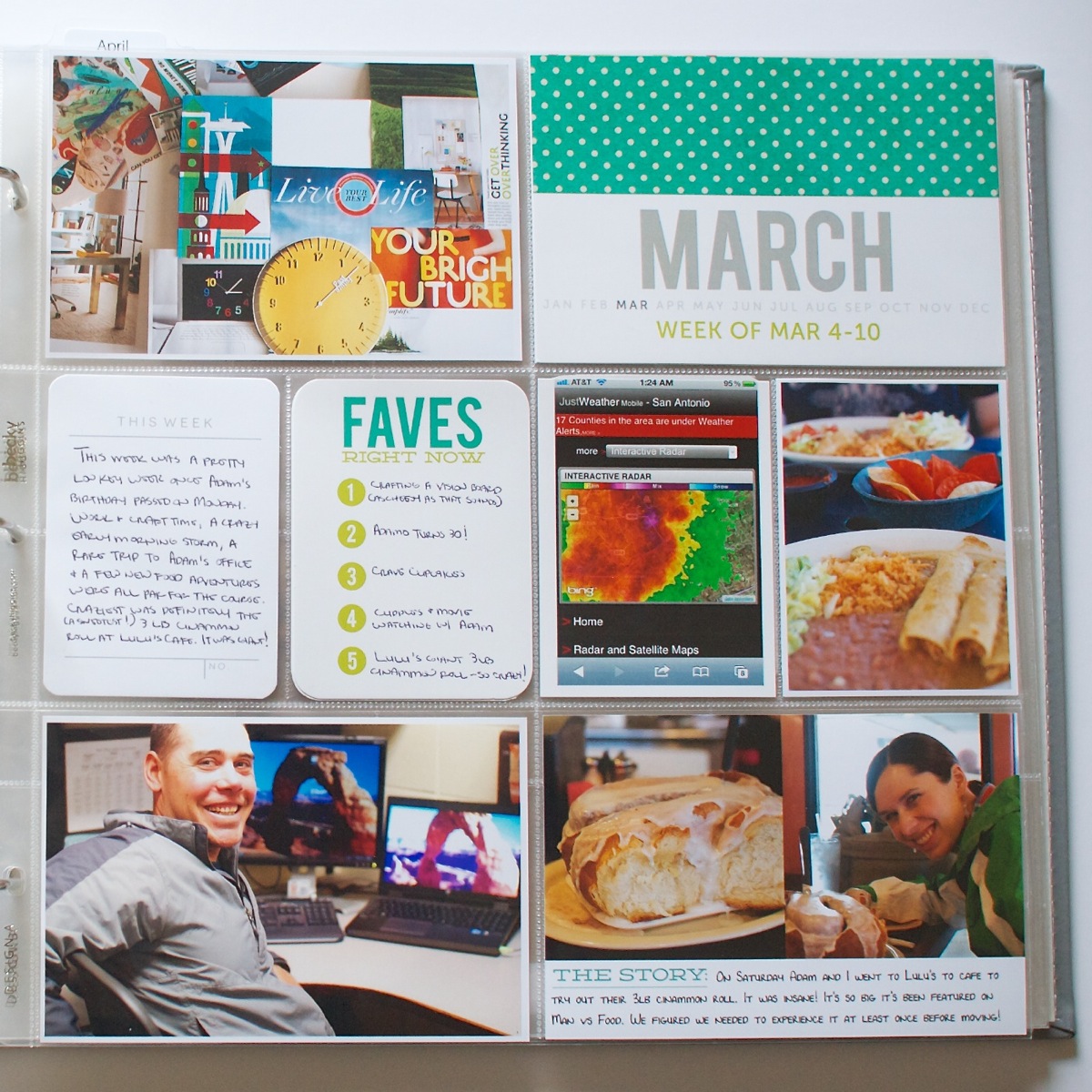
And a closer look at the rest of Week 10. It was a pretty low key week filled with craftiness, a crazy 1am storm, a random stop at Adam’s office (1st time I’d been there!) and of course new food adventures because we love our good eats, haha.

The This Week card came from the March Studio Calico kit and The Story card is from my Bits & Bytes: 4×6 Journalers – Graphic mini template set.

Nettiodesigns ProjectLife Wk9 10 20

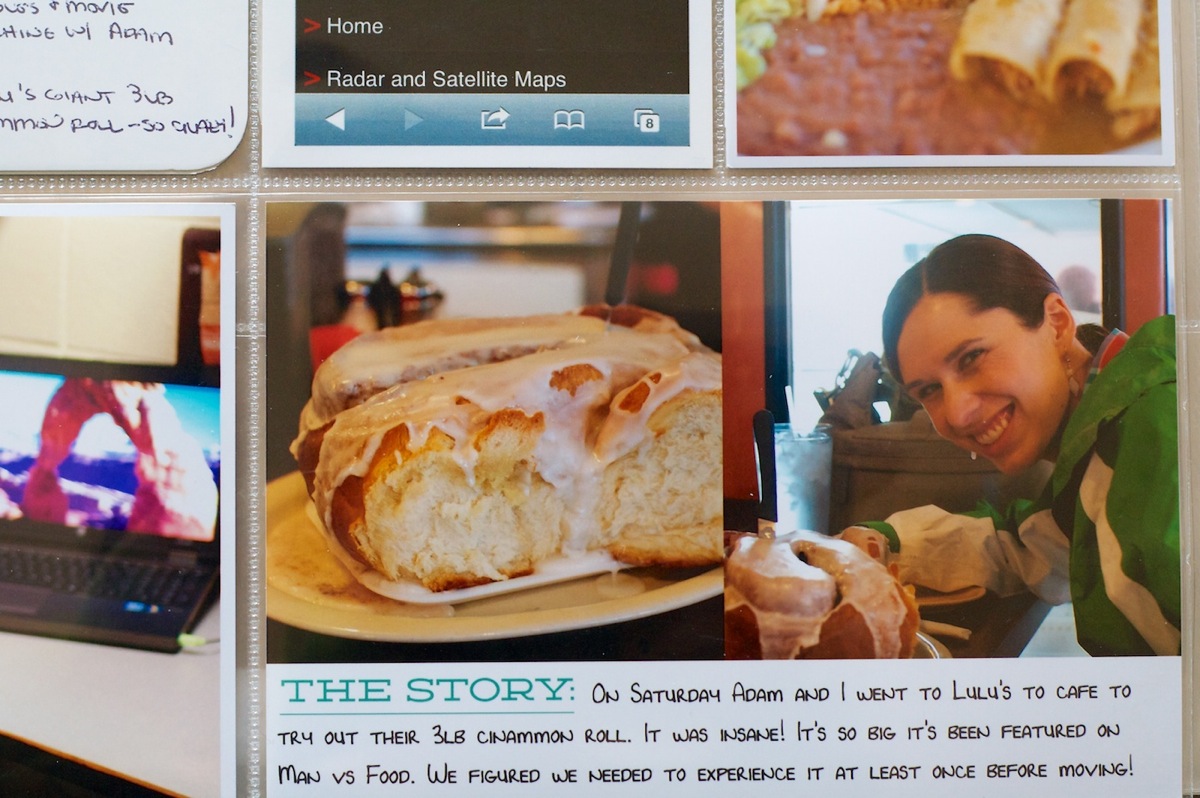
I just have to point this out because it’s so awesomely hilarious to me. One of my goals for March was to check two items off our “Before We Leave San Antonio” bucket list and getting the 3 pound cinnamon roll at Lulu’s Cafe was one of the items on our list. This place has been featured on Man vs Food and well, how can you go wrong with a cinnamon roll bigger than my head? It was the height of gluttony and no we didn’t finish it all in one sitting. We ended up having it with eggs for dinner that night and again for breakfast the next morning. And no, it was definitely not Paleo, haha. It did however taste almost exactly like the Holiday Inn Express cinnamon rolls which was pretty funny.

Nettiodesigns ProjectLife Wk9 10 21

Random thoughts this week:

As I mentioned at the beginning of the post, I decided to try printing all of my Project Life photos and cards through Persnickety Prints and I have mixed feelings about that decision.

On the one hand the prints are GORGEOUS. The colors of the photos and cards were 100% true to what I see on my screen which isn’t true when I print from home or printed from Target.

On the downside, I hated waiting for shipping. I ordered my prints on Wednesday and while Persnickety processed my order really quickly – within in a few hours – they didn’t ship out until Thursday.  With the weekend that meant they didn’t arrive until Monday which made it tough to share my Project Life pages on Monday like I’d planned. So while I loved the quality, I’m not sure it’s something I have time wait for every week, but we’ll see.

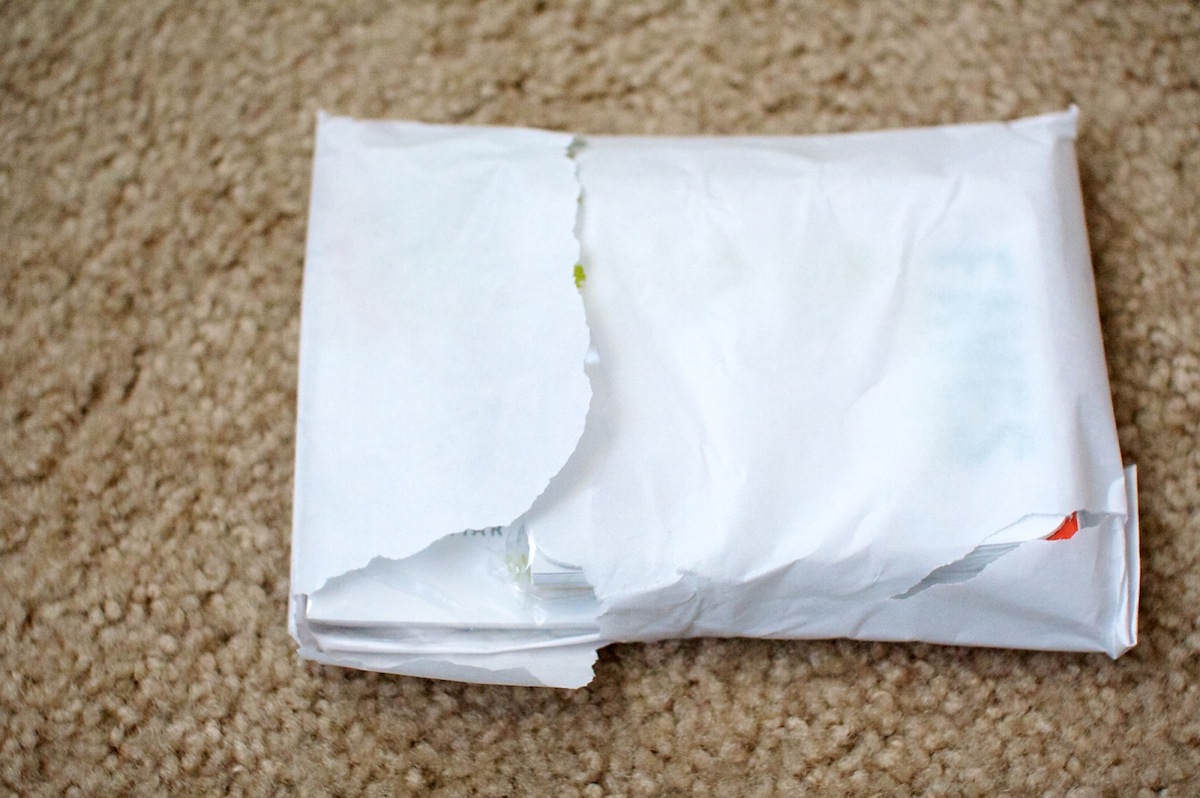
Here’s a few pictures from my order. One thing I didn’t love was the envelope of images itself was heavily taped within the box. I know they do this so the prints don’t move in shipping but I don’t know if I just didn’t open the box properly or what because they were a pain to get out. The poor outer envelope didn’t survive the process, haha.

Nettiodesigns ProjectLife Wk9 10 1

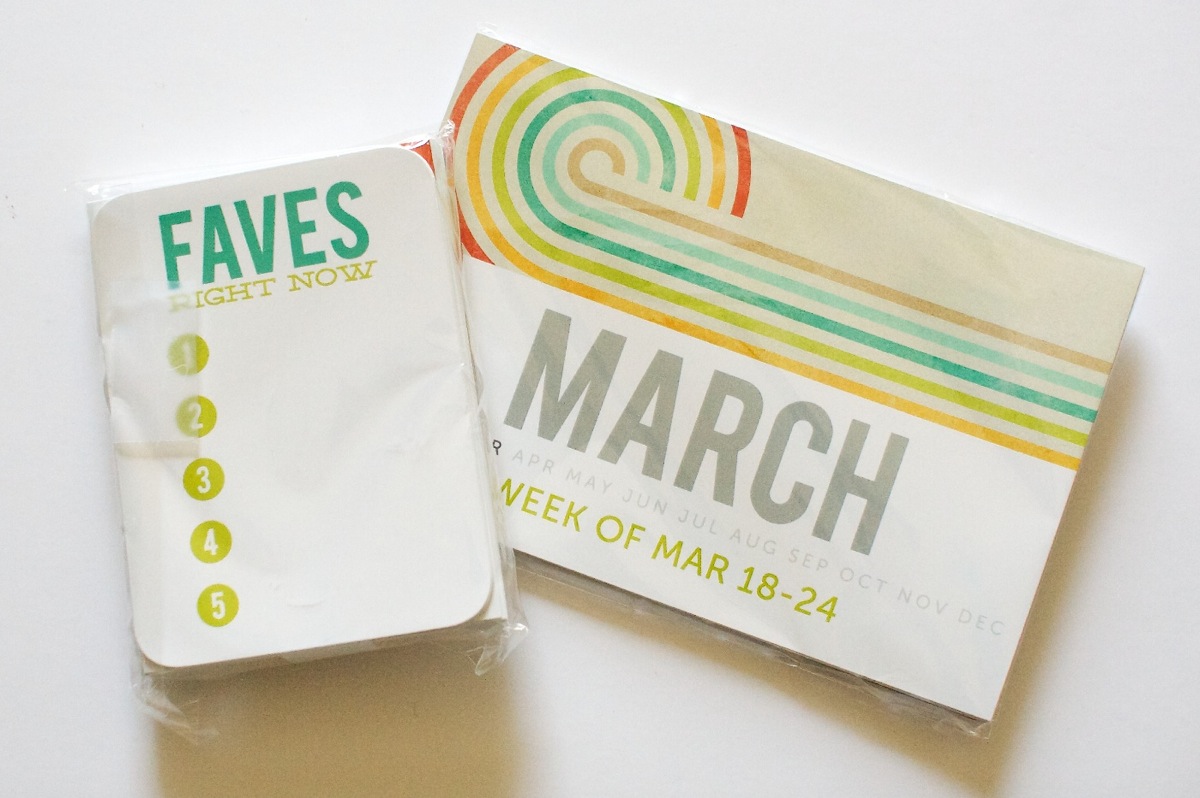
They came packaged in two sizes: 4×6 & 3×4 with all the photos and card stock cards mixed together:

Nettiodesigns ProjectLife Wk9 10 2

Here’s what all the 4×6 card stock printed images looked like. I loved how bold and saturated the colors looked – I’d definitely consider having my weekly title cards batch printed there again next month. All the digital papers used on my title cards are from Oh Snap digital kit by Libby & Shawna.

Nettiodesigns ProjectLife Wk9 10 3

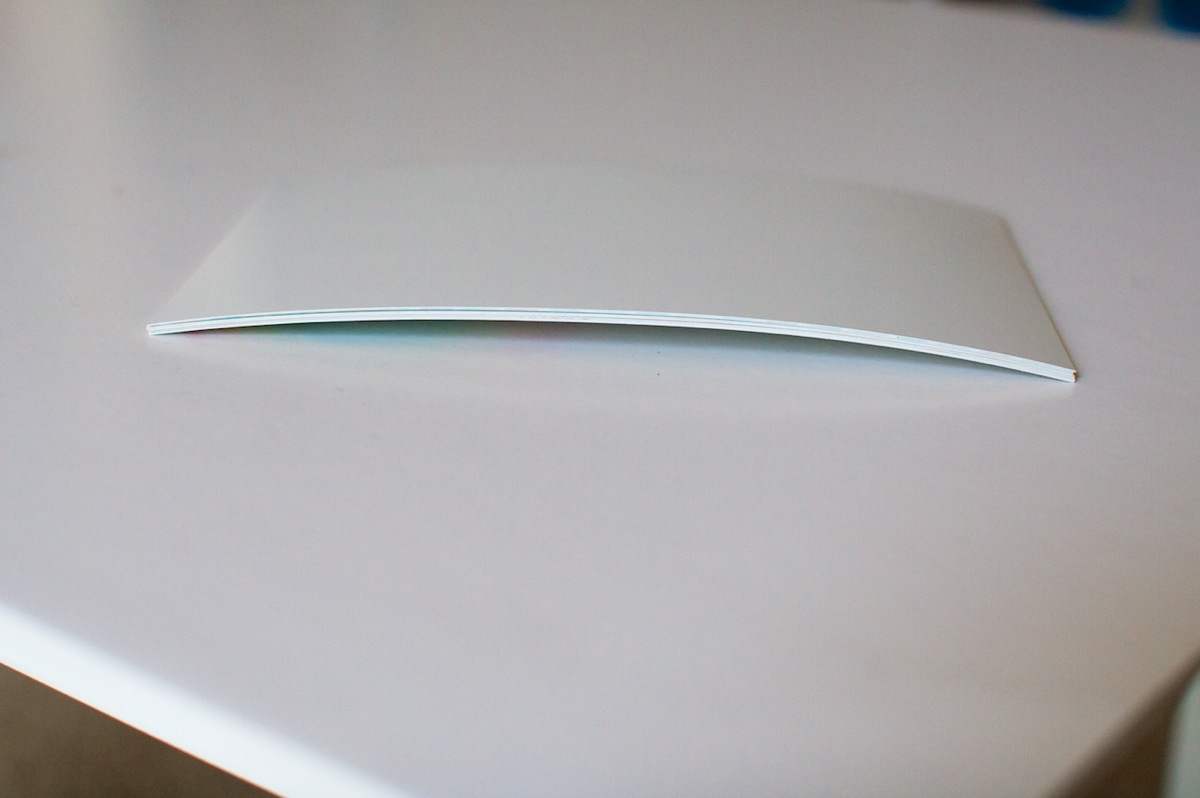
One other downside to the card stock cards was all of them came pretty significantly curled. It wasn’t really an issue for the cards I was putting into the Project Life page protectors but I’d also ordered a bunch of the Instagram Polaroids which I’d planned to clip and hang and they’re currently sitting under a pile of books in hopes I can flatten them out.

Nettiodesigns ProjectLife Wk9 10 5

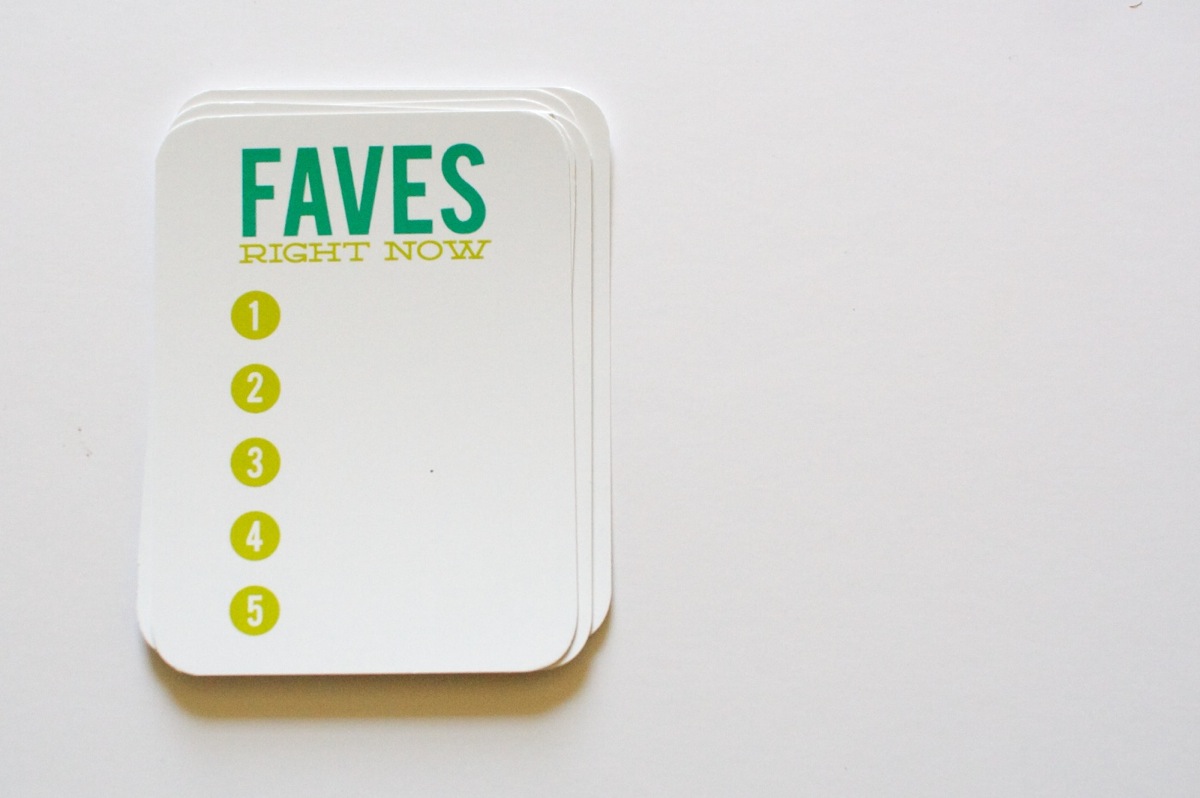
Here’s what the 3×4 card stock Faves cards looked like without the writing on them. I LOVED the saturated colors but not being able to write on them was pretty much a deal-breaker. It’s possible if I used a different pen it might work better, but being left-handed, I suspect the type of pen that might work would probably result in smudge central if I attempted to write with it.

Nettiodesigns ProjectLife Wk9 10 4

Overall I was happy with my Persnickety Prints Project Life printing experience but I don’t know if it’s something I’ll continue to do every week.

Well that’s it for this Project Life 2013, Weeks 9 & 10 birthday-tastic update! How are you doing with your Project Life album? Can you believe Week 10 means we’re almost 1/5 of the way done? I’m quite proud of myself for keeping up with it this long.

Supplies used this week: Project Life Design A & Design F page protectors, Project Life Photo Pocket Pages – Small Variety Pack 1,  Seafoam core kit, Nettio Designs Bits & Bytes 2013 4×6 Weekly Title Cards, 4×6 Journalers – Graphic and Say What 3×4 Cards, Nettio Designs free Top Five Faves 3×4 card, Studio Calico March Project Life kit, Oh Snap! digital scrapbooking kit by Shawna Clingerman & Libby Pritchett, Today 2.0 Arrows digital element pack by Mari Koegelenberg. Photos/elements printed by Persnickety Prints.

Project Life is a memory-keeping system created by Becky Higgins. New to Project Life? Learn more here & find all my Project Life  posts here.

Can diabetes cause erectile dysfunction

POSTED IN Project Life

  • « Previous Page
  • 1
  • …
  • 6
  • 7
  • 8
  • 9
  • 10
  • …
  • 18
  • Next Page »
HI I'M LYNNETTE. Graphic designer, tech-lovin’ memory keeper and lover of bold colors & patterns, good food and the great outdoors. Here at Nettio Designs, I share a behind the scenes peek at my own creative & life adventures. Read more...

KICKSTART YOUR CREATIVITY


By popular demand, photo book templates are back! Grab all three sets in the shop.
ADVENTURES IN ORGANIZING
GOAL-SETTING
MEMORY KEEPING
PROJECT LOVE
LIFE ADVENTURES
TIPS & TRICKS
BEHIND THE SCENES

POPULAR PROJECTS

TO SEE ALL MY PROJECTS, CLICK HERE

MUST READ POSTS

  • WHY EVERY SCRAPPER SHOULD SCRAP A FAVES PAGE
  • HOW TO CREATE A SCRAP-WORTHY MAP WITH PHOTOSHOP
  • REMEMBERING THE IMPORTANCE OF TELLING YOUR STORY
  • WHAT DOES IT MEAN TO CREATIVELY CAPTURE YOUR LIFE ADVENTURES?
  • BROWSE BY CATEGORY

    BROWSE THE ARCHIVES

    GET IT FOR FREE

    Testing testing

    links goes here

    Copyright © 2026 ·Dynamik Website Builder · Genesis Framework by StudioPress · WordPress · Log in